A Practical Guide to 3D for E-commerce
Compare five ways to use 3D for e-commerce, from CGI stills to AR and configurators, with scored criteria, a worked example and a recommendation per catalog.
 MediaScaleUp Editorial Team
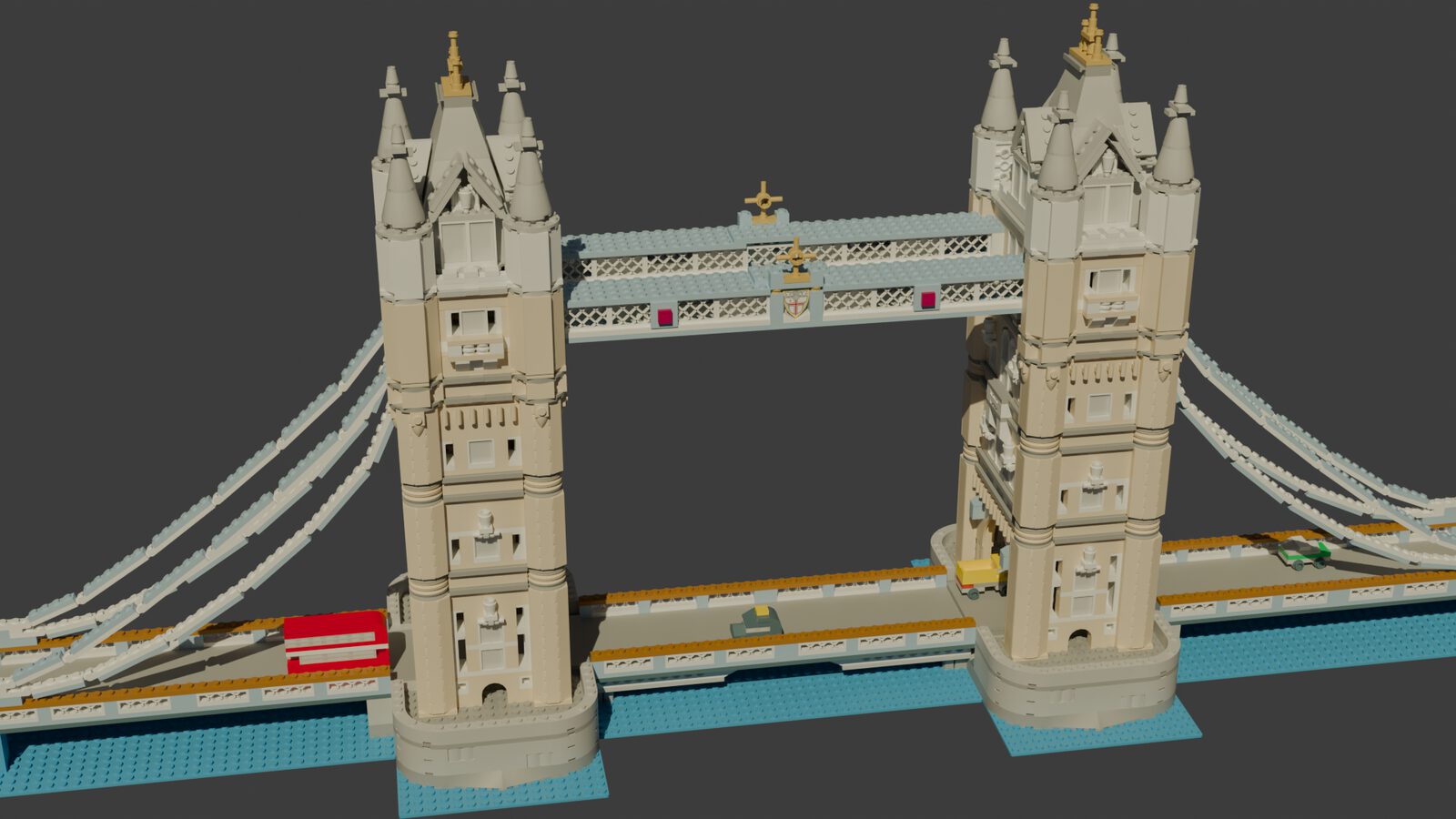
3D for e-commerce means putting real-time 3D models of your products on product pages, in search results and in augmented reality, either alongside your photography or, for some products, in place of part of it. Instead of looking at the eight angles a photographer chose, the shopper spins the product, zooms into the stitching, checks the back panel and, on a phone, places it on their own floor at its real size. That shift in control is the whole point, and it is also why 3D is harder to get right than a new set of photos.
This guide is for business owners, e-commerce managers and in-house creative teams who have been told they "should be doing 3D" and need to decide what that actually means for their catalog. It is also for the practitioners who will build it. The technical rules are not set by your studio or your agency: they are set by the platforms that display the models, including your storefront, the mobile operating systems that run augmented reality and the search engines that index product media. A good decision starts from those constraints, not from a demo reel.
The article is organized as a decision framework. It lays out the five realistic options, the six criteria that separate them, a scored comparison, the trade-offs of each option, a worked example with numbers you can adapt, and a recommendation for the situations most catalogs actually fall into.
What 3D for E-commerce Covers, and What It Does Not
The phrase gets used for several different things, and mixing them up is the most common source of wasted budget. It helps to separate the asset from the delivery. The asset is a 3D model of the product: geometry, materials and textures, built from CAD data, from a 3D scan, or modeled by hand from reference photos and measurements. The delivery is how that asset reaches a shopper, and there are several routes.
- Rendered stills and turntables. The model is rendered offline into ordinary images or a short spin sequence. The shopper never downloads 3D data; they see pictures that happen to come from a 3D pipeline.
- An interactive viewer on the product page. The shopper downloads a real-time model, usually a GLB file, and rotates it in the browser.
- Augmented reality. The shopper opens the model in their phone's AR viewer and places it in their room. Cross-platform AR generally means supplying both GLB and USDZ versions of the same product.
- Configurators. The shopper changes options such as color, material or components, and the model updates live.
- Search and marketplace surfaces. 3D and AR models can be described in structured data and supplied to platforms so they can appear outside your own site.
What 3D for e-commerce does not do is fix weak product information. If the dimensions in your listing are wrong or the materials are vaguely described, a beautiful model simply presents the wrong information more convincingly. And it does not replace photography for most products. Conventional photos load instantly, show the product in real light and serve shoppers whose devices or connections struggle with 3D. The best-run catalogs treat the model as an additional, controllable view, not as the only one.
Every option below starts from the same asset. A well-built master model can feed stills, turntables, a web viewer, AR files and a configurator. Deciding on delivery is therefore mostly a decision about what you export, how you optimize it and how much you maintain, not about building different models from scratch.
The Five Options on the Table
Most catalogs choose from five delivery options, often combining two or three. Treat them as a ladder: each step up gives the shopper more control and asks more of your production pipeline, your pages and your maintenance process.
Option 1: Photography only
The baseline. You keep shooting products conventionally and add nothing in 3D. This is a legitimate choice, not a failure to modernize. For fast-moving fashion, consumables and products whose appeal is mostly texture or context, photography may already answer every question a shopper has.
Option 2: CGI stills and turntables from 3D models
You build models and render them into images: white-background packshots, lifestyle scenes, detail crops and 360-degree turntable sequences. The shopper sees images; the page carries no 3D runtime. This is often the most cost-effective first step because a single model produces every colorway and every angle without reshooting. The craft here is in lighting and camera discipline; our guide on getting turntable renders right covers frame counts, pivot points and consistent lighting across a range.
Option 3: Interactive 3D viewer on the product page
The product page embeds a real-time viewer that loads a GLB model. The shopper orbits, zooms and inspects. The model has to be optimized for the web: a limited polygon count, compressed textures and physically based materials that look right under the viewer's default lighting rather than a studio renderer's.
Option 4: Interactive 3D plus augmented reality
Option 3 plus an AR button that opens the product in the device's native AR viewer. Android devices open GLB models in Google's viewer, while iPhones and iPads use Apple's AR Quick Look, which expects USDZ. Supporting both means two files per product, both kept in sync. This option matters most where scale and fit decide the purchase: furniture, lighting, appliances, large decor and equipment.
Option 5: Real-time 3D configurator
The shopper builds their own variant and sees it update live, sometimes with pricing, sometimes with AR at the end. Configurators are software projects as much as 3D projects: option logic, rules about which combinations are valid, and integration with your product data and cart. Our deeper guide on getting 3D configurators right covers that side in detail.
The Six Criteria That Decide Between Them
Asking "is 3D worth it?" in the abstract does not produce a useful answer. Asking how each option performs against a fixed set of criteria for your products does. These six criteria cover the decisions that actually change outcomes.
1. Shopper decision value
How much does extra control help the shopper decide? The honest test is to list the questions customers ask before buying, from support tickets, returns reasons and reviews. If they ask about size in a room, how a hinge works, what the back looks like or how two finishes differ, interactive 3D and AR answer those directly. If they ask about fabric drape on a body or taste, 3D answers little.
2. Production effort per SKU
The effort to build one production-ready model depends on source data and complexity. Clean manufacturer CAD shortens the job considerably, though CAD usually needs retopology and material work before it is usable on the web. Scans need cleanup; our guide on cleaning up 3D scans properly explains why raw scan data is rarely shippable. Modeling from photos and measurements is the slowest route. Variants are where effort drops: a colorway on an existing model is a material change, not a new build.
3. Page performance cost
A model competes with every other asset on the page, including hero images, scripts, fonts and reviews widgets, for the same loading budget. A viewer library plus a multi-megabyte model can push down the page's loading metrics if it loads eagerly. Stills and turntables cost roughly what any image gallery costs. Viewers, AR and especially configurators cost more, and must be lazy-loaded.
4. Platform and format compatibility
Does the option work on the storefront you use, the devices your customers carry and the surfaces you want to appear on? Commerce platforms including Shopify support 3D models as product media; the Shopify developer documentation sets out the accepted formats and limits, and those requirements should be met before you produce at volume. A GLB-only pipeline leaves AR unavailable to iPhone users, which for many stores is roughly half the mobile audience.
5. Accuracy risk
The model must represent the product actually being sold. The more freedom the shopper has to inspect, the more any inaccuracy is exposed. A slightly idealized studio still is a familiar convention; an AR sofa that is five centimeters narrower than the real one is a return waiting to happen. Accuracy risk rises with every step up the ladder.
6. Maintenance burden
Products change: a new handle, a revised finish, a discontinued color. Every model in the catalog needs an owner and an update trigger. Photography is maintained by reshooting, CGI by re-rendering, but live viewers and AR files silently go out of date if nobody links them to product revisions. Configurators carry the heaviest burden because they encode option rules as well as geometry.
Weight the criteria before you score anything. A furniture brand might weight shopper decision value and accuracy at double the others; a small store on a lean theme might weight page performance and maintenance most heavily. The same scores produce different winners under different weights, which is exactly what you want the framework to show.
Scored Comparison of the Options
The scorecard below rates each option from 1 (weak) to 5 (strong) on each criterion, from the point of view of a typical mid-sized catalog of physical products. For cost and risk criteria, a higher score means lower cost or risk, so that higher is always better. These are editorial judgments drawn from how the options behave in production, not measured benchmarks; adjust them for your products before relying on the totals.
| Criterion | Photography only | CGI stills and turntables | Interactive viewer | Viewer plus AR | Configurator |
|---|---|---|---|---|---|
| Shopper decision value | 2 | 3 | 4 | 5 | 5 |
| Production effort per SKU (5 = lightest) | 4 | 3 | 3 | 2 | 1 |
| Page performance (5 = lightest) | 5 | 5 | 3 | 3 | 2 |
| Platform and format compatibility | 5 | 5 | 4 | 3 | 2 |
| Accuracy risk (5 = lowest) | 4 | 4 | 3 | 2 | 2 |
| Maintenance burden (5 = lightest) | 3 | 4 | 3 | 2 | 1 |
| Unweighted total (out of 30) | 23 | 24 | 20 | 17 | 13 |
Read the unweighted totals carefully. They favor the low-risk options because four of the six criteria measure cost, risk or effort. That is realistic for a store with no specific reason to invest in 3D, but it undersells the higher options for products where shopper decision value dominates. Double the weight on decision value for a furniture catalog and the gap between photography and viewer plus AR halves, from six points to three. Triple it, which is reasonable when returns are driven by size surprises, and the two draw level at 27 each. The table is a tool for making those weights explicit, not a verdict in itself.
Two further points hide inside the table. First, CGI stills score well on maintenance because re-rendering a changed model is faster than reshooting, provided the models are organized properly; the guide to planning a 3D product library covers naming, versioning and variant structure. Second, the compatibility score for viewer plus AR drops only because two formats must be maintained, not because AR is poorly supported. Done properly, with both GLB and USDZ, compatibility is broad.
Photography and CGI Stills: Strengths and Limits
The two image-based options share a delivery method: the shopper sees images, and the page behaves like any other product page. They differ in how the images are made.
Photography captures the real product in real light, which gives it an authority that CGI still has to earn. It is quick to commission for small ranges, and every storefront, marketplace and ad platform accepts images without special handling. Its weakness is scale: every colorway, every angle and every revision requires the physical product, a studio and a retoucher. For a sofa available in 40 fabrics, photographing every combination is impractical, which is why many furniture brands shoot a few hero fabrics and leave the rest to swatches.
CGI stills solve the combinatorics. Once the model and a lighting setup exist, adding a fabric is a material assignment and a render queue job. The guide on batch rendering variants covers how to automate that so hundreds of images come from one scene file consistently. The risk is the "too perfect" look: surfaces that are cleaner, seams straighter and colors more saturated than the real product. That is a lighting and material discipline problem, and it is solvable.
Pros
- No 3D runtime on the page, so no performance penalty beyond a normal image gallery
- Works on every storefront, marketplace, email and ad placement without special formats
- CGI makes colorways, angles and turntables cheap to multiply once the model exists
- Re-rendering after a product revision is faster than organizing a reshoot
- Low accuracy risk when materials are calibrated against physical samples
Cons
- The shopper still sees only the angles you chose
- Does not answer "will it fit in my space" questions the way AR does
- CGI can drift into flattering the product unless reviewed against samples
- Photography alone scales poorly across large variant ranges
A practical note on turntables: a 360-degree spin built from 24 to 72 rendered frames gives shoppers much of the "look around it" benefit without any 3D runtime. For many catalogs it is the right halfway step, and it gives you a reusable model library that can later feed a viewer or AR without starting over.
Interactive Viewers on Product Pages: What They Demand
An interactive viewer is where 3D for e-commerce starts behaving like software. The shopper downloads a model and a renderer, and the page has to stay fast while that happens.
The format question
GLB, the binary form of glTF, is the working standard for web 3D. The Khronos Group, which maintains glTF, designed it as a compact, efficient transmission format for real-time 3D, with physically based materials that render consistently across viewers. Build to glTF's metallic-roughness material model from the start, and materials behave predictably in any compliant viewer.
The performance question
The viewer must not block the page. Load the product title, price, photography and add-to-cart button first, then load the viewer when the shopper scrolls to it or taps a 3D button. Show a poster image, ideally a render of the model from the same angle the viewer opens on, so the swap is seamless. Keep the model lean: a sensible polygon budget for the product's size on screen, textures compressed and sized to what a phone screen can actually show, and no hidden internal geometry left over from CAD. Our guide to embedding 3D models on web pages goes into loading strategies, poster images and viewer settings.
The fidelity question
Real-time viewers use environment lighting rather than a studio render farm. Materials that looked perfect in an offline render can look flat or plasticky in a viewer. Test every model in the actual viewer your store uses, on a mid-range phone, not only in the modeling application on a workstation.
Pros
- Shoppers inspect exactly what they care about, from any angle
- Answers design and detail questions that fixed angles miss
- GLB is widely supported by commerce platforms and web viewers
- The same optimized model is most of the way to AR
Cons
- Adds real weight to the page and must be lazy-loaded to avoid slowing it
- Real-time materials need extra tuning to look right
- Close inspection exposes modeling shortcuts and inaccuracies
- Each model needs a revision owner once it is live
Adding Augmented Reality: The Two-Format Reality
AR changes the question from "what does it look like" to "what does it look like here, at real size". For products where scale is the main uncertainty, that is the most useful thing 3D can do. It also raises the stakes on accuracy: a model that is off by a few percent in a viewer is a cosmetic issue; in AR, standing next to a real wall, it is a measurement the shopper will act on.
Why one format is not enough
Android's AR experience works with GLB. Apple's AR Quick Look on iPhone and iPad works with USDZ. A store that publishes only GLB quietly excludes iOS shoppers from AR, and one that publishes only USDZ excludes Android. The fix is procedural: generate both files from the same master model in the same pipeline step, validate both, and version them together. Materials need checking in each, because the two formats and their viewers do not render identically.
Scale, origin and placement
AR models must be built in real-world units, with the origin at the base of the product and the correct face pointing forward. A floor lamp whose origin sits at its center will float half-buried in the floor. Wall-mounted items need to be set up for vertical placement. These details are invisible in a web viewer and obvious in AR, which is why AR models need their own review on real devices.
Search and structured data
3D and AR models can be described in structured data and, in supported cases, surface in search results. Google Search Central documents how 3D and AR content can appear in search and what it requires. Treat this as a bonus that follows from a well-organized library, not as the reason to start one.
Pros
- Directly answers size and fit questions, the main uncertainty for large products
- Uses native device AR viewers, so no app download is needed
- Reuses the web model with modest extra work per product
- Well-described models can reach search surfaces beyond your own site
Cons
- Two formats per product, both to be validated and kept in sync
- Scale or origin errors are immediately visible and damage trust
- Requires testing on physical iOS and Android devices
- Highest accuracy stakes of any option short of a configurator
If you are considering browser-based AR beyond the native viewers, for example a custom room-planning experience, that is a different category of project; the guide to WebXR explains where it fits and what it costs in engineering.
Configurators: When Live Customization Earns Its Cost
A configurator is justified when the number of valid combinations is too large to show any other way, and when seeing the combination is part of the purchase decision. Modular furniture, made-to-order goods, bikes, kitchen fittings and branded merchandise fit this description. A t-shirt in six colors does not; six rendered images do the job.
The cost structure is different from the other options. The 3D work involves building components that fit together cleanly, materials that swap without artifacts, and textures shared across options to keep downloads small. The software work involves option rules (which components fit, which finishes are available with which frame), pricing logic, performance budgets on mobile, and passing the finished configuration to the cart and to fulfillment accurately. The maintenance work is ongoing: every new option, discontinued finish or price change touches the configurator.
Pros
- Shows combinations that would be impossible to photograph
- Can reduce order errors on complex made-to-order products when rules are enforced
- Components can be reused to render stills and AR files for popular configurations
- Strongest option where personalization is the product
Cons
- A software project with ongoing engineering, not a one-off 3D purchase
- Heaviest page performance cost, especially on mid-range phones
- Every catalog change requires configurator updates
- Rule errors can let shoppers order combinations that cannot be built
A useful test before commissioning a configurator: could you cover the top 80 percent of what shoppers actually order with pre-rendered variants? If yes, start with batch-rendered stills for those and consider a configurator later. If shoppers routinely order combinations nobody would think to pre-render, the configurator is doing work nothing else can.
A Worked Example: Scoping 3D for a 300-SKU Furniture Catalog
The following is an illustrative scenario, not a client project. It shows how to apply the framework with realistic numbers. Replace the assumptions with your own.
A home furniture retailer sells 300 SKUs. On inspection, those SKUs collapse into 60 product families: 20 sofas and chairs sold in 8 fabrics each, 25 tables and storage pieces in 3 finishes each, and 15 lamps and accessories in 1 to 2 finishes. Returns data shows the most common reason is "smaller or larger than expected" for sofas and tables. The store runs on a hosted platform that supports 3D media, and analytics show mobile traffic split roughly evenly between iOS and Android.
Applying the criteria with double weight on decision value and accuracy:
- Sofas and tables: size is the main uncertainty, so viewer plus AR scores highest.
- Fabrics and finishes: variants are numerous, so CGI stills for each colorway are more efficient than photography.
- Lamps and accessories: low decision value from 3D, so photography with a turntable is enough.
- A configurator is not justified yet: every product is sold in fixed variants.
Here is an illustrative production plan. The hours are planning assumptions for an optimized, validated model built from manufacturer CAD, and will vary with the quality of source data and the studio's pipeline.
| Work item | Count | Assumed hours each | Total hours |
|---|---|---|---|
| Master models for sofas and tables (from CAD) | 45 families | 10 | 450 |
| Master models for lamps and accessories | 15 families | 5 | 75 |
| Fabric and finish material setup | 11 materials | 4 | 44 |
| Web optimization and GLB export, sofas and tables | 45 families | 2 | 90 |
| USDZ export, AR scale and origin checks | 45 families | 1 | 45 |
| Batch-rendered colorway stills (automated, review time) | 235 variants | 0.25 | 59 |
| Device testing and validation fixes | 45 families | 1 | 45 |
| Total | 808 |
Three things stand out. First, master modeling is well over half the effort; everything after it is multiplication. That is why getting the master model accurate and well-structured matters more than any later step. Second, AR adds only about 45 hours over the web viewer here, because both formats come from the same master. Third, the 235 colorway variants (160 sofa and chair variants, 75 table and storage variants) cost relatively little because they are rendered, not modeled.
On performance, the team sets a working target for each GLB of a few megabytes, with textures at resolutions a phone can display, and loads the viewer only on tap. Photography stays as the first gallery image on every product. Before producing at volume, the team runs a pilot of five products through the full pipeline, uploads them to the storefront, checks platform validation and loading on mid-range phones, and only then schedules the remaining 55 families.
The pilot is not optional. Discovering after 60 models that your textures exceed the platform's limit, or that your USDZ exports have a scale error, means rework on every file. Five products through the entire pipeline, all the way to a live page on real devices, is the cheapest insurance in any 3D program.
Accuracy, Maintenance and the Mistakes That Undo the Investment
Most failed 3D programs do not fail at launch. They fail six to twelve months later, when the models no longer match the products, pages have slowed down and nobody owns the library. The mistakes are predictable.
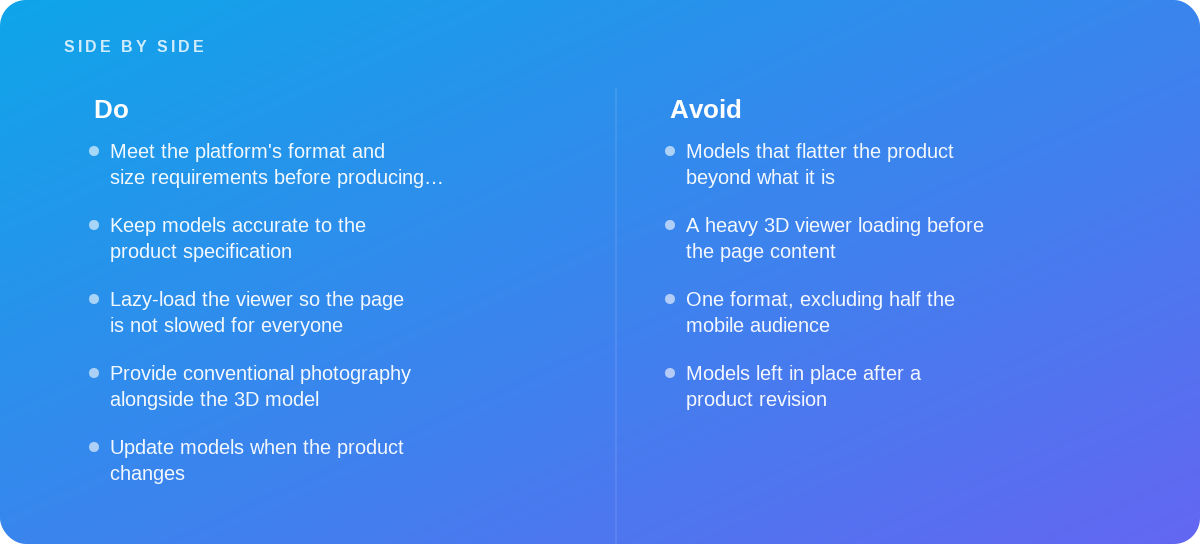
Models that flatter the product
It is tempting to make the model look better than the product: cleaner seams, richer color, more even surfaces. In a viewer or in AR, the shopper treats the model as the truth. Calibrate materials against physical samples under neutral light, and review models side by side with the product. The guide on reviewing 3D work offers a review structure that catches this before launch.
Heavy viewers that load first
A viewer that loads before the page content penalizes every visitor, including the majority who never rotate the model. Lazy-load it, show a poster image, and measure page loading before and after adding viewers. If performance degrades, fix the loading strategy before adding more models.
One format for everyone
Publishing GLB only, or USDZ only, excludes a large share of mobile shoppers from AR. Build both into the export step so it cannot be skipped.
Models left behind after a product revision
When the manufacturer changes a handle or discontinues a finish, the model must change the same day the listing does. Link each model to the product's specification version in your product data, and make "update 3D assets" a line item in the product change process, not an afterthought.
Before any model goes live, confirm each of the following:
- Every model is built in real-world units and checked against the product specification
- Materials are calibrated against physical samples, not only reference photos
- GLB and USDZ are exported, validated and versioned together
- The viewer loads after the page content, with a matching poster image
- Conventional photography remains on every product page
- Each model has an owner and is linked to the product's revision history
- Platform validation has passed for a pilot batch before volume production
Recommendations by Situation
With the options, criteria and trade-offs laid out, the recommendation depends on which situation your catalog is in. Most stores fit one of the following, and some fit two in different product lines.
Large, considered purchases where size decides
Furniture, lighting, appliances, equipment and large decor. Returns and questions center on scale and fit, and each product sells in fixed variants.
Verdict Choose an interactive viewer plus AR, with both GLB and USDZ produced from one master model, and CGI stills for the variant range. Keep photography as the first gallery image. Pilot five products end to end before scheduling the rest.
Wide variant ranges with modest decision value from 3D
Bags, footwear, homewares and accessories in many colors, where the shopper mostly needs to see the color and the details, not rotate the object in space. CGI stills and turntables usually win here on cost and performance, and the model library you build can feed a viewer later if data shows shoppers want one. Lighting consistency is the critical craft; see the guide to lighting presets and rigs for building one setup that serves the whole range.
Made-to-order and modular products
If shoppers routinely order combinations nobody would pre-render, and seeing the combination matters to the decision, a configurator earns its cost. Budget for it as software with ongoing maintenance, and reuse its components to produce stills and AR files for the most popular configurations.
Verdict For small catalogs, fast fashion and products where texture or taste decides the sale, stay with photography, perhaps adding turntables for hero products. For everything in between, start with CGI stills from a well-organized model library, then add viewers and AR to the product lines where support questions and returns show that shoppers need them.
If your catalog needs 3D at volume, if your models are failing platform validation, or if page performance has dropped since viewers were added, that is the point to bring in a specialist team. Our 3D visualization and rendering service covers master modeling, variant rendering, and GLB and USDZ delivery validated against your platform's requirements, and a short pilot is the usual starting point.
Where this comes from
- Shopify Developers — 3D model media
- Khronos Group — glTF for commerce
- Google Search Central — 3D and AR results
The figures and practices above come from the sources listed.
Working on something like this?
We take on 3D Design & Development work for teams who want it done once, properly. Tell us what you are building and we will tell you honestly whether we are the right studio for it. Start a project.
Where to go next
Spotted something wrong? Report an error on this page. We correct on the page and say what changed.