User Research: What Actually Works
Learn which user research methods actually work: framing questions, recruiting real users, observing behavior, and turning evidence into product decisions.
 Priya Raghunathan

User research is the discipline of finding out how people actually behave and what they actually need, rather than what a product team assumes they do. It covers everything from sitting beside someone while they struggle through an expense report to reading the analytics for a checkout funnel, and its purpose is always the same: to replace confident guesses with evidence before those guesses turn into code, content, and cost.
It matters to anyone who pays for something to be built. The most expensive product mistakes are rarely design failures. They are research failures: the feature was built well, shipped on time, and nobody needed it. Founders deciding what to build next, marketers wondering why a redesigned page converts worse than the old one, and in-house teams arguing about which of three roadmap items matters most are all facing questions that user research exists to answer.
This field guide moves from fundamentals to advanced practice. It explains the two axes every method sits on, how to frame a question worth answering, how to recruit people who represent your real audience, how to run sessions that reveal behavior instead of polite predictions, how to count things without fooling yourself, and how to make findings land with the people who decide. Along the way it flags the traps that make research look rigorous while telling a team only what it already believed.
- Core purpose Learn what people do and need, not what the team assumes
- Generative research Done before deciding what to build
- Evaluative research Done to test something that already exists
- Qualitative methods Interviews and observation that explain why
- Quantitative methods Surveys and analytics that describe how many
- Most common bias Asking what people would do instead of watching what they do
What User Research Is, and What It Is Not
At its simplest, user research is structured observation of the people a product serves. The structure is what separates it from anecdote. A sales rep who says "customers keep asking for an export button" is reporting a signal; a researcher who watches eight customers try to get data out of the product, notes where each one gets stuck, and discovers that six of them actually want to paste figures into a board deck is producing evidence. The second version usually changes what gets built.
It helps to be clear about what user research is not, because many activities borrow the name without doing the work:
- It is not a focus group about taste. Asking a room of people whether they like a color palette tells you about group dynamics and the loudest participant, not about whether the interface works.
- It is not a validation ritual. Research run to justify a decision already made is theater. If no possible result would change the plan, the study is not research.
- It is not the same as stakeholder input. Internal experts know the business, the constraints, and the history. They are essential, and interviewing stakeholders well is its own skill, but their views describe the organization, not the end user.
- It is not only usability testing. Testing a prototype is one family of methods. Understanding the problem space before a prototype exists is often more valuable, and more often skipped.
The practical definition that holds up best is this: user research is any activity where you deliberately expose a question about your users to evidence that could prove you wrong. That last clause does most of the work. If the method, the participants, or the framing make disconfirmation impossible, the activity may still be useful, but it is not research.
The Two Axes Every Research Method Sits On
Almost every method in user research can be placed on two axes. The first is timing: are you trying to decide what to build, or checking something that already exists? The second is the kind of answer you need: an explanation of why something happens, or a measurement of how often. Getting these two axes straight is the fastest way to stop arguing about methods and start choosing them.
Generative versus evaluative
Generative research is done before deciding what to build. It explores the problem: who has it, how they cope today, what workarounds they use, what triggers them to look for a solution, and what they would give up to get one. Contextual inquiry, diary studies, and open-ended interviews are typical generative methods. The output is an understanding of needs and a set of opportunities, not a verdict on a design.
Evaluative research is done to test something that exists, whether that is a paper sketch, a clickable prototype, a live product, or a competitor's site. Usability testing, tree testing, first-click tests, and A/B experiments are evaluative. The output is evidence about whether a specific solution works and where it breaks.
Qualitative versus quantitative
Qualitative methods, such as interviews and observation, explain why. They are small-sample, deep, and interpretive. Watching five people misread the same label tells you the label is the problem and often tells you what they expected it to say.
Quantitative methods, such as surveys and analytics, describe how many. They are large-sample and comparatively shallow. Analytics can tell you what share of visitors leave your pricing page within ten seconds; they cannot tell you whether those visitors found the price they wanted or gave up in confusion.
The two axes combine into four quadrants, and a healthy research program touches all of them over time. The table below maps common methods onto that grid.
| Quadrant | Question it answers | Typical methods | Typical sample |
|---|---|---|---|
| Generative and qualitative | What problems do people have, and why? | Contextual inquiry, open interviews, diary studies | 5 to 15 people per distinct segment |
| Generative and quantitative | How widespread is this problem or behavior? | Surveys, search log analysis, market sizing from existing data | Hundreds, depending on the precision needed |
| Evaluative and qualitative | Why does this design work or fail? | Moderated usability tests, cognitive walkthroughs with users | Around 5 per round, repeated across rounds |
| Evaluative and quantitative | How well does this design perform, and is B better than A? | A/B tests, unmoderated benchmarks, tree tests, funnel analytics | Hundreds to thousands, driven by effect size |
The sample ranges above are planning conventions, not laws. Nielsen Norman Group's widely cited guidance on user research methods argues for small, repeated qualitative rounds rather than one large study, because each round fixes the most obvious problems and lets the next round find subtler ones. Quantitative sample sizes, by contrast, depend on how small a difference you need to detect and how confident you need to be, so they are calculated per study rather than chosen by habit.
Start With the Question, Not the Method
The single most reliable predictor of useful research is whether someone wrote down the question it was meant to answer before it started. Teams that skip this step tend to pick a method they are comfortable with, run it, and then hunt for something interesting in the results. That produces findings, but rarely decisions.
A good research question has four properties:
- It is tied to a decision. "Should we build a mobile app or improve the responsive site first?" is tied to a decision. "What do users think of mobile?" is not.
- It is answerable with evidence. "Will this succeed?" cannot be answered by any study. "Can first-time users complete account setup without help?" can.
- It names the population. New customers, lapsed customers, and power users often behave so differently that mixing them produces averages that describe nobody.
- It states what would change the plan. If you write "if fewer than half of participants can find the billing settings, we will move them to the main navigation," you have committed in advance and protected the study from post-hoc rationalization.
Once the question is written, the method usually follows. A question about why something happens points toward qualitative work. A question about how often points toward quantitative work. A question about a problem nobody has solved yet points toward generative research; a question about a specific screen points toward evaluative. The companion guide on choosing a UX research method goes deeper into matching methods to questions when the answer is not obvious.
Tip: Put the research question, the decision it informs, and the "this would change our plan" threshold at the top of the plan document, and ask the decision-maker to approve those three lines before anyone recruits a participant.
- If the decision-maker cannot name a result that would change their mind, pause and find out why before spending the budget.
- If there are more than three questions, you are planning more than one study. Split it.
Framing tools help. Jobs-to-be-done thinking, for example, pushes the question away from features and toward the progress a person is trying to make in a particular situation. If a team keeps phrasing questions as "would users want feature X," reframing through jobs to be done usually surfaces the underlying need and opens up solutions nobody had proposed.
Recruiting Participants Who Match the Real Audience
Research is only as good as the people in it. A flawless interview with the wrong person produces confident, wrong conclusions. Recruiting is where many studies quietly fail, usually because the right participants are harder to reach than the convenient ones.
Define the audience by behavior, not demographics
Screen for what people do rather than who they are. "Small business owners aged 30 to 50" is a weak screener; "people who personally sent at least five invoices in the last month using a spreadsheet or accounting tool" is a strong one. Behavioral criteria predict how someone will interact with your product far better than age or job title, and they are harder to fake on a screener survey.
Include the difficult participants
The people easiest to recruit are rarely representative. Enthusiastic existing customers volunteer readily; frustrated ones, those who churned, people with limited time, people using assistive technology, people with low digital confidence, and people outside your home market take more effort. They are often exactly the people whose experience reveals what is broken. The GOV.UK Service Manual guidance on user research is a useful model here: it treats research with people who have access needs or low digital skills as a routine part of building a public service rather than an optional extra.
Practical recruiting channels
- Your own customer base, contacted through in-product prompts or email, is the cheapest source for evaluative work but skews toward engaged users.
- Specialist recruiting panels are fast for consumer audiences and common professions, and weaker for niche B2B roles.
- Community and professional networks reach specialists but take longer and need a clear, respectful ask.
- Intercept recruiting, such as a short on-site survey that invites qualified visitors to a session, catches people in the moment of need.
Incentives vary widely with audience, session length, and market. A short consumer session and an hour with a specialist clinician or senior engineer sit at very different price points, and the right level is whatever makes the time genuinely worth it for the person you need. Budget for no-shows too; overbooking by one participant per day of sessions is a common safeguard. For screeners, scheduling, and consent in detail, see the guide to recruiting research participants.
Warning: Recruiting colleagues as participants is one of the most common ways research goes wrong. Coworkers know the product vocabulary, the business goals, and often the designers, so they succeed at tasks real users fail and hold back criticism they would voice as customers.
- Use colleagues only for pilot sessions that test your script and setup, never as data.
- Be equally cautious with friends, family, and hand-picked "friendly" customers chosen by the account team.
Interviews and Observation That Reveal Behavior
The most common bias in user research is asking people what they would do rather than observing what they do. People are poor predictors of their own future behavior, and they are generous to interviewers. Ask "would you use this?" and most will say yes, because it is polite, because it costs nothing, and because they genuinely imagine a version of themselves who would. That answer tells you almost nothing about whether they will open the feature a second time.
Ask about the past, not the hypothetical
The fix is to anchor every question in real, recent experience. Compare these pairs:
| Weak question | Stronger replacement | Why it works better |
|---|---|---|
| Would you use a feature that tracks your team's time? | Tell me about the last time you needed to know how long a project took. What did you do? | Reveals actual behavior, workarounds, and whether the need is frequent |
| How much would you pay for this? | What do you use for this today, and what does it cost you in money or time? | Grounds value in real current spending rather than a guess |
| Is this design easy to use? | Please try to change your delivery address. Talk me through what you're thinking. | Produces observed success or failure instead of an opinion |
| Do you find reports useful? | Can you show me the last report you opened and what you did with it? | Shows the real job the report serves, if any |
Observation beats description
Wherever possible, watch rather than ask. Contextual inquiry, where you observe someone doing their real work in their real environment, surfaces the sticky notes on the monitor, the second spreadsheet they keep "just in case," and the colleague they call when the system fails. None of that appears when people describe their process from memory, because they have stopped noticing it.
Remote screen-sharing sessions are a reasonable substitute when travel is impractical. Ask participants to share their actual screen and complete a real task with their own data where privacy allows. Observing someone use their own messy inbox or half-finished project board teaches more than watching them navigate a clean demo account.
Moderating without leading
- Stay quiet longer than feels comfortable. Silence invites people to fill it with the detail you need.
- Reflect questions back: "What do you think that button does?" rather than explaining it.
- Avoid naming the thing you are testing. If you say "find the smart filter," you have told them it exists and what it is called.
- Ask "what happened next?" and "can you show me?" far more often than "why?", which invites rationalization.
- Separate what people did from what they said about it in your notes. Both matter, but they are different kinds of evidence.
Interviewing is a craft that improves with practice and with a second person taking notes so the moderator can focus. Studios that run user interviews as a service typically pair a moderator with a dedicated note-taker for exactly this reason.
Surveys and Analytics: Counting Without Fooling Yourself
Quantitative user research answers "how many" and "how much," and it is indispensable for prioritizing. Knowing that a confusing step affects a small fraction of traffic versus most of it changes whether it goes to the top of the backlog. But numbers carry an authority they do not always deserve, and quantitative methods have their own traps.
Surveys
Surveys are good at measuring the prevalence of things people can report accurately: what tools they currently use, how often they do a task, what role they hold, how satisfied they were with a recent interaction. They are bad at predicting behavior and at explaining causes. The same bias that undermines "would you use this" in interviews scales up in surveys, because a thousand hypothetical yeses are still hypothetical.
Practical survey rules that hold up:
- Ask about specific, recent events: "In the last 30 days, how many times did you…" rather than "How often do you usually…"
- Keep it short. Every extra question lowers completion and the quality of later answers.
- Avoid double-barreled questions such as "Was the checkout fast and easy?" Split them.
- Offer balanced scales and an honest "not applicable" option.
- Pilot the survey with three to five people from the target audience and watch them complete it; misread questions show up immediately.
- Consider who did not respond. A satisfaction survey answered mostly by happy customers is a sample of happy customers.
Analytics
Product and web analytics record what people actually did, which makes them immune to the prediction bias. Their weakness is that they show the what without the why, and they only record what you instrumented. A funnel that shows a steep drop at the shipping step tells you where to look; it takes a qualitative session to learn whether the problem is the cost, a confusing form field, or a surprise delivery date.
The strongest pattern is to alternate: let analytics point to where something is wrong, use qualitative sessions to learn why, change the design, and then use analytics or a controlled test to confirm the change helped. Each method covers the other's blind spot.
Evaluative Research: Testing What Exists
Evaluative research is where most teams begin, because there is something concrete to test. Done well, it is also one of the highest-return activities in product development: a single round of usability sessions on a prototype routinely catches problems that would cost far more to fix after launch.
Usability testing
In a moderated usability test, a participant attempts realistic tasks on a prototype or live product while thinking aloud, and a moderator observes. The essentials are realistic tasks written as goals ("You want to return the shoes you bought last week") rather than instructions ("Click Orders, then Return"), participants who match the audience, and a clear definition of success for each task. Unmoderated tools let participants complete tasks on their own schedule while their screen and voice are recorded, which is faster and cheaper per session but loses the ability to probe.
Testing structure and navigation
Information architecture problems are often invisible in visual design reviews. Tree testing strips away the interface and asks participants to find items in a text-only version of your navigation hierarchy, isolating whether the labels and grouping make sense. It is quick to run, works well unmoderated, and produces clear success rates per task. The guide to tree testing covers how to write tasks and read the results.
Small, fast rounds
Evaluative research does not need to be large to be useful. A round of four or five sessions in a single day, followed by fixes and another round the following week, generally produces better products than one large study at the end. Teams short on time can adopt the lightweight formats described in running quick research sessions, which trade some rigor for speed without abandoning the core discipline of observing real behavior.
Tip: Test the riskiest assumption first, not the most finished screen. A rough prototype of the part of the product you are least sure about will teach more than a polished version of the part everyone already agrees on.
A Worked Example: One Research Cycle From Question to Decision
The following example is illustrative, not a client story. It shows how the pieces above fit together for a realistic scenario and uses planning figures typical of a small study.
The situation. A B2B software company offers a scheduling tool for small clinics. Trial signups are healthy, but conversion from trial to paid is disappointing, and the team disagrees about why. Product believes the calendar is missing features; marketing believes the pricing page is unclear; support believes onboarding is confusing.
The question. The team writes: "Why do clinic managers who start a trial not become paying customers? If most non-converters never complete setting up their first provider's schedule, we will prioritize onboarding over new calendar features next quarter."
The plan. The study combines one quantitative look and one qualitative round:
- An analytics review of the last three months of trials, measuring how far each account got through setup.
- Eight remote interviews with clinic managers who started a trial but did not convert, recruited through a short email offering an incentive, screened to include managers who personally set up the trial.
- Four moderated usability sessions with new-to-product clinic managers from a recruiting panel, asked to set up a clinic from scratch.
| Activity | Sessions or scope | Planned effort (hours) |
|---|---|---|
| Writing question, plan, screener, and discussion guide | 1 plan | 8 |
| Recruiting and scheduling | 12 participants plus 2 backups | 10 |
| Analytics review of setup progress | 3 months of trials | 6 |
| Interviews, moderator and note-taker | 8 sessions of 45 minutes | 12 per person, 24 total |
| Usability sessions, moderator and note-taker | 4 sessions of 60 minutes | 8 per person, 16 total |
| Synthesis and affinity mapping | 12 sessions of notes | 16 |
| Readout, evidence clips, and recommendations | 1 session with decision-makers | 8 |
| Total | 88 |
At roughly 88 hours, spread across two people, the study fits comfortably within three weeks alongside other work. The session hours include setup, buffer time between sessions, and immediate debriefs, which is why they exceed the raw session length.
What the illustrative results show. Suppose the analytics review shows that a majority of non-converting trials never add a second provider, and the interviews reveal a consistent pattern: managers try to recreate their existing recurring appointment patterns, cannot find how to set a provider's hours differently on alternating weeks, and fall back to their old paper or spreadsheet system "until they have time to figure it out." The usability sessions confirm it: three of four participants stall at the same screen, and the fourth succeeds only after trying the help search.
The decision. Because the team wrote its threshold in advance, there is little room for debate. The problem is not missing features or pricing clarity; it is that an existing feature is unfindable at the exact moment it matters. The team moves recurring-schedule setup into the onboarding flow, retests with four new participants, and then watches the setup-completion metric over the following trial cohorts. Product still gets its calendar features, just a quarter later, and with evidence about which ones matter.
Notice what made this work: a written question tied to a decision, a pre-committed threshold, participants who were real non-converters rather than happy customers, observation of actual setup behavior instead of asking what they wanted, and quantitative and qualitative methods used to check each other.
Making Findings Reach the People Who Decide
Research that never reaches decision-makers has the same impact as research that was never done, and it is surprisingly common. Reports sit in shared drives, slide decks are skimmed, and six months later the organization commissions a study to answer the question it already answered.
Share evidence, not opinion
The most persuasive research output is not the researcher's conclusion; it is the evidence behind it. A 40-second clip of a customer saying "I just gave up and went back to my spreadsheet" is harder to dismiss than a bullet point reading "onboarding friction observed." Present findings as observations tied to specific sessions, then as interpretations, then as recommendations, and keep those three layers visibly separate so stakeholders can challenge the interpretation without dismissing the observation.
Involve decision-makers early
The best way to get findings acted on is to have the people who will act on them watch sessions live. An executive who observed two participants fail the same task rarely needs to be persuaded. Even one session per stakeholder changes how the eventual report is received.
Write for the decision, not the archive
- Lead with the answer to the research question and the decision it implies.
- State confidence honestly: what you saw consistently, what you saw once, and what remains unknown.
- Rank findings by impact on the decision, not by the order you observed them.
- Give each recommendation an owner and a next step.
The companion guide on turning research into decisions covers readout formats, prioritization frameworks, and how to handle findings that contradict a senior stakeholder's view.
Warning: Research run to justify a decision already made damages more than one project. When stakeholders learn that studies are designed to confirm, they start discounting all research, including the honest studies that follow.
- If leadership has already decided, say so and research how to implement the decision well, not whether to make it.
- Report disconfirming findings with the same prominence as confirming ones.
Advanced Practice: Research Operations and Continuous Discovery
Once a team runs research regularly, the bottleneck shifts from method to infrastructure. Recruiting takes too long, consent forms are inconsistent, and nobody can find what last year's study learned. Research operations is the practice of solving those problems systematically.
Research repositories
A repository stores findings as atomic, tagged observations linked to their source sessions, so that a designer starting a new project can search "invoicing" and find every relevant clip and note from the past two years. Repositories fail when they become dumping grounds for full reports nobody reads, and succeed when findings are small, well tagged, and actively curated. The guide to research repositories covers structures and tagging schemes that stay usable as they grow.
Continuous discovery
Rather than running large studies a few times a year, many product teams now hold a small number of customer conversations every week as a standing habit. The advantage is that research stops being a special event requiring budget approval and becomes part of how decisions are made. The risk is drift: without written questions, weekly conversations can turn into pleasant chats that confirm current priorities. The discipline of writing the question first matters even more in continuous research.
Ethics, consent, and data handling
Mature research programs treat participant data carefully. That means informed consent that explains how recordings will be used and stored, retention periods for recordings, redaction of personal data in shared clips, and access controls on raw session files. Research with children, patients, or other vulnerable groups carries additional obligations, and regulated industries may impose their own. The Interaction Design Foundation's material on research methods is a useful primer for teams formalizing these practices.
- Generative research
- Research done before deciding what to build, aimed at understanding needs, behaviors, and problems.
- Evaluative research
- Research done to test an existing design, prototype, or product against real use.
- Contextual inquiry
- Observing and interviewing people in their own environment while they do real work.
- Screener
- A short questionnaire used to qualify participants against behavioral recruiting criteria.
- Think-aloud protocol
- Asking participants to narrate their thoughts while completing tasks, so the moderator hears expectations and confusion as they occur.
- Affinity mapping
- Grouping individual observations into clusters to reveal patterns across sessions.
- Research repository
- A searchable store of tagged findings and evidence that lets teams reuse past research.
- Research operations
- The people, processes, and tools that make research repeatable, including recruiting, consent, and knowledge management.
When to Bring In Outside User Research Help
Many teams can and should run their own lightweight research. A product manager who talks to customers every week, watches usability sessions, and reads analytics is doing valuable work. But there are situations where outside help pays for itself, and they are worth recognizing early.
- When the team disagrees about what users need. Internal debates that have run for months are often debates between assumptions. An independent researcher with no stake in any position can design a study that settles the question on evidence, and stakeholders are more likely to accept a result they did not suspect was engineered.
- When a product is not being adopted. Low adoption after launch is precisely the research failure described at the start of this guide. Diagnosing it requires talking to people who chose not to use the product, which is hard for the team that built it to do without defensiveness.
- When research must reach audiences the team cannot access. Specialists, executives, users in other markets and languages, people with disabilities, and hard-to-reach segments often require dedicated recruiting networks and experienced moderators.
- When the stakes justify rigor. Before a major rebuild, a pricing overhaul, or a new product line, the cost of a well-run study is small relative to the cost of a wrong bet.
When evaluating a partner, ask to see a sample research plan and readout, ask how they recruit hard-to-reach participants, and ask what they do when findings contradict the client's hypothesis. A good partner will describe that last scenario with specifics. MediaScaleUp's user research and testing service is built around the principles in this guide: written questions, behavioral recruiting, observation over prediction, and evidence-led readouts.
Whether you run it yourself or bring in help, the scale of the study should follow the size of the decision. A copy change needs an afternoon of quick sessions; a new product line may justify several weeks of generative work across multiple segments. What does not scale down is the discipline: a question written in advance, participants who represent reality, and evidence that could have proven you wrong.
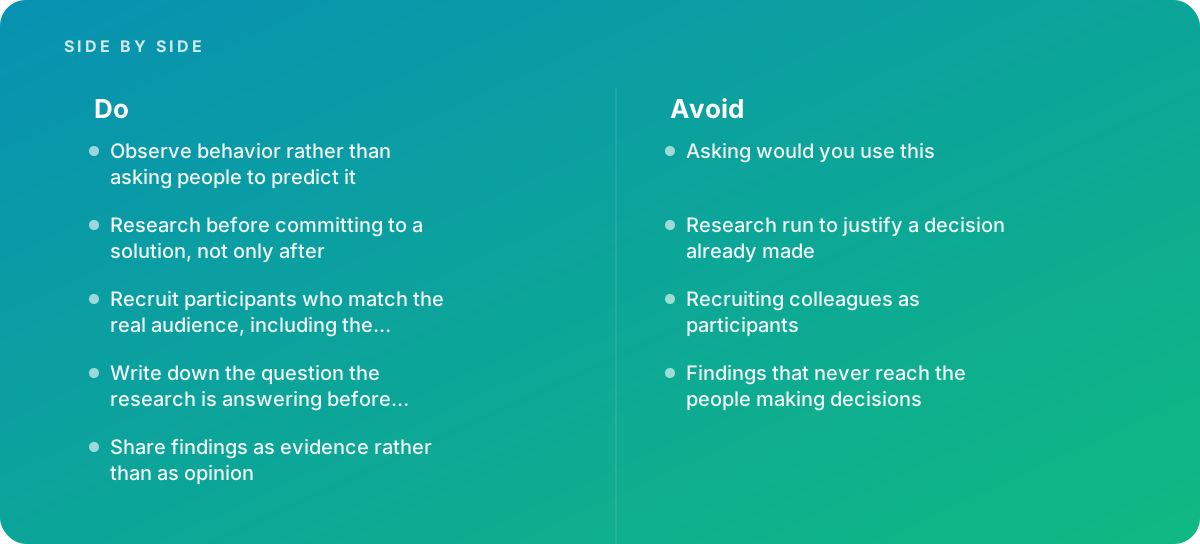
Verdict User research works when it is honest about what it is testing and who it is testing with. Write the question and the decision first, research before committing to a solution rather than only after, recruit people who match your real audience including the difficult ones, watch what they do instead of asking what they would do, and put the evidence in front of the people who decide. Teams that follow those five habits build fewer things nobody needs, and that is where most of the savings are.
Where this comes from
- Nielsen Norman Group — User research methods
- GOV.UK Service Manual — User research
- Interaction Design Foundation — Research methods
The figures and practices above come from the sources listed.
Working on something like this?
We take on UI & UX Design work for teams who want it done once, properly. Tell us what you are building and we will tell you honestly whether we are the right studio for it. Start a project.
Where to go next
Spotted something wrong? Report an error on this page. We correct on the page and say what changed.