Stem Delivery and Session Handover: What Actually Works
Diagnose and fix common stem delivery and session handover problems, from stems that won't sum or align to hollow M&E mixes and sessions missing their media.
 MediaScaleUp Editorial Team
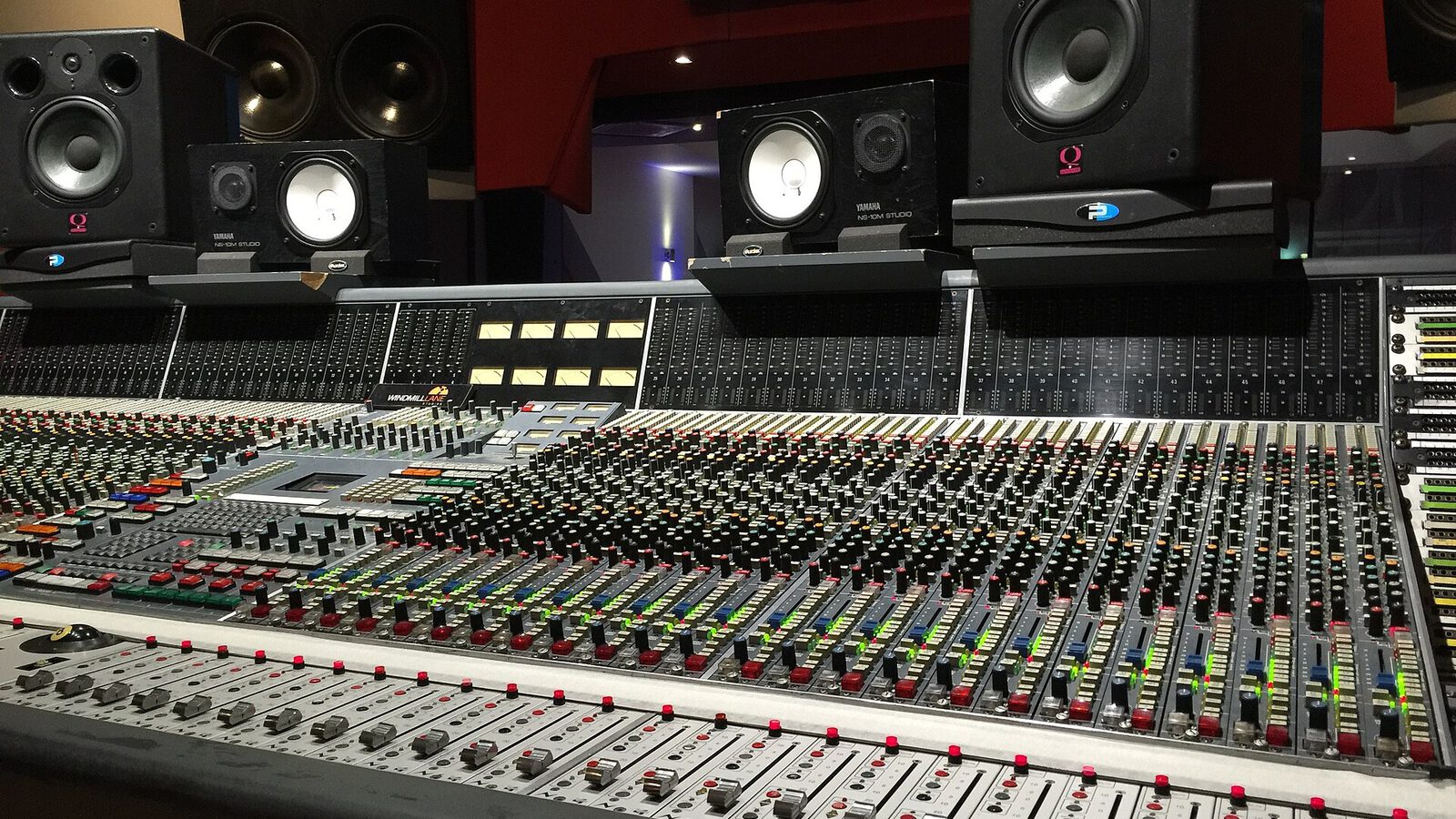
Stem delivery and session handover are the two halves of the same promise: that the audio you paid for can be changed later without starting over. Stems are grouped submixes, typically dialogue, music and effects, that play back together to recreate the finished mix. A session handover is the package that lets another engineer open the actual project, with the project file, every piece of media it references and a note that explains how it is built. Together they turn a finished mix from a sealed box into something a client, a localization house or a second studio can work with.
This matters most to people who never touch a fader: the marketing lead who needs a version of an ad without the music because a licence expired, the producer who has to ship a film to three language markets, and the in-house team that inherits a podcast when a freelancer moves on. A mixed-down stereo file is a dead end. The moment someone needs a cut without music, a version in another language or a dialogue fix, the whole mix has to be rebuilt from raw material, if that material can even be found.
This guide is written as a troubleshooting manual. Each section starts from a symptom you or your supplier will actually see, explains how to recognize it and what usually causes it, gives the fix, and ends with how to stop it happening next time. A worked example and a prevention checklist close the guide, so you can use it both to rescue a broken delivery and to write a better spec for the next one.
A Quick Diagnostic Map for Stem Delivery and Session Handover
Most handover failures fall into a small number of patterns, and they tend to surface at predictable moments: when a recipient first imports the stems, when a localization team starts replacing dialogue, or when someone opens an old session months later. Before digging into individual problems, it helps to match what you are seeing against the table below. It pairs each common symptom with its most frequent cause and the fix that usually resolves it. The sections that follow go into each one in depth.
| Symptom | Most likely cause | Fix |
|---|---|---|
| Stems played together do not match the master | Master-bus compression or limiting applied after the stems were split | Print stems and a matching reference mix from the same pre-limiter point, or document the difference |
| Stems drift or sit at different start points | Exports trimmed to first audio, mixed sample rates or frame rates | Re-export every stem from the same start timecode at one sample rate and length |
| M&E has holes where dialogue was removed | Footsteps and room sound only existed in the production dialogue track | Add fill: Foley, backgrounds and effects that replace what left with the dialogue |
| Session opens with offline or missing clips | Project delivered without its media, or media outside the project folder | Save a consolidated copy with all audio copied into the session folder |
| Nobody can tell what the tracks are | Tracks named after inputs, numbers or plugin presets | Rename tracks by content and role before handover; add a session note |
| The mix sounds different on another system | Missing or different-version plugins, unrendered virtual instruments | Commit or render processed tracks and list every plugin in the note |
| A small change forces a full remix | Only a mixed master was ever delivered | Rebuild stems from the session if it exists; specify stems in every future brief |
Two principles run through every row. First, stems and sessions fail silently: nothing warns you at export time, and the problem is found by someone else, usually under deadline. Second, nearly every fix is cheap when done at the end of the original mix and expensive when done weeks later by a different person. That is why the prevention advice in each section matters as much as the fix.
Symptom: The Stems Do Not Add Up to the Master
How to recognize it
The recipient loads the dialogue, music and effects stems at unity gain, plays them together, and the result is louder, less controlled or tonally different from the approved master. Sometimes it is subtle, a slightly less dense sound; sometimes peaks clip where the master was clean. The quickest objective test is a null test: place the summed stems and the master in the same session, invert the polarity of the master, and play them together. A perfect match cancels to silence. Anything left over is the difference between the two.
Likely causes
- Processing on the master bus. A compressor or limiter on the main output reacts to the combined signal. When each stem is printed alone, that processor sees a different signal and behaves differently, so the stems cannot recombine into what it produced from the whole mix. This is the most common cause by a wide margin.
- Tracks that were not routed to any stem. A stray reverb return, a sound design element on its own aux, or a voice-over routed straight to the main output ends up in the master but in no stem.
- Tracks routed to two stems. A send that feeds both the music and effects buses doubles an element when the stems are summed.
- Shared effects returns. A single reverb fed by dialogue and effects, returned to one stem, moves part of the dialogue's space into the effects stem.
The fix
Start by auditing the routing. Every audio track, aux and effect return should feed exactly one stem bus, and the stem buses should be the only things feeding the main output. Give each stem its own reverb and delay returns so that dialogue ambience lives in the dialogue stem. Then decide what to do about master-bus processing. The cleanest approach, and the one most delivery specifications assume, is to print the stems from the point before the final limiter and deliver a reference mix printed from the same point, alongside the finished, limited master. The recipient then has a set of stems that sum exactly to a known reference, and a separate master for direct use.
If the character of the mix depends heavily on master-bus compression, you can move that processing onto each stem bus so it is baked into the stems. The sum will then differ slightly from a single bus compressor, so run the null test, check the result by ear, and note in the documentation that the stems carry their own dynamics. What you should not do is hand over stems that silently disagree with the master and let the next person discover it.
Quick fix: Before exporting, bypass the master-bus limiter, print a reference mix, then print the stems from the same pass. Null the summed stems against that reference. If the residue is silent or near it, the routing is right. If you hear a specific element in the residue, that element is either missing from the stems or routed twice.
How to prevent it
Build stem routing into the project from the first day rather than at the end. A good session template, like the approaches covered in building reliable audio session templates, already has dialogue, music and effects buses with their own returns, so every new track is born inside a stem. Make the null test a standard step in your delivery routine, not a rescue technique.
Symptom: Stems Drift, Slip or Start at Different Points
How to recognize it
The recipient drops the stems on a timeline and they do not line up. The music starts a second before the dialogue, or everything starts together but slowly drifts apart until lip sync is visibly off by the end of the program. A related variant: the stems line up with each other but not with the picture. The verified rule is simple and absolute. All stems must start at the same timecode, and in practice they should also be exactly the same length.
Likely causes
- Exports trimmed to the first sound. Many export dialogs default to rendering from the first region to the last. A music stem that begins at 00:00:03 and a dialogue stem that begins at 00:00:00 will each be trimmed differently.
- Different sample rates. One stem exported at 44.1 kHz and another at 48 kHz will play at different speeds in a system that does not convert on import, which produces gradual drift rather than a fixed offset.
- Frame rate mismatches. A session set to 25 fps delivered against picture at 23.976 fps, or a pull-up or pull-down not applied consistently, shifts timecode positions and sync.
- Missing timecode stamp. Plain WAV files carry no start position. Broadcast Wave files can carry a time reference in their metadata, which lets editing systems place them automatically.
The fix
Re-export every stem from the same fixed start point to the same fixed end point, regardless of where the audio in that stem begins. In film and broadcast work that start point is commonly the program start at 01:00:00:00, often with a short leader in front of it. Many post workflows place a one-frame sync tone, the two-pop, two seconds before first frame of action, so that anyone can confirm alignment by eye on a waveform. Export all stems as Broadcast Wave files at the project's sample rate, which for video is normally 48 kHz, and at the same bit depth. Confirm the result by importing the stems into a fresh session and checking that every file has the same duration down to the sample.
If the drift is caused by a sample rate mismatch, do not try to nudge the stems into sync by hand. Re-render at the correct rate. Sample-accurate alignment by eye is not realistic across a long program, and any time-stretching introduces artifacts. For more on how rate changes and stretching affect audio, see the guide to pitch shifting and time stretching in practice.
How to prevent it
Agree the start timecode, frame rate, sample rate and bit depth in writing before the mix starts, and put them in the session note. Set the export range once, with markers or a saved selection, and render every stem in a single pass where your software allows it. Most modern DAWs can print multiple buses simultaneously, which guarantees identical start and end points.
Symptom: The Localization Team Cannot Use Your M&E
How to recognize it
A dubbing studio receives the music and effects version, mutes nothing, adds its new language dialogue, and the result sounds hollow. On-screen footsteps vanish, doors close silently, a crowd scene loses its murmur, and the room tone jumps every time a shot changes. Alternatively, the English dialogue is faintly audible in the M&E because it leaked into a reverb return or a music track. Either way, the localization team comes back asking for fixes, or quietly ships a weaker version.
Likely causes
- Effects living inside the dialogue. On location, the boom microphone records footsteps, prop handling and room sound along with the voices. If those sounds exist only in the production dialogue, removing dialogue removes them too.
- Dialogue in the wrong stem. Walla, background voices, on-screen television dialogue or a character's grunts and laughs were placed in effects or music. Some of these belong in the M&E and some do not, and the decision was never made deliberately.
- Shared reverb. A reverb fed by dialogue but returned to the effects stem leaves a ghost of the original language in the M&E.
- Source music with lyrics. A song playing on a radio in the scene sits in the music stem. Whether it stays in foreign versions is a creative and licensing decision that needs flagging.
The fix
Solo the M&E against picture and watch the whole program. Every time something visible on screen makes no sound, you have a hole to fill. The standard remedy is fill: Foley for footsteps, cloth and props, background tracks and room tone that continue under what used to be dialogue, and hard effects for anything else the dialogue track was carrying. The goal is a fully filled M&E that sounds complete with no dialogue at all, so a dub studio only has to add voices. A well-organized sound effects library makes this much faster, because the fill can be cut from clean, consistent material instead of recorded from scratch.
Then fix the routing leaks. Give dialogue its own reverb returns inside the dialogue stem, check that no music or effects track has dialogue bleeding into it, and decide explicitly where efforts, walla and on-screen voices live. A common approach is to keep a separate stem for optional or foreign-language-replaceable material so the dub house can choose. Major distributors publish detailed expectations for this; the Netflix Partner Help Center is a useful reference for how a demanding buyer specifies stems and M&E content, even if your project will never go near a streaming platform.
Watch for this: An M&E made by simply muting the dialogue stem is almost never a finished M&E. If the original production relied on location sound, budget time for fill before you promise a localization-ready deliverable.
How to prevent it
If there is any chance the work will be localized, and for corporate, training and product content there usually is, plan the M&E from the start. Record or source Foley and backgrounds during the edit rather than after the mix, keep dialogue processing inside the dialogue stem, and review the M&E against picture as a separate quality check, not as an afterthought to the main mix. Projects built around voice recordings from several locations, such as those described in the guide to directing remote voice sessions, are usually cleaner here, because the voice is already isolated from the ambience.
Symptom: The Session Opens With Missing or Offline Media
How to recognize it
The receiving engineer opens the project and is greeted by a missing files dialog. Regions show as grayed out or empty, some tracks play and others are silent, or the DAW offers to search every drive on the system for files that are not there. In the worst case, the recipient received a project file with no media at all, which is simply a list of edit decisions pointing at audio on someone else's computer.
Likely causes
- Media outside the project folder. Sound effects imported by reference from a library drive, music auditioned from a downloads folder, and voice files recorded into a different project all stay where they were unless you copy them.
- Handing over the project file alone. The project file does not contain audio. Sending it without the media is one of the listed mistakes precisely because it looks complete to anyone who does not know this.
- Renamed or moved files. Tidying up a folder after the mix breaks the links the project relies on.
- Compressed or cloud-synced transfers. Some sync services leave placeholder files that are not actually downloaded, or alter filenames with characters the DAW does not accept.
The fix
Use your DAW's consolidation feature rather than copying folders by hand. In Pro Tools this is Save Copy In with the option to copy all audio files; Logic Pro, Cubase, Reaper and others have equivalent functions that gather every referenced file into the project folder. Save the consolidated copy to a new location, close your working session, and open the copy on a different machine or user account. If it opens without a single missing file prompt, the handover is complete. If you are moving a project between different DAWs, an AAF export with embedded or consolidated media carries the edit structure across, though plugin processing and automation are only partly preserved, so pair it with printed stems.
Quick fix: Test the handover the way the recipient will experience it. Copy the consolidated folder to an empty drive, disconnect your library drives, and open the session. Every missing file prompt you see in that test is one the client would have seen.
How to prevent it
Set your DAW to copy imported files into the project on import, so external references never enter the session. Keep one project folder per job with a predictable structure, for example audio files, bounces, stems, documentation and picture reference. The same discipline pays off long after delivery: an organized, self-contained folder is the starting point for everything in archiving audio sessions properly.
Symptom: Nobody Can Tell What the Tracks or Files Are
How to recognize it
The recipient opens the session and finds tracks called Audio 1 through Audio 64, or names such as Vocal Warm Preset, Big Hall 2, or the name of a microphone input. The delivered folder contains files called Bounce_final_v3_REAL.wav and stem2.wav. Every question the recipient has now requires a phone call to the original engineer, who may no longer be available.
Likely causes
- Default names. DAWs name tracks and files after input numbers or the order they were created unless someone changes them.
- Preset names inherited as track names. Loading a channel strip preset often renames the track, which is why sessions with tracks named after plugin presets are a recognized handover mistake.
- Personal shorthand. Abbreviations that make sense to one engineer mean nothing to the next.
- Version names instead of content names. Filenames that describe history (final, final2, fixed) rather than content.
The fix
Rename every track and every delivered file by what it contains and what it is for. Use consistent, descriptive filenames rather than track numbers, and apply one convention across the whole delivery. A practical pattern combines project, version, stem type, channel format and technical specification, for example ProjectName_V3_DX_Stereo_48k24.wav, with DX, MX and FX, or Dialogue, Music and Effects written out, used identically every time. Avoid spaces and special characters that some systems and servers reject, and keep names short enough to survive long file paths on Windows machines.
Inside the session, color and group tracks by stem, put them in the same order as the stems, and add clear names to markers for scene changes, ad breaks and pickups. The Audio Engineering Society has long promoted documentation and metadata practice for exactly this reason: an asset that cannot be identified is, for practical purposes, lost.
How to prevent it
Write the naming convention into your template and your delivery spec, and rename as you go rather than at the end. A two-minute rename pass at the start of each session is far cheaper than a two-hour archaeology exercise later. When receiving work from suppliers, include the naming convention in the brief so it becomes part of the definition of done.
Symptom: The Mix Sounds Different on the Recipient's System
How to recognize it
The session opens with all its media, but a list of missing plugins appears, or tracks play dry where they were processed. Virtual instrument tracks are silent. Everything plays, yet the balance is not what was approved: the dialogue is harsher, the music wider, the ambience smaller.
Likely causes
- Plugins not installed. Third-party processing only works where the same plugin is licensed and installed.
- Different plugin versions. An updated plugin can change its default behavior or fail to load settings saved by an older version.
- Unrendered virtual instruments and clip effects. MIDI-driven music and non-destructive clip processing depend on software being present.
- Different monitoring. Sometimes nothing in the session changed; the recipient is listening at a different level or on an uncalibrated system.
The fix
For a revision-ready handover, commit or render processed tracks so that the audio itself carries the sound that was approved, and keep the unprocessed originals on hidden or inactive tracks for anyone who has the same tools and wants to go further. Render virtual instruments to audio. List every third-party plugin and its version in the session note, and flag any track where the sound depends on a specific processor. Before blaming the session, check the listening conditions; the guide to monitoring levels and calibration explains why two engineers can hear the same file differently.
How to prevent it
Prefer built-in or widely available processing in projects that you know will change hands, and keep exotic processing for elements that will be printed anyway. Make the plugin list a standard section of the handover note, and print stems alongside every session handover. Stems are the safety net: even if a recipient can open nothing else, they can rebuild the approved balance from printed audio.
Symptom: Every Small Change Forces a Full Remix
How to recognize it
The client asks for something that sounds small: remove the music for a trade show loop, replace one line of voice-over, drop a sound effect that a regulator objected to, make a cutdown for social. The answer is that it cannot be done without going back to the original session, and the session is on a freelancer's old laptop, or nobody knows where it is.
Likely causes
The single root cause is delivering only a mixed master. Once dialogue, music and effects are summed into one stereo file, no tool can reliably separate them again at the quality a professional delivery needs. Source separation software has improved, but it leaves artifacts and is a rescue technique, not a workflow. The contributing causes are briefs that asked for a finished file and nothing else, and suppliers who did not volunteer stems because nobody asked.
The fix
If the original session exists, rebuild the stems from it, applying everything in the sections above: align, name, document and test. If only the master exists, the options are limited and should be discussed honestly. For some changes, such as removing a short effect, careful editing of the master may be enough. For music replacement or language versions, a partial or full remix from the original recordings is usually the only reliable route, and that means tracking down the raw material. The work of replacing music is also easier when the original selection was documented, as covered in choosing music for video, because licensing and alternative cuts are already known.
Myth: Stems are only for film and television, so a corporate video or an ad does not need them.
Reality: Short-form content is often the most frequently revised. Ads are cut down, music licences expire, products change names and videos are localized for new markets. The cost of printing dialogue, music and effects stems at the end of a mix is small compared with rebuilding a mix from scratch the first time any of those changes is requested.
How to prevent it
Make stems a line item in every brief. The verified good practice is to deliver dialogue, music and effects stems alongside the master as standard, supply an M&E wherever localization is possible, and hand over the session with its media and a documentation note. Specialist providers of stem delivery and M&E preparation treat these as part of the core deliverable rather than an optional extra.
Worked Example: Handing Over a 12-Minute Brand Film
The following is an illustrative example, not a client story, built to show how the pieces fit together with realistic numbers. A company commissions a 12-minute brand documentary with interviews, narration, licensed music and sound design. The film will run on the company website, be cut into social clips, and be localized into two other languages next year. The mix is in stereo at 48 kHz and 24-bit, the frame rate is 25 fps, and the program starts at 01:00:00:00 with a two-pop at 00:59:58:00.
At 48 kHz and 24-bit, each audio channel uses 144,000 bytes per second, so a stereo file uses 288,000 bytes per second, or roughly 17.3 MB per minute. With a short leader, each stereo file for this program runs a little over 12 minutes and comes in at around 210 MB. The table shows a sensible delivery and its approximate size.
| Deliverable | Contents | Format | Approximate size |
|---|---|---|---|
| Master mix | Final approved mix, loudness-normalized for the target platform | Stereo BWF, 48 kHz / 24-bit | 210 MB |
| Reference mix | Same mix before the final limiter, for checking stems | Stereo BWF | 210 MB |
| DX stem | Interviews, narration and their reverb returns | Stereo BWF | 210 MB |
| MX stem | All licensed music | Stereo BWF | 210 MB |
| FX stem | Sound design, Foley, backgrounds | Stereo BWF | 210 MB |
| M&E | Music and filled effects, no dialogue | Stereo BWF | 210 MB |
| Session package | Consolidated project, all source media, plugin list, session note | DAW project folder | Often several GB, depending on raw recordings |
The printed deliverables total roughly 1.3 GB. The session package is usually larger, because it contains every interview recorded in full rather than only the parts used. If the same film were mixed in 5.1 surround, each six-channel file would be about three times the size of a stereo file, around 630 MB, so plan transfer methods accordingly.
Here is how the handover goes in practice. The engineer prints all six files in a single pass from 00:59:50:00 to 01:12:30:00, so every file has an identical start and length. The DX, MX and FX stems are summed and nulled against the reference mix; the residue is silent. The M&E is played against picture, and three moments are found where interview room tone disappears: fill is added from room tone recorded on the day. Files are named BrandFilm_V4_DX_Stereo_48k24.wav and so on. The session is saved as a consolidated copy, opened on a second machine with no library drives connected, and plays with no missing files. A one-page note records the timecode, formats, stem routing, plugin list and where the music licence paperwork lives.
Six months later, the company needs a Spanish version and a 60-second cutdown without narration. The dub studio uses the M&E directly. The cutdown editor uses the MX and FX stems plus selected interview lines from DX. Neither job requires the original engineer, and neither requires a remix. That is the outcome a good stem delivery and session handover is designed to produce.
Writing the Session Note That Prevents Most Questions
A verified part of any session handover is a documentation note, and it is the element most often skipped. It does not need to be long. A single page answers most of the questions a recipient will have and turns a folder of files into something another person can pick up with confidence.
- Project identity: title, version, date, the engineer or studio responsible and the approved cut the mix was built against.
- Technical format: sample rate, bit depth, frame rate, start timecode, program duration and the position of any sync pop.
- Stem structure: what each stem contains, including decisions about walla, efforts, on-screen voices and source music.
- Loudness: the target the master was mixed to and how it was measured. Broadcast work in Europe commonly follows the loudness recommendation published by the European Broadcasting Union, while online platforms apply their own normalization.
- Session layout: track order, color coding, bus structure, and which tracks are inactive or hidden originals.
- Dependencies: every third-party plugin and version, rendered instruments, and anything that needs special software.
- Rights and sources: where music licences, sound effect sources and talent releases are recorded, especially any restriction on reuse or localization.
Keep the note as a plain text or PDF file in the root of the delivery folder so it is the first thing anyone sees. If the project continues through several versions, update the note each time rather than creating a new one, and record what changed. The same note becomes the index card for the project when it is archived, which ties the handover directly into long-term audio archiving and preservation.
A Prevention Checklist for Every Handover
The fixes above are useful when something has already gone wrong. The cheaper path is to catch every problem before the files leave the studio. Run this checklist at the end of each mix, and include it in briefs to suppliers so it becomes the shared definition of a finished delivery.
- Every track and effect return feeds exactly one stem bus, and only stem buses feed the main output.
- Dialogue, music and effects stems are printed alongside the master in the same pass.
- A pre-limiter reference mix is included, and the summed stems null against it.
- Every stem starts at the same timecode and has exactly the same length.
- All files share one sample rate and bit depth, and are Broadcast Wave with a time reference.
- An M&E is supplied wherever localization is possible, and it has been reviewed against picture for missing fill.
- Filenames are descriptive and consistent; no tracks are named after inputs, numbers or plugin presets.
- The session is saved as a consolidated copy with all media inside the project folder.
- The consolidated session has been opened on a second system with no missing files.
- Processed and virtual instrument tracks are rendered, and every plugin is listed with its version.
- A session note explains format, timecode, stem contents, loudness, dependencies and rights.
For podcasts and other audio-only work, the list shrinks but does not disappear. A podcast rarely needs an M&E, but separate voice, music and effects stems make it easy to cut podcast trailers and promos from existing episodes, and a clean consolidated session lets a new editor take over the show without losing its sound.
When to Bring In Outside Help With Stems and Handover
Many teams can manage basic stem exports for simple projects. The situations where specialist help pays for itself are consistent: when localization is likely, when the work must be handed to another studio, and when a client needs to revise the mix without the original team. In each case the problems described in this guide become expensive, because they are discovered by someone else, under someone else's schedule.
A specialist audio post team brings three things that are hard to improvise. The first is routing discipline, built into templates so stems are clean by construction. The second is M&E experience, including the judgment about what counts as dialogue, what needs fill, and how to present optional elements to a dub studio. The third is a tested handover routine, in which sessions are consolidated, opened elsewhere and documented as a matter of course. If you are commissioning work, ask any supplier how they route stems, whether they null-test, and what their handover note contains. The answers tell you quickly whether the delivery will survive its first revision.
If you would rather hand the whole process over, our audio editing and production team can plan stems and M&E from the start of a project, or rescue and rebuild deliverables from an existing session.
Verdict A mixed master is a finished product; stems and a documented session are what make it maintainable. Print dialogue, music and effects stems from the same start timecode, prove they sum to a reference, supply a filled M&E when localization is possible, and hand over a consolidated, clearly named session with a one-page note. Each step takes minutes at the end of a mix and saves days later.
Where this comes from
- European Broadcasting Union — Delivery specifications
- Audio Engineering Society — Session documentation practice
- Netflix Partner Help Center — Audio stem requirements
The figures and practices above come from the sources listed.
Working on something like this?
We take on Audio Editing & Production work for teams who want it done once, properly. Tell us what you are building and we will tell you honestly whether we are the right studio for it. Start a project.
Where to go next
Spotted something wrong? Report an error on this page. We correct on the page and say what changed.