Audio Workflow and Session Organization: The Decisions That Matter
Learn how to name, color, route, version and consolidate audio sessions so any engineer can open a project cold and deliver a revision the same day.
 MediaScaleUp Editorial Team
Every audio project lives twice: once as the sound the listener hears, and once as the session file that produced it. Audio workflow and session organization is the discipline of structuring that second life so it stays usable. It covers how tracks are named, grouped and colored, how signal is routed to buses, where media files are stored, how versions are saved, and what gets written down so that the next person, or the same person six months later, can open the project and understand it within minutes rather than hours.
It matters to anyone who pays for or depends on audio work: marketing teams commissioning podcast series and ads, video producers handing dialogue to a mixer, in-house studios that rotate engineers across projects, and freelancers who want their revisions to take ten minutes instead of an afternoon. A disorganized session costs time on every revision, and it makes handover close to impossible. That cost stays hidden while one engineer owns the work end to end. It becomes very visible the moment anyone else has to touch it.
This field guide moves from fundamentals to advanced practice. It starts with folder structure and track naming, works through routing, templates, versioning and media management, and ends with handover, archiving and a worked example of cleaning up a messy session. The conventions described here apply whether the studio works in Pro Tools, Cubase, Nuendo, Logic Pro, Reaper, Audition or another digital audio workstation (DAW); the menu names differ, but the decisions are the same.
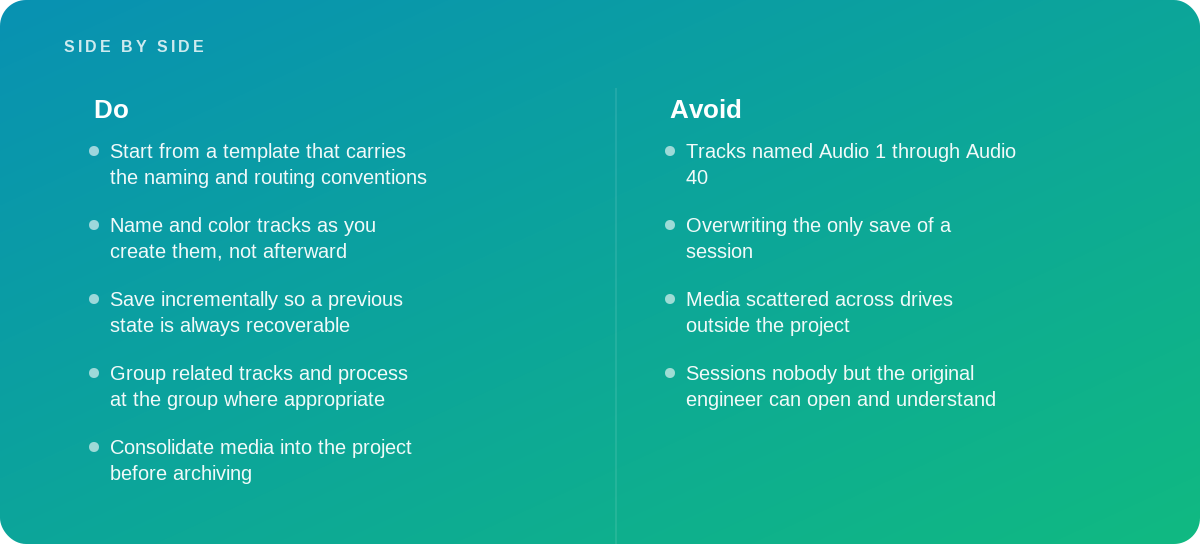
- Naming Descriptive track names, never the DAW defaults such as Audio 1 through Audio 40
- Grouping Related tracks bussed together so shared processing happens once
- Versioning Incremental saves, so a previous state is always recoverable
- Templates A starting session that encodes the studio's conventions
- Consolidation All media gathered into the project folder before archiving
- The test Could another engineer open this session cold and deliver a revision today?
What Audio Workflow and Session Organization Actually Covers
A session is more than a timeline of clips. It is a small database: references to audio files on disk, plug-in instances with their settings, automation data, routing assignments, markers, tempo and time-code information, and the relationships among all of them. Session organization is the set of conventions that keeps that database legible. Workflow is the order in which the work happens and the habits that keep the organization intact while it happens.
It helps to break the subject into five layers, because problems usually live in one of them and fixes are specific to each:
- The file system layer. Where the session file, audio files, renders, stems and paperwork live on disk, and what they are called.
- The track layer. Track names, colors, order, and which tracks are hidden, inactive or deleted.
- The signal layer. Buses, auxiliary returns, groups, VCAs, sends and the master chain: the path audio takes from clip to output.
- The history layer. Saved versions, backups, alternate playlists or takes, and the record of what changed between them.
- The documentation layer. Markers, track comments, session notes and any accompanying text that explains decisions that are not obvious from the session itself.
A session can be excellent in one layer and broken in another. A beautifully named and colored session whose audio files sit on an engineer's personal external drive will still fail to open on another machine. A perfectly consolidated session with forty tracks named "Audio" will open but will take an hour to understand. Good organization means each layer is handled deliberately.
Why organization is a production decision, not a tidy-up
Organization is often treated as housekeeping that happens at the end of a project if there is time. That approach fails for a simple reason: the moment of greatest disorganization is the middle of the project, when the most decisions are being made quickly. Tracks that were not named at creation get named later from memory, and memory is wrong. Versions that were not saved incrementally cannot be recovered at all. The practical rule, which runs through the rest of this guide, is that organization happens as the work is done, not afterward.
Folder Structure and File Naming Before the First Recording
The file system layer is the foundation, and it is the one most often improvised. Most DAWs create a project folder with subfolders for audio, fades, renders or bounces, and session backups. That default is a good start, but a studio benefits from a consistent top-level structure around it so that anyone can find the deliverables, the source material and the paperwork without opening the session.
A project folder structure that scales
A structure that works for most commercial audio work, from a single ad to a twenty-episode podcast series, looks like this:
- 01_Session holds the DAW session file and the folders the DAW manages itself (audio files, fades, backups). Nothing is dragged in here by hand except through the DAW's import function.
- 02_Source holds material exactly as received: client voice-over deliveries, field recordings, music licenses, reference mixes. It is never edited in place.
- 03_Exports holds mixes, stems and deliverables, with subfolders by date or by version.
- 04_Docs holds scripts, cue sheets, client notes, the session notes file, and any rights paperwork.
The numeric prefixes keep the folders in a fixed order in every file browser. The separation between source and session is the important part: when a client asks "what did we originally send you?", the answer is sitting untouched in one place.
Naming the project and its files
A project name should sort correctly and describe the job without opening it. A common pattern is client code, project, episode or spot, and date in year-month-day format, for example ACME_SpringLaunch_Radio30_2026-03-12. Year-month-day dates sort chronologically in any file browser; month-day-year dates do not. Avoid spaces and special characters such as slashes, colons, ampersands and accented letters in file and folder names, because they cause trouble when files move between macOS, Windows, Linux servers and cloud storage. Underscores and hyphens are safe everywhere.
Tip: Decide the naming pattern once, write it into the studio's session template notes, and apply it to every project, including small ones. The small jobs are the ones that come back a year later with "can you just change one word?"
Track Naming, Color and Order That Survive Handover
Track names are the single highest-return habit in session organization. Most DAWs name new audio files after the track they are recorded on, so a track called "Audio 14" produces files called something like "Audio 14_03.wav" on disk. Those names are meaningless in the session and worse in the audio folder, where hundreds of similarly named files become impossible to identify. A track named "VO_Host_Sarah" produces files that identify themselves.
A naming convention that works
Good track names are short enough to read in a narrow mixer strip and specific enough to be unambiguous. A reliable pattern is category, then role, then detail:
- Dialogue and voice: DX_Host, DX_Guest1, VO_Narr, VO_Narr_Pickups
- Music: MX_Theme, MX_Bed_Alt, MX_Stinger
- Effects and ambience: FX_Door, FX_Whoosh, AMB_Office, AMB_Street
- Buses and returns: BUS_DX, BUS_MX, BUS_FX, RTN_Verb_Room, RTN_Delay
- Utility: REF_ClientMix, PRINT_Mix, PRINT_Stems
The category prefix does two jobs. It sorts related tracks together in any alphabetical list, and it lets another engineer understand the session's shape at a glance. The prefixes should be the same in every project the studio produces, which is exactly what a template enforces.
Color as a second channel of information
Color lets an engineer read the session from across the room. The convention matters more than the specific colors: assign one color family per category (for example, dialogue in blue, music in green, effects in orange, buses in gray, print tracks in red) and keep it identical across projects. Within a family, lighter and darker shades can separate, say, host from guest. Avoid using color for temporary meaning such as "needs fixing"; use markers or comments for status, because color conventions that change mid-project stop meaning anything.
Track order and visibility
Order tracks the way signal flows and the way people think about the mix: dialogue at the top, then music, then effects and ambience, then buses and returns, then print and reference tracks at the bottom. Hide tracks that are not in use but may be needed, such as alternate takes, and make them inactive if they carry plug-ins that consume processing. Delete what is genuinely dead, but only after an incremental save, so the deleted material remains recoverable from the previous version.
Warning: Renaming tracks at the end of a project fixes the session view but not the files already on disk. Clips recorded as "Audio 7" stay "Audio 7_12.wav" in the audio folder unless the DAW's clip or file renaming function is used. Name tracks as they are created, before recording or importing, so both the session and the files make sense.
Routing, Buses and Groups: Organizing the Signal Flow
Once tracks are named, the next layer is how they combine. Grouping means bussing related tracks together so that shared processing happens once, at the group, instead of being duplicated on every track. It is both an organizational and a sonic decision: it makes the session easier to read and the mix easier to control.
Buses, groups and VCAs are different tools
The terms are often used loosely, but they do different things, and choosing the right one affects how the session behaves during revisions:
| Tool | What it does | Best used for | Organizational trade-off |
|---|---|---|---|
| Audio bus (submix) | Sums several tracks into one channel that can be processed | Shared compression, EQ or loudness control on all dialogue or all music | Adds a processing stage; easy to read in the mixer |
| Edit or mix group | Links selection, editing or fader moves across tracks without summing audio | Editing multi-mic recordings together; moving several faders at once | No shared processing; group membership must be visible or it confuses others |
| VCA | Controls the levels of member tracks without passing audio through it | Overall level rides on a category while keeping post-fader sends correct | Very clean for level control; unfamiliar to some editors |
| Aux send and return | Sends a portion of several tracks to a shared effect | Reverb, delay and room simulation shared across tracks | Keeps one effect instance; return tracks must be clearly named |
A standard routing plan
For most spoken-word and commercial work, a clean routing plan looks like this: each dialogue track feeds a dialogue bus; each music track feeds a music bus; effects and ambience feed an effects bus; those category buses feed the mix bus; and the mix bus feeds the output and, where the workflow requires it, a print track that records the final mix inside the session. Shared reverbs sit on named returns fed by sends. The result is a session in which any engineer can answer "where is the dialogue compression?" by looking at one channel.
The same plan makes stem delivery straightforward. If a broadcaster or video editor asks for separate dialogue, music and effects stems, the category buses are already the stems; the engineer records or bounces them rather than rebuilding the routing under deadline. This is a large part of why well-routed sessions move faster through audio sweetening for video, where editors routinely request stems.
Process at the group where appropriate
Processing at the group is not always right. A dialogue bus compressor that controls overall level is a group decision; de-essing a particular speaker is a track decision, because the problem belongs to that voice. The rule is to put each process at the lowest level that fully covers the problem and no lower. When the same plug-in with the same settings appears on six tracks, that is usually a sign it belongs on their bus.
Session Templates: Encoding the Studio's Conventions
A template is a starting session that already contains the studio's naming, color, routing and documentation conventions. It is how the practices in this guide stop depending on individual discipline. When every project begins from the same template, the category prefixes, bus structure, return effects, metering and print tracks are all present before the first clip is imported.
What belongs in a template
- Named and colored placeholder tracks for the common roles, which can be deleted or duplicated as needed
- The category buses and mix bus, routed and labeled
- Standard returns with neutral starting settings
- Loudness metering on the mix bus configured for the studio's most common delivery target
- Print and reference tracks, muted and positioned at the bottom
- Marker placeholders for common structural points, and a notes track or comment field with a checklist
- Session settings that match the studio's standard: sample rate, bit depth, file format and time-code start
One template or several
Studios that handle different kinds of work usually need a small family of templates rather than one. A podcast template might carry several host and guest tracks, a music bed and an intro and outro region. A radio or streaming ad template might carry a voice-over track, pickups track, music and effects. A video post template might carry dialogue, music and effects in the arrangement a video editor's turnover expects. Keep the family small, perhaps three to five templates, and keep the shared conventions (prefixes, colors, bus names) identical across all of them.
Templates also have a quiet dependency: plug-ins. A template that loads a third-party plug-in the next engineer does not own will open with that insert missing or disabled. Where possible, build templates on the DAW's included processing or on plug-ins the whole team licenses, and keep track of formats across machines; the guide to getting audio plug-in formats right covers why a session built with one plug-in format can misbehave on a system that uses another.
Tip: Review templates on a schedule, for example once a quarter. Each review asks the same questions:
- Which tracks do engineers delete from the template on every project? Remove them.
- Which tracks do they add every time? Add them.
- Do any plug-ins in the template need updates or licenses that not everyone has?
Versioning and Incremental Saves
The history layer is where the most painful losses happen, because they are invisible until they are permanent. Overwriting the only save of a session means every previous state is gone: the mix the client approved last week, the edit before the pickups arrived, the version before a plug-in update changed a sound. Incremental saving, meaning saving each meaningful step as a new, numbered file rather than overwriting, ensures a previous state is always recoverable.
How to save incrementally
Most DAWs offer a "Save As" or "Save New Version" command, and several include a built-in incremental save that appends a number automatically. Documentation from DAW developers such as Steinberg describes project backup and versioning features, and it is worth reading the specific behavior of the DAW in use, because automatic backups and deliberate versions are not the same thing. Automatic backups are a safety net against crashes. Deliberate versions are milestones that someone chose to keep.
A clear version naming scheme might look like this:
- ProjectName_v01_edit after the first assembly edit
- ProjectName_v02_edit_pickups after pickups are cut in
- ProjectName_v03_mix at the first mix sent to the client
- ProjectName_v04_mix_rev1 after the first round of client notes
- ProjectName_v05_FINAL_approved at sign-off, with the approval date in the notes
Short descriptive suffixes are more useful than numbers alone, because they answer "which version did the client hear?" without opening files. Avoid the word "final" until something is actually approved, and never create "final_final_2"; if a final version needs changes, it becomes the next numbered version.
Versions are not backups
Incremental saves protect against mistakes inside the session. They do not protect against a failed drive, a stolen laptop or a corrupted folder, because all the versions typically live on the same disk as the audio. The studio also needs a backup routine that copies the whole project folder to a second physical location and, ideally, an offsite or cloud copy. Versions answer "what did it sound like last Tuesday?"; backups answer "the drive died, what now?"
Warning: Session versions usually reference the same audio files on disk. If an engineer destructively edits or deletes an audio file, every version that uses it changes or breaks. Keep editing non-destructive wherever the DAW allows it, and treat any destructive process (such as rendering noise reduction into a file) as a new file rather than a replacement.
Media Management: Consolidation, Drives and File Formats
Media scattered across drives outside the project folder is the most common reason a session fails to open on another machine. It happens innocently: an engineer imports a music file directly from a downloads folder, drags in a sound effect from a library drive, or records to a scratch disk. The session plays perfectly on that machine and shows missing files everywhere else.
Import versus reference
Most DAWs give a choice when importing: copy the file into the project's audio folder, or reference it where it sits. Copying uses more disk space but keeps the project self-contained. Referencing saves space but creates an external dependency. For commercial work, the default should be to copy on import. Set it once in the DAW preferences and in the template, so the safe behavior happens without anyone having to remember it.
Consolidation before archiving
Consolidation means gathering every file the session uses into the project folder, and often trimming unused portions of long files. DAWs name this differently: "Save Copy In", "Back Up Project", "Collect and Save" or "Consolidate". Help documentation such as the Adobe Help Center describes how applications like Audition handle saving sessions together with their files. The principle is the same across tools: before a project leaves the active drive, confirm that the project folder alone can reproduce the session.
A practical verification is to copy the consolidated project to a different machine or a different user account, open it, and confirm there are no missing files, offline clips or disabled plug-ins. That test takes a few minutes and catches problems that are otherwise discovered a year later, when the original drive may no longer exist.
Sample rate, bit depth and file format
Set the session's sample rate and bit depth at creation to match the delivery requirement or the studio standard, and keep imported files consistent with it. Common choices are 48 kHz for work connected to video and broadcast, and 44.1 kHz for some music and audio-only distribution, both at 24-bit for recording and editing. Mixing sample rates in a session forces conversion on import or, worse, playback at the wrong speed if the DAW does not convert. Record which settings were used in the session notes, so a future engineer does not have to guess from file properties.
- Session file
- The DAW document that stores tracks, clip positions, routing, plug-in settings and automation. It references audio files but does not usually contain them.
- Bus
- A channel that sums the signals of several tracks so they can be processed and controlled together.
- VCA
- A control fader that adjusts the levels of its member tracks without passing audio through itself.
- Stem
- A mix of one category of sound, such as dialogue, music or effects, delivered as a separate file so the mix can be adjusted later.
- Incremental save
- Saving a new, numbered copy of the session at each meaningful step instead of overwriting the previous file.
- Consolidation
- Gathering every media file a session uses into its project folder, often trimming unused audio, so the project is self-contained.
- Template
- A starting session that already contains the studio's naming, color, routing and metering conventions.
- Print track
- A track inside the session that records the final mix or stems, so the delivered audio is stored alongside the session that made it.
Markers, Notes and Session Documentation
The documentation layer explains what the session cannot explain for itself. Why is there a second music bed muted at the end? Which take did the client choose for line fourteen? Why is the guest's microphone high-passed higher than usual? Without notes, the next engineer either reverse-engineers the answer or, more often, changes something that was deliberate.
Markers as a map
Markers mark structure and status. Use them for structural points (intro, segment one, ad break, outro), for client notes tied to a time ("CLIENT: lower music here"), and for open issues ("FIX: breath at 12:40"). A consistent prefix, such as CLIENT, FIX or NOTE, lets anyone scan the marker list and see what is outstanding. Remove or resolve FIX markers before delivery; leaving them in is a quick way to lose track of what was actually done.
Session notes that are worth reading
A short session notes file in the Docs folder, plus the DAW's own comment fields where available, should record:
- Project name, client, dates and the engineers who worked on it
- DAW name and version, sample rate, bit depth and time-code start
- Plug-ins that are unusual or essential to the sound, with versions
- Delivery specifications, such as loudness target, format and channel layout
- Which session version was approved, when, and by whom
- Anything deliberate that looks like a mistake
Professional bodies such as the Audio Engineering Society publish material on documenting and preserving audio work, and the underlying idea is simple: metadata recorded at the time is far more reliable than metadata reconstructed later. The same applies to paperwork that sits alongside the audio. Music licenses, talent releases and usage terms belong with the project, and the article on audio rights and clearance records explains what to keep and why.
Handover, Collaboration and Client Review
Everything above pays off at handover. A session handed to another engineer, a video editor or a studio that takes over the work either opens cleanly and reads clearly, or it costs hours of detective work. A session nobody but the original engineer can open and understand is a business risk: it ties the project to one person's availability, memory and machine.
A handover procedure
- Save a clearly labeled handover version. For example, ProjectName_v07_handover, so the receiving engineer knows exactly where to start.
- Consolidate and verify. Gather all media into the project folder and open the copy on another machine or account to confirm nothing is missing.
- Freeze or render plug-in-dependent tracks where needed. If the receiving engineer may not own a plug-in, render the processed audio to a new track and keep the original, muted and hidden, alongside it.
- Clean up. Remove dead tracks (after saving), resolve or label open markers, and check that every track and bus is named.
- Update the session notes. Record current status, open client notes, and anything the next engineer must not change.
- Include references. Add the last delivered mix as a reference track so the receiver can compare against what the client heard.
- Transfer the whole folder. Send the complete project folder, compressed if necessary, rather than selected files.
Collaboration across tools
When a session must move between different DAWs, for example from a video editor's timeline to a mixer's audio workstation, interchange formats such as AAF and OMF carry clip positions and some metadata, but not plug-in settings or routing. Organization discipline matters even more here, because the receiving engineer rebuilds the mix structure around whatever arrives. Clear track names and consistent file names survive the transfer; colors and buses usually do not.
Organizing for client review
Client review is a workflow step in its own right. Exports sent for review should carry the version number in their filename, matching the session version that produced them, so a comment like "the music is too loud in v04" leads straight to the right session. Timestamped client notes can become markers in that session version. The guide on reviewing audio with clients goes further into structuring feedback rounds so they do not create version confusion.
Archiving and Long-Term Recoverability
An archive is only useful if it can be reopened. Projects come back: a client wants a new version of last year's ad with an updated phone number, a podcast needs a compilation episode, a legal team needs proof of what was broadcast. The question is not whether the archive exists but whether a different engineer on a different machine can restore it and deliver a change in a reasonable time.
A robust archive for a finished project typically includes the consolidated project folder with the approved session version clearly labeled; the final deliverables and stems; the session notes and paperwork; and, as insurance against software changes, rendered audio of each important track or stem, so the material survives even if the session file becomes unreadable in a future DAW version or a plug-in is no longer available. The detailed approach, including storage media and verification, is covered in a practical guide to archiving audio sessions.
Consolidation is the step that most often gets skipped. It is also the step that decides whether the archive is complete, because a session archived with external references is an archive of a document that points at files which may no longer exist.
Worked Example: Reorganizing a Session That Grew Out of Control
The following is an illustrative scenario, not a client story, built to show how the decisions in this guide play out with realistic numbers.
A studio inherits a ten-episode branded podcast mid-season. Each episode session has grown to roughly 40 tracks, named Audio 1 through Audio 40. There are two hosts and one guest per episode, a music theme, two music beds, a dozen sound-effect tracks, several tracks of pickups and alternate takes, and a handful of tracks nobody can identify. Music and effects were imported by reference from the previous engineer's library drive, so the sessions open with missing files. There is one session file per episode, overwritten each time.
Step one: triage and protect
Before touching anything, the new engineer saves each episode as a v01_inherited version, so the original state is recoverable no matter what happens next. The library drive is requested from the previous engineer, the missing files are relinked, and each session is consolidated into its own project folder. Opening the consolidated copies on a second machine confirms that no files remain missing.
Step two: identify, name and order
Soloing each track in turn and checking clip names takes time: in this scenario, estimate around five to ten minutes of listening per unidentified track, perhaps 60 to 90 minutes for a single 40-track episode on the first pass. Tracks are renamed using the studio's convention (DX_Host1, DX_Host2, DX_Guest, MX_Theme, MX_Bed1, FX_ and so on), colored by category and reordered. Three tracks turn out to be empty and four are duplicate alternate takes of the same line; after a new incremental save, empty tracks are deleted and alternates are hidden and made inactive. The episode goes from 40 visible tracks to about 22 active ones.
Step three: rebuild routing from the template
The studio's podcast template supplies the dialogue, music and effects buses, the reverb return and the metered mix bus. The engineer imports the cleaned tracks into a fresh session built from the template, or rebuilds the routing in place, and moves the identical compressor that was on each dialogue track onto the dialogue bus. The mix is checked against the last delivered episode, loaded as a reference track, to confirm the reorganization changed nothing audible.
Step four: document and roll out
A notes file records what was found and changed. Once the first episode is done, the pattern is clear, and the remaining nine go faster, because the categories and templates are now settled and much of the work is recognition rather than investigation.
The payoff shows up in revisions. Before the reorganization, a request such as "replace the guest's second answer with the alternate take and lower the bed under it" required hunting through unnamed tracks and guessing which compressor mattered. Afterward, the alternate take is on a named, hidden track, the bed is on MX_Bed1, and the level change is a single fader move on a clearly labeled bus. The time saved on each revision depends on the session's size and the number of notes, but it recurs on every episode for the rest of the series.
| Measure (illustrative) | Before | After |
|---|---|---|
| Visible tracks per episode | About 40, default names | About 22 active, named and colored |
| Missing files on another machine | Music and effects from an external drive | None; project consolidated and verified |
| Saved versions | One, overwritten | v01_inherited onward, each labeled |
| Dialogue compression | Duplicated on each dialogue track | Once, on the dialogue bus |
| Documentation | None | Session notes plus status markers |
Auditing Sessions and Knowing When to Bring In Help
A studio does not need to reorganize everything at once. A short audit of a few recent sessions shows where the gaps are. Useful audit questions include: Can a second engineer open the session on another machine with no missing files? Are all tracks named according to the convention? Is there more than one saved version, and can the approved one be identified? Are the category buses present and used? Do the session notes exist and match the current state?
The answers usually cluster. Studios that fail on naming tend to lack a template. Studios that fail on missing files tend to reference instead of copy on import. Studios that cannot identify the approved version tend to overwrite saves. Each cluster has a specific fix, and the fix is almost always a convention plus a template setting rather than a new tool. An organized session also makes later checks easier; the process in audio quality control checks assumes you can find each element of the mix quickly.
When outside help makes sense
There are three situations in which bringing in help is usually worth it. The first is when a session must be handed to another engineer and the original engineer is unavailable or the session is too tangled to hand over as is. The second is when a project has grown unmanageable, such as a long series whose sessions have drifted apart in structure. The third is when a studio or in-house team needs a repeatable session standard: templates, naming conventions, versioning rules and archive procedures written down and applied consistently. When evaluating who to work with, the criteria in choosing an audio studio apply, and it is reasonable to ask any prospective partner to describe their session conventions and show how they hand work over. Teams that want the work handled end to end can look at what professional audio editing and production services cover, including session standards and delivery.
Verdict Session organization is cheap when it happens as the work is done and expensive when it is done afterward. Start every project from a template, name and color tracks as you create them, route related tracks to buses, save incrementally, copy media into the project on import and consolidate before archiving. The test that matters is simple: another engineer should be able to open the session cold on a different machine and deliver a revision the same day.
Where this comes from
- Steinberg — Project management documentation
- Audio Engineering Society — Session documentation
- Adobe Help Center — Audition session organization
The figures and practices above come from the sources listed.
Working on something like this?
We take on Audio Editing & Production work for teams who want it done once, properly. Tell us what you are building and we will tell you honestly whether we are the right studio for it. Start a project.
Where to go next
Spotted something wrong? Report an error on this page. We correct on the page and say what changed.