Animatics: The Decisions That Matter
Follow an illustrative 90-second explainer from script to timing lock and see how animatics catch pacing problems before costly animation begins.
 MediaScaleUp Editorial Team

Animatics are timed versions of a storyboard, cut together with rough audio, that let a team watch an animation before anyone animates it. Each storyboard frame sits on a timeline for exactly as long as its moment will last in the finished piece, a scratch voiceover and temporary music play underneath, and the result runs from first frame to last at real speed. It looks crude on purpose. What it tests is not the drawing but the pacing and the structure: whether the story lands, whether the viewer has time to read what is on screen, and whether the piece fits the length it was sold at.
That test matters to anyone paying for or producing animation. For a marketer or business owner commissioning an explainer, the animatic is the last cheap moment to change your mind. Moving a scene, cutting a line or reordering an argument costs an afternoon of editing at the animatic stage and can cost days of redrawn, re-rigged and re-rendered work once detailed animation begins. For in-house designers and producers, a disciplined animatic is the single most effective way to stop the late-stage revision spiral that eats margins and schedules on narrative projects.
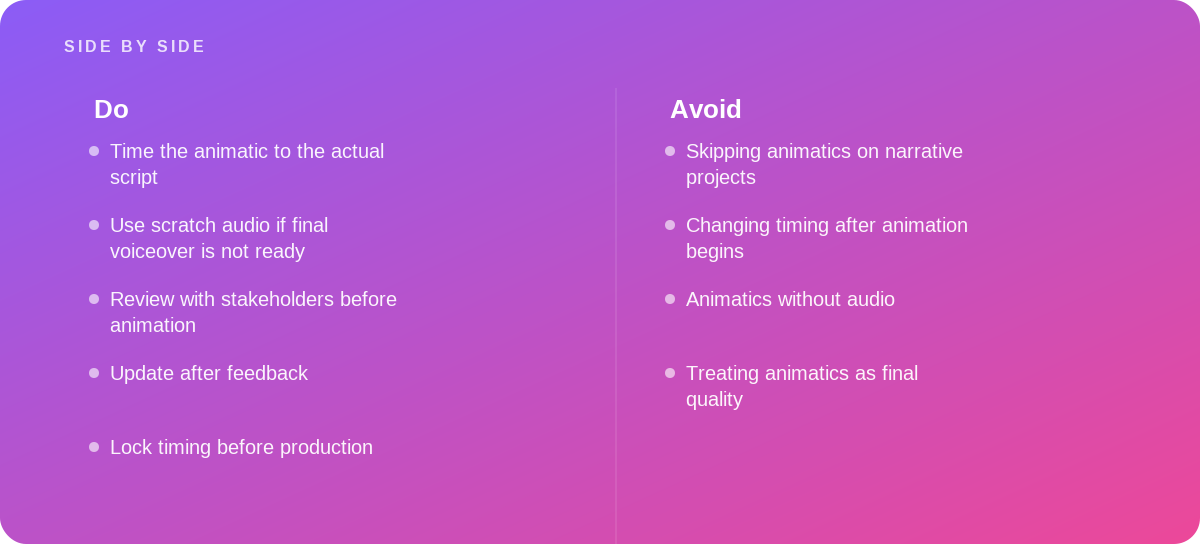
Rather than list rules in the abstract, this guide follows one project from brief to delivery and explains each decision about the animatic along the way. The project is an illustrative example, a composite built to show the workflow rather than a real client story, and its numbers are there to make the reasoning concrete. The practices it demonstrates are standard ones: time the animatic to the actual script, use scratch audio when the final voiceover is not ready, review it with stakeholders, update it after feedback, and lock timing before production starts.
The illustrative project: a 90-second onboarding explainer
Our illustrative client is a mid-sized company that sells expense-management software to small businesses. Its customer success team wants a 90-second animated explainer to embed in the welcome email and the first screen of the app. The goal is narrow and measurable in principle: new users should understand the three steps of submitting an expense (snap the receipt, tag it, send it for approval) before they try it for the first time, so fewer of them open support tickets in week one.
The brief arrived with a draft script, a brand guide with a flat illustration style, and a firm length: 90 seconds, because the email platform's embedded player and the in-app modal were both designed around roughly that duration. There were four stakeholders with sign-off rights: the head of customer success (the owner), a product manager, a brand designer and someone from legal who needed to approve any claims about approval times and data security.
That stakeholder list is the first reason this project needed an animatic. A narrative explainer with a voiceover, several scenes and four approvers is exactly the kind of project where skipping the animatic goes wrong. Each approver would read the storyboard as a set of still pictures and nod it through, and nobody would feel the pacing until they saw moving animation, by which point every change would be expensive. The scope conversation, covered in more depth in our guide to scoping animation projects and the decisions that set the budget, built the animatic in as a named deliverable with its own review round, not as an internal step the client might never see.
Those numbers already tell the story of the project. A script that everyone had approved on paper ran 17 seconds long once it was spoken at a natural pace and given room for visuals. Nobody had lied or miscounted; a script document simply does not show time. The animatic did, and it did so in week two rather than week six.
Locking the script before timing a single frame
The first decision was about sequence: the animatic would not be built until the script was approved in writing as the timing script. This sounds obvious, but it is the most common way animatics lose their value. If the words keep changing while panels are being timed, the animatic is always measuring a version of the piece that no longer exists, and the team ends up re-timing it three or four times for reasons that have nothing to do with pacing.
A word count is the first sanity check. A common planning rule of thumb in voiceover work is somewhere around 140 to 160 spoken words per minute for clear, conversational explainer delivery, slower for technical or instructional material, faster for energetic promotional reads. That puts a 90-second explainer in the region of 200 to 240 words, before allowing for pauses where the visuals carry the message alone. The draft script was 262 words. It was already long, and the animatic would confirm by how much.
The team did not cut the script on the word count alone, though. Word counts are an estimate; the animatic is the measurement. Instead, the producer flagged the risk to the client, agreed that the animatic would be the place to decide cuts, and got the head of customer success to approve the draft as the version to time against. That approval had a practical meaning: any further script change requested before the animatic review would be logged and applied in one batch, not trickled in.
Decision: time the animatic to the actual approved script, not to a placeholder or an outline. The animatic is only useful as a measurement if it measures the words that will be recorded.
- Script approved as the "timing script" in writing before board timing began.
- Any later script notes batched and applied at a single revision point.
- Legal review of claims done on the script, so the animatic review could focus on pacing.
Getting legal to review the script before the animatic, rather than at the animatic, was a small but useful call. Legal reviewers read words; they rarely have opinions about timing. Clearing their notes early meant the animatic review could be about what an animatic is for, and it removed the risk of a claim being rewritten after timing had been set around it.
How rough the storyboard frames should be
With the script fixed, the storyboard artist drew the panels. The fidelity decision is where teams often waste effort in one of two directions. Boards that are too rough, stick figures and labels, leave stakeholders unable to judge whether an on-screen element is readable in the time allowed. Boards that are too polished invite feedback on colors, faces and line quality that belongs to the design stage, and they encourage the client to treat the animatic as a nearly finished film.
For this project the artist worked in clean grayscale with one brand accent color, drawing each key pose of a scene rather than every movement. Every panel that contained text people had to read, such as a button label, a notification or a dollar amount on a receipt, used the real words at roughly the real size. That rule mattered more than any other drawing choice, because readability is a timing question: the animatic has to show whether a viewer can read "Send for approval" in the second and a half it is on screen.
What each panel carried
- A scene and panel number in a corner, so reviewers could refer to "3C" instead of "the one with the phone."
- The key pose or composition for that beat, drawn at the final aspect ratio (16:9 for the email and a 1:1 crop check for the app modal).
- Motion arrows where a camera move or a major element move mattered to the timing, such as a receipt sliding into a phone frame.
- Real on-screen text wherever the viewer needed to read something.
The artist produced 34 panels for the first pass. That was deliberately more than a bare minimum. Where a single shot contained a meaningful change, for example a receipt being photographed and then an extracted total appearing, it got two panels so the animatic could show the change happening at the right moment instead of implying it.
Trap avoided: treating the animatic as final quality. Stakeholders who see polished frames start approving or rejecting the design, not the pacing, and some assume the finished animation will look like a slightly smoother version of the animatic.
- Frames were kept in grayscale plus one accent so no one mistook them for final art.
- The review email stated plainly what the animatic was testing and what it was not.
- Style frames were presented separately, in their own round.
Separating style frames from the animatic also gave the brand designer a proper place for their feedback. Instead of commenting on the color of a character's jacket during a pacing review, they had a dedicated round with fully rendered frames, which kept both conversations focused.
Scratch audio: why this animatic was never silent
The final voiceover artist was not booked yet; the client wanted to hear shortlisted voices after the animatic was approved. That is a normal situation and not a reason to build a silent animatic. The producer recorded a scratch voiceover the same afternoon the script was locked, reading it at a natural pace into a decent USB microphone in a quiet room, and laid in a temporary music track from the studio's licensed library with a tempo in the range the client's brand guide suggested.
Scratch audio does three jobs that nothing else can. It sets the timing, because the panels are cut to the spoken words, and spoken words take the time they take. It reveals where the script is doing too much, because a reader has to rush to fit it. And it gives reviewers the experience of watching, not reading, which is the only way to feel pacing. A silent animatic with subtitles or with the script pasted beneath each panel is really a slideshow; everyone reads at their own speed and nobody experiences the piece as a viewer will.
Rules the team set for the scratch track
- Read it at the pace a professional would, not faster to fit the target length. The point is to measure, not to disguise.
- Leave natural breaths and the pauses the script implies, particularly after a question or before a key instruction.
- Record each paragraph as a separate file so lines could be moved or trimmed in the edit without re-recording.
- Keep the music temporary and unremarkable, set around 12 to 18 dB below the voice so it never competes with the words.
- Label everything "SCRATCH" in the file name and on screen, so no one confused it with final audio.
The music choice was intentionally modest. A temporary track that people fall in love with becomes a problem later, when licensing the final track turns out to be impossible or expensive, or when the composer's score does not match what everyone got used to. Temp music should suggest energy and tempo, not become the soundtrack. Our guide to sound design for motion graphics covers the later decisions about score, effects and mixing that the temp track only sketches.
Building the animatic in the edit
The animatic was assembled in a standard nonlinear editor rather than in the animation software. Editors are built for exactly this job: placing stills on a timeline, trimming them frame by frame against audio, adding markers and exporting quick review files. The team used Premiere Pro, though DaVinci Resolve's edit page works the same way for this purpose, and the Blackmagic Design documentation for DaVinci Resolve covers the equivalent tools for timelines, markers and still durations.
The setup decisions were small but they affected every later step. The sequence was created at the delivery frame rate and resolution (1920 by 1080 at 24 frames per second in this illustrative case), so every duration measured in the animatic would translate directly into animation frames. The default still-image duration was set short, so panels dropped onto the timeline did not all arrive at an arbitrary length that someone forgot to trim. The Adobe Help Center's Premiere Pro user guide documents where these sequence and still-image settings live and how markers can carry notes.
Decision: build the animatic at the final frame rate and aspect ratio, in an editor, with scene numbers burned in. A timing measured at the wrong frame rate has to be converted later, and every conversion is a chance to drift.
The assembly procedure
The editor followed a fixed order. First, the scratch voiceover files went onto the audio track with natural gaps between paragraphs. Second, panels were placed and trimmed so that each cut landed on a meaningful word or a breath, not arbitrarily in the middle of a phrase. Third, simple moves were added only where the storyboard indicated a camera move or a key element move, using basic position and scale keyframes on the stills. Fourth, the temp music went under everything at low level. Finally, the editor added a burned-in timecode and a scene and panel label on each frame so reviewers could cite exact moments.
The temptation at step three is to start animating. The editor resisted it. A slow push-in on a still to suggest a camera move is useful because it shows how long the move takes; a hand-built bounce on the receipt icon is not, because that is animation work that belongs later and will be thrown away. Simple moves only earned their place when they changed how long a beat needed.
The first full assembly ran 1 minute 47 seconds. The table shows where the time went, scene by scene, against what the team had assumed from the script.
| Scene | Content | Script words | Assumed length | Animatic v1 length |
|---|---|---|---|---|
| 1 | Hook: the shoebox of receipts problem | 38 | 0:12 | 0:17 |
| 2 | Step 1: snap the receipt | 52 | 0:20 | 0:24 |
| 3 | Step 2: tag and categorize | 61 | 0:22 | 0:27 |
| 4 | Step 3: send for approval | 55 | 0:20 | 0:22 |
| 5 | Security and approval-time reassurance | 34 | 0:10 | 0:11 |
| 6 | Close: call to open the app | 22 | 0:06 | 0:06 |
| Total | 262 | 1:30 | 1:47 |
Two things stand out. The overrun was not spread evenly; scenes 1 through 3 absorbed nearly all of it. And the reason was visual as much as verbal. Scene 3 needed time for a viewer to see a category dropdown open, a category chosen and a tag applied, and those actions could not happen faster than a person can follow them. The script had assumed the visuals would play under the words; the animatic showed they needed room of their own.
The project timeline from brief to delivery
Before looking at the review, it helps to see where the animatic sat in the whole schedule. The illustrative project ran just under eight weeks from kickoff to final delivery, with the animatic occupying weeks two and three. That placement is deliberate: late enough that the script and board exist, early enough that no production hours have been spent on shots that might be cut.
- Week 1 Kickoff, brief confirmation, script revisions and legal review of claims; timing script approved in writing.
- Week 2 Storyboard panels drawn, scratch voiceover and temp music recorded, animatic v1 assembled and reviewed internally.
- Week 3 Stakeholder review of animatic v1, consolidated feedback, animatic v2 and a short v3 fix; timing locked and signed off.
- Week 4 Style frames approved; final voiceover recorded to the locked script and conformed against the animatic.
- Weeks 5 to 7 Asset build, rigging and full animation, with the animatic as the reference layer in every scene.
- Week 8 Final sound mix, captions, 16:9 and 1:1 exports, delivery.
Notice what happens in week four. The final voiceover is recorded against the locked script and then conformed to the animatic, meaning the editor swaps the scratch read for the final read and adjusts panel timings to the professional's delivery. A good voice artist, given the animatic as a reference, can usually match its overall length closely, and small differences are absorbed at this point, before any animation depends on them. Recording final voice after animation, by contrast, forces animators to re-time finished shots to a new read.
Running the stakeholder review of the animatic
An animatic review is only as good as the questions reviewers are asked. Sent with a vague "let us know what you think," an animatic collects comments about the drawing style, the temp music and the scratch voice, none of which are the point. The producer sent a short review guide with the link instead, and scheduled a live review call rather than relying only on written notes.
What reviewers were asked to judge
- Does the order of ideas make sense to a new user who has never seen the product?
- Is there any moment where you could not read on-screen text before it disappeared?
- Is there any moment that felt slow enough that your attention drifted?
- Is every claim in the voiceover still accurate for the product as it ships?
- Does the piece need to be shorter or longer than it is, and which scene would you cut first?
What reviewers were asked to ignore
The guide said plainly that the drawings were placeholders for composition and timing, that the voice was a scratch read by a producer, and that the music was temporary. It also said that style frames would come in a separate round. Setting those boundaries in writing reduced off-topic notes and, more importantly, stopped anyone from approving the animatic believing it represented final look.
The live call used a simple format. The producer played the animatic once through without stopping, so everyone experienced it as a viewer would. Then the team watched it again, stopping at each scene boundary for comments tied to timecode. Watching once without interruption is important; stopping after the first scene to discuss it destroys any sense of overall pacing, which is the thing the review exists to judge.
Trap avoided: reviewing the animatic as a stack of stills. Stakeholders who scrub through the timeline or look at panels in a PDF never experience the pacing, and their approval does not mean what the production team thinks it means.
- First viewing always at real speed, with sound, uninterrupted.
- Comments tied to burned-in timecode and panel labels, not descriptions.
- One consolidated feedback document per round, owned by the client lead.
The consolidated-feedback rule deserves emphasis. With four approvers, contradictory notes are normal: the product manager wanted more detail on tagging, while customer success wanted scene 3 shorter. The producer asked the head of customer success, as owner, to resolve conflicts before feedback came back to the studio. That turned four opinions into one instruction and avoided the studio having to arbitrate between people on the client side.
Fixing pacing: what changed between animatic v1 and v3
The review produced a clear set of notes. The piece had to come down to 90 seconds, because the embed contexts could not change. The hook ran long. Scene 3 was hard to follow at the pace required to fit it. And, usefully, the legal reviewer noticed something the script review could not have shown: in scene 5, a stopwatch graphic spinning to a checkmark under the line about fast approvals implied a guaranteed approval time, when approval speed depends on the customer's own managers. The words had been cleared; the words plus the picture, at that timing, made a claim. That was caught in the animatic rather than in a finished render.
The cuts, and why each was chosen
The team's approach was to cut ideas, not to speed up delivery. Asking a voice artist to read faster to fit a length makes an explainer harder to follow, and in an onboarding piece clarity is the entire point. Instead, each scene was asked what it could lose without losing its job.
- Scene 1, the hook, dropped a second example of the receipt problem. One well-drawn moment of a crumpled receipt falling out of a wallet did the job of two sentences. Saved about 6 seconds.
- Scene 2, snapping the receipt, removed a line explaining that the app works with photos from the camera roll, which was moved to the help center. Saved about 4 seconds.
- Scene 3, tagging, was restructured. Instead of showing the dropdown, the choice and the tag as three separate beats, one panel showed the suggested category already highlighted, and the voiceover said the app suggests a category you can change. Saved about 7 seconds and was easier to follow.
- Scene 5, reassurance, dropped the stopwatch and the line it illustrated in favor of a shorter line about getting a notification when a manager approves. Saved about 2 seconds and cleared the legal note.
That totaled roughly 19 seconds against a 17-second overrun, leaving a small margin that went back into scene 4 to let the "Approved" notification sit for an extra beat. Holding on the success moment was a deliberate choice: it is the payoff of the whole piece, and the v1 animatic had rushed it.
A worked example of re-timing scene 3
Scene 3 shows how an animatic turns vague feedback into specific numbers. In v1 it ran 27 seconds at 24 frames per second, which is 648 frames. The rebuilt scene had to fit in about 20 seconds, or 480 frames. The new voiceover for the scene was 42 words, which the producer read in about 16 seconds, leaving roughly 4 seconds of visual-only time. The editor assigned that visual time where a viewer needed to look rather than listen: about 1.5 seconds before the voice began, so the eye could land on the phone screen, and about 2.5 seconds at the end, holding on the tagged receipt so the result registered before the transition. The on-screen category label, "Travel: Meals," stayed up for a little over 2 seconds, which the team judged comfortable for a two-word label read in context.
Animatic v2 came in at 1:31. A final small pass, trimming a transition at the end of scene 5, produced v3 at exactly 1:30, and that version was signed off by the head of customer success as the locked timing. The number of versions matters less than the rule behind them: every change was made to the animatic, re-watched at speed with sound, and approved, before anything moved into production. That update-after-feedback loop is what makes the lock trustworthy.
Locking timing and handing off to production
The lock is the most important moment in the life of an animatic. From that point, the animatic stops being a draft and becomes the contract for timing: every scene's length, every cut point and every beat where the voiceover pauses. Animators work to it; they do not reinterpret it. If timing has to change after animation begins, finished shots have to be re-timed, sometimes redrawn, and in a rigged character animation, possibly re-posed from the beginning. That is where the cost difference between animatic-stage and post-animation changes becomes very real.
The handoff package was more than a video file. It was designed so that an animator who had never attended a review could open a scene and know exactly how long it lasted and what happened when.
- Locked animatic exported at delivery frame rate with burned-in timecode, scene and panel labels.
- Edit decision list or marker export giving the in and out frame for every scene and panel.
- Final voiceover conformed to the animatic, split into per-scene audio files with matching frame ranges.
- Scene-by-scene frame counts in a shared sheet, so scene compositions could be built at exact durations.
- Written sign-off from the client owner, noting that timing changes after this point are a change request.
- Style frames and asset list, cross-referenced to the panels each asset appears in.
In the animation software, each scene composition was built at the exact frame count from the sheet, and the corresponding slice of the animatic sat in the composition as a reference layer, switched off for renders. That way animators could toggle it on at any time to check that a gesture or a slide landed on the same frame as the board. A tidy project structure made this painless; our guide to precomposing and project structure explains how to organize scene compositions so reference layers, audio and assets stay aligned.
Locking timing does not mean freezing every frame of motion. Inside a locked scene, animators still decide how elements move, how they ease and how long each transition takes within the available beat. Those choices, covered in our piece on easing and timing curves, are exactly where animators should have freedom. What is locked is the structure: when each scene starts and ends, and when each spoken line lands.
What the animatic cost and what it prevented
Any honest account of animatics has to address cost, because clients sometimes see them as an optional line item. The costs in this illustrative project were concrete: a few days of storyboard drawing (which was needed regardless), an afternoon to record scratch audio, roughly two days of editing across three versions, and the time of four stakeholders for one live review. How much that costs in money varies with the studio, the board complexity and the number of rounds, and it is typically a modest share of a narrative explainer's total budget compared with animation itself.
What it prevented is harder to count but easy to describe. Without an animatic, the 17-second overrun would have surfaced when the first animated scenes were shown, likely in week five or six. At that point, cutting the hook, restructuring scene 3 and rewriting the scene 5 claim would have meant discarding finished animation, re-recording parts of the final voiceover, and re-timing adjacent scenes whose transitions depended on the old lengths. On a tightly scheduled piece, it could also have meant missing the launch date for the new onboarding email.
| Change | Effort at animatic stage | Effort after animation begins |
|---|---|---|
| Cut a sentence from the hook | Trim audio and remove a panel; minutes | Re-record or re-edit final voice, re-time scene, re-render; hours to days |
| Restructure a scene's beats | Redraw two or three rough panels and re-cut; a few hours | Rebuild shots, possibly re-rig or re-pose characters; days |
| Rewrite an inaccurate claim | Re-read scratch line and adjust timing; under an hour | Final voice pickup session, re-time and re-render affected shots |
| Change overall length | Re-balance panel durations across scenes | Cascade of re-timing across every scene after the change |
The pattern in the table is the entire argument for animatics: every change on the left is cheap because nothing downstream depends on it yet. Every change on the right is expensive because something already does. Stated as a principle: changes are cheaper at the animatic stage than after animation, every time.
Adapting the animatic decisions to other kinds of motion work
Not every motion project needs a full animatic with the same rigor. The decision depends on how much the piece relies on narrative, pacing and voice, and on how many people must approve it.
Where a full animatic is non-negotiable
Narrative explainers with voiceover are the clearest case, and the same logic applies to regulated or complex subjects where wording is sensitive and legal review is part of approval. Projects like benefits and insurance explainers and financial explainer animation combine long scripts, careful claims and viewers who need time to absorb numbers, which is exactly the combination where pacing problems hide until the piece moves. Character-driven stories and anything with lip sync belong in this category too, because timing errors there are the most expensive to fix.
Where a lighter version is enough
Short social cutdowns, logo stings and simple product loops often have no voiceover and a single idea. For these, a quick timed board over the music track, sometimes called a rough cut or a motion board, is usually sufficient. It still tests timing against audio, but it may take an hour rather than days. Motion built into slides is similar; the pacing is set by a live presenter, so the useful test is whether each build finishes before the speaker needs to move on, a question explored in our guide to motion graphics in presentations.
Where templates change the calculation
Teams producing many versions of the same structure, such as regional variants or recurring series, can reuse a single locked animatic as a timing template and only re-time the scenes whose content changes. That works best alongside reusable animation rigs, and the approach is covered in our article on reusing rigs and templates. The caution is that a new script, even one that looks similar, still needs to be timed; a template saves drawing, not measuring.
A useful rule of thumb follows from all three cases: the more a piece depends on spoken words, sequence and comprehension, the more an animatic pays for itself. If you would be upset to discover a pacing problem after animation, you need one.
Signs your team needs outside help with animatics
The clearest signal is simple: bring in help when animation projects repeatedly change after production starts. One late change is a bad week. A pattern of late changes means the pre-production process is not surfacing problems when they are cheap, and that usually comes down to one of a handful of causes.
- Animatics are being skipped on narrative projects to "save time," so problems appear in animation reviews instead.
- Animatics are silent or built with the script as text on screen, so nobody experiences the pacing.
- Timing is never formally locked, or the lock is not treated as meaningful by stakeholders, so changes flow into production without a change request.
- Reviews are unstructured, with feedback from many people arriving separately and contradicting itself.
- Boards are too polished or too rough, so reviewers either argue about style or cannot judge readability.
An experienced studio fixes these through process rather than talent: a timing script signed off before boards, scratch audio as standard, a written review guide, a single feedback owner and a formal lock with a clear change-request path afterwards. If your team produces explainers or narrative animation regularly and recognizes several of the patterns above, it can be worth having a partner run one project end to end so the process can be copied internally. Our animation and motion graphics service builds the animatic in as a named stage with its own review, for exactly this reason.
The underlying lesson of this illustrative project is simple. An animatic is not a lesser version of the animation; it is a different tool with a different job. It is rough so that it can be changed, timed so that it can be measured, and scored with scratch audio so that it can be felt. Used that way, and locked before production begins, it moves the hardest decisions in an animation project to the point where they cost the least.
Where this comes from
- Adobe Help Center — Premiere Pro user guide
- Blackmagic Design — DaVinci Resolve editing guide
The figures and practices above come from the sources listed.
Working on something like this?
We take on Motion Graphics & Animation work for teams who want it done once, properly. Tell us what you are building and we will tell you honestly whether we are the right studio for it. Start a project.
Where to go next
Spotted something wrong? Report an error on this page. We correct on the page and say what changed.