Scoping Animation Projects: The Decisions That Matter
Learn how to scope an animation project: production stages, approval gates, revision rounds per stage and a deliverables matrix that prevents late overruns.
 MediaScaleUp Editorial Team

Scoping animation projects is the work of deciding, in writing and before anyone opens an animation file, exactly what a project includes: the script, the storyboard, the style frames, the animatic, the final animation, the number of revision rounds at each of those stages, and every version, aspect ratio and language that will be delivered at the end. It sounds like paperwork. In practice it is the single biggest predictor of whether an animation project finishes on time, on budget and with both sides still on speaking terms.
The reason is structural. Animation is expensive to change late. A line of script costs almost nothing to rewrite in week one; the same line, once it has been voiced, storyboarded, designed, timed and animated, can mean re-recording, redrawing and re-rendering several shots. When scope is vague, that cost does not disappear. It surfaces at the revision stage as a dispute about whether a change is "a small tweak" or "new work," and neither side has a document to point to.
This field guide is for marketing leads, founders and in-house producers who commission animation, and for the animators and studio producers who have to price and deliver it. It moves from fundamentals (what the stages are and why they come in that order) through the decisions that actually move cost and risk (revisions, deliverables, approvals) to advanced practice: change control, estimating multiplied deliverables, and knowing when a recurring overrun means you need outside help.
- Core stages Script, storyboard, style frames, animatic, animation
- Cost of change Rises at every stage; cheapest at script, most expensive after animation
- Hidden multiplier Versions, aspect ratios and languages each multiply work
- Gatekeeping rule Each stage needs written sign-off before the next begins
- Lock points Script and storyboard locked before animation starts
- Most common failure Deliverables nobody listed, discovered at the end
What Scoping an Animation Project Actually Covers
A scope is not a price and it is not a creative brief, although it depends on both. The creative brief says what the animation should achieve and for whom. The price says what it will cost. The scope sits between them and answers a narrower, more mechanical question: what, precisely, will be made, reviewed, changed and handed over?
A complete animation scope covers five areas:
- Stages. Which production stages the project includes, in what order, and what the output of each one is. A 30-second social loop built from existing brand assets may skip the full storyboard; a two-minute explainer almost never should.
- Approval points. Where the project pauses for the client to review, who has authority to approve, and in what form the approval is recorded.
- Revision rounds. How many rounds of changes are included at each stage, what counts as a round, and what happens when the included rounds are used up.
- Deliverables. Every file the client will receive: master versions, cutdowns, aspect ratios, language versions, caption files, stills, and source files if they are part of the deal.
- Exclusions and assumptions. What the project does not include (licensed music, voiceover talent, translation, 3D modeling of new products) and what it assumes the client will provide (logo files, brand guidelines, product data, legal review).
If any one of those five is missing, the gap will be filled later by assumption, and the two sides will rarely assume the same thing. A useful test is to hand your scope to someone who was not in the kickoff meeting and ask them to list what the client will receive and when they will be asked to approve something. If they cannot, the scope is not finished.
Scope versus statement of work
Many studios fold the scope into a statement of work or proposal that also includes schedule, fees and payment terms. That is fine, as long as the scope section can stand on its own. The test is whether the production team can plan the job from it without reading the commercial terms, and whether the client can check a revision request against it without phoning the account manager. If you are planning the commercial side of a studio or an in-house production function for the first time, the general planning guidance from the U.S. Small Business Administration on writing a business plan is a reasonable reminder that defining what you sell, and on what terms, is a business decision before it is a creative one.
The Five Production Stages and Why the Order Matters
Almost every professionally produced animation passes through the same sequence: script, storyboard, style frames, animatic and animation. Names vary between studios, and some merge or split stages, but the logic is constant. Each stage makes one kind of decision cheaply so the next stage does not have to make it expensively.
Script
The script fixes the message, the running order and, if there is voiceover, the words. For narrated pieces it also fixes duration more than any other document: spoken English runs at roughly 130 to 160 words per minute depending on pace and delivery, so a 90-second explainer typically carries somewhere around 200 to 240 words of narration once you leave breathing room for the visuals. A script that runs long will either force a faster read or a longer animation, and both have cost consequences.
Storyboard
The storyboard translates the script into a sequence of frames showing what the viewer sees at each moment: composition, key actions, transitions and on-screen text. It is where most "what happens in this shot" questions should be settled. Storyboards can be rough thumbnails or polished panels; the scope should say which, because the effort differs by several times.
Style frames
Style frames are a small number of fully designed stills, usually three to six, that show exactly how the finished animation will look: color, typography, illustration or render style, texture and lighting. They are the moment the client approves the look. Changing the look after this point means redesigning every asset built to it.
Animatic
The animatic sets the storyboard frames (or rough versions of the designed assets) to the timing of the voiceover and a scratch or final music track. It is the first time anyone sees the piece move in real time, and it is where pacing problems show up. A shot that looked fine as a still can be clearly too long or too short once the narration is running under it.
Animation
Only now does full animation begin: building rigs, keyframing movement, adding secondary motion, compositing, sound design and rendering. This is the most labor-intensive stage by a wide margin, and it is the one where changes to anything upstream (words, shot order, look, timing) cost the most. Technical choices made here, such as frame rate and timing conventions, should be agreed in the scope too, because changing frame rate late can mean retiming every shot.
Tip: Write the output of each stage as a noun in the scope, not a verb. "Storyboard: approximately 18 to 24 rough panels delivered as a PDF with shot notes" is scopable. "We will storyboard the concept" is not, because nobody can tell when it is finished.
Scoping Animation Projects Around Approval Gates
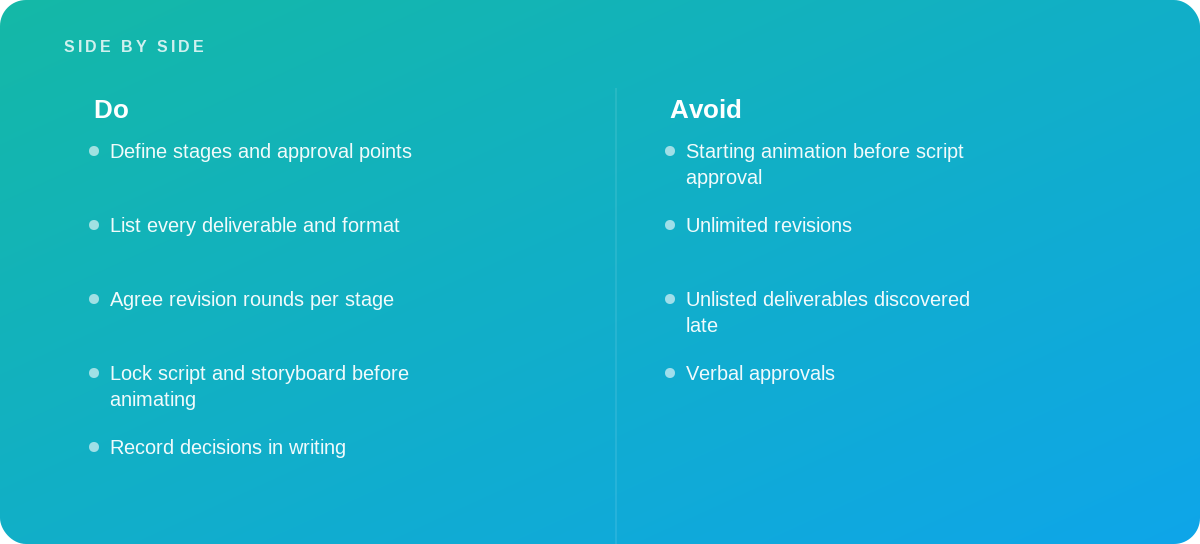
The five stages only protect the budget if each one ends in a real approval. An approval gate is a point where work stops, the client reviews a defined output, and a named person signs off in writing before the next stage starts. Without gates, the stages blur together and the studio ends up animating from an unapproved storyboard "to save time," which is exactly how late, expensive changes happen.
What a gate needs
- A defined review artifact. A script document, a storyboard PDF, a set of style frames, an animatic video file. Not "the current state of the project."
- A named approver. One person with authority to approve on behalf of the client, plus a list of who else may comment. Feedback from people outside that list should route through the approver.
- A review window. Typically a few working days per round. If feedback arrives late, the schedule moves; the scope should say so.
- A written record. An email, a signed-off comment in a review platform, or a line in a shared approvals log. Verbal approvals do not count, because six weeks later nobody remembers the same conversation.
Consolidated feedback
Ask for one consolidated set of feedback per round, from the named approver, with contradictions resolved on the client side before it reaches the studio. When the brand team wants the logo bigger and the legal team wants the disclaimer bigger in the same frame, someone has to decide, and it should not be the animator. A clear, structured process for reviewing animation with clients makes gates far easier to hold, because both sides know what a round looks like before it starts.
Warning: The most expensive single mistake in animation scoping is starting animation before the script is approved. Every frame animated against an unapproved script is at risk. If a deadline makes it tempting, scope a shorter piece or a phased release instead of overlapping the stages.
Revision Rounds: How Many, Where, and What Counts
Revisions are where scope arguments happen, and the root cause is almost always the same: the project agreed a number of rounds without agreeing what a round is or where the rounds apply. "Two rounds of revisions" means very different things if they are both used on final animation versus spread across script, storyboard and animatic.
Agree rounds per stage, not per project
Changes cost more the later they come, so revision allowances should be generous early and tighter late. A common pattern is two or three rounds on the script, two on the storyboard, one or two on style frames, one or two on the animatic, and one or two on final animation, with the final-animation rounds limited to refinements rather than structural changes. The exact numbers vary by project and studio; the principle of allocating rounds to stages does not.
Define a round
A round is one consolidated set of feedback on one version of the review artifact, followed by one revised version. Three emails with partial feedback over a week are not three rounds; they are one round that has not been consolidated yet, and the scope should say that the studio starts revising only when consolidated feedback arrives.
Separate revisions from changes of direction
A revision adjusts something within the approved brief and the approved previous stage: a color tweak, a timing adjustment, a corrected word on screen. A change of direction alters something already approved: a new script line after the script gate, a new scene after the storyboard gate, a new visual style after style frames. The scope should state plainly that changes of direction are quoted separately, however small they seem. That single sentence prevents more disputes than any other clause.
Unlimited revisions sound client-friendly but serve nobody. They remove the incentive to consolidate feedback, they make the schedule unknowable, and they tend to push the studio into defensive, slower work. A fixed, stage-by-stage allowance with a clear rate for extra rounds is fairer to both sides.
| Stage | Typical included rounds | Relative cost of a change here | Examples of in-scope revisions |
|---|---|---|---|
| Script | 2 to 3 | Lowest | Rewording, reordering points, adjusting length |
| Storyboard | 2 | Low | Changing a composition, swapping a visual metaphor |
| Style frames | 1 to 2 | Moderate | Palette adjustments, type weight, illustration detail |
| Animatic | 1 to 2 | Moderate to high | Shot durations, transition choices, music placement |
| Final animation | 1 to 2 | Highest | Easing, secondary motion, on-screen text corrections |
The round counts in this table are common starting points, not a standard; the column that matters most is the third one. Whatever numbers you choose, keep the shape: more room to change where change is cheap.
Deliverables: The Multiplier Nobody Prices
Versions, aspect ratios and languages multiply work, and they are the part of scope most often left vague. A project that starts as "one 60-second explainer" regularly ends as a 60-second master, a 30-second cutdown, a 15-second cutdown, each in 16:9, 1:1 and 9:16, with and without captions, in two languages. That is not one deliverable. It is potentially dozens of files, and many of them are not simple re-exports.
Why reformatting is real work
Moving from 16:9 to 9:16 is not cropping. Compositions designed for a wide frame have to be rebuilt for a tall one: text re-laid out, characters repositioned, sometimes whole scenes restaged. Adobe's documentation on composition settings and rendering in After Effects is a good reminder of how many parameters (frame size, pixel aspect, frame rate, duration) live at the composition level, and each new format usually means a new or substantially adjusted composition. Language versions add their own work: translated text often runs longer than English and breaks layouts, new voiceover changes timing, and right-to-left languages may need mirrored compositions.
Cutdowns are edits, not trims
A 15-second version of a 60-second film is a new edit with its own structure. It needs its own hook, its own logo moment and often shots that do not exist in the master. Very short formats have their own discipline, which is why six-second bumper animation is usually scoped as its own piece rather than as a trim of something longer.
List every file
The only reliable defense is a deliverables matrix in the scope: one row per file, with duration, aspect ratio, resolution, frame rate, language, caption status, file format and delivery method. If a row is not in the matrix, it is not in the price. Clients benefit from this as much as studios, because it forces the question "where will this actually run?" at the start rather than the week before launch.
Source files and archiving
Whether the client receives project files, and in what state, is a deliverable too, and one that is frequently discovered late. Handing over organized, documented source files takes real time, so it should be listed and priced. Our guide to delivering animation source files covers what a usable handover contains, and it is worth agreeing up front how long the studio keeps its own copies, since retention is its own decision with its own costs.
Tip: Ask the client for their media plan or channel list during scoping, even a rough one. Each channel implies an aspect ratio, a duration ceiling and often a caption requirement, and you can build the deliverables matrix almost directly from it.
A Worked Example: Scoping a 90-Second Explainer
The following is an illustrative example, not a real client project. It shows how the decisions above turn into a scope a producer could plan against. The hour figures are placeholders chosen to show the arithmetic; real estimates depend on style, complexity and the team.
A software company wants a 90-second 2D explainer for its homepage, plus versions for paid social. After a scoping call, the producer writes the following.
Stages and outputs
- Script: approximately 210 words of narration, delivered as a two-column document (narration and visual notes). Two rounds included.
- Storyboard: 20 to 24 rough panels with shot notes, as a PDF. Two rounds included.
- Style frames: four fully designed frames showing the key scenes. One round included, plus a choice between two initial directions.
- Animatic: timed to the final voiceover with scratch music, as a low-resolution video. One round included.
- Animation: full 2D animation, sound design and licensed music from a named library tier. Two rounds included, refinements only.
Deliverables matrix
The master is 90 seconds, 16:9, 1920×1080. The client also wants a 30-second cutdown and a 15-second cutdown, each in 16:9, 1:1 and 9:16, all with burned-in English captions and a clean version without captions. English only.
Count the files: one master in one format, plus two cutdowns in three formats each, gives seven edits. With and without captions doubles that to 14 files. If the producer had scoped "one explainer plus social versions," the 14 would have been invisible until the end.
Estimating the multiplier
Suppose, for illustration, the producer estimates the master animation at 100 hours. Each cutdown in 16:9 is a new edit reusing master shots with some new transitions: say 10 hours each. Each additional aspect ratio of a cutdown requires recomposition: say 6 hours per format per cutdown, or 24 hours across both cutdowns and the two extra ratios. Caption versions are mostly render and quality-check time: say 4 hours total. The deliverables beyond the master therefore add around 48 hours, nearly half again on top of the master. If the client later asks for a Spanish version of everything, that adds a new voiceover, retimed animation where the Spanish runs longer, re-laid text and another full set of renders, which is why language versions belong in the matrix from day one or are explicitly excluded.
Approvals and change control
The scope names the client's marketing director as approver, with product and legal as commenters whose feedback she consolidates. Each gate is approved by reply email to a standard sign-off message. Changes of direction after a gate are quoted separately at the studio's hourly rate before work proceeds.
- Scope
- The written definition of what a project includes: stages, approvals, revision rounds, deliverables and exclusions.
- Style frame
- A fully designed still that fixes the visual look of the finished animation before production.
- Animatic
- A timed sequence of storyboard or rough frames set to voiceover and music, used to approve pacing.
- Approval gate
- A formal pause at the end of a stage where a named approver signs off in writing before work continues.
- Revision round
- One consolidated set of feedback on one version, followed by one revised version.
- Change of direction
- A request that alters something already approved at an earlier gate, quoted separately from included revisions.
- Cutdown
- A shorter edit derived from a master, with its own structure rather than a simple trim.
- Deliverables matrix
- A table listing every final file with its duration, format, language and technical specification.
How Technique and Style Change the Scope
The five-stage structure holds across techniques, but the effort inside each stage, and the risk profile of late changes, varies a great deal with the kind of animation being made. A scope written for flat 2D motion graphics will under-scope a character piece or a 3D product film.
2D motion graphics and illustration
Vector-based motion graphics are relatively forgiving of late visual changes if the files are built with that in mind: a color change can propagate through linked assets. Structural changes are still expensive. For 2D animated videos, the scope should specify the level of illustration detail and whether characters are simple shapes or rigged figures, because that drives both design and animation time.
Character animation
Characters add design, rigging, acting and often lip sync. Lip sync ties animation directly to the final voiceover, so a script change after recording means both re-recording and re-animating mouths. Facial performance is a discipline in its own right; if a project relies on it, scope it explicitly rather than folding it into "animation."
Frame-by-frame
Hand-drawn, frame-by-frame work has almost no reuse between shots. A change to a character design after animation starts can mean redrawing every frame that character appears in. The scope should lock designs harder and allow fewer late revisions; because the technique offers little reuse to absorb late changes.
3D
3D adds modeling, texturing, lighting and rendering, and it introduces a new asset stage: models must be approved before animation, just as style frames are. Render time becomes a real schedule line, and every revision to a finished shot usually means re-rendering. For 3D animation, the scope should name who supplies product data (CAD files, reference photos, materials), what level of detail is required and how many camera moves are included.
Warning: Do not reuse a 2D scope template for a 3D or character project without adding the extra approval stages. Missing a model or rig approval gate means the first time the client sees the product or character in motion is in near-final animation, which is the most expensive place to discover it looks wrong.
Writing Decisions Down: The Scope Document and Change Log
Everything in this guide depends on one habit: record decisions in writing. Verbal agreements are not dishonest; they are simply unreliable. Two people leave the same call with different memories, a new stakeholder joins mid-project with no context, or the person who approved the storyboard leaves the company. A written record removes the argument before it starts.
What the scope document should contain
- Project summary: purpose, audience, main channel and running time.
- Stage list with the output of each stage and the included revision rounds.
- Approval process: named approver, commenters, review windows and the form approval takes.
- Deliverables matrix: every file, specified.
- Client inputs and deadlines for them: brand assets, product data, legal copy.
- Exclusions: what is not included and will be quoted separately.
- Change process: how changes of direction and extra rounds are requested, quoted and approved.
The change log
Once production starts, keep a running change log alongside the scope: date, requested change, who requested it, whether it is an included revision or a change of direction, the quoted impact on time and cost, and the approval. It takes a minute per entry and it turns end-of-project reconciliation from a negotiation into arithmetic. It also gives the client visibility: when they can see that five small out-of-scope requests have added a week, they can decide which ones are worth it.
Approvals log
A separate, shorter log of gate approvals (stage, version, approver, date, link to the written approval) is worth keeping even on small projects. It is what you point to when a request arrives to change something that was approved three stages ago.
Scoping Specialized and High-Stakes Animation
Some kinds of animation carry extra approval layers or technical constraints that belong in the scope from the start, because they are guaranteed to appear later if they are not.
Regulated and accuracy-critical content
Financial, medical, public-sector and scientific animation usually needs compliance or subject-expert review in addition to marketing approval. That review often happens at the script stage and again on the final animation, and it can take longer than a marketing review. Build it into the schedule as its own gate, and agree whether compliance feedback counts against the included rounds. A factual correction from legal after animation is still a late change, with late-change cost. The financial explainer animation guide goes deeper into how disclosures and figures affect production.
Environment-specific playback
Animation for screens in physical spaces, such as lobbies, retail displays or transit, often has unusual resolutions, portrait orientation, silent playback and looping requirements, and a player with its own codec constraints. Those specifications need to be in the deliverables matrix before design starts, because composition depends on them. Our digital signage animation guide covers the questions to ask the screen owner.
Accessibility
Captions, audio description and sufficient contrast for on-screen text are increasingly expected, and some organizations are required to provide them. Decide during scoping whether caption files, burned-in captions or described versions are included. Adding them later is possible but means another render and review pass for every deliverable.
Diagnosing Recurring Overruns and When to Bring in Help
A single overrun can be bad luck: a stakeholder change, an unexpected legal review. Repeated overruns are a scoping problem, and they tend to follow recognizable patterns. Review your last few projects against these symptoms.
- Overruns cluster in final animation. Changes that should have been caught at script or storyboard are being made in animation. The gates are not holding, or approvals are being given without real review.
- Overruns come from extra files. Deliverables are being added late. The deliverables matrix is missing or is being built from assumptions rather than a channel plan.
- Overruns come from feedback volume. Rounds are not defined or consolidated, or the number of reviewers keeps growing.
- Overruns are invisible until invoicing. There is no change log, so out-of-scope work is being absorbed or disputed at the end rather than approved as it happens.
If the pattern keeps repeating after you have tightened the scope template, it is time to bring in help. That might mean an experienced animation producer to own scoping and change control, or a studio that runs this process by default. When evaluating one, ask to see a sample scope and deliverables matrix; how a studio writes those documents tells you more about how the project will run than its showreel does. Our guide to choosing an animation studio lists the other questions worth asking, and you can see how we structure projects on our animation and motion graphics services page.
A pre-kickoff check
Before any project moves from scoping to production, confirm that the answer to each of these is yes: every stage has a defined output; every stage has a named approver and a written approval method; revision rounds are allocated per stage and a round is defined; every deliverable is listed with its specification; client inputs have deadlines; exclusions are written down; and the change process is agreed. If any answer is no, the project is not ready to start, however close the deadline.
Verdict Good scoping is less about predicting everything and more about deciding, in advance and in writing, how each kind of change will be handled. Define the stages, gate each one with a written approval, allocate revision rounds where change is cheap, list every deliverable before design begins, and log every change as it happens. Projects scoped that way still change, but the changes are visible, priced and agreed rather than argued over at the end.
Where this comes from
- Adobe Help Center — After Effects User Guide
- U.S. Small Business Administration — Write your business plan
The figures and practices above come from the sources listed.
Working on something like this?
We take on Motion Graphics & Animation work for teams who want it done once, properly. Tell us what you are building and we will tell you honestly whether we are the right studio for it. Start a project.
Where to go next
Spotted something wrong? Report an error on this page. We correct on the page and say what changed.