How to Get Choosing an Animation Studio Right
Learn how to pick an animation studio by checking style fit, approval stages, revision terms, source file ownership, capacity and references before you sign.
 MediaScaleUp Editorial Team

Choosing an animation studio looks like a creative decision, and partly it is. You watch showreels, you react to styles you like, and you pick the team whose work makes you feel something. But the projects that go wrong rarely go wrong because the studio could not draw or render. They go wrong because the studio was asked to produce a style it had never actually made, because nobody wrote down how many rounds of changes were included, because the source files turned out to belong to someone else, or because a five-person team was quietly juggling three other launches in the same month.
This guide is for marketing leads, founders, product teams, instructional designers and in-house creative managers who are about to commission animation, whether that is a 60-second explainer, a product assembly sequence, a set of UI microinteractions or a medical mechanism-of-action film. It is also useful for practitioners on the studio side who want to understand what a well-prepared client will ask them. The core idea is simple: a showreel tells you what a studio can make on its best day, and it rarely shows how that studio handles process, feedback and change. Your selection process has to uncover those things deliberately.
The article is organized as a checklist. The master list comes first, and each item then gets its own section explaining why it matters, what to ask, what a good answer sounds like, and what a weak answer should warn you about. Near the end you will find an illustrative worked example that scores three hypothetical bids side by side, so you can see how the checklist turns into a decision.
The Master Checklist for Choosing an Animation Studio
Use this list as the spine of your selection process. Send the questions with your brief or request for proposal, then score each studio's answers rather than relying on an overall impression from a call. Every item below maps to a section later in the article.
- Define the style, format and technical output of the piece before you shortlist anyone.
- Match each candidate's produced work to that style, looking for finished projects rather than personal experiments.
- Ask for a project breakdown showing boards, animatics and in-between stages, not only the final reel.
- Get the approval stages written down, including who signs off at each one and what is locked afterward.
- Define revision rounds, what counts as a revision versus a change of direction, and how extra work is priced.
- Agree in writing who owns the final video, the project files, the characters and any third-party assets.
- Confirm capacity against your dates: team size, parallel projects, and who is actually doing the work.
- Request references from clients with similar projects and ask them about process, not just quality.
- Decide between a specialist studio, a generalist studio and a freelancer based on the risks of your project.
- Score the bids against the same criteria before looking at price as the tiebreaker.
None of these checks is exotic. The reason they get skipped is that the showreel is persuasive and the calendar is tight. A sharp reel creates a halo effect: once you have seen beautiful work, it is easy to assume the rest of the engagement will be equally polished. Treat the checklist as a way to slow down for a few days at the start, so that you do not lose weeks in the middle.
Define the Style and Output Before You Shortlist
You cannot judge style fit until you know what style you need. Many briefs describe the goal (explain our onboarding flow, launch the new product, make the donation process feel human) without naming the visual approach. Studios then pitch whatever they are best at, and you end up comparing a 3D product render against a hand-drawn character piece against a kinetic typography edit. Those are not three versions of the same thing; they are three different projects with different pipelines, timelines and skills.
Name the visual family
Start by placing the project in a broad family: 2D vector motion graphics, 2D character animation, frame-by-frame or hand-drawn work, 3D product or technical animation, 3D character work, whiteboard or illustrated explainers, isometric illustration in motion, data visualization, or interface animation for the web and apps. Each of these draws on different software, different specialist roles and different kinds of review. A studio that is excellent at 2D animated explainer videos may have no pipeline for lighting, texturing and rendering, and a studio built around 3D may treat 2D as an afterthought.
Collect three to five reference clips that show the look you want and, just as usefully, one or two that show what you do not want. Write one sentence under each explaining what you like about it: the pacing, the color palette, the way the camera moves, the texture of the line work. That sentence matters more than the clip, because it tells the studio which quality you are actually responding to.
Specify the technical deliverables
Style also has a technical side. Decide the running time, aspect ratios (16:9 for a website hero, 9:16 for vertical social, 1:1 for some feeds), resolution, frame rate, and whether you need captions, voiceover in several languages, or cut-downs. Frame rate is not a trivial choice: 24 frames per second gives a filmic cadence, 25 is common in PAL broadcast regions, and 30 or 60 suits screen recordings and interface work. Our guide to frame rate and timing for animation explains how that decision affects the feel of the motion and the cost of production.
If your piece will live inside a website or product rather than as a video file, say so early. Interface animation often ships as Lottie files, CSS or code-driven motion rather than MP4, and that changes which studios are qualified to do it.
Tip: Put the style decision on a single page before you contact anyone.
- Visual family and two or three adjectives (for example, flat, warm, precise).
- Reference clips with a one-line reason for each.
- Running time, formats, frame rate and delivery file types.
- Any fixed brand assets the studio must use, such as fonts, color values and existing illustrations.
A clear one-page definition does two jobs. It makes shortlisting faster, because you can dismiss studios whose portfolios do not contain that family at all. And it makes bids comparable, because every studio is pricing the same thing.
Match the Studio's Produced Work to Your Brief, Not Its Best Reel Moment
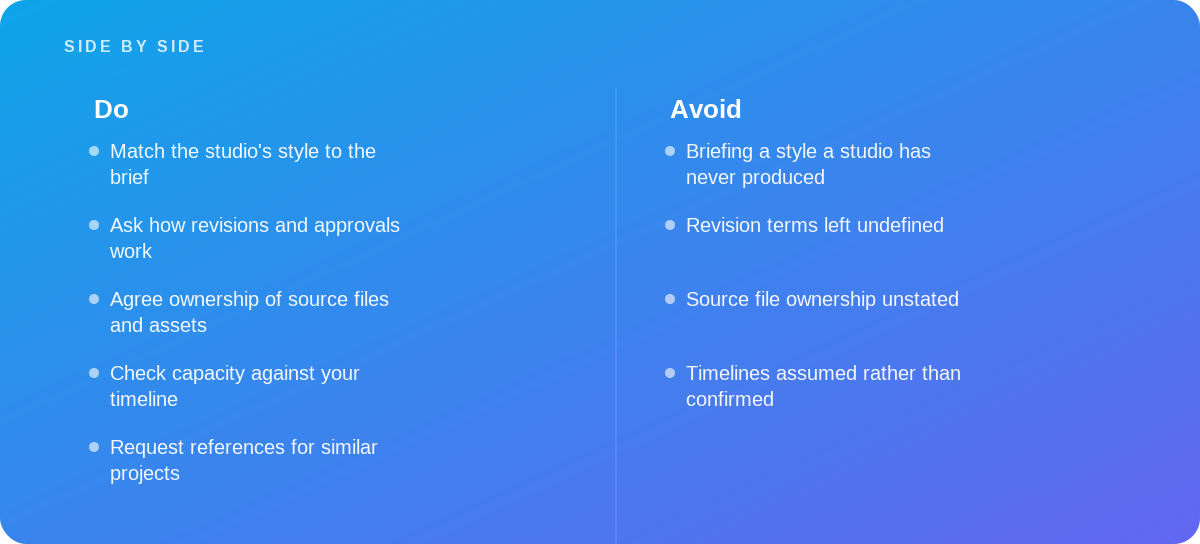
Studios specialize in particular styles. That is not a weakness; specialization is how a studio builds templates, rigs, pipelines and instincts that make its work faster and better. The risk is on the client side, when a brief asks for a style the studio has never actually produced and the studio says yes because it wants the work.
Look for finished client work in your style
When you review a portfolio, sort what you see into three buckets. Finished client projects are the strongest evidence: they went through a real brief, real feedback and a real deadline. Self-initiated or festival pieces show taste and ambition but were made without a client's constraints, and often over a much longer period. Pitch frames, style frames and concept tests show that the studio can design a look, not that it can animate it at length on a schedule.
For your shortlist, you want at least two finished client projects that sit in the same visual family as yours. If a studio's only 3D work is a ten-second loop on its reel, it has not demonstrated a 3D pipeline. If its only character work is a mascot that waves, it has not demonstrated dialogue, acting or lip sync. For work that relies on performance, such as facial animation, ask to see a full shot with expression changes and dialogue, not a cropped highlight.
Check subject-matter fit as well as visual fit
Some subjects have their own demands. A mechanism-of-action film for a pharmaceutical audience needs a studio that is comfortable working with medical reviewers and accurate reference. A product assembly sequence needs someone who can work from CAD data and keep parts dimensionally faithful. A scientific data animation needs someone who respects the numbers and will not smooth a curve because it looks nicer. A nonprofit impact piece needs tact with real stories and real people. If your subject falls into one of these areas, look for evidence the studio has handled it before, and read up on what good looks like so you can ask pointed questions. Our guides to isometric animation and whiteboard-style animation are examples of how much craft sits inside a single style.
Questions that expose a style mismatch
- Which two projects in your portfolio are closest to this brief, and what was your role on each?
- Was that project produced in-house, or were parts of it subcontracted?
- Which software and pipeline would you use for this piece, and is that the one you use every week?
- What part of this brief would be new for your team?
The last question is the most useful. A confident studio will name the unfamiliar part honestly and explain how it would handle it, perhaps by bringing in a specialist or running a short test. A studio that insists nothing is new is either very well matched or not listening closely.
Ask for a Project Breakdown That Shows Process
A showreel is an edit of highlights, usually set to music, with the weakest moments removed. It tells you nothing about how a project moved from brief to delivery. To see process, ask each shortlisted studio to walk you through one comparable project from start to finish, showing the intermediate materials.
What a useful breakdown contains
A good breakdown typically includes the original brief or a summary of it, the script and how it changed, the style frames that were proposed and the one that was chosen, the storyboard, the animatic (a timed version of the boards with scratch or final audio), work-in-progress animation passes, and the final. For 3D work you might also see modeling, look development and lighting stages. For interface animation you might see prototypes in a design tool before production.
As the studio talks, listen for how feedback arrived and how it was handled. Did the client see the animatic before animation started? Were there points where the direction changed, and what did that cost in time? Who on the studio side was the day-to-day contact? These details tell you far more about your likely experience than the final frames do.
Red flags in a breakdown conversation
- The studio cannot show any intermediate stage, only finals.
- There is no animatic stage in its process for narrative or explainer work.
- Every story about client feedback is framed as the client being difficult.
- The person presenting did not work on the project and cannot answer questions about it.
Confidentiality is a legitimate reason a studio may not be able to show certain projects. In that case, ask for a breakdown of a different project, even an older one, or for anonymized boards. A studio that has nothing it can show at an intermediate stage is asking you to take its process on trust.
Get the Approval Stages Written Down
Animation is produced in stages, and each stage is more expensive to change than the one before. Rewording a line of script costs minutes. Changing a storyboard panel costs hours. Changing a shot after it has been animated, lit and rendered can cost days, because the work has to flow back through every downstream step. Staged approvals exist to protect both sides from that escalating cost, and they shape how changes are handled for the whole project.
A typical approval sequence
- Script or narrative outline. Words and structure are locked before any visual work begins.
- Style frames or design boards. A small number of fully designed frames set the look.
- Storyboard. The sequence of shots is drawn out, usually roughly, to agree composition and flow.
- Voiceover recording and animatic. The boards are timed to the audio so everyone can judge pacing before animation.
- Animation passes. Rough or blocked animation first, then refined animation.
- Final polish, sound design and mastering. Color, effects, music, mix and export.
Not every project uses every stage, and some studios combine or rename them. What matters is that the sequence is explicit, that you know what is being approved at each gate, and that approving a stage means it is locked. If you approve the storyboard and later want a new scene, that is a change, not a revision, and it should be handled differently.
Decide who signs off
The single most common source of late changes is a stakeholder who did not see the earlier stages. A regional manager, a legal reviewer or a founder appears at the final review and asks for something that should have been raised at the script. Before the project starts, name one person as the approver at each stage and list the people who must be consulted before that approval is given. If legal or regulatory review is required, as it often is for health, finance and technical claims, schedule it at the script and animatic stages rather than at the end.
Review itself is a skill. Consolidating feedback, marking it on the timeline, and separating must-fix issues from preferences all make revision rounds faster. We cover that side in detail in how to get reviewing animation with clients right.
Tip: Ask each studio to show you exactly how feedback is collected. A shared review link with time-coded comments, a single consolidated feedback document per round, and a named owner on your side will do more for the schedule than any amount of goodwill.
Define Revision Terms Before Anyone Starts Drawing
Revision terms left undefined are one of the quickest ways for a good relationship to sour. The client thinks changes are included; the studio thinks the scope has grown; both are acting in good faith. The fix is to write down, in the proposal or contract, what a revision is, how many are included at each stage, and what happens beyond that.
Revision versus change of direction
A workable definition: a revision is an adjustment within the approved direction, such as making a color warmer, holding a shot a few frames longer, swapping an icon, or fixing a typo. A change of direction alters something that was already approved at an earlier stage, such as a new scene, a rewritten script section, a different character design, or a new visual style. Revisions are normally included up to an agreed number of rounds per stage. Changes of direction are normally quoted separately, because they send work back upstream.
What to put in writing
- The number of revision rounds included at each stage, for example two rounds on the storyboard and two on animation.
- What counts as a round: typically one consolidated set of feedback, not a stream of separate emails.
- How changes outside the included rounds are priced, whether by day rate, by shot, or by a fresh quote.
- How changes of direction affect the schedule, not just the cost.
- Turnaround times on both sides: how quickly the studio delivers a revision and how quickly you return feedback.
The turnaround commitment on your side is easy to forget. If the schedule assumes you return feedback within two working days and you take a week at each stage, a six-week project can easily become ten, and the studio may lose its slot for the next phase. Good contracts make both sides' response times explicit.
Scope and revisions are closely linked. If you have not yet pinned down length, number of scenes, level of detail and deliverable versions, revision terms will not hold, because every conversation will reopen the scope. Our guide on scoping animation projects covers those decisions in order.
Agree Ownership of the Final Film, Source Files and Assets
Many clients assume that paying for an animation means owning everything connected with it. That is not automatically true, and the gap tends to surface at the worst moment: a year later, when you want to update the pricing screen in the video, cut a new version for a trade show, or hand the project to a different team, and discover the studio holds the project files and the character designs.
The four layers of ownership
It helps to separate four layers. First, the final rendered video, which you will almost always receive with a license or ownership to use it. Second, the project and source files: the After Effects, Cinema 4D, Blender, Maya, Toon Boom or similar working files, plus the layered illustration files and 3D models. Third, the creative assets inside the film: characters, illustrations, custom type treatments and music. Fourth, third-party material the studio licensed on your behalf, such as stock footage, fonts, plug-ins, sound effects or production music, which neither you nor the studio owns outright.
Each layer needs an explicit answer. Some studios transfer everything on final payment. Some license the final video and keep source files unless you pay an additional fee, which is a reasonable commercial position as long as it is stated upfront. Some reserve the right to reuse generic elements, such as rigs or effect setups, on other projects. None of these is wrong; what is wrong is leaving it unstated.
Work made for hire and assignment
In the United States, the default is that the creator of a work owns the copyright unless the work qualifies as a work made for hire or the rights are transferred by a written assignment. For commissioned work by an outside studio or freelancer, the work-made-for-hire route is limited to specific categories of work and requires a written agreement signed by both parties. The U.S. Copyright Office's Circular 30 on works made for hire sets out those conditions. Because of those conditions, many contracts use both a work-made-for-hire clause and a backup assignment clause. Contract language varies by jurisdiction and circumstance, so have the ownership section reviewed by someone qualified to advise you, especially if the characters or assets will become part of your brand.
Warning: Third-party assets do not transfer just because the studio says the project is yours.
- Ask for a list of every font, stock clip, music track and plug-in effect used, with the license terms.
- Check whether licenses cover your intended channels, such as paid social, broadcast or in-product use.
- Confirm whether a font or music license was bought in your name or the studio's, and whether it transfers.
Define what source-file delivery means
Receiving a project file is not the same as receiving a usable project. A working handover includes the project file, all linked footage, images and audio, the fonts or a clear note of which to license, and a note of any plug-ins or scripts required to open it. In After Effects, the built-in Collect Files command gathers a project and its linked media into one folder; the Adobe Help Center's After Effects User Guide documents how it works and what it does and does not include. Other tools have their own packaging steps. Specify in the contract that source files will be delivered packaged, organized and openable, and name the software versions you expect. Our practical guide to delivering animation source files sets out a complete handover list, and archiving animation projects covers how to store them so they can still be opened years later.
Confirm Capacity Against Your Timeline
Small studios have limited parallel capacity. A team of six can produce outstanding work, but it cannot run four major projects at once without something slipping, and the project that slips is usually the one whose client is least demanding. Timelines assumed rather than confirmed are behind a large share of late deliveries.
What to ask about capacity
- How many people are on the team, and how many would work on this project?
- Who specifically is the lead animator or designer, and are they the person whose work you saw in the portfolio?
- How many other projects will be in production during your dates?
- Which parts of the work, if any, would be handled by freelancers or partner studios?
- What happens if a key person is ill or leaves during the project?
None of these questions is an accusation. Studios routinely bring in freelancers at busy times, and many excellent studios are built around a small core with trusted specialists on call. What you need is visibility: knowing who is doing the work lets you judge whether the portfolio you liked is relevant, and knowing the load lets you judge whether the dates are real.
Build the schedule backward from the launch
Start with the date the finished piece must be live, then work backward: time for upload and QA, final delivery, the last revision round, animation, animatic, storyboard, style frames, script. Assign review time on your side to each gate. If the result starts before today, something has to give, and it is far better to discover that in the proposal stage than in week five. Ask the studio to return its own schedule with the bid, with named approval dates, and compare it with yours. Where the two disagree, the difference is usually an assumption about review speed or the number of revision rounds, and it is worth resolving before signing.
Plan for a buffer. Complex character, 3D and technical projects often have more stages and longer render or review cycles than simple motion graphics, so they deserve more slack. Deadlines tied to fixed events, such as a trade show or a product launch, should end with a buffer of at least a week or two before the event, not on the day itself.
Request References for Similar Projects
A reference call is the closest you can get to seeing how a studio behaves under pressure. Most studios will offer references; the trick is to ask for the right ones and to ask the right questions.
Ask for references that match your project
Request references from clients whose projects were similar to yours in style, scale or subject, ideally from the last couple of years. A glowing reference from a much larger brand on a very different project tells you less than a candid one from a mid-sized company that commissioned the same kind of explainer you are planning. If the studio can only offer references from unrelated work, note it; that is information too.
Questions to ask a reference
- How did the project run against the original schedule, and what caused any slippage?
- How did the studio handle feedback that it disagreed with?
- Were revision and change terms clear, and were there any surprises on the invoice?
- Did you receive the source files, and were they usable when someone else opened them?
- Who was your day-to-day contact, and how responsive were they?
- Would you hire them again for the same kind of work, and for a different kind?
The last question separates two things. A client may happily rehire a studio for the style it does well while hesitating about stretching it to something new. That nuance is exactly what you need if your brief sits at the edge of the studio's experience.
Listen for process, not praise
References tend to be positive, because studios choose them. Ignore the adjectives and listen for specifics: dates, numbers of rounds, names of stages, how disagreements were resolved. A reference who can describe the animatic review in detail was genuinely involved; one who can only say the final looked great may have seen little else.
Specialist Studio, Generalist Studio or Freelancer
The key trade-off in choosing an animation studio is between depth and breadth. A specialist studio has done your kind of work many times; a generalist studio can cover more styles and formats under one roof; an individual freelancer brings focus and often flexibility, but limited capacity and less redundancy. The right choice depends on where your project's risk lies.
Pros
- A specialist studio brings an established pipeline for your style, so fewer surprises in production.
- Specialists usually have reusable rigs, templates and review habits that shorten timelines on familiar work.
- A generalist studio can handle mixed briefs, such as a 3D product shot inside a 2D explainer, without extra vendors.
- A freelancer offers direct access to the person doing the work and often faster decisions.
Cons
- A specialist may push every brief toward its house style, even when another approach would serve better.
- A generalist may be competent in many styles but exceptional in few, and may subcontract the unfamiliar parts.
- A freelancer has limited parallel capacity and no automatic backup if they are unavailable.
- Freelancer projects often need the client to manage more of the process, including sound, voiceover and delivery.
A practical rule: if the risk in your project is creative or technical, such as an unusual style, a demanding subject, or a complex 3D pipeline, lean toward a specialist with direct experience. If the risk is coordination, such as many deliverables, several formats, languages and channels, lean toward a studio with production management and enough people to absorb change. If the piece is short, well defined and in a style a particular freelancer clearly excels at, a freelancer can be an excellent choice, provided you plan for their availability and handle more of the coordination yourself.
If your needs span several styles, it can also make sense to work with a partner that offers a range of animation and motion graphics services under one production team, as long as you check the style-fit evidence for each style separately rather than assuming competence in one implies competence in all.
Worked Example: Scoring Three Bids for a 90-Second Explainer
The following example is illustrative. The company, studios and figures are hypothetical and are included only to show how the checklist turns into a decision; they are not market rates or a real client story.
A software company needs a 90-second 2D explainer for its homepage, plus a 30-second vertical cut for social media. It wants flat vector illustration with light character work, English voiceover, 24 frames per second, and delivery in eight weeks for a product launch. The budget holder has set an illustrative ceiling of $18,000. Three studios bid.
- Studio A is a four-person 2D specialist. It shows three finished client explainers in almost exactly the requested style, offers a full breakdown of one, and quotes $15,500 with two revision rounds per stage. It transfers source files on final payment but lists two fonts that must be licensed separately. It currently has two other projects in production and proposes a nine-week schedule, explaining that eight weeks is possible only if feedback is returned within one working day.
- Studio B is a twenty-person generalist. Its reel is striking but mostly 3D; it shows one older 2D explainer. It quotes $17,000, promises eight weeks, and describes revisions as unlimited within reason. Source files are available for an extra fee that is not specified.
- Studio C is an experienced freelancer with strong 2D character work. The quote is $11,000 with one revision round per stage. Sound design and voiceover casting are excluded. Availability is confirmed for six of the eight weeks, with a planned one-week break in the middle.
The team scores each bid from 1 to 5 against the checklist criteria.
| Criterion | Studio A | Studio B | Studio C |
|---|---|---|---|
| Style fit (finished client work in this style) | 5 | 2 | 4 |
| Process visibility (breakdown, animatic stage) | 5 | 3 | 3 |
| Revision terms defined | 5 | 2 | 4 |
| Ownership and source files stated | 4 | 2 | 4 |
| Capacity confirmed against dates | 4 | 3 | 2 |
| Relevant references | 5 | 2 | 4 |
| Total (out of 30) | 28 | 14 | 21 |
Studio B's "unlimited revisions" sounds generous but scores poorly, because an undefined term cannot be relied on. When there is no limit, the real limit is the studio's patience, and that usually shows up as schedule slips or quality compromises late in the project. Its unspecified source-file fee is a similar gap.
Studio C is the cheapest by $4,500, but the exclusions matter. If sound design and voiceover add an illustrative $2,000 to $3,000 and the client has to manage those vendors, the saving narrows, and the mid-project break creates schedule risk against a fixed launch date.
Studio A is the clear choice on the criteria, and it also raised the one genuine risk itself: the eight-week date depends on fast feedback. The company can respond in two ways. It can accept the nine-week schedule and launch the video a week after the product, or it can commit named approvers to one-day turnaround and write that into the schedule. Either is a sound decision because it is made with the constraint in plain view, rather than discovered in week seven.
Notice what the example does not do: it does not start with price. Price becomes the tiebreaker among bids that meet the criteria, not the filter that decides which bids to take seriously.
Running the Selection Process in Practice
Knowing what to check is half of the job; the other half is running the process efficiently so that it does not become a month of calls. The following sequence keeps it to roughly one to two weeks for most projects.
Week one: brief, shortlist and questions
Finish the one-page style and output definition described earlier, plus a short brief covering audience, message, key scenes if you know them, deadline and budget range. Sharing a budget range is not a weakness; it lets studios propose an approach that fits rather than guessing, and it filters out mismatches early. Shortlist three to five studios whose finished work sits in your visual family. Send each the same brief and the same list of checklist questions, and ask for a written proposal with a schedule, stage list, revision terms, ownership terms and exclusions.
Week two: breakdowns, references and scoring
Hold a 30- to 45-minute call with each serious contender to walk through a project breakdown. Speak to at least one reference for your top two. Score all bids on the same sheet, with the same people scoring, before discussing price. If two studios are close, a paid test, such as a single designed style frame or a ten-second animatic, can settle the question; paying for it respects the studio's time and gives you real evidence of collaboration.
Before signing
Make sure the contract or statement of work reflects everything you discussed: the stage list, approvers, revision rounds, change pricing, response times, ownership of each layer, the source-file handover standard, third-party licenses, the schedule and the payment milestones. Payment milestones tied to approved stages, rather than to calendar dates, align incentives on both sides. It is common to pay a deposit at the start, with further payments at stage approvals and on final delivery.
What separates a good choice from a lucky one
Looking back across the checklist, a pattern emerges. Every item replaces an assumption with a written answer. Style fit replaces "they can probably do it" with evidence of finished work. Approval stages replace "we will review as we go" with named gates and approvers. Revision terms replace "changes are included" with a definition and a number. Ownership replaces "we paid for it, so it is ours" with a clause for each layer of the work. Capacity replaces "they said eight weeks" with a schedule that names who does the work and which dates depend on you. References replace the showreel's best moments with the experience of someone who lived through a project.
None of this guarantees a great film. Creative work still depends on talent, chemistry and a strong idea. But it does mean that when you choose a studio, you are choosing on the things that most often decide whether the project arrives on time, on budget and in a form you can keep using. That is the difference between a good choice and a lucky one.
Verdict Choose the studio whose finished client work already matches your style, then make process, revisions, ownership and capacity explicit in writing before work begins. A studio that answers those questions clearly and names its own risks is a safer choice than one with a more dazzling reel and vaguer terms, and price should break ties rather than set the shortlist.
Where this comes from
- U.S. Copyright Office — Circular 30 Works Made for Hire
- Adobe Help Center — After Effects User Guide
The figures and practices above come from the sources listed.
Working on something like this?
We take on Motion Graphics & Animation work for teams who want it done once, properly. Tell us what you are building and we will tell you honestly whether we are the right studio for it. Start a project.
Where to go next
Spotted something wrong? Report an error on this page. We correct on the page and say what changed.