Public Information Animation: The Decisions That Matter
A phase-by-phase playbook for public information animation: plain-language scripts, captions, translations, audience testing, publishing and records.
 MediaScaleUp Editorial Team

Public information animation is the short animated explainer a public agency produces to tell people about a service, a right, a deadline or a change that affects them: a new way to renew a permit, an expanded benefit, a revised trash collection schedule, a boil-water procedure, a change to how residents vote by mail. It sits in an unusual corner of motion graphics. The audience is not a target segment that marketing chose; it is everyone the policy touches, including people who do not read well, people who do not speak English at home, people who are Deaf or blind, and people who are anxious, rushed or distrustful of government. The video has to work for all of them at once.
That requirement changes the decisions that matter. In brand work, the hard calls are about style and attention. In public information work, the hard calls are about plain language, accessibility, translation, record keeping and, above all, making the action a person must take impossible to miss. Communications directors, program managers, agency web teams and the studios they hire all run into the same traps: scripts drafted by legal counsel, captions bolted on at the end, Spanish and Vietnamese versions commissioned after the English one is already locked, and elegant animation that somehow never shows the phone number.
This playbook walks through the work as a sequence of phases you follow in order. Each phase has a goal, a set of actions, the outputs it should leave behind and the checks that tell you it is done. It closes with a realistic schedule, an illustrative worked example with numbers, and guidance on when an agency should bring in outside help.
The public information animation playbook at a glance
Most failed public explainers fail for a reason that was decided early, usually before anyone opened animation software. The action was vague, the audience was assumed, the languages were an afterthought or the script was written to satisfy reviewers rather than residents. The procedure below front-loads those decisions so that production becomes the predictable part of the project instead of the place where problems are discovered.
- Define the action and the audience Write down the single thing a viewer must do or know, who needs to do it, by when, and what happens if they do not.
- Write a plain-language script Draft narration at conversational pace in short sentences and everyday words, then route it through program, legal and accessibility review with clear rules about what reviewers may change.
- Plan languages and accessibility deliverables Decide on every language, caption file, audio description track and transcript before design starts, so the visual system is built to carry them.
- Storyboard for clarity Sketch each scene with the action visible on screen, text kept to a minimum and every essential fact carried by both narration and visuals.
- Test comprehension with real people Show an animatic to members of the actual audience and check whether they can say back what they must do.
- Produce, caption, describe and localize Animate, record voice-over, create captions and descriptions, and build each language version from a shared, text-free master.
- Publish, distribute and retain Post the video with a transcript and captions, push it through the channels your audience actually uses, and file the project materials as records.
The order matters. Language planning comes before storyboarding because on-screen text, timing and even character design depend on how many versions you will make. Testing comes before final animation because changing an animatic costs hours while changing a finished render costs days. And publishing is treated as a phase in its own right because a public explainer that nobody sees, or that sits on a web page without a transcript, has not done its job. If you are new to planning animation budgets and scope in general, the reasoning in our guide to scoping animation projects before production starts applies here too, with a few public-sector additions covered below.
Phase 1: Pin down the action, the audience and the stakes
Goal: agree, in writing, on what the video must cause people to do and who those people are. Everything later in the project is judged against this.
Actions
Start with the action, not the topic. "Explain the new recycling program" is a topic. "Get households in the north service area to put glass in the separate blue bin starting March 3" is an action. The difference shapes every scene. A topic invites a tour of the policy; an action demands that the viewer leave knowing what to do, where, and by when. Write the action as a single sentence with a verb the viewer performs: apply, call, bring, renew, sign up, stop, check, report.
Then describe the audience honestly. Who is eligible or affected? What languages do they speak at home? What devices do they watch on, and do they watch with sound? Many agencies already hold useful data here: call center logs showing the most common questions, service counter records of language requests, website analytics showing mobile share, and program staff who talk to residents every day. Pull that together rather than guessing. An explainer for a senior property tax exemption and an explainer for a youth summer jobs program will make different choices on pace, type size, voice and channel, even if both come from the same office.
Finally, name the stakes and the constraints. What happens to a person who misunderstands? Missing a benefit deadline or misreading a public health instruction carries real consequences, which justifies more testing and stricter review. List any hard facts that cannot change, such as statutory deadlines, eligibility thresholds and the official program name, and identify who owns each one.
Outputs
- A one-page brief with the action sentence, the audience description, the languages required, the channels planned and the date the video must be live.
- A fact sheet listing every number, date, address, URL and phone number that will appear, each with a named owner who confirms it.
- A short list of the top questions and misconceptions residents already have, drawn from call logs or front-line staff.
Checks
- The action fits in one sentence and starts with a verb the viewer performs.
- The audience description names languages, likely devices and any groups with specific access needs.
- Every fact in the fact sheet has a named owner and a verification date.
- The program lead, communications lead and accessibility coordinator have all signed the brief.
- Someone has confirmed whether the project materials must be retained under the agency's records schedule.
That last check sounds administrative, but it belongs in Phase 1. Public communications may be retained as records, and deciding early which files count (scripts, approvals, final masters, caption files) saves a scramble later when someone asks for the approved version of a video that has since been edited.
Phase 2: Write a plain-language script that survives review
Goal: a narration script that a broad audience understands on first hearing and that every reviewer can approve without rewriting it back into jargon.
Actions
Plain language is not a style preference in government work. Federal guidance requires clear communication, and the Federal Plain Language Guidelines set out practical techniques that translate directly to narration: write for your audience, address the reader as "you," use active voice, keep sentences short, use common words, and organize information around what the reader needs to do. Many state and local agencies have adopted similar standards, and even where they have not, the same techniques make a video easier to understand, caption and translate.
Narration adds constraints that print does not have. A listener cannot reread a sentence, so every sentence has to land the first time. In practice that means:
- One idea per sentence. "If you qualify, you can apply online or by phone. The deadline is June 30." is easier to follow than one sentence joining eligibility, method and date.
- Front-load the point. Put the action early in the sentence and the qualifications after: "Call 311 to schedule a pickup. Pickups are available on weekdays."
- Say numbers the way people say them. "Thirty dollars a month" rather than "a monthly amount of up to $30.00." Read phone numbers slowly, in groups, and show them on screen at the same time.
- Replace program names with plain descriptions, or pair them the first time: "the Home Energy Help program, which helps pay heating bills."
- Cut legal hedging from the narration, and move necessary conditions to the landing page, where they can be read in full.
Pace the script for comprehension, not for time. Conversational narration usually runs somewhere around 130 to 160 words per minute; for a public audience with mixed literacy and many non-native listeners, aim toward the slower end and leave pauses after key facts. A 90-second explainer therefore carries roughly 180 to 220 words of narration, which is less than most first drafts. That limit is a feature: it forces the team to decide what the video is for and what belongs on the web page instead.
Shortcut: Set review rules before you circulate the draft. Tell legal and program reviewers they may flag anything inaccurate or risky, but that proposed wording goes back to the writer, who must keep it in plain language. Without that rule, a script passes through three reviewers and returns in the passive voice with a statutory citation in the middle.
Legal review deserves special handling because it is where plain language most often dies. The usual conflict is between accuracy and completeness. Counsel wants every eligibility condition stated; the video has room for three. Resolve it by agreeing that the video will state the main condition truthfully, point clearly to where the full conditions live, and never say anything that is false for a subset of viewers. "Most homeowners who are 65 or older can apply" is honest; "If you are 65 or older, you qualify" may not be.
Outputs
- A two-column script: narration on the left, on-screen text and visual notes on the right.
- A word count and an estimated running time at your target pace.
- A signed-off version with the reviewers' names and dates, stored with the project record.
Checks
Read the script aloud to someone outside the program. If they stumble over a word, cannot repeat the action afterward, or ask what an acronym means, revise. Run a readability check if your agency uses one, but treat the score as a rough signal; a short sentence full of unfamiliar terms can score well and still confuse. Confirm that every number and date in the script matches the Phase 1 fact sheet exactly.
Phase 3: Plan translations and accessibility deliverables from day one
Goal: a complete list of every version and file the project will deliver, locked before design begins, so the animation is built to carry them.
Why this phase comes before design
Public information often needs multiple languages, and accessibility is not optional: public content must meet accessibility standards. For U.S. federal agencies, Section 508 of the Rehabilitation Act applies, and Section508.gov's guidance on creating accessible digital products covers what that means for video, including synchronized captions and audio description. The revised Section 508 standards incorporate WCAG 2.0 Level AA for web content, and many state and local agencies follow WCAG as well. Both requirements are much cheaper to meet when planned than when retrofitted.
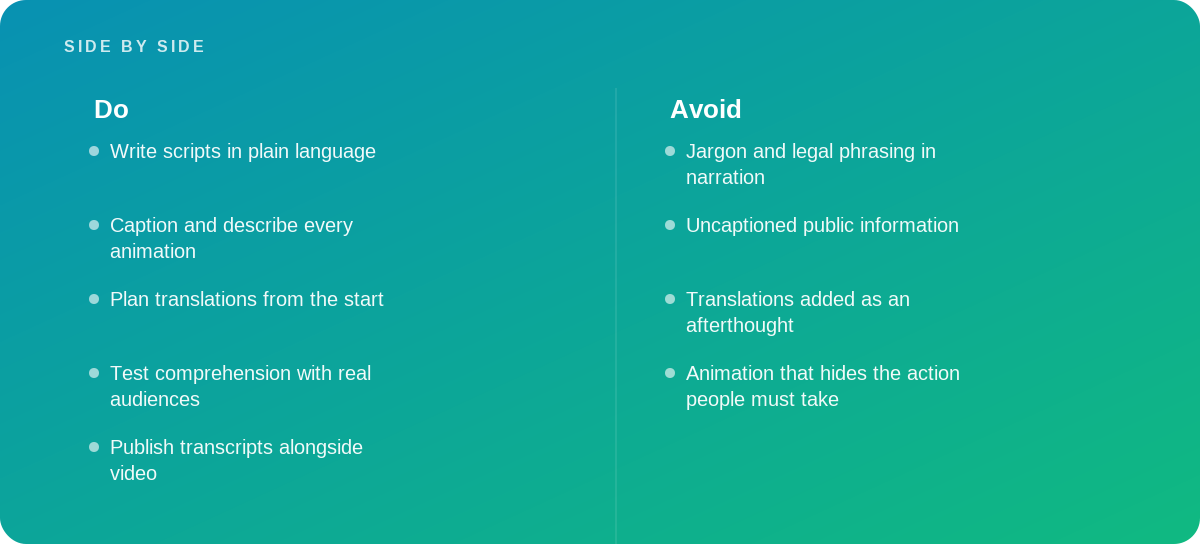
Translations added as an afterthought are one of the most common mistakes in this field, and the reason is mechanical. If English text is baked into the animation, every language version means reopening and re-rendering scenes. If the timing was cut tight to English narration, a Spanish voice-over, which often runs longer than English for the same content, will not fit, so scenes get re-timed or the translation gets compressed until it loses meaning. If a character points at a sign that reads "Apply Here," the sign needs redrawing. None of that is hard to avoid if the plan exists before the first frame.
Actions
Build a deliverables matrix. For each language, list the narration, on-screen text, caption file, transcript, audio description approach and landing page. Decide who translates (a professional service, in-house bilingual staff with review, or a community partner) and who reviews for accuracy and tone. Machine translation can help draft, but public information about rights and services needs a qualified human translator and, ideally, review by a native speaker from the community you serve.
| Deliverable | What it is | Plan it by | Common pitfall |
|---|---|---|---|
| Closed captions | Synchronized text of all speech and meaningful sound, as a sidecar file such as SRT or WebVTT | Script lock | Relying on automatic captions without correcting names, numbers and program terms |
| Open captions | Captions burned into the picture for social feeds that autoplay without sound | Storyboard | Captions colliding with on-screen text or lower-third graphics |
| Audio description | Narration of important visual information that is not already spoken | Script and storyboard | Visual-only facts that cannot fit into pauses, forcing an extended version late |
| Transcript | A text version of narration plus descriptions of key visuals, published on the page | Script lock | Posting the script draft rather than the final spoken text |
| Language versions | Translated narration, captions and on-screen text for each language | Brief | Text baked into artwork and timing cut to English only |
| Sign language version | An ASL or other sign language interpreter inset, where the audience warrants it | Brief | No screen space reserved, so the inset covers essential visuals |
The strongest approach to audio description is to make it unnecessary for most of the video. If the narration already says everything essential that the pictures show, a blind viewer loses little. Write the script so that the action, the deadline, the contact method and any key instruction are spoken, not just shown. Where a visual carries meaning the narration does not, such as a diagram of which bin takes which material, either describe it in the narration or plan an audio-described version.
Outputs
- The deliverables matrix, with owners and due dates for each version and file.
- A translation and review plan naming the translator and the community reviewer for each language.
- Design constraints for the animation team: text layers kept separate, space reserved for captions and any interpreter inset, timing that allows for longer languages.
Checks
Confirm that the accessibility coordinator has reviewed the matrix and that nothing essential is carried by color alone, sound alone or on-screen text alone. Confirm the budget covers every row; cutting a language version after the matrix is approved should be a conscious decision recorded in the brief, not something that quietly happens when money runs short.
Phase 4: Storyboard so the action cannot be missed
Goal: a storyboard and animatic in which every scene serves the action, and the key facts are visible, spoken and readable at the sizes your audience watches.
Actions
Structure the story around the viewer's path, not the agency's org chart. A reliable pattern for public information runs in four beats: the situation the viewer recognizes ("Your water bill went up this winter"), what is changing or available ("The city now offers help with water bills"), exactly what to do ("Apply online or call 311 by May 15"), and what happens next ("You will get a letter within two weeks"). Four to eight scenes are usually enough for a 60- to 120-second piece. Our practical guide to storyboarding for animation covers the mechanics of thumbnails, shot lists and animatics in more depth.
Animation that hides the action people must take is a mistake worth designing against deliberately. It happens when the most visually interesting moment is spent on the problem or the policy, and the call to action is a small end card that appears for two seconds. Invert that. Give the action its own scene, hold it on screen long enough to read twice, repeat it in narration, and show it again at the end. Phone numbers, web addresses and deadlines should appear large, in high contrast, and for several seconds; viewers may be reaching for a pen.
Choose a visual style for clarity and trust rather than novelty. Flat 2D styles are popular in this field because they are fast to produce, simple to localize and easy to read on small screens; see our overview of 2D animated video production for how that style is typically built. Whiteboard styles can work well for step-by-step processes, with the caveats discussed in whiteboard-style animation done properly. Whatever the style, a few rules hold:
- Represent the community you serve in characters, homes and settings, without stereotypes. Guidance on building inclusive, readable cast members is in our article on designing characters for animation.
- Keep on-screen text short, in a clear sans serif, large enough to read on a phone, and with strong contrast against its background. WCAG 2.0 Level AA calls for a contrast ratio of at least 4.5:1 for normal text.
- Avoid flashing and rapid strobing. WCAG sets a threshold of no more than three flashes in any one-second period, and public videos should stay well clear of it.
- Do not rely on color alone. If green means "yes" and red means "no," add a check mark and a cross.
- Use motion to direct attention to the next thing the viewer needs, not to decorate. Slow, deliberate transitions help viewers keep up.
Outputs
- A storyboard with narration, on-screen text and caption-safe areas marked on each panel.
- An animatic: storyboard frames timed to a scratch voice-over, roughly matching the final running time.
- A style frame or two showing final colors, type and character design.
Checks
- The action, deadline and contact method each appear on screen and in narration.
- The action scene holds long enough to read the text twice at a normal pace.
- No essential information depends on color, sound or text alone.
- On-screen text is separated into editable layers for translation.
- Space is reserved for captions and, if planned, a sign language inset.
- Nothing flashes more than three times in a second.
Phase 5: Test comprehension with the people the video is for
Goal: evidence, before final production, that members of the real audience understand what to do after watching.
Actions
Testing with real audiences is the step agencies skip most often and regret most. It does not need to be elaborate. Five to eight people from the intended audience, shown the animatic one at a time, will reveal most of the serious comprehension problems. Recruit through the channels the program already uses: a library branch, a senior center, a community organization, a service counter, a partner nonprofit. Include speakers of each planned language when testing translated scripts, and include people who use assistive technology if you can.
Keep the protocol simple and the questions open:
- Show the animatic once, without introduction beyond "this is a short video from the city."
- Ask: "In your own words, what is this video asking you to do?"
- Ask: "Is there anything you would still need to know before you did it?"
- Ask: "Was any word or picture confusing?"
- Ask them to find the phone number, web address or deadline without replaying. If they cannot, that is a design problem, not a viewer problem.
Avoid leading questions such as "Was it clear?" People are polite, especially to government staff, and will say yes. Asking them to say back the action, in their words, gives you something you can actually evaluate. Write down the exact phrases people use, because those are often better narration than the script.
Shortcut: Test the animatic, not the final film. An animatic with scratch narration, recorded on a laptop microphone, is enough to reveal whether people understand the action. Every problem you catch at this stage costs a script edit and a re-timed panel instead of a re-render across every language version.
Outputs
- A short findings note: what people understood, what they missed, the words that confused them and the changes made in response.
- A revised script and animatic, re-approved by anyone whose facts changed.
Checks
Set a pass bar before testing. A reasonable one: most participants can state the action and find the contact method unaided, and no participant came away believing something false. If a meaningful share misunderstood a key fact, revise and test again with a few new people. Retesting is quick because the animatic is cheap to change.
Phase 6: Produce, caption, describe and localize
Goal: finished masters in every language, each with accurate captions, a transcript and the planned audio description, delivered in the formats each channel needs.
Animation and voice
Production follows the approved animatic closely. Build the animation with text on separate layers, or better, from a text-free master where translated text is dropped into templates. Record the voice-over with a professional voice actor where budget allows; a clear, warm, unhurried read does more for comprehension than any animation technique. For each language, cast a native speaker, ideally from a background similar to the audience, and have a language reviewer sit in on the session or review the recording before it is locked.
Keep technical choices modest. A 1920 by 1080 master at the frame rate your team normally works in covers web and most social channels; add a square or vertical cut if the distribution plan calls for feeds that favor those shapes. Avoid heavy motion blur, rapid camera moves and busy backgrounds behind text; the trade-offs are discussed in our piece on motion blur in animation. Keep background music low and simple, or leave it out, because music under narration makes speech harder to follow for people with hearing loss and for non-native listeners.
Captions and transcripts
Every public animation should be captioned, and uncaptioned public information remains one of the easiest mistakes to avoid. Start from the final spoken script, not the draft, and time captions to speech. Automatic captioning tools can produce a first pass quickly, but review every line: they routinely mangle program names, street names, phone numbers and non-English words. Good captions:
- Break at natural phrase boundaries, in one or two short lines.
- Stay on screen long enough to read comfortably, and never cover essential on-screen text.
- Include meaningful non-speech sounds, such as [phone rings] or [alarm sounds], when they carry information.
- Match the narration exactly for numbers, dates and contact details.
Publish transcripts alongside the video. A transcript serves people who are deafblind and use braille displays, people who prefer to read, people on slow connections, and search engines. It should include the narration and brief descriptions of meaningful visuals. Translate the transcript along with the captions for each language version.
Audio description
If Phase 3 did its job, most of the essential visual information is already spoken, and description needs are small. For what remains, write short descriptions that fit into natural pauses in the narration. If the pauses are too short, produce an extended described version, where the picture pauses while the description plays. Decide which approach you are using before recording, because it affects the voice session.
Outputs
- Final video masters for each language and aspect ratio.
- A caption file (such as WebVTT or SRT) for each language, plus open-caption versions for social feeds where planned.
- A transcript for each language.
- An audio-described version or confirmation that description is integrated into the main narration.
- The project files and text-free master, archived for future updates.
Checks
Watch each final version with sound off and captions on, then with eyes closed and sound on. If the action is clear both ways, the video is accessible in the ways that matter most. Have a native speaker who was not involved in translation watch each language version for accuracy and tone. Re-verify every fact against the fact sheet one final time, because dates and phone numbers sometimes change during a long production.
Phase 7: Publish, distribute and keep the record
Goal: the video reaches the people it is for, in the places they already look, and the agency can prove what was published and when.
Publishing
Post the video on the program page, not only on a video platform. Embed it with captions available, the transcript on the same page, and the action repeated in text near the player, with the link, phone number and deadline written out. Use an accessible media player that works with a keyboard and screen readers. Give the video a plain descriptive title that says what it helps people do, such as "How to apply for help with your water bill," rather than a campaign name.
Distribution
Match channels to the audience defined in Phase 1. Social feeds need captioned, square or vertical cuts that make sense with sound off; very short cut-downs can drive people to the full version, and though each cut-down still needs to state the action on its own. Lobby screens and service counters are useful for people already inside a building, but they usually play without sound, so the piece needs a silent edit with large type; see our guidance on digital signage animation. Community partners, such as schools, clinics, faith organizations and neighborhood groups, often reach people the agency's own channels do not, particularly in non-English-speaking communities. Give them a simple package: the video files in each language, captions, a short text description and the link.
Records and updates
Public communications may be retained as records. File the approved script, the reviewers' sign-offs, the final masters, caption files and transcripts, and the publication dates according to your agency's records schedule. Keep the editable project files and text-free master too, because programs change. When a deadline moves or a phone number changes, you want to update one text layer and re-render, not rebuild the video. Set a review date, often tied to the program's own calendar, when someone checks that every fact in the video is still true.
- The video is embedded on the program page with captions, a transcript and the action written out next to the player.
- Every language version is published and linked from the matching language page.
- Social and signage cuts work with the sound off.
- Partners have a download package with every language and format.
- Approvals, masters, captions and transcripts are filed under the records schedule.
- A fact review date is on someone's calendar.
A realistic schedule for a public explainer
Schedules for public information animation are driven less by animation time than by review and translation. A 60- to 120-second 2D explainer in two or three languages commonly runs somewhere in the range of eight to twelve weeks from brief to publication, and longer if legal review is slow, if several agencies must approve, or if the program itself is still being finalized. The timeline below is a typical sequence for that kind of project, not a guarantee; your own will depend on how quickly reviewers respond and how settled the policy is.
- Week 1 Brief, action sentence, audience description, fact sheet and deliverables matrix drafted and signed off.
- Weeks 2 to 3 Script drafted, read aloud, reviewed by program, legal and accessibility staff, and locked in English.
- Weeks 3 to 4 Storyboard, style frames and scratch animatic produced; translation of the locked script begins in parallel.
- Week 5 Comprehension testing with the audience in each language, followed by script and animatic revisions.
- Weeks 6 to 8 Final animation, voice recording in each language, captions and transcripts drafted.
- Week 9 Accuracy review of every version by native speakers and the fact owners, audio description finalized, fixes made.
- Week 10 Publication on the program page, partner package sent, social and signage cuts released, records filed.
Two points on the schedule deserve emphasis. First, translation starts as soon as the English script is locked, not after animation; that is what keeps a three-language project from taking three times as long. Second, the comprehension test sits in the middle, which is where it has the most leverage. If your program launch date is fixed, count backward from it and protect the testing week, because it is the step most likely to be squeezed and the one whose absence is most likely to show.
Worked example: a water bill assistance explainer in three languages
The following project is illustrative. It is a composite built to show how the phases fit together with realistic numbers; it does not describe a specific agency or client.
A mid-sized city utility is launching a water bill assistance program for income-eligible households. Call center staff report that many residents do not know such help exists, and those who do assume the application is long. Service counter records show that, after English, Spanish and Vietnamese are the most requested languages. The program launches in 11 weeks.
Phase 1 decisions
The team writes the action sentence: "Households that are behind on their water bill or struggling to pay should apply for help online or by calling 311 before May 15." The fact sheet lists the program's plain name, the deadline, the phone number, the web address, the documents needed and the income guideline, with the program manager as owner of eligibility facts and the call center manager as owner of the contact details. Records staff confirm that the approved script and final videos must be kept under the utility's retention schedule for public outreach materials.
Phase 2 and 3 decisions
The first draft of the script runs 310 words, including a paragraph of eligibility conditions written by counsel. At a target pace of about 140 words per minute, that would take over two minutes. The team moves the detailed conditions to the landing page, keeps one honest summary sentence in narration ("Many households that earn less than a set amount can qualify"), and cuts the script to 205 words, which runs about 90 seconds with pauses. The deliverables matrix lists three narrated versions, three caption files, three transcripts, a silent lobby-screen edit in each language with large on-screen text, and square social cuts. Because the Spanish script runs roughly 15 percent longer than the English when read aloud, the animation is timed to leave breathing room at the end of each scene.
Numbers at a glance
| Item | English | Spanish | Vietnamese |
|---|---|---|---|
| Narration word count (final) | 205 | about 235 | about 220 |
| Running time with pauses | 90 seconds | about 98 seconds | about 95 seconds |
| Scenes | 6 | 6 | 6 |
| Time the action scene holds | 8 seconds | 9 seconds | 9 seconds |
| Comprehension test participants | 7 | 6 | 5 |
| Deliverables | Master, square cut, silent edit, captions, transcript | Same | Same |
What testing changed
In the English test, five of seven participants could state the action, but two thought they had to visit an office in person, because the animatic showed a character walking into a building. The scene was redrawn to show the character on a phone and a laptop instead. Three participants did not know what "arrears" meant; the word came out of the script and became "if you are behind on your bill." In the Vietnamese test, a reviewer from a community organization pointed out that the translated program name was accurate but formal, and suggested a phrasing residents actually use. None of these fixes cost more than a few hours at the animatic stage. Found after final rendering in three languages, each would have meant re-rendering several scenes three times.
Budget shape
Costs for a project like this vary widely by region, studio and style, so the useful thing to plan is the shape rather than a number. In a typical breakdown, the English master (script, design, animation, voice) takes the largest share. Each additional language version adds a smaller increment covering translation, review, voice talent and re-rendering, and that increment stays small only because text was kept on separate layers and timing allowed for longer languages. Captions, transcripts and silent edits add modest amounts per language. Comprehension testing is among the cheapest line items and, in this example, prevented the most expensive rework.
Common mistakes and how the playbook prevents them
Most failures in public information animation are predictable, which means they are preventable. The table maps the mistakes the field sees most often to the phase that stops them.
| Mistake | What it looks like | Phase that prevents it |
|---|---|---|
| Jargon and legal phrasing in narration | Program acronyms, "pursuant to," eligibility conditions read aloud in full | Phase 2, with review rules set in advance |
| Uncaptioned public information | Video posted with no captions, or with unedited automatic captions | Phase 3 matrix and Phase 6 checks |
| Translations as an afterthought | English locked and rendered before anyone scoped other languages | Phase 3, before design |
| Animation that hides the action | Beautiful problem scenes, a two-second end card with the phone number | Phase 4 storyboard checks and Phase 5 testing |
| No transcript | Video on a platform page with no text alternative | Phase 6 outputs and Phase 7 publishing |
| Stale facts | A video still live with last year's deadline | Phase 7 fact review date and editable masters |
Neighboring genres share several of these risks. Health agencies face the same combination of high stakes and mixed literacy, discussed in our article on healthcare explainer animation, and benefits or tax explainers borrow many techniques from financial explainer animation, particularly in how to present numbers and thresholds so people can check whether they apply.
When an agency should bring in outside help
Many agencies can produce simple public information animation in house, especially with a template-based 2D system and a staff member who knows motion software. The point to bring in help is when the agency is explaining services or entitlements: benefits, rights, eligibility, deadlines with consequences, or anything where a misunderstanding costs a resident money, access or safety. Those projects need tighter scripts, more careful testing, multilingual production and a clean record trail, and the cost of getting them wrong falls on the people the agency serves.
Outside help is also worth considering when:
- The project needs three or more language versions, and the in-house team has not built a localizable animation system before.
- The audience includes groups the agency struggles to reach, and the studio or a partner can help recruit testers and review translations.
- The agency needs a reusable template system, so future explainers can be produced faster and look consistent.
- Deadlines are tight and fixed by statute or a program launch date.
When evaluating a studio, ask to see public-sector or regulated work, captioned and in more than one language. Ask how they separate text from artwork, how they handle longer translated narration, and whether they have run comprehension testing before. Ask who writes captions and how they check them. A studio that treats accessibility and translation as core deliverables rather than add-ons will say so in the proposal, with line items to match. Our animation and motion graphics services page outlines how we approach this kind of work.
Whichever route you choose, the playbook stays the same: decide the action first, write it plainly, plan every language and accessible format before design, make the action impossible to miss, test with the people it is for, and keep the record. Agencies that follow that sequence tend to spend less on rework and, more importantly, reach the residents the program was built for.
Where this comes from
- PlainLanguage.gov — Federal Plain Language Guidelines
- Section508.gov — Create accessible digital products
The figures and practices above come from the sources listed.
Working on something like this?
We take on Motion Graphics & Animation work for teams who want it done once, properly. Tell us what you are building and we will tell you honestly whether we are the right studio for it. Start a project.
Where to go next
Spotted something wrong? Report an error on this page. We correct on the page and say what changed.