Keyword Research: The Decisions That Matter
Learn how to run keyword research that holds up: start with Search Console, classify intent before volume, judge competitiveness honestly and map topics.
 MediaScaleUp Editorial Team

Keyword research is the work of finding the words and questions your audience actually types into a search box, and then judging which of them your site could realistically serve well. That second half is the part most teams skip. A spreadsheet of terms with big numbers next to them is easy to produce; a short list of terms that match what you sell, that you have a genuine chance of ranking for, and that you can answer better than the pages already there is much harder, and it is the only version worth having.
It matters because keyword research quietly decides what your team writes for the next year. Every brief, every service page and every blog post downstream inherits its assumptions. When those assumptions are wrong, the cost does not show up for months: content gets produced, published and indexed, and then simply never attracts the visitors it was meant to. The commonest failure is chasing search volume for terms the site has no chance of ranking for, or no ability to satisfy even if it did.
This field guide is written for business owners, marketers and in-house teams who commission or run that research, and for practitioners who want the detail. It moves from fundamentals to advanced practice: where the real data lives, how to read intent, what tool figures do and do not mean, how to judge competitiveness honestly, and how to turn a list of phrases into a site structure that will still make sense a year from now.
- What it decides Which pages exist, what each one must do, and what gets written next
- Best first source Search Console, which shows real queries your site already receives
- Four intent types Informational, navigational, commercial and transactional
- Volume figures Estimated and rounded by every tool; use them as relative, not absolute
- Unit of planning Topics and pages, not individual keywords
- Commonest failure Targeting terms the site cannot win or cannot satisfy
What Keyword Research Actually Decides
Before opening a tool, it helps to be clear about the decisions the research has to support. There are really only four, and every step in this guide serves one of them.
- Which pages should exist. Some topics deserve a dedicated page, some belong as a section of a broader page, and some do not belong on your site at all.
- What each page has to be. A query answered by product listings needs a different page from one answered by a how-to guide, even when the words look similar.
- What order to work in. A realistic sequence starts with terms the site is close to winning and builds toward harder ones, rather than beginning with the most prestigious phrase in the industry.
- What not to do. A good piece of research ends with a list of rejected terms and the reasons, which saves the team from revisiting the same tempting but unwinnable phrases every quarter.
Framed this way, the research output is not a keyword list. It is a page map: a set of URLs, existing or planned, each with a primary topic, the cluster of queries it should satisfy, the intent it serves and a rough priority. The keyword list is raw material for that map, in the same way that interview notes are raw material for a report.
This framing also explains why keyword research cannot be separated from the rest of search work. A page map that ignores technical problems will send content to pages that cannot be crawled; one that ignores authority will send it after terms the domain cannot yet support. If you have taken over a site with an unknown history, auditing the inherited site first usually changes what the research should prioritize, because it reveals which pages already carry weight and which are dead ends.
Starting From Search Console: The Queries You Already Own
The single most useful source of keyword data is not a paid tool. It is the Performance report in Google Search Console, because it shows the queries your actual site already appears for, with impressions, clicks, click-through rate and average position. These are not estimates modeled from a panel; they are records of real searches in which your pages were shown. Bing Webmaster Tools offers a comparable view of Bing queries, along with its own keyword research tool, and Bing Webmaster Tools is worth connecting even if Bing sends a small share of your traffic, because a second data source helps you spot patterns that one engine alone might hide.
How to pull the data so it is usable
Export the longest date range available, which in Search Console is sixteen months, so that seasonal patterns are visible. Export at the query level and, separately, at the query-and-page level, because the second view shows which URL Google is choosing to show for each query. Filter out branded queries (your company name, product names, and misspellings of both) into their own sheet; they behave differently and should not inflate your sense of how well non-branded content is doing.
Be aware that the report does not show every query. Very rare queries are withheld for privacy reasons, so the sum of the queries you can see will be lower than the total clicks and impressions for the site. That gap is normal and tends to be larger on sites with lots of long-tail traffic. It does not make the data unreliable; it simply means the visible queries are a sample weighted toward the more common searches.
The three lists Search Console gives you
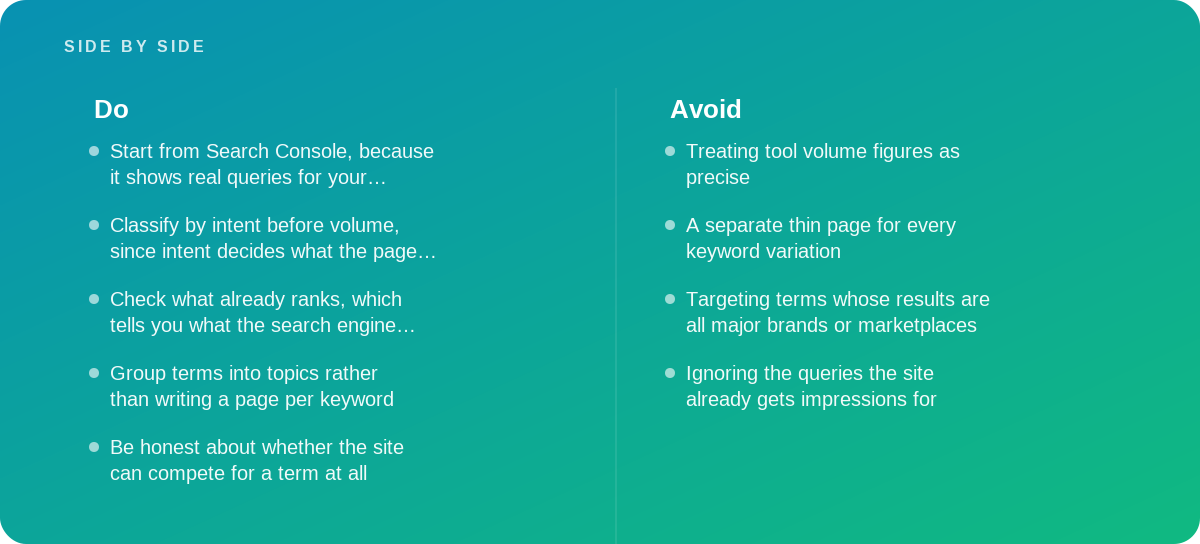
- Near misses. Queries with healthy impressions and an average position somewhere between roughly 8 and 20. The search engine already considers your page relevant; it just does not consider it the best answer. These are usually the cheapest wins available, because improving an existing page is faster than building authority for a new one.
- Accidental rankings. Queries you never targeted but appear for anyway. Some are noise. Others reveal a genuine audience need that nobody on the team had written down, and they are often the best source of new topics.
- Mismatches. Queries where the page Google shows is not the page you would have chosen, or where two of your pages alternate for the same query over time. These point to structural problems, which we cover under topic grouping below.
Tip: Sort the query-level export by impressions, not clicks. A query with many impressions and almost no clicks is telling you something specific: either your page ranks too low to be seen, or your title and description do not match what the searcher wanted. Both are fixable, and neither shows up if you only look at queries that already send traffic.
A brand-new site will have little or nothing in Search Console, and in that case paid tools and manual research carry more weight. Even then, connect Search Console on day one. Within a few weeks of publishing, it starts showing which queries the search engine associates with your pages, and that feedback is far more reliable than any pre-launch estimate.
Reading Search Intent Before Volume
Every query carries an intent, and the intent decides what kind of page can succeed. The standard classification uses four categories, and it is worth classifying terms by intent before you look at a single volume figure, because intent determines whether a term is even relevant to what you could publish.
| Intent | What the searcher wants | Typical query shapes | Page that usually satisfies it |
|---|---|---|---|
| Informational | To understand something or learn how to do it | "how to", "what is", "why does", question phrasing | Guides, explainers, tutorials, reference articles |
| Navigational | To reach a specific site, brand or page | Brand names, product names, "login", "contact" | The brand's own page; rarely winnable by anyone else |
| Commercial | To compare options before deciding | "best", "vs", "review", "alternatives", "pricing" | Comparisons, buyer's guides, service pages with clear detail |
| Transactional | To buy, book, hire or sign up now | "buy", "hire", "near me", "quote", "service" plus a location | Product pages, service pages, booking and quote forms |
The categories blur at the edges. A query like "product photo editing cost" is partly informational (the searcher wants to understand pricing) and partly commercial (they are sizing up providers). Do not force every term into a single box. Record a primary intent and, where it applies, a secondary one, and let the results page settle disputes, as described in the next section.
Why intent has to come first
Consider two terms with similar volume estimates: one is a "how to" question and the other is "hire" plus your service. If you sell that service, the second term is closer to revenue, but it is also the one where you will compete against every agency and marketplace in the category. The first term is easier to win and builds trust, but it will not convert on the same visit. Neither is automatically better. What matters is that they need completely different pages, and if you plan the content around volume first, you tend to end up with a blog post trying to rank for a transactional term, or a service page stuffed with tutorial content, and neither works.
Intent also governs how you measure success. An informational page that ranks well should be judged on engaged visits, return visits and assisted conversions, not direct sales. A transactional page should be judged on inquiries and revenue. Mixing those expectations is a common reason good content gets cut for "not performing."
Warning: Navigational queries for other companies' brands are almost never worth targeting. The searcher wants a specific destination, and the search engine will show it to them. Comparison pages that mention competitors can be useful commercial content, but they rank for comparison queries, not for the competitor's own name.
What Volume, Difficulty and Trend Figures Really Tell You
Every keyword tool reports a monthly search volume, and every one of those figures is estimated. Tools build them from a mix of clickstream panels, advertising data and modeling, and they round the results, often into coarse buckets. Two reputable tools will frequently disagree by a wide margin on the same term. None of this makes the figures useless, but it changes how you should read them.
Treat volume as relative, not absolute
The honest use of a volume figure is comparison. If one tool says term A is searched roughly ten times more than term B, that ordering is probably right even if both numbers are wrong. What you should not do is multiply a volume estimate by an assumed click-through rate and an assumed conversion rate and present the result as a revenue forecast. Each of those three inputs carries wide uncertainty, and multiplying them compounds it. If you need to set expectations with stakeholders, forecasting SEO results properly means working in ranges and stating the assumptions, not producing a single confident number.
Volume also hides how many searches actually produce a click on an organic result. Some queries are answered directly on the results page, some are dominated by ads, maps or shopping units, and some are so broad that searchers refine them immediately. A term with modest volume and a plain list of organic results can deliver more visits than a larger term where organic listings are pushed well down the page.
Difficulty scores are opinions, not measurements
Keyword difficulty scores are each tool's own model, usually based mainly on the backlink profiles of the pages currently ranking. They are a reasonable first filter, but they do not know anything about your site, your topical depth or how well the current results actually answer the query. A term marked "hard" where every ranking page is thin and outdated may be more winnable than a "medium" term where the results are excellent. Use the score to decide which results pages to inspect manually; do not use it as the decision.
Trend and seasonality
Many terms vary predictably through the year. Tax preparation, holiday gift photography, wedding video editing and back-to-school services all have obvious peaks, and many less obvious terms have them too. An annual average volume flattens that pattern and can mislead you in two ways: you may underrate a term that is huge for two months, or publish a seasonal page too late to be indexed and ranking before the peak. Google Trends and the sixteen-month Search Console export are the two best ways to see the shape of a term's year.
- Search volume
- A tool's estimate of how many times a term is searched per month, usually averaged across a year and rounded.
- Impressions
- In Search Console, the number of times a page from your site appeared in results for a query, whether or not it was scrolled into view.
- Average position
- The mean ranking of your topmost result for a query across all impressions; useful for trends, misleading for single days.
- Keyword difficulty
- A tool-specific score estimating how hard a term is to rank for, mostly derived from the link profiles of current top results.
- Long-tail term
- A longer, more specific query with low individual volume that often carries clearer, stronger intent.
- Topic cluster
- A group of related queries that one page, or a small set of linked pages, is designed to satisfy together.
- Keyword cannibalization
- Two or more pages on the same site competing for the same query, which usually weakens both.
Reading the Results Page Before You Commit
The most reliable way to understand a query is to search for it and study what already ranks. The results page is the search engine's current answer to the question "what does this query mean, and what kind of page satisfies it?" Ignoring it is the fastest way to write the wrong page for a good term.
Search in a clean browser session, ideally set to the country and language you are targeting, and look at the first page with these questions in mind:
- What format dominates? If eight of ten results are product category pages, a long guide will struggle. If they are all guides, a service page will struggle.
- Who ranks? Note whether the results are specialist businesses like yours, publishers, forums, marketplaces or household-name brands.
- What features take up space? Ads, local map packs, video carousels, shopping units and "People also ask" boxes all change how many visitors organic listings receive, and they hint at what the searcher wants.
- How good are the answers? Open the top five results. If they are thorough, current and well organized, you need to be clearly better. If they are thin or dated, there is room.
- Is the intent split? Mixed results, such as some guides and some service pages, mean the engine is unsure. These terms are winnable by either format but will rarely deliver consistent traffic to one page.
Record what you find alongside each term in your working sheet: dominant format, type of competitor, notable features and a short judgment on quality. It takes perhaps two to five minutes per term, which is why you should do it for your shortlist, not your whole list. It is also the stage where many attractive terms quietly drop out.
What you are aiming for, ultimately, is a page that is genuinely more useful than what is there. Google's own guidance on creating helpful, reliable, people-first content is explicit that pages made primarily to attract search visits, rather than to serve readers, are what its systems try to demote. The results-page review is where you decide whether you can offer something real: first-hand experience, better examples, clearer structure or more current information. Our guide to helpful, people-first content covers how to make that judgment in practice.
Long-Tail Terms and Question Queries
Long-tail terms are the longer, more specific queries that individually have low search volume. "Photo editing" is a head term; "remove background from jewelry product photos for marketplace listings" is long-tail. Each long-tail term brings few searches, but together they usually account for a large share of all searches in a topic, and they often carry higher intent, because a searcher who writes a specific query usually knows what they want.
Why long-tail terms deserve more attention than they get
Long-tail queries are easier to win because fewer sites target them precisely. They convert better because the match between query and page can be exact. And they are where many tools are weakest: volume estimates for low-frequency terms are often shown as zero or a floor value, even when Search Console shows the site receiving impressions for them. That gap is one more reason to start with your own data.
The mistake is to answer every long-tail variant with its own page. "How to remove background from product photos", "product photo background removal", and "remove white background product images" are the same need expressed three ways. One strong page that covers the need thoroughly will usually rank for all of them, and many more variants besides. Three thin pages will compete with one another and none will rank well.
Where question queries come from
- Search Console queries that begin with how, what, why, when, can, should or is.
- The "People also ask" and related searches boxes on results pages for your core terms.
- Sales calls, support tickets, onboarding emails and chat transcripts, which record questions in the customer's own words, including the ones nobody searches in a way tools can measure.
- Forums and community threads in your industry, where people describe their problems before they know the correct terminology.
Questions from your own customer conversations are the most underused source of all. They are specific, current and directly tied to buying decisions, and competitors cannot see them. A reasonable habit is to ask sales and support teams to log recurring questions in a shared sheet that feeds the research every quarter.
Judging Whether Your Site Can Compete
This is the step where honest research differs most from wishful research. For each shortlisted term, you need a yes, a not yet, or a no, and the reasons.
Signals that a term is out of reach for now
- The first page is made up almost entirely of major brands, national publishers or large marketplaces.
- The ranking pages have far stronger link profiles than any page on your site, and your domain has little topical history in the subject.
- The results are excellent, current and comprehensive, leaving little you could add.
- The query's intent does not match anything you sell or know deeply.
Signals that a term is winnable
- Specialist businesses of a size similar to yours appear on page one.
- Ranking pages are thin, outdated, or answer a slightly different question than the one searched.
- Your site already has impressions for the term or close variants, even at low positions.
- You have first-hand expertise, examples or data that the current results lack.
Authority matters here, and a link profile review is part of the judgment. Backlink analysis helps you compare your strongest pages with those currently ranking, but it is a comparison, not a formula. A well-linked domain with no history in a subject can still lose to a smaller specialist whose site covers the topic in depth.
Warning: Do not try to close an authority gap with shortcuts. Buying links, publishing large volumes of near-duplicate pages aimed at keyword variants, or generating pages at scale with little value all fall under behaviors described in Google's spam policies. The penalty for getting caught is far larger than the gain from any single term.
"Not yet" is a legitimate answer and often the most useful one. A term that is out of reach today may become realistic after you publish a cluster of supporting pages and earn some links in the topic. Record those terms with the conditions that would change the verdict, so the decision can be revisited deliberately rather than by habit.
Local businesses face a different competitive picture. For a plumber, a cleaning company or a photographer serving one metro area, the relevant competition is local, map results often dominate, and the terms that matter include place names. Service-area businesses need their research structured around locations and services together, and much of the generic volume in national tools is irrelevant to them.
From Keyword Lists to Topic Clusters and a Page Map
Once you have a shortlist with intent, results-page notes and a feasibility verdict, the job becomes structural: grouping terms into topics and assigning each topic to one page. This is where research turns into a plan the whole team can execute.
- Group by shared results. Terms whose results pages share several of the same ranking URLs are, in the search engine's eyes, the same topic. Put them in one group, regardless of wording differences.
- Split by intent. If a group contains both informational and transactional terms whose results differ, split it. They need different pages.
- Name a primary term per group. Choose the phrase that best describes the whole group, usually the clearest rather than the highest volume, and use it to guide the page's title and main heading.
- Assign each group to one URL. Prefer an existing page that already ranks for part of the group. Create a new page only when no existing page fits the intent.
- Link the groups into a structure. Hub pages cover broad topics and link to detailed pages; detailed pages link back up and across to siblings where it helps the reader.
- Record the gaps and rejections. Groups with no page yet become the content backlog; groups you decided against go into a rejected list with reasons.
The resulting page map is the document that keeps the site coherent. Before anyone writes a new page, they check the map. If the topic already belongs to a URL, the work is to improve that URL, not to publish another one. This single rule prevents most of the overlap problems that build up on sites that publish steadily for a few years.
When overlap has already happened, you will see it in the Search Console query-and-page export as two or more URLs trading places for the same queries. The fix is usually to merge, redirect or clearly differentiate the pages. Our guide to cannibalization and keyword overlap goes through how to decide which of those is right for each case.
Tip: Keep the page map in a plain shared spreadsheet with one row per URL: the URL, its primary topic, the main queries it should satisfy, its intent, its status (live, planned, to merge) and the date it was last reviewed. Fancy tools are optional; a single agreed source of truth is not.
A Worked Example: Research for an Illustrative Product Photography Studio
The following example is illustrative. The business, the figures and the outcomes are invented to show the process, not drawn from a real client. Numbers are shaped the way real data tends to look, and volume figures are presented as the sort of rounded tool estimates you would see in practice.
Imagine a small studio that shoots and edits product photos for online stores. Its site has a homepage, a services page, a pricing page and about twenty blog posts written over two years with no plan. The owner's instinct is to target "product photography", the most obvious head term.
Step one: what Search Console shows
The sixteen-month export shows around 600 distinct non-branded queries with impressions. Most are low-volume and long-tail. A handful stand out: queries about white background product photos, photographing jewelry, and marketplace image requirements, all with average positions between 9 and 18. Two blog posts alternate for queries about shooting clothing on a mannequin versus flat lay. The head term "product photography" appears with many impressions but an average position in the fifties.
Step two: intent and results-page review
| Term (illustrative) | Tool volume estimate | Primary intent | Who ranks now | Site's current position | Verdict |
|---|---|---|---|---|---|
| product photography | High, tens of thousands | Mixed informational and commercial | Major publishers, platform help centers, large marketplaces | Around 50 | No, for now |
| white background product photos | Low thousands | Informational | Mix of mid-size studios and tutorial blogs | Around 12 | Yes, improve existing post |
| jewelry product photography | Hundreds to low thousands | Informational and commercial | Specialist studios, a few thin guides | Around 15 | Yes, strong expertise |
| product photography services near me | Hundreds | Transactional, local | Local studios and map results | Not ranking | Yes, via local service page |
| marketplace image requirements | Hundreds | Informational | Marketplace help pages dominate | Around 18 | No, platforms own this |
| mannequin vs flat lay photography | Low hundreds | Commercial comparison | Small studios and blogs | Two pages alternating, 11 to 20 | Yes, merge into one page |
Step three: decisions
The head term is set aside with a note: revisit after the jewelry and apparel clusters are established and the site has earned links from relevant trade sites. The marketplace requirements term is rejected because the platforms' own help pages are the authoritative answer and will keep ranking; the studio can still link to them from its guides. The two competing mannequin and flat lay posts are merged into one comparison page, with the weaker URL redirected. The white background post is rewritten with the studio's own before-and-after examples and a clearer step-by-step structure. A new jewelry photography guide is planned as a hub, with the jewelry editing service page linked from it. The local transactional term is handled by adding location details, examples of local clients' work (with permission) and a clear quote form to the services page.
The result is a plan of five pieces of work, not fifty. That is typical. Good research usually shrinks the to-do list, because it removes the terms that were never going to pay off and concentrates effort where the site already has momentum.
Seasonality, New Markets and Other Languages
Planning around the calendar
For seasonal terms, the publishing date matters as much as the content. A new page needs time to be crawled, indexed and settled in the rankings, and that time varies with the site's authority and how often it is crawled. As a working rule, plan seasonal content so it is live well before the upswing begins, and update existing seasonal pages a few weeks ahead of each cycle rather than creating new URLs every year. A page that has been through several seasons accumulates links and history that a fresh one does not have.
- Three to four months before peak Review last year's Search Console data for the season; confirm which terms and pages performed.
- Two to three months before Publish new seasonal pages or substantially update existing ones; add internal links from relevant evergreen pages.
- Four to six weeks before Check indexing and positions; refine titles and descriptions for queries with impressions but few clicks.
- During the peak Monitor, but avoid large structural changes that could disrupt rankings.
- After the peak Record what worked, keep the page live, and note changes for next year.
Researching a new market
Expanding to a new country, even one sharing a language, is not a matter of reusing the same list. Vocabulary, spelling, product names and search habits differ. American and British searchers use different words for many everyday things, and professional terminology varies across markets too. Set your tools to the target country, search from that locale, and ideally review the list with someone who works in that market.
Researching another language
Translating a keyword list word for word is one of the most reliable ways to waste a content budget. The phrase a native speaker searches is often not the dictionary translation of your English term, and sometimes a concept is expressed with a borrowed English word. Research in the target language from scratch, using native speakers and locale-specific tools, and treat your English research as a list of topics to explore rather than terms to translate. This is one of the situations where outside help earns its cost quickly.
Keeping the Research Current and Knowing When to Get Help
Keyword research is not a one-time project. Language shifts, new products create new queries, competitors publish, and search engines change how they interpret intent. Ranking volatility after a broad algorithm change is often a sign that the engine has reinterpreted what a query means, and core updates and ranking volatility are worth understanding before you react to a sudden drop by rewriting everything.
A practical maintenance rhythm
- Monthly: Scan Search Console for new queries with rising impressions and for pages that have started competing with each other.
- Quarterly: Revisit the "not yet" list, fold in questions from sales and support, and re-check results pages for your most important terms.
- Annually: Rebuild the page map from a fresh sixteen-month export, retire or merge pages that never found an audience, and reset priorities for the year.
Before you hand a piece of research to the writers, check that it meets this standard:
- Search Console and Bing Webmaster Tools are connected, with branded queries separated.
- Every shortlisted term has a primary intent recorded.
- The results page has been reviewed for every term you plan to target.
- Each term has a feasibility verdict: yes, not yet, or no, with reasons.
- Terms are grouped into topics, and each topic maps to exactly one URL.
- Seasonal terms have publishing dates set ahead of their peaks.
- A rejected list exists so the same unwinnable terms are not revisited by default.
Signs you need outside help
Three situations reliably justify bringing in specialists. The first is a site that ranks for nothing it deliberately targeted, which usually means the original research misjudged intent or competitiveness and needs to be redone from the site's real data. The second is expansion into a new market or language, where native knowledge and locale-specific data make a large difference. The third is a site that has produced content at volume without any topic structure, leaving dozens of overlapping pages that need to be consolidated before any new research will help.
In each of those cases the work is partly analytical and partly editorial: deciding what to keep, merge, rewrite and stop doing. That is the scope of our keyword research and mapping service, which produces a page map rather than a raw spreadsheet, and it sits within our broader SEO services for teams that also need technical and content support alongside the research.
Verdict The keyword research worth paying for starts with your own Search Console data, sorts terms by intent before volume, checks every important results page by hand, and says honestly which terms the site cannot win yet. It ends in a page map with one topic per URL and a written list of rejected terms. A short list your team can act on is worth more than a long one that just looks thorough.
Where this comes from
- Google Search Central — Search Console documentation
- Bing Webmaster Tools — Keyword research guidance
- Google Search Central — Creating helpful content
The figures and practices above come from the sources listed.
Working on something like this?
We take on SEO Services work for teams who want it done once, properly. Tell us what you are building and we will tell you honestly whether we are the right studio for it. Start a project.
Where to go next
Spotted something wrong? Report an error on this page. We correct on the page and say what changed.