Automating After Effects with Scripts: The Decisions That Matter
Six common myths about automating After Effects with scripts, debunked, plus a worked 48-version example and a checklist for safe, maintainable automation.
 MediaScaleUp Editorial Team

Automating After Effects with scripts means handing the repetitive parts of motion work to code: renaming hundreds of layers, stamping version numbers into comps, duplicating a master animation into every aspect ratio a campaign needs, swapping copy for each language, and queuing the results for render. After Effects has a scripting interface that can drive almost everything the application does through menus and panels, and it sits alongside expressions, which drive individual properties without keyframes. Used together, they turn tasks that take an afternoon of careful clicking into something that runs in seconds.
This matters most to teams that produce many versions of the same asset. A social campaign with six markets, four placements and two cut-downs is forty-eight deliverables built from one idea. A broadcast package with lower thirds for every speaker at a conference is hundreds of nearly identical comps. The creative work in those jobs happens once; everything after that is versioning, and versioning by hand is where errors creep in: a missed legal line, a stale logo, a comp exported at the wrong frame rate. Marketing leads, in-house motion designers and production managers all feel that cost, even when nobody has named it.
Yet scripting is surrounded by misconceptions that stop teams from adopting it, or lead them to adopt it badly. Some believe it is only for large studios with developers on staff. Others download a handful of scripts, run them on a live project and discover the problem only when a client points it out. This guide works through the most common myths one at a time, explains why each is wrong, and describes the practice that should replace it, then walks through an illustrative versioning job with realistic numbers and ends with a checklist and a note on when outside help makes sense.
What Automating After Effects with Scripts Actually Covers
Before tackling the myths, it helps to separate four tools that people tend to lump together under "automation." They solve different problems, they break in different ways, and choosing the wrong one is the root of several misconceptions below.
Scripts
Scripts are programs written in ExtendScript, Adobe's long-standing dialect of JavaScript, saved as .jsx files (or as compiled .jsxbin files when the author wants to hide the source). A script talks to the application's object model: the project, its items, compositions, layers, properties, the render queue and the file system. It runs once when you launch it, does its work, and stops. Scripts can be run from the File menu, installed in the Scripts folder so they appear in the menu, or placed in the ScriptUI Panels folder so they open as dockable panels with buttons and fields. Adobe documents the scripting model, the installation folders and the preference that allows scripts to write files and access the network in the Adobe Help Center's After Effects scripting documentation, and that reference is the right starting point for anyone writing their first tool.
Expressions
Expressions are short snippets of JavaScript attached to a single property. They are evaluated every frame, which makes them live: change the input and the output changes everywhere. An expression can link a layer's scale to a slider, drive a wiggle, or make a text layer read its content from another layer. What an expression cannot do is change the structure of a project. It cannot create a layer, rename a comp, import a file or add anything to the render queue. For a thorough treatment of writing them well, see our guide to After Effects expressions done properly.
Templates and rigs
Templates are comps built so that a small number of controls change the result: a master text layer, a color control, a duration marker. Motion Graphics templates exported through the Essential Graphics panel extend this idea so editors can change text and settings in Premiere Pro without opening After Effects. Templates are not automation by themselves, but they are what scripts operate on. A script that versions a badly built template produces badly built versions faster.
Command-line rendering
After Effects ships with aerender, a command-line renderer that can render a project's queue without opening the interface. It is useful on render machines and in overnight jobs, and it combines naturally with scripts that prepare the queue first.
| Tool | What it changes | When it runs | Best for | Typical failure |
|---|---|---|---|---|
| Script (.jsx) | Project structure: items, layers, names, queue | Once, when launched | Versioning, renaming, batch setup, exports | Breaks after an application update or on a machine with different paths |
| Expression | The value of one property | Every frame, live | Linked controls, procedural motion, data-driven text | Slow previews, errors when a referenced layer is renamed |
| Template or rig | Nothing on its own; exposes controls | When a person changes a control | Consistent layouts that many people reuse | Controls that do not cover a real case, so users break the rig |
| aerender | Nothing; renders the existing queue | From the command line | Overnight and unattended renders | Missing fonts or footage on the render machine |
With that map in place, the myths become easier to see for what they are: most of them come from confusing one of these tools with another, or from treating a script as a one-off trick rather than a small piece of software.
Myth: Scripting Only Pays Off for Big Studios
Myth: Automation is for studios with a pipeline department and developers on staff. A small team or a single in-house designer will never get the time back.
Reality: The payoff depends on repetition, not headcount. Any job where the same action happens dozens of times across comps, versions or languages is a candidate, and many useful scripts are under a hundred lines long.
The reasoning behind this myth is understandable. Studio pipelines with asset databases, custom render managers and dedicated technical directors are genuinely expensive to build. But that is the far end of the spectrum. The near end is a single script that does one boring thing reliably: prefix every layer in selected comps with a naming convention, add a version number to comp names, or build a set of resized comps from a master.
A better way to decide is to estimate the break-even point. Work out how long the manual task takes once, how often it recurs, and how long the script will take to write and test. If a designer spends twenty minutes renaming and organizing comps at the end of each project and does that forty times a year, that is more than thirteen hours a year. A script that takes a day to write and test pays for itself inside the year, and it also removes a category of mistakes. By contrast, a task that happens twice a year and takes ten minutes is not worth automating, however elegant the script would be.
Where small teams get the fastest return
- Versioning: duplicating a master comp into every size and duration a campaign needs, with consistent names.
- Renaming and tidying: applying the naming convention your team agreed on, which keeps projects handover-ready. Our guide to After Effects project organization covers what that convention should look like.
- Text replacement: reading copy from a spreadsheet exported as CSV and writing it into the right text layers for each language or speaker.
- Render queue setup: adding every finished comp to the queue with the correct output module and a file name built from the comp name.
None of these requires a pipeline. They require a clear, repeated task, a well-structured template, and someone willing to spend a day writing and testing the tool. The scale argument actually runs the other way: small teams feel repetitive work more acutely, because there is nobody else to hand it to.
Myth: Expressions and Scripts Do the Same Job
Myth: Expressions and scripts are two names for the same thing, so whichever one you already know is good enough for any automation task.
Reality: Expressions drive property values every frame; scripts change the project itself once. Choosing the wrong one produces either sluggish projects full of expressions doing a script's work, or scripts trying to fake live behavior they cannot provide.
Both use JavaScript syntax, and both live inside After Effects, so the confusion is natural. The distinction is about when the code runs and what it can touch. An expression is re-evaluated every time After Effects needs the value of that property, which is every frame during preview and render. That makes expressions ideal for relationships that must stay live: a title's background box that resizes as the text changes, a color that follows a master control, a counter that animates from zero to a value set on a slider.
Scripts run once. They can create twenty comps, name them, set their duration and frame rate, fill in the text, and add them to the render queue. Once they finish, the project is simply a project; nothing is re-evaluated. That makes scripts ideal for structural, repetitive work and poor at anything that needs to respond to later changes.
How to decide which to use
Ask two questions. First, does the result need to change automatically when an input changes later? If yes, that relationship belongs in an expression or a template control. Second, does the task create, delete, rename, import or export anything? If yes, it needs a script. Many real jobs need both: a template whose internal relationships are expressions, and a script that duplicates the template and feeds it data.
There is a performance side to this as well. Heavy expressions on many layers slow previews, because they are recalculated constantly. A common pattern in versioned projects is to use expressions while the template is being built and approved, then, once the versions are locked, convert expressions to keyframes on the delivered comps so they render faster and cannot drift. After Effects includes a command to convert an expression to keyframes, and a script can run that conversion across every version at once. If slow previews are already a problem, our guide to speeding up After Effects previews covers the other settings worth checking.
One more technical note: After Effects has offered two expression engines in recent versions, a modern JavaScript engine and a legacy ExtendScript engine, selectable in project settings. Scripts, by contrast, still run in ExtendScript, which follows an older JavaScript standard. Code that works in an expression may use syntax that a script will not accept, and vice versa. Treat them as related languages, not identical ones.
Myth: A Script That Works Once Will Keep Working
Myth: Once a script runs cleanly, it is finished. You can install it and forget about it.
Reality: Scripts depend on the application's object model, the operating system, installed fonts and the structure of the templates they operate on. Any of those can change, so scripts need review after software updates and whenever the templates they target are revised.
This myth is the source of more lost afternoons than any other. A script that has worked for a year suddenly throws an error the morning after an update, on the day a deadline lands. The reasons are ordinary. Adobe adds, changes and occasionally deprecates parts of the scripting interface between versions. Menu command IDs that some scripts call directly can shift. Operating system updates change file-permission behavior. A template gets a new layer that the script was not written to expect, and the script silently writes text into the wrong place.
The fix is not heroic. It is ordinary software maintenance scaled down to the size of the tool.
A practical maintenance routine
- Record the version it was tested on. Put the After Effects version and operating system in a comment at the top of each script, and update it each time you retest.
- Keep a test project. For each important script, keep a small project that exercises every path the script takes, including awkward cases such as missing layers, empty text and unusual comp sizes.
- Retest before upgrading production machines. When a new version of After Effects is released, install it on one machine first, run every critical script against its test project, and fix what breaks before the rest of the team upgrades.
- Retest when templates change. Scripts that address layers by name or index are coupled to the template's structure. Changing the template without checking the script is how silent errors happen.
- Retire what nobody uses. Every installed script is something that must be maintained. If a script has not been run in a year, archive it.
Writing scripts defensively reduces the maintenance load. Look layers up by name and check that the layer exists before using it, rather than assuming layer 3 is always the headline. Check that a comp is selected before acting on it. Wrap changes in an undo group so that a single undo reverses the whole operation. Show a clear alert when something is missing, rather than failing silently. These habits add perhaps a fifth to the writing time and save much more in debugging.
Myth: It Is Fine to Test a Script on the Live Project
Myth: Scripts are quick, and undo exists, so running a new or downloaded script straight on the client project is the fastest way to find out whether it works.
Reality: Scripts can make hundreds of changes in one pass, touch files outside the project, and act on things you did not select. Test on a copy first, every time, and only then run it on the real project.
Undo is not a safety net for scripts. A well-written script wraps its changes in an undo group, so one undo reverses everything. A poorly written one may create dozens of separate undo steps, or none at all for actions that happen outside the project, such as writing files, deleting renders on disk or modifying preferences. Once a script has written over files in a render folder, no amount of undoing inside After Effects will bring them back.
There is also the question of trust. Scripts downloaded from forums or marketplaces can be excellent, but they run with whatever permissions you have given After Effects. The preference that allows scripts to write files and access the network is necessary for many useful tools, and it also means a script can do anything your user account can do to files. Read the source of any script you did not write, or buy from authors with a track record and clear documentation, and be cautious with compiled .jsxbin files whose source you cannot inspect.
A safe testing sequence
- Save the live project, then use Save a Copy or duplicate the project file with a clear suffix such as _scripttest.
- Point any output folders the script uses at a scratch location, never at the delivery folder.
- Run the script on the copy and inspect the results: layer names, text, comp settings, the render queue.
- Run it a second time on the same copy. A good script either handles being run twice or warns you; a poor one duplicates everything.
- Only when the copy looks right, close it and run the script on the live project, then save a new incremented version of the file immediately.
Incremental saving is worth turning on as a default across the team for exactly this reason. If every significant change, including every script run, produces a new numbered project file, a bad run costs minutes rather than a day.
Myth: Hard-Coded Paths Are Fine for an Internal Tool
Myth: The script is only for our team, so writing the exact folder path from the author's machine into the code is harmless.
Reality: Hard-coded paths break the moment the script runs on another machine, another operating system, a renamed drive or a new project folder. Build paths from the project location, user choices or a small settings file instead.
Hard-coded paths are the most common reason a script "works on my machine" and nowhere else. A path that begins with one designer's home folder fails on a colleague's machine. A path written for macOS fails on Windows because the drive and folder separators differ. A path to a shared server breaks when the server is remounted under a different name or when someone works from home without the share connected. Worse, some failures are not errors at all: the script quietly writes files somewhere unexpected.
Better ways to locate files
- Relative to the project: the scripting interface exposes the saved project file, and from it you can find the folder it lives in. Building output and asset paths relative to the project keeps a project folder portable, which fits well with a consistent folder structure.
- Relative to the script: ExtendScript can report the location of the running script file, which lets a tool find its own configuration or template files wherever it was installed.
- Standard user folders: ExtendScript provides references to standard locations such as the user's documents folder, which exist on every machine even though their full paths differ.
- Ask the user: a folder picker dialog is one line of code and removes any guessing about where renders or source files should go.
- A settings file: for values that differ between machines or projects, such as a render server location, keep them in a small JSON or text file next to the script so that changing them does not mean editing code.
The same principle applies to anything else environment-specific: font names, output module templates, color settings. If a script assumes a particular output module template exists, check for it and give a clear message when it is missing. If versions need consistent color handling, make sure the project's working space is set before versioning begins; our guide to color management in After Effects explains what to standardize.
Myth: Automation Is a Personal Shortcut Nobody Else Needs to Understand
Myth: Scripts are one designer's productivity trick. They live on that person's machine, and as long as that person knows how they work, documentation and version control are overkill.
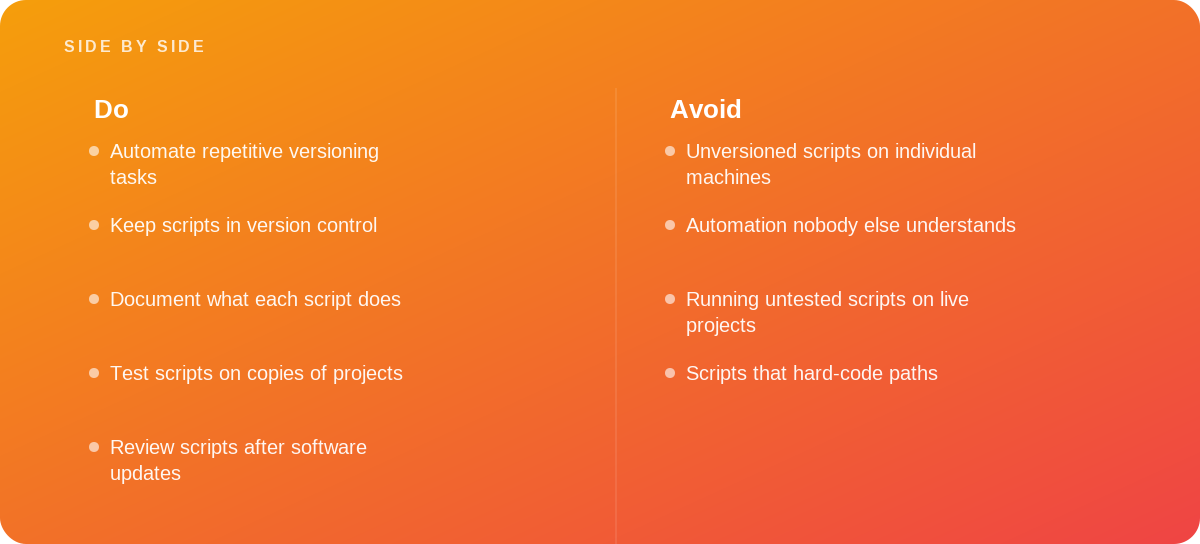
Reality: Once a deliverable depends on a script, the script is part of the production process. Unversioned scripts on individual machines and automation nobody else understands turn one person's absence into a production problem.
This myth usually starts innocently. A designer writes a clever script to handle a painful job, it works, and the team starts relying on it. Months later that designer is on vacation, or has left, and a campaign needs versioning. Nobody knows where the latest copy of the script is, which of three slightly different copies on different machines is correct, or what the script expects the template to look like. The team reverts to doing it by hand, under deadline pressure, which is exactly the situation automation was meant to prevent.
Version control, scaled to the team
Scripts are text files, which makes them ideal for version control systems such as Git. A shared repository gives the team one authoritative copy of every script, a history of what changed and why, and the ability to roll back when an update introduces a bug. It need not be elaborate: one repository for the team's After Effects tools, with a folder per script and a short commit message for each change, covers most needs. Installation can then be as simple as each machine pulling the latest version into the Scripts folder.
Documentation that people actually read
Documentation for a script does not need to be long. It needs to answer the questions someone will have at the moment they are about to run it:
- What the script does, in one or two sentences.
- What must be selected or open before running it.
- What it expects the template to contain: layer names, comp names, markers.
- What it changes, including any files it writes or deletes outside the project.
- Which After Effects version and operating system it was last tested on.
- Who maintains it.
Put the essentials in a comment header at the top of the script and a slightly longer note in the repository. For panels with a user interface, a short help line inside the panel itself reaches people who will never open a readme. The same thinking applies to the templates that scripts operate on. Our guide to reusing rigs and templates covers how to document controls so that templates survive handovers.
Worked Example: Versioning a 48-Deliverable Campaign (Illustrative)
The following project is illustrative rather than a real client job, but the numbers are realistic for the kind of campaign work that makes automation worthwhile. It shows where time goes, where a script helps, and where it does not.
The job
A brand needs a short product animation for a paid social campaign. The creative is a single fifteen-second master with a six-second cut-down. It must be delivered in six languages and four aspect ratios: 16:9, 1:1, 4:5 and 9:16. That is 2 durations × 6 languages × 4 aspect ratios, or 48 deliverables. Each version carries a headline, a supporting line, a legal line and an end card with a call to action, all of which change by language. The six-second format has its own constraints; our guide to six-second bumper animation covers how to design for them.
The manual estimate
Doing this by hand means duplicating the right master for each version, reframing it for the aspect ratio, pasting four blocks of text, checking line breaks, renaming the comp, and adding it to the render queue with the right output settings. Suppose, as a planning assumption, that each version takes a careful designer about 12 minutes once the masters are approved. Forty-eight versions at 12 minutes is 576 minutes, or 9.6 hours, before any corrections. If a single copy change arrives after the versions are built, much of that work repeats for every affected language.
The automated approach
- Build the masters as templates. One master comp per aspect ratio for each duration: eight in total. Each has text layers with fixed, documented names such as TXT_Headline, TXT_Support, TXT_Legal and TXT_CTA, and each text box uses expressions so its background resizes to fit the text.
- Prepare the copy as data. The copy lives in a spreadsheet with one row per language and one column per text field, exported as CSV. The spreadsheet, not the project, is the source of truth for words.
- Write the versioning script. The script reads the CSV, and for each language and each master it duplicates the comp, names it using the agreed convention, for example PRJ_Campaign_15s_9x16_DE_v01, writes each text field into the matching layer, and adds the comp to the render queue with a named output module template.
- Check the awkward cases. The script flags any version where the text layer's bounding box exceeds a safe area, so a person can review long German or Finnish headlines rather than discovering them after render.
- Render. The queue renders overnight, locally or on a render machine through aerender.
The numbers
| Stage | Manual (planning estimate) | Scripted (planning estimate) |
|---|---|---|
| Template preparation | 1 hour | 3 hours, including naming and expressions |
| Writing and testing the script | None | 6 to 8 hours the first time |
| Building 48 versions | About 9.6 hours | Under 5 minutes of run time |
| Reviewing flagged and sample versions | Included in build time | About 1.5 hours |
| One round of copy changes across all languages | Several hours, depending on scope | Update the CSV and rerun: well under an hour including review |
On the first job, the scripted route costs about as much time as the manual one, because writing and testing the script takes most of a day. The difference appears with the first round of changes, and again on the next campaign, when the script already exists and only the templates change. The scripted route also changes the kind of errors that are possible. A human might paste the Spanish legal line into the Portuguese version; a script reading from a correctly labeled CSV will not. A script will, however, faithfully reproduce any error in the spreadsheet in every version, which is why the review step stays.
The example also shows what not to automate. Reframing the composition for each aspect ratio is a design decision, so it is done once per master by a person. Typography choices for long headlines are also judgment calls; the script flags them, and a designer decides. Automation takes the repetition; people keep the decisions. When text needs to animate differently depending on its length, the choice between text animators and expressions matters, and our guide to getting text animators in After Effects right covers the options.
Myth: More Automation Is Always Better
A final misconception deserves a section of its own, because it tends to appear after a team has had a first success with scripting. Having seen a script save a day, it is tempting to automate everything, including tasks that are really creative decisions or that happen too rarely to justify the tool.
The cost of automation is not only the time to write it. Every script is something to maintain, document and retest after updates, as covered above. A team with forty half-finished scripts, each used once, has created a maintenance burden that exceeds the time saved. The healthier pattern is a small number of well-tested tools that cover the jobs the team actually repeats: versioning, renaming, text replacement, render setup and project cleanup.
A useful rule of thumb is to automate a task on the third time you do it by hand, not the first. By the third time, you understand the task well enough to know its edge cases, you know it genuinely recurs, and you can estimate the time saved with some confidence. The first time, you are usually still discovering what the task really is.
It also pays to plan automation at the start of a project, not halfway through. If versioning is in scope, templates can be built with scripting in mind from day one: fixed layer names, clean comp structure, copy held in a spreadsheet. Retrofitting a script onto a project built without those conventions is much harder. Our guide to scoping animation projects covers how to identify versioning requirements early, so the decision about automation is made while it is still cheap.
What to Do Instead: An Automation Checklist
Pulling the realities together, this is the practice that should replace the myths. It applies whether you are writing your first renaming script or maintaining a set of tools a whole team relies on.
- Automate tasks that genuinely repeat, starting with versioning, renaming and render queue setup.
- Use expressions for live relationships and scripts for structural, one-pass changes; do not force one to do the other's job.
- Build templates with fixed, documented layer and comp names before writing scripts that depend on them.
- Keep every script the team depends on in a shared version control repository, not on individual machines.
- Put a comment header in each script stating what it does, what it expects, what it changes and the version it was tested on.
- Wrap script changes in an undo group, check that required layers and selections exist, and show clear error messages.
- Test every new or downloaded script on a copy of a project, with output pointed at a scratch folder.
- Build file paths from the project location, the script location, standard user folders or a settings file; never hard-code them.
- Read the source of third-party scripts before granting them file and network access.
- Retest critical scripts on one machine after each After Effects or operating system update before upgrading the whole team.
- Keep copy and other variable data in a spreadsheet or data file that is the single source of truth for versioned work.
- Review a sample of every automated batch, and every version the script flags, before delivery.
None of these items requires deep programming knowledge. They are production habits, and they are what separate automation that saves time from automation that quietly adds risk.
When to Bring in Outside Help
Many teams can write and maintain simple scripts in-house, especially renaming, tidying and render setup tools. The picture changes when the volume of versioned assets grows, or when the automation starts to carry real delivery risk. Signs that outside help will pay for itself include:
- Large, recurring volumes. Campaigns that regularly run to dozens or hundreds of versions across languages, markets and placements, where each manual error is multiplied.
- Data-driven content. Versions driven by product feeds, event schedules or pricing data, where the script must validate data before it touches the project.
- Multiple tools in the chain. Workflows that span After Effects, Premiere Pro, Motion Graphics templates and a render machine, where a failure in one step blocks the rest.
- No in-house owner. Automation that the business depends on but that nobody on staff has time to maintain through software updates.
- Templates that were not built for automation. Existing projects that would need restructuring before any script can work reliably with them.
A good partner will start with the templates and the naming conventions rather than the code, test on copies of your projects, hand over scripts in version control with documentation, and agree who will retest them after updates. If you are weighing that option, our animation and motion graphics production service covers versioned campaign work, template building and delivery at volume.
Whether the work stays in-house or not, the underlying decisions are the same. Automate what repeats, keep creative judgment with people, treat scripts as maintained production assets, and never let a deliverable depend on code that only one person understands.
Where this comes from
- Adobe Help Center — After Effects User Guide
- Adobe Help Center — After Effects scripting
The figures and practices above come from the sources listed.
Working on something like this?
We take on Motion Graphics & Animation work for teams who want it done once, properly. Tell us what you are building and we will tell you honestly whether we are the right studio for it. Start a project.
Where to go next
Spotted something wrong? Report an error on this page. We correct on the page and say what changed.