After Effects Project Organization, Done Properly
What to ask for, what it costs and how to check the files: a buyer's guide to After Effects project organization, from naming to collected handovers.
 MediaScaleUp Editorial Team

After Effects project organization is the unglamorous discipline of structuring a compositing project so that it can be revised, handed over and rendered without surprises. It covers how compositions are named and nested, where footage and audio live on disk, how expressions are documented, and what state the file is in when it leaves the artist who built it. None of it shows up in the finished video. All of it shows up the first time someone asks for a change.
This handbook is written for the person commissioning motion work: a marketing lead buying an explainer, an in-house producer managing freelancers, a brand team that expects to reuse animation for years. Motion projects accumulate complexity faster than almost any other kind of creative file, and an unstructured project can become unrevisable well before it is finished. If you are paying for the video, you are also paying, whether you know it or not, for the file that produced it. The goal here is to help you ask for the right thing, understand what it costs, compare suppliers on it and check what you receive.
You do not need to operate After Effects to use this guide. You do need to know what good looks like, which questions separate a careful studio from a careless one, and how to run a simple acceptance test on the project files before you sign off on the final invoice.
What After Effects Project Organization Buys You as the Client
A finished animation and a revisable animation are two different products. The first is a rendered file, usually an H.264 or ProRes video, that plays correctly. The second is a working project that another competent artist can open six months later, understand within an hour, change a headline in, and re-render with the same result. Most briefs specify the first and assume the second. That assumption is where many of the painful conversations about "why does a small change cost so much" begin.
Good organization pays back in four concrete ways:
- Cheaper revisions. When compositions are named for what they contain and complexity is isolated in precompositions, an artist can find the lower third in scene four in seconds rather than tracing twenty layers called "Shape Layer 14."
- Safe handover. If your freelancer becomes unavailable, or you move the work in-house, a collected and documented project can be picked up by someone else. An uncollected one often cannot be opened without missing-footage warnings on every other layer.
- Predictable rendering. Nesting affects the order in which effects are applied. A project with deliberate structure renders the same way on a second machine; one with accidental structure can render differently when a precomp is changed or a setting like collapse transformations is toggled.
- Reuse. Brand animations such as logo stings, title cards and transitions are often reused across dozens of later videos. Reuse is only practical when the source is clean enough to become a template. Our guide to reusing rigs and templates across motion projects covers that next step in detail.
The cost of skipping organization is rarely visible on the first job. It shows up on the second or third revision round, or the first time anyone other than the original artist opens the file. By then the only fix is a partial rebuild, and rebuilds are billed at full rate.
What a Properly Organized Project Actually Contains
Before you can ask for organization, you need a specification you can point to. The following is a practical definition of a well-organized After Effects deliverable. Studios vary in their conventions, and that is fine; what matters is that there is a convention and that it is applied consistently.
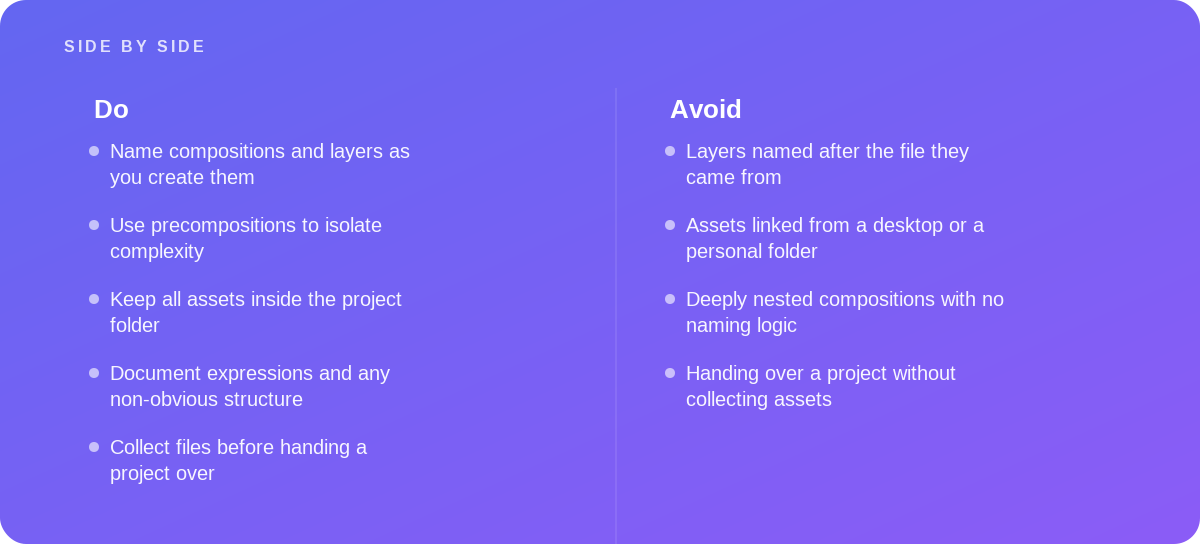
- Precomposition Nested compositions isolate complexity, so each scene or reusable element can be opened and changed on its own.
- Naming Compositions, layers and imported assets carry descriptive names that say what they are, not which file they came from.
- Collected files Every piece of footage, audio and artwork sits inside the project folder, gathered with Collect Files before handover.
- Documented expressions Expressions link properties together, so each non-obvious one is commented and listed where the next artist will see it.
- Known render order The nesting structure is deliberate, because nesting controls the order in which effects and transforms are applied.
The folder on disk
The project folder is the unit of handover. A sensible structure keeps the .aep file at the top level and everything it references underneath. A common pattern looks like this:
| Folder | Contents | Why it matters |
|---|---|---|
| 01_Project | The .aep file and incremental saves | One obvious place to open the work; older versions available if a change needs undoing |
| 02_Footage | Live action, stock clips, image sequences | Large media kept separate so the folder can be audited and archived |
| 03_Design | Illustrator and Photoshop source artwork | Layered files stay editable; art changes flow into the animation |
| 04_Audio | Voiceover, music, sound effects | Timing decisions depend on these, and music licenses often need to be traced |
| 05_Fonts_and_Licenses | Font list, license notes, plug-in list | Fonts and third-party effects are the most common reasons a project opens broken elsewhere |
| 06_Renders | Approved outputs and render settings notes | Proves what was delivered and how it was made |
The numbering is not sacred. The principle is that nothing the project depends on lives on the artist's desktop, in a personal downloads folder or on a network drive you do not control.
The project panel
Inside After Effects, the Project panel should mirror that logic with bins for compositions, precompositions, footage, design files, audio and solids. There should be one clearly named master composition per deliverable, for example "MASTER_Explainer_16x9_60s" and "MASTER_Explainer_9x16_60s", so that nobody renders the wrong one. Unused items should be removed before handover; After Effects includes commands such as Remove Unused Footage and Reduce Project for exactly this purpose.
The timeline
Within each composition, layers should be named for their role ("Headline_Line1", "Product_Shadow", "BG_Gradient"), label colors should follow a consistent scheme, and guide layers or disabled reference layers should be clearly marked. A null object that drives a camera move should be called something like "CTRL_CameraMove", not "Null 7". This is the level of detail where most projects fall apart, because layers inherit the name of the file they were imported from, and artists under deadline rarely rename them later.
Questions to Ask a Supplier Before the Work Starts
Organization is far cheaper to build in than to retrofit, so the time to raise it is at the proposal stage, alongside scope, schedule and review rounds. If you are still choosing between studios, the broader criteria in our guide to choosing an animation studio apply; the questions below are the ones specific to project files.
- Will the editable After Effects project be included in the deliverables, and is that stated in the contract or statement of work?
- Do you follow a written naming and folder convention, and can you share it or a sample project that uses it?
- Will the project be collected with all footage, audio and design files inside a single folder before handover?
- Which fonts and third-party plug-ins will the project depend on, and who holds the licenses for them?
- How will you document expressions, rigs and any non-obvious structure, and where will that documentation live?
- What version of After Effects will you build in, and will you tell us if that changes mid-project?
- How do you handle incremental saves and backups during production?
- If another artist, including our in-house team, needs to take over, what would they receive and how long would you expect onboarding to take?
- Will you remove unused assets and compositions before delivery, and will a master composition be clearly labeled for each output format?
- How long will you retain the project after delivery, and in what form?
A supplier who answers these fluently, and without hesitation about handing over source files, is usually a supplier who already works this way. Hesitation is not always a bad sign. Some studios charge separately for source files, or restrict reuse of proprietary rigs, and that is a legitimate commercial position. The point is to find out before the work starts rather than at the invoice.
Ownership and scope of the source files
Ask specifically what "source files" means in the quote. Some suppliers deliver the .aep file alone, which is close to useless without the assets it references. Others deliver a collected project but exclude third-party stock, fonts or paid templates for licensing reasons. Both can be reasonable, but you need the answer in writing. Our practical guide to delivering animation source files sets out what a complete handover package usually contains and how licensing affects it.
What Drives the Cost of Doing It Properly
Good organization is not a separate line item in most studios; it is part of how the work is done. But it does consume time, and when you compare quotes it helps to understand where that time goes and why one supplier's number might reasonably be higher than another's.
Project complexity
A 15-second logo sting with six layers needs very little structure. A two-minute explainer with twelve scenes, a character rig, a dozen text animations and three aspect ratios needs a lot. The effort scales roughly with the number of compositions and the amount of shared logic between them, not with running time. A short piece with heavy compositing, particle systems or complex rigging can need more organizational care than a longer, simpler one.
Number of output formats
Every extra aspect ratio or language version multiplies the places where things can drift out of sync. A well-structured project handles this by building shared precompositions and driving layout differences from a small number of controls. A poorly structured one duplicates entire compositions, so a single copy change must be made in six places. The upfront structure costs more; the revisions cost much less.
Expressions and automation
Expressions link properties together, for instance tying a text box's background width to the length of the headline, or keeping a set of elements aligned to a single control. They save large amounts of time on versioning and revisions, but they need documenting, because an undocumented expression is a trap for the next artist. If a supplier proposes an expression-driven or script-assisted build, expect a little more setup time and ask for a short explanation of how it works. For context on what good expression practice involves, see our article on After Effects expressions done properly.
Handover and archiving
Collecting, cleaning and testing a project on a second machine takes real time on a complex job, often somewhere between an hour and most of a day depending on the number of assets, fonts and plug-ins involved. Suppliers who include this step in their estimate are not padding; they are pricing work that others skip and then charge for later as "file recovery."
Red flag: A quote that is noticeably cheaper than the others and says nothing about source files, handover or project structure.
- It may simply exclude the editable project, which you will discover when you ask for it.
- It may assume the artist keeps working on the file indefinitely, which locks you to that supplier for every future change.
- Ask directly before accepting; a short written answer costs the supplier nothing.
Worked Example: Budgeting Organization on a 90-Second Explainer
The following example is illustrative. The figures are assumptions chosen to show how the arithmetic works, not quoted rates or measured industry averages. Replace them with the numbers from your own quotes.
Suppose you commission a 90-second product explainer with eight scenes, a voiceover, a simple character, kinetic typography and three deliverables: 16:9 for the website, 1:1 for social feeds and 9:16 for vertical video. Two review rounds are included. Assume the studio's build estimate, excluding organization and handover, is 80 hours.
| Task | Organized build (illustrative hours) | Unstructured build (illustrative hours) |
|---|---|---|
| Initial build of eight scenes | 80 | 80 |
| Naming, precomp structure and shared controls set up during the build | 6 | 0 |
| Creating 1:1 and 9:16 versions | 10 | 20 |
| Review round 1: 15 changes across all versions | 8 | 16 |
| Review round 2: 8 changes across all versions | 4 | 9 |
| Collect, clean, document and test on a second machine | 4 | 0 |
| Total | 112 | 125 |
In this illustration the organized project costs ten hours more to set up and hand over, and saves roughly twenty-three hours across versioning and revisions. The saving comes almost entirely from not having to repeat each change in three separate, duplicated compositions. The exact ratio will differ on your project, but the pattern is typical: the more outputs and review rounds a job has, the more structure pays for itself.
Now extend the example six months. Your team wants a 30-second cutdown and a version with a new product name. With the organized project, a different artist opens the collected folder, reads the notes, changes a text control and re-renders; assume four to six hours. With the unstructured project, the new artist spends the first day relinking missing footage and locating fonts, then discovers that the product name appears as separate text layers in eleven compositions. That could easily run to two or three days. None of that cost appeared on the original invoice.
How to use this in a negotiation
If one supplier's quote includes a few hours for structure and handover and another's does not, ask the second supplier how they would price a future revision made by a different artist. The answer tells you whether the lower quote is genuinely cheaper or just shifts cost into the future. Scoping these assumptions at the start is part of good project planning; our guide to scoping animation projects covers how to lock down versions, review rounds and deliverables before the estimate is written.
Comparing Supplier Quotes on Project Organization
Quotes for motion work are notoriously hard to compare, because each studio describes its process in its own words. A scorecard forces the comparison onto the same criteria. Rate each supplier from their proposal and from their answers to the checklist questions above, and ask to see a sample project if the stakes justify it.
| Criterion | What a strong answer looks like | What a weak answer looks like | Weight |
|---|---|---|---|
| Source files in scope | Collected .aep project named as a deliverable in the statement of work | "Source available on request" with no terms | High |
| Naming and folder convention | Written standard, sample project available | "We keep things tidy" | High |
| Versioning approach | Shared precomps and controls drive all aspect ratios | Separate duplicated comps per format | Medium to high |
| Expression and rig documentation | Comments in the expressions plus a short readme | No mention, or "it's self-explanatory" | Medium |
| Fonts and plug-ins | Listed up front, licensing responsibility stated | Discovered at handover | High |
| Handover test | Project opened and rendered on a second machine before delivery | Files zipped straight from the working drive | Medium |
| Retention and archiving | Stated retention period and archive format | Unclear or not offered | Low to medium |
Weighting depends on your situation. If you plan to take the files in-house, source scope, fonts and naming carry the most weight. If the same studio will make every future change, documentation matters slightly less in the short term, though it still protects you if that relationship ends. Retention is less important if you receive a complete collected project, because you then hold the archive yourself; our guide to archiving animation projects explains what to keep and for how long.
Asking for a sample
For larger commissions, it is reasonable to ask a studio to show you a past project with client material removed, or to walk you through one on a screen share. Five minutes looking at a real Project panel tells you more than any proposal. Look for bins, readable names, a clear master composition and the absence of layers called "Layer 1" through "Layer 40."
Red Flags in Proposals and Early Project Files
Most organizational problems can be spotted early, well before the final delivery, if you know what to look for. You can ask for a mid-project snapshot of the Project panel or timeline at the first review round; a studio that works cleanly will not mind.
Layers named after their source files
When a layer is called "final_v3_FINAL_logo_white.ai" or "Shutterstock_123456.mov", nobody renamed it after import. On its own this is a small thing. Across a project with hundreds of layers it becomes the difference between finding an element in seconds and hunting for it for minutes, every single time a change is requested.
Assets linked from a desktop or personal folder
After Effects references footage by file path rather than embedding it. If the artist imported a voiceover from their desktop and a product shot from their downloads folder, the project will open with missing-footage placeholders on any other machine. This is the most common reason handed-over projects fail, and it is entirely preventable by keeping all assets inside the project folder from the start.
Deep nesting with no naming logic
Precompositions are the right tool for managing complexity, but they can also hide it. A composition called "Pre-comp 12" nested inside "Comp 3 copy 2" nested inside "Scene 4 NEW" is harder to revise than a flat timeline. Nesting should follow a readable hierarchy, such as master, then scene, then element, with each level named for what it contains. For the decisions behind a good nesting strategy, see our article on precomposing and project structure.
Red flag: Handover delivered as a single .aep file, or as a zip of the artist's working folder without running Collect Files.
- A lone .aep file contains references to media, not the media itself.
- An uncollected working folder often includes old versions, unused renders and missing items from other drives.
- Ask for the project to be collected, reduced and tested on a second machine, then re-delivered.
No mention of fonts or plug-ins
Fonts and third-party effects are not packaged the way footage is. A project built with a commercial typeface and a paid glow or particle plug-in will open with substitute fonts and missing-effect warnings unless the receiving machine has the same licenses installed. That is not the supplier's fault, but failing to tell you in advance is. Heavy third-party effects, such as those discussed in our guide to particle effects in motion design, deserve a specific conversation about who will own the licenses after handover.
Revisions taking longer than the build
If a round of modest text changes is estimated at a significant fraction of the original build time, the project structure is probably the cause. This is a signal to ask what is making changes expensive, and whether a short restructuring pass would reduce the cost of remaining rounds.
How to Judge the Handover: An Acceptance Test You Can Run
You do not need to be an animator to check whether a handed-over project is in good shape. You need a machine with After Effects installed, ideally not the one it was built on, and about an hour. If you have no After Effects license in-house, a freelancer can run this test for you at a modest cost relative to the value of the project.
Step one: open it cold
Copy the delivered folder to a fresh location, such as an external drive or a different user account, and open the .aep file. Note any warnings on opening. Missing footage, missing fonts and missing effects all appear here. Adobe's documentation on managing projects and dependencies, available through the Adobe Help Center, describes the Collect Files, Reduce Project and missing-item tools that should have been used before handover.
Step two: read the Project panel
Can you tell which composition is the master for each deliverable without asking? Are there bins for footage, audio, design files and precompositions? Are there obviously stale items such as "Comp 1", "old", "test" or "DELETE ME"? A clean Project panel is a strong proxy for a clean project.
Step three: make a trivial change
Change one word of on-screen text and one color in the master composition, then check whether the change flows correctly to all aspect-ratio versions. In a well-structured project it will, because shared elements live in shared precompositions or are driven by a single control. If you have to change the same text in three or more places, the project was built by duplication.
Step four: render a section
Render ten seconds from each master composition and compare them with the approved deliverables. They should match. If they do not, something has changed between machines: a missing font, a missing plug-in, a different color management setting or a composition that was edited after the final render. Color settings are a frequent culprit; our guide to color management in After Effects explains why a project can look different on another system and how to prevent it.
Step five: read the notes
There should be a short text file or document explaining the structure: which composition is which, what each control does, which fonts and plug-ins are required, and any expressions a future artist must understand. It does not need to be long. A page is usually enough for a mid-sized project. Its absence is not fatal, but its presence is one of the clearest signs of a professional handover.
If the project fails any of these steps, send the specific findings back to the supplier. Most studios will fix collection and naming issues quickly when the request is precise, and a precise request avoids an argument about whether the files are "fine."
Expressions, Precomps and Render Order: Where Structure Breaks
Three technical areas cause most of the problems that a buyer ends up paying for. You do not need to master them, but understanding what they are will help you read a proposal and ask better questions.
Expressions need a paper trail
An expression is a small piece of code attached to a property, and it can reference other layers, other compositions or controls elsewhere in the project. That is its power and its risk. Rename a layer that an expression refers to, or move a control into a different precomp, and the expression may break or be disabled with an error. A well-documented project uses comments inside the expressions to explain what each one does, gathers the important controls onto clearly named control layers, and lists them in the handover notes. Where expressions give way to full scripts for batch versioning or template population, the documentation burden grows; our article on automating After Effects with scripts discusses when that trade-off is worthwhile.
Precomps change what an effect sees
When layers are precomposed, the nested composition is rendered first and then treated as a single layer in the parent. Effects applied to that layer in the parent operate on the combined result, not on the individual layers inside. This is why nesting affects the order in which effects are applied. A blur on a precomp blurs everything in it; the same blur on each inner layer can look different where layers overlap. Settings such as collapse transformations further change how the nested result is treated. None of this is a problem when the structure is deliberate. It becomes a problem when a revision moves a layer in or out of a precomp without anyone checking the result.
Performance is an organization problem too
Disorganized projects are also slow projects. Unused high-resolution footage, heavy effects left enabled on hidden layers and deeply nested compositions with expensive effects at every level all slow down previews, and slow previews mean fewer iterations for the same budget. Our guide to speeding up After Effects previews covers the practical settings, but the underlying fix is usually structural.
Conventions from the wider pipeline world
Large visual effects and animation pipelines have long depended on shared conventions for naming, versioning and color, precisely because hundreds of files pass between many hands. The Academy Software Foundation hosts open-source projects that underpin many of those pipelines, and its community work is a useful reference if your organization is building a formal standard. Node-based compositors approach the same problem differently: in Blackmagic Design's Fusion, the flow of operations is shown as a node graph rather than as stacked layers and nested compositions, which makes dependencies visible in a way After Effects does not by default. The lesson for After Effects users is that structure should be explicit, whichever tool you use.
Common Scenarios and What to Specify in Each
The level of organization worth paying for varies with how the file will be used. The following scenarios cover most commissions.
One-off campaign asset, same studio for changes
If the animation will run for a few weeks and the same studio will handle any changes, a lighter specification is reasonable: sensible naming, collected files at the end of the job and a stated retention period. You are relying on the supplier's own discipline, so check the retention terms carefully.
Brand system or reusable template
If the animation will become a template for future videos, such as a series intro, a lower-third package or a set of social formats, the specification should be much stricter. Ask for exposed controls for text, color and timing, clear locking of elements that should not be changed, documentation for every expression and a test in which someone other than the builder produces a new version. Text-heavy templates depend on good animator setup; see our guide to text animators in After Effects for what makes typography robust to copy changes.
Handover to an in-house team
If your own designers will maintain the work, add a short walkthrough session to the scope. Thirty to sixty minutes with the original artist, recorded, is often worth more than pages of notes. Confirm the After Effects version, the plug-in list and the font licenses in advance so your team can install them before the handover.
Multiple freelancers on one project
When work must pass between artists mid-project, organization stops being a nice-to-have and becomes the thing that makes the project possible. Agree the naming and folder convention before anyone starts, keep assets on a shared drive with a fixed path structure, and appoint one person to own the master project. Review sessions also go more smoothly when everyone is referring to the same named compositions; our guide to reviewing animation with clients covers how to structure feedback so it maps cleanly onto the file.
When to Bring in Help or Set a Studio Standard
There are three clear signs that organization has become a problem worth paying someone to solve rather than tolerating.
- A project must pass between artists. Whether because of a deadline, a staffing change or a move in-house, a handover exposes every shortcut. Bringing in an experienced motion designer to audit and restructure before the handover is usually cheaper than letting the receiving artist discover the problems one at a time.
- Revisions are taking longer than the original build. This is the clearest signal that structure, not creativity, is the bottleneck. A focused restructuring pass, typically renaming, consolidating duplicated compositions into shared precomps and centralizing controls, can bring revision time back into proportion.
- A studio or in-house team needs a project standard. Once several people build motion work for the same brand, an agreed convention for folders, naming, label colors, master compositions and handover notes pays back quickly. A short written standard and a template project that embodies it are usually enough to start.
If you are building that standard, keep it short enough that artists will actually follow it. A one-page document plus a starter project with the folder structure, bins and a sample master composition will be adopted far more reliably than a thirty-page manual. Review it after the first few projects and adjust anything that people consistently work around, because a workaround usually means the rule does not fit how the work is really done.
If you would rather hand the whole problem to a team that already works this way, our animation and motion graphics service delivers collected, documented projects as standard, and can audit or restructure files built elsewhere.
Verdict Treat the After Effects project as part of what you are buying, not a by-product. Ask for collected, clearly named and documented source files in the statement of work, compare suppliers on how they structure and hand over projects as well as on their showreels, and run a one-hour acceptance test before final sign-off. The small extra cost of doing it properly is almost always recovered on the first round of revisions or the first reuse of the work.
Where this comes from
- Adobe Help Center — After Effects project management
- Academy Software Foundation — Pipeline conventions
- Blackmagic Design — Fusion project organization
The figures and practices above come from the sources listed.
Working on something like this?
We take on Motion Graphics & Animation work for teams who want it done once, properly. Tell us what you are building and we will tell you honestly whether we are the right studio for it. Start a project.
Where to go next
Spotted something wrong? Report an error on this page. We correct on the page and say what changed.