Robots.txt and Crawl Control: The Decisions That Matter
Learn when to use robots.txt, noindex, X-Robots-Tag, authentication or removal, with a scored comparison, a worked example and a verdict for each situation.
 MediaScaleUp Editorial Team

Robots.txt and crawl control are the set of decisions that govern which URLs search engine crawlers may request on your site, and separately, which of those URLs are allowed into the index. The robots.txt file itself is a plain text file served from the root of a host. It is only a few lines long on most sites, and it carries more consequence per character than anything else you publish. One stray line can take a whole domain out of search, and one misunderstood directive can leave pages you wanted hidden sitting in results with no description under them.
This guide is for the people who have to make those calls: marketing leads signing off on a relaunch, developers who own the deployment pipeline, in-house SEO managers inheriting a site with a decade of accumulated rules, and business owners who want to know why a page they "blocked" still shows up in Google. Most crawl-control problems come from picking the wrong tool, not from typos. Robots.txt controls crawling, not indexing. Noindex controls indexing, but only if a crawler can see it. Authentication is the only one of these that actually protects anything.
What follows is a decision framework. We set out the options you actually have, the criteria that separate them, a scored comparison, the strengths and weaknesses of each option, and a clear recommendation for the situations that come up most often. A worked example with realistic numbers shows how the choices play out on a large catalog site.
What Robots.txt Actually Controls, and What It Does Not
Before comparing options, get the mechanics straight, because nearly every costly mistake starts with a wrong assumption here.
Where the file lives and whom it applies to
A robots.txt file must sit at the root of the host it governs: https://www.example.com/robots.txt covers www.example.com over HTTPS and nothing else. It does not cover shop.example.com, it does not cover example.com without the www, and a copy placed in a subfolder is ignored entirely. Each subdomain, and in practice each protocol and host combination, needs its own file. This matters during migrations, when a staging subdomain, a CDN hostname or an old HTTP host can have a completely different file from the one you tested.
The file is organized into groups. Each group starts with one or more User-agent lines naming the crawlers it applies to, followed by Disallow and Allow rules that match URL paths. A crawler follows the single most specific group that names it, and falls back to the User-agent: * group only if no group names it directly. That fallback behavior surprises people: if you write a group for Googlebot that disallows one folder, Googlebot stops reading your general group altogether, so any rules you put there for everyone no longer apply to it.
Crawling versus indexing
The single most important fact in this subject is that robots.txt controls crawling, not indexing. A Disallow rule tells a compliant crawler not to request a URL. It does not tell the search engine to forget the URL exists. If other pages link to a blocked URL, the engine can still list it in results, typically with the bare URL or anchor text as a title and no description, because it was never allowed to read the page. Site owners discover this when a "hidden" admin path or a thin filter page turns up in results with a line saying no information is available for the page.
To keep a page out of the index, the page must carry a noindex directive, either in a robots meta tag in the HTML or in an X-Robots-Tag HTTP header, and the page must be crawlable so the directive can be read. Google documents this in its guidance on blocking indexing with noindex: a noindex on a page that robots.txt blocks is never seen, so it has no effect. That conflict is behind a large share of the indexing tickets we see.
What robots.txt cannot do
- It cannot secure anything. The file is public, and listing a sensitive path in it advertises that path to anyone who reads it. Badly behaved bots ignore it entirely.
- It cannot remove a page that is already indexed. Blocking an indexed page freezes it: the engine can no longer recrawl it to see a noindex or a 404, so it may linger.
- It cannot consolidate duplicate signals. A blocked duplicate cannot pass its signals to a canonical version, because the engine cannot read the canonical tag on it.
- It does not guarantee reduced crawling by every engine the same way. Engines differ in which extensions they honor. Bing, for example, documents crawl-rate controls in Bing Webmaster Tools and honors a crawl-delay directive, while Google ignores crawl-delay.
Warning: The commonest catastrophic SEO mistake is a Disallow: / rule carried over from a staging environment and left in place after launch. It blocks every URL on the host for every compliant crawler. Rankings rarely vanish overnight, which is what makes it dangerous: pages decay out of results over days and weeks while the team looks for causes elsewhere.
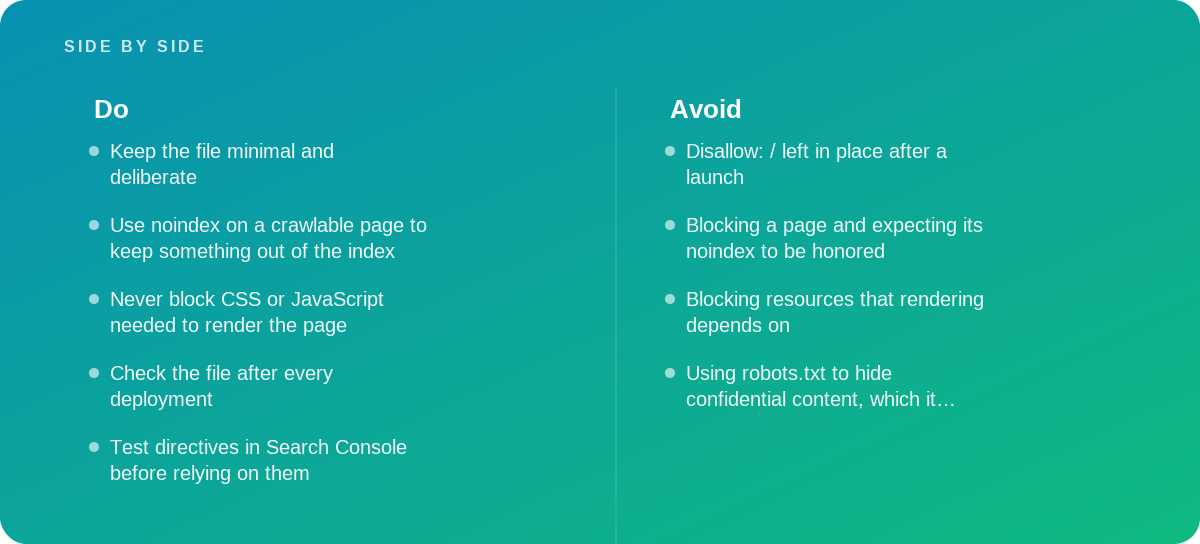
- Check the live file within minutes of every deployment, not just the first one.
- Keep staging environments behind authentication instead of relying on a blocking robots.txt that can be copied to production.
The Five Crawl and Index Control Options You Can Choose Between
When someone asks "should we block this in robots.txt?", the real question is "which control fits this goal?" There are five options worth considering, and they work at different layers.
- Robots.txt Disallow. Stops compliant crawlers from requesting matching URLs. Works at the crawl layer. Cheap, site-wide, pattern-based, and blunt.
- Robots meta tag with noindex. A <meta name="robots" content="noindex"> in the page head. Works at the index layer. Page-level, requires the page to be crawled and the HTML to be parsed. Our guide to robots meta tags and noindex decisions covers the full set of values.
- X-Robots-Tag HTTP header. The same index-layer directives sent as a response header. Works for non-HTML files such as PDFs, images and feeds, and can be applied by pattern at the server or CDN. See X-Robots-Tag headers, done properly for configuration detail.
- Authentication or access control. Password protection, IP allowlisting or a login wall that returns 401 or 403 to anonymous requests. The only option that actually keeps content private.
- Removal at the source. Returning 404 or 410 for URLs that should not exist, or consolidating them with redirects and canonical tags. This removes the problem instead of hiding it.
Two supporting tools sit alongside these. XML sitemaps tell engines what you do want crawled (our piece on XML sitemaps done properly explains how they interact with robots.txt), and temporary removal tools in Search Console and Bing Webmaster Tools hide a URL from results for a limited period while a permanent fix takes effect. Neither is a crawl-control strategy on its own.
Criteria That Decide Between Robots.txt, Noindex and the Alternatives
Each option trades off against six criteria. Weigh them in this order for most sites, adjusting for your situation.
1. Does it stop crawling?
If your problem is wasted requests, such as a faceted navigation generating near-infinite URL combinations or an internal search results page that bots can loop through, you need something that prevents the request. Only robots.txt and authentication do that. Noindex still requires a crawl every time the engine checks the page.
2. Does it keep the URL out of the index?
If your problem is that a URL appears in results and should not, you need an index-layer control. Noindex (meta or header) and removal do this reliably. Robots.txt does not, and can actively prevent it.
3. Does it protect confidential content?
If the content must not be seen by the public, only authentication qualifies. Everything else is a polite request to well-behaved crawlers, and robots.txt is a public list of the places you asked them not to look.
4. Can it be applied by pattern at scale?
Robots.txt rules match path prefixes and, for major engines, the * wildcard and $ end anchor. X-Robots-Tag can be set by pattern in server or CDN configuration. Meta noindex usually requires template logic. On a site with millions of parameter URLs, pattern-level control is often the difference between a fix that ships this week and one that never ships.
5. Does it preserve rendering and link signals?
Blocking CSS or JavaScript can stop the engine rendering the page correctly, which can hurt how it understands layout, mobile friendliness and content injected by scripts. Blocking a page also stops the engine following its links and reading its canonical tag. Noindex pages can still be crawled and their links followed, at least initially.
6. How risky is it to get wrong, and how fast is recovery?
A broad robots.txt error affects every URL it matches at once. A noindex on the wrong template affects every page built from that template, which on some sites is almost everything. Authentication errors are usually noticed immediately because humans hit them too. Recovery from a robots.txt error is relatively quick once fixed, since engines refetch the file frequently; recovery from a mass noindex is slower because every affected page must be recrawled before it can return.
Scoring the Options Side by Side
The scorecard below rates each option from 1 (poor) to 5 (excellent) against the criteria above. The scores are our editorial judgment of how well each tool fits each job, not measured data, and the totals matter less than the pattern: no option scores well across the board, which is exactly why the choice depends on the goal.
| Criterion | Robots.txt Disallow | Meta noindex | X-Robots-Tag | Authentication | Removal (404/410, redirect) |
|---|---|---|---|---|---|
| Stops crawling | 5 | 1 | 1 | 5 | 3 |
| Keeps URL out of index | 1 | 5 | 5 | 4 | 5 |
| Protects confidential content | 1 | 1 | 1 | 5 | 2 |
| Applies by pattern at scale | 5 | 2 | 4 | 3 | 3 |
| Preserves rendering and link signals | 2 | 4 | 4 | 1 | 3 |
| Low blast radius when misconfigured | 1 | 2 | 2 | 4 | 3 |
| Works for PDFs and other non-HTML files | 4 | 1 | 5 | 5 | 4 |
Read the table by the row that describes your problem. If the row is "stops crawling," the answer is robots.txt or authentication. If the row is "keeps URL out of index," it is noindex or removal, and robots.txt is the worst possible choice. If the row is "protects confidential content," there is only one serious answer. The rest of this guide explains each option in enough depth to apply it safely.
Option One: Robots.txt Disallow for Crawl Efficiency
Robots.txt is the right tool when you want crawlers to spend their requests elsewhere and you do not care whether the blocked URLs are known to the engine. Typical candidates are internal site search results, sort and filter parameters that produce no unique content, session or tracking parameters, cart and checkout flows, calendar pages that generate endless future dates, and API endpoints never meant for humans.
Writing rules that do what you expect
The current standard is RFC 9309, the Robots Exclusion Protocol, which formalized what the major engines had long done. Some practical rules follow from it and from engine documentation:
- Paths are case sensitive. Disallow: /Search does not block /search.
- Rules match prefixes. Disallow: /shop blocks /shop, /shop/, /shoppers-guide and /shop.html. Add a trailing slash if you mean the folder only.
- The most specific rule wins. For Google, when an Allow and a Disallow both match, the longer matching rule applies; in a tie, the less restrictive rule wins. That lets you write Disallow: /account/ with Allow: /account/help/.
- Wildcards are useful and dangerous. Disallow: /*?sort= blocks any URL containing the sort parameter after a question mark, but it will not match &sort= when sort is the second parameter. You usually need both /*?sort= and /*&sort=.
- An empty Disallow allows everything. Disallow: with nothing after it means no restriction, which is the opposite of Disallow: /. One character separates an open site from a closed one.
Status codes for the file itself
How the server answers a request for robots.txt matters as much as the contents. Google's documented behavior is that a 4xx response for the file is treated as if no robots.txt exists, meaning everything may be crawled, while a server error in the 5xx range is treated as a temporary instruction not to crawl the site at all. A misconfigured firewall or CDN rule that returns 503 for robots.txt can therefore halt crawling of an otherwise healthy site. Monitor the file's status code as well as its content.
Keeping rendering resources crawlable
An older habit, from the era when engines read only raw HTML, was to disallow folders such as /wp-includes/, /assets/, /js/ or /css/ to "save crawl budget." Modern engines render pages much as a browser does, and blocking CSS or JavaScript can prevent correct rendering. The engine may see an unstyled page, miss content that scripts inject, misjudge mobile layout, or fail to find links built in JavaScript.
The rule is simple: never block any resource needed to render a page. That includes stylesheets, scripts, web fonts where they affect layout, image files that carry meaningful content, and JSON endpoints that client-side rendering depends on. If a plugin or CMS ships a default robots.txt that blocks these, override it. Use the URL inspection tool in Google Search Console to view the rendered page and the list of resources the renderer could not load; any blocked resource on that list deserves a look. Rendering problems also tend to surface in the Core Web Vitals report in Search Console, so review it alongside the rendered page.
A reasonable exception is a script that only serves analytics or tracking and has no effect on content or layout. Even then, the saving is usually trivial and the risk of breaking something later is real, so most sites are better off leaving resources alone.
Pros
- Prevents requests entirely, so it saves crawl activity and server load on high-volume junk URLs.
- Pattern-based rules cover millions of URLs in a single line.
- Lives in one file that is easy to audit, version and test.
- Changes take effect quickly once engines refetch the file.
Cons
- Does not remove or prevent indexing; blocked but linked URLs can appear in results without a description.
- Hides noindex, canonical and redirect signals on the blocked URLs.
- A single broad rule can block an entire site or the resources pages need to render.
- Publicly lists the paths you want hidden, which is the opposite of security.
Option Two: Noindex by Meta Tag or X-Robots-Tag Header
Noindex is the right tool when a page should be reachable by users and crawlers but should not appear in search results. Common cases are thank-you and confirmation pages, thin tag archives, internal campaign landing pages, printer-friendly duplicates without a canonical path, and staging content that has to be public for a partner review.
Choosing between the tag and the header
The meta tag is simplest when you control the HTML template and the rule depends on page-level logic: noindex tag archives with fewer than a set number of posts, for example. The X-Robots-Tag header is the better choice when the file is not HTML, when you want to apply the rule by URL pattern in the web server or CDN without touching templates, or when the application is hard to change. The two carry the same directives, and if both are present the engine applies the most restrictive combination. Related directives such as nosnippet and max-snippet belong to the same family and can be sent the same way.
The conflict that silently breaks noindex
This is worth repeating because it is the second most common mistake in this subject. If you add noindex to a set of pages and also disallow them in robots.txt, the engine never fetches the pages, never sees the noindex, and keeps whatever it already had in the index. Teams often do both "to be safe," which produces the opposite of safety. The correct sequence for removing already-indexed pages is to allow crawling, apply noindex, wait until the pages have dropped out, and only then consider a robots.txt block if crawl volume still matters. Our article on conflicting indexing signals walks through other combinations that cancel each other out, such as a canonical pointing to a noindexed page.
How long it takes
Noindex takes effect page by page as each URL is recrawled. Important pages may be revisited within days; deep, rarely linked pages can take weeks or longer. Listing the affected URLs in a temporary XML sitemap with accurate lastmod dates can prompt faster recrawling, and removing that sitemap once they have dropped out keeps things tidy.
Pros
- Reliably keeps pages out of search results once seen.
- Page stays crawlable, so links on it can still be discovered and followed.
- X-Robots-Tag extends control to PDFs, images and other files.
- Scoped to exactly the pages you choose, with template or pattern logic.
Cons
- Does nothing for crawl load; the engine must still request the page to see the directive.
- Useless if the page is also blocked in robots.txt.
- A template-level mistake can noindex a whole section, and recovery requires a recrawl of every page.
- Headers are invisible in the page source, so they are easy to forget during audits.
Option Three: Authentication for Content That Must Stay Private
If the honest description of the content is "confidential," the decision is already made. Client portals, draft documents, pricing sheets for specific accounts, internal dashboards, and staging environments belong behind a login or an IP allowlist that returns 401 or 403 to anonymous requests. Search engines cannot index what they cannot fetch, and people who ignore robots.txt cannot read it either.
Two practical notes. First, staging sites should use HTTP authentication rather than a blocking robots.txt, precisely because the blocking file is the one that gets copied to production at launch. Authentication removes the temptation to carry a Disallow: / anywhere near the live site. Second, if you need search engines to see content that users must log in or pay for, such as a subscription publication, that is a different problem with its own structured data markup for paywalled content. Do not try to solve it with robots.txt.
Verdict for confidential content and staging environments: use authentication, always. Robots.txt publishes the location of what you are hiding and protects nothing; noindex keeps a page out of results but leaves it readable by anyone with the URL. If content would cause harm when found, it must not be publicly fetchable.
Option Four: Removing or Consolidating the URLs Instead of Hiding Them
Many crawl-control problems are really information-architecture problems. If URLs should not exist, return a 404 or 410. If they duplicate a better page, redirect them with a 301 or point a canonical tag at the preferred version. Removal and consolidation fix the root cause, so they tend to age better than any blocking rule.
When removal beats blocking
- Retired products or expired content with no replacement: return 404 or 410 and remove internal links. Blocking them in robots.txt would freeze them in the index instead.
- Old URL structures after a migration: 301 redirects pass signals to the new URLs and let engines update their records. Blocking the old paths prevents the engine from ever seeing the redirects.
- Parameter duplicates of indexable pages: a canonical tag consolidates signals while letting users keep their filtered view. Only when the volume of those URLs becomes a crawling problem should robots.txt enter the picture.
When it is not enough
Removal does not help when the URLs are legitimate and useful to users but valueless in search, which describes most faceted navigation. A shopper filtering by size, color and price needs those URLs to work. Here the decision is usually a combination: canonical or noindex on low-value combinations, robots.txt on the parameter patterns that explode into near-infinite spaces, and deliberate internal linking to the few filtered pages that do deserve to rank. Our practical guide to crawl traps in filtered navigation sets out how to identify those patterns.
Pros
- Solves the underlying problem instead of masking it.
- Redirects and canonicals pass signals to the pages you want to rank.
- 404 and 410 responses are unambiguous to every engine.
Cons
- Requires development work and sometimes product decisions about which URLs should exist.
- Canonical tags are hints, not directives, and engines may choose a different canonical.
- Does not stop crawling of URLs that must stay live for users.
Worked Example: Crawl Control for a Large Catalog Site
The following is an illustrative example, not a client case. The numbers are realistic for a mid-sized online retailer and are chosen to show how the decisions interact.
The site has about 40,000 product pages and 600 category pages. Each category offers filters for brand, size, color, price band and material, plus sort orders and a pagination parameter. Internal site search produces its own URLs. Server logs over 30 days show roughly 1.2 million crawler requests from Googlebot, of which about 70 percent hit parameter URLs, about 10 percent hit internal search results, and only about 15 percent hit product pages. The Search Console page indexing report shows around 180,000 URLs indexed, far more than the roughly 41,000 pages the team considers valuable, and many new products take weeks to be crawled.
| URL type | Approximate count | Share of crawl requests | Decision | Why |
|---|---|---|---|---|
| Product pages | 40,000 | 15% | Crawl and index; include in sitemap | Core revenue pages that need frequent recrawls |
| Category pages | 600 | 3% | Crawl and index; include in sitemap | Primary ranking targets for broad queries |
| Single-filter pages with search demand (for example brand within category) | About 1,500 selected | Part of the 70% | Crawl and index; link internally; self-canonical | Match real searches and deserve their own landing pages |
| Multi-filter combinations and sort orders | Effectively unlimited | Most of the 70% | Disallow by parameter pattern after de-indexing | No unique value and an open-ended crawl space |
| Internal search results | Unbounded | 10% | Noindex first, then disallow | Thin, duplicative and a known crawl trap |
| Cart, checkout, account | Small | Under 2% | Disallow; account area behind login | No search value; personal data belongs behind authentication |
The sequence matters more than the rules. If the team had simply added Disallow lines for every parameter on day one, the roughly 140,000 excess URLs already in the index would have been frozen there, unable to show their noindex or canonical tags. Instead the rollout runs in phases.
- Map the URL space from logs. Group crawler requests by path pattern and parameter so decisions are made on real traffic, not guesses. Our guide to the crawl stats report shows how to cross-check log findings against what Google reports.
- Choose the filter pages worth ranking. Keep a curated list of single-filter pages with genuine search demand, give them self-referencing canonicals, and link to them from category templates.
- Apply index controls to the rest. Add noindex to internal search results and canonical tags from multi-filter combinations to their parent category. Leave these URLs crawlable for now.
- Wait for the index to shrink. Track the indexed count weekly. In this illustrative case, allow several weeks to a few months for the bulk of excess URLs to drop.
- Add robots.txt rules by pattern. Once the excess has cleared, disallow the sort, multi-filter and search patterns, covering both ? and & positions for each parameter, while explicitly allowing the curated filter pages if they share a pattern.
- Test, deploy and verify. Test every rule against sample URLs from each group before release, confirm the live file after deployment, and watch crawl stats for the shift in requests toward product pages.
The expected outcome, stated as a direction rather than a promise, is that a much larger share of crawler requests reaches product and category pages, new products are discovered faster, and the indexed count moves toward the pages the business actually wants in search. For the principles behind this reallocation, see our article on what actually works for crawl budget.
Recommendations by Situation
Most real decisions fall into one of a handful of situations. Here is the recommendation for each, with the reasoning compressed.
A new site or relaunch going live
Ship a minimal, deliberate robots.txt: a User-agent: * group with only the disallows you can justify, and a Sitemap line pointing to your XML sitemap. Keep staging behind authentication so there is no blocking file to carry over. Put a check of the live robots.txt in the launch runbook and in the deployment pipeline, with an automated test that fails the build if the production file contains Disallow: / on its own line.
Pages showing in results that should not
Remove any robots.txt block on them, add noindex (meta or header), and let them be recrawled. If they are sensitive, move them behind authentication and use the temporary removal tool to hide them from results in the meantime. If they should not exist at all, return 404 or 410.
Pages in results "without a description"
This is the classic symptom of a URL that is blocked in robots.txt but linked from somewhere. Decide whether you want the page indexed. If yes, unblock it. If no, unblock it and add noindex, then consider blocking again once it has dropped out.
Crawlers overwhelming the server
Find the URL patterns responsible in your logs and disallow the worthless ones. For Bing, crawl-rate settings in Bing Webmaster Tools and the crawl-delay directive are available. For Google, which does not support crawl-delay, a short-term reduction can be signaled by returning 503 or 429 for a limited period, but this should be brief and deliberate; the lasting fix is removing the URL spaces that create the load.
PDFs and other files that should not rank
Use the X-Robots-Tag header with noindex, set by file pattern at the server or CDN. Do not disallow them if they are already indexed, for the same reason as HTML pages.
A very large site with millions of URLs
Combine all the tools deliberately, as in the worked example, and make log analysis a standing process rather than a one-off. At this scale the cost of a mistake is high enough that it is worth bringing in specialist help, which is what our XML sitemaps and robots.txt service is built for.
Verdict for most business websites: keep robots.txt short, use it only to stop crawling of genuinely worthless URL spaces such as internal search and endless filter combinations, never use it to hide or secure anything, and reach for noindex whenever the goal is keeping a crawlable page out of results. When in doubt, allowing a crawl is the safer default; an unnecessary block is harder to notice and slower to undo than an unnecessary crawl.
Testing and Monitoring Robots.txt After Every Deployment
The best crawl-control decision is worthless if the file on the server is not the file you meant to ship. Build testing into the release process, and treat robots.txt as code.
Before release
- Keep the file in version control with the rest of the site, reviewed like any other change, with a comment above each rule explaining why it exists and who asked for it.
- Test against real URLs. Maintain a list of representative URLs, some that must be allowed (home, key categories, a product, a CSS file, a JavaScript bundle) and some that must be blocked, and run the candidate file against them with a parser that follows RFC 9309 before merging.
- Check environment-specific files. Many frameworks generate robots.txt differently per environment. Confirm the production configuration, not the one on your laptop.
After release
- Fetch the live file on every production host and subdomain immediately after deployment, and confirm the HTTP status is 200.
- Check Search Console. The robots.txt report shows which version Google last fetched and any parse problems; use the URL inspection tool to confirm key pages are allowed and render fully. Test directives there before relying on them.
- Monitor continuously. A simple scheduled check that alerts when the file's content or status code changes will catch a bad deploy, a CMS plugin update or a CDN rule change within minutes rather than weeks.
If you are taking over a site with an unknown history, reviewing robots.txt, meta robots and headers together should be one of the first steps; our guide to auditing an inherited site puts that review in the context of a full technical audit.
Common myths to retire
A few persistent beliefs account for most of the damage. Each deserves a direct correction.
"Disallow removes a page from Google" It does the opposite for pages that are already indexed: it stops the engine from seeing any signal that would remove them. Use noindex or removal, and keep the page crawlable until it has dropped out.
"Robots.txt keeps private content private" The file is public and advisory. Listing /internal-reports/ in it tells every reader where to look. Private content needs authentication.
"Blocking CSS and JavaScript saves crawl budget" It saves very little and can stop pages from rendering correctly, which does far more harm than the handful of requests it avoids.
"Noindex and Disallow together are belt and braces" They cancel out. The Disallow hides the noindex. Pick the one that matches the goal, and sequence them if you truly need both.
"Every site needs a long robots.txt" Many small and mid-sized sites need little more than a Sitemap line and perhaps a disallow for internal search. A short file is easier to reason about and harder to break. Complexity should be earned by a specific, measured crawling problem.
When to Bring In Specialist Help
Most sites can manage robots.txt in house once the principles above are understood. Three situations justify outside help, and the first is urgent.
- The site has been accidentally blocked. If a Disallow: / or an equivalent server error has been live, fix it immediately and get someone experienced to confirm the fix, request recrawling of priority pages, and check for side effects such as dropped sitemaps or cached errors. Every day of delay extends recovery.
- Pages are appearing in results without descriptions. This usually means blocked URLs are being indexed from links, and untangling which pages should be indexed, noindexed or removed takes careful sequencing.
- You need crawl control on a very large site. Catalogs, marketplaces, publishers and sites with heavy parameter use benefit from log-based analysis and staged rollouts. Industries with large, specification-heavy catalogs, such as manufacturing and industrial supply, face this often.
Whoever does the work, the principles stay the same: decide what each URL type is for, choose the control that matches that purpose, sequence changes so no signal hides another, and verify the live result after every release. Our wider SEO services cover this as part of technical SEO engagements.
Where this comes from
- Google Search Central — robots.txt specifications
- Google Search Central — Block indexing with noindex
- Bing Webmaster Tools — Crawl control
The figures and practices above come from the sources listed.
Working on something like this?
We take on SEO Services work for teams who want it done once, properly. Tell us what you are building and we will tell you honestly whether we are the right studio for it. Start a project.
Where to go next
Spotted something wrong? Report an error on this page. We correct on the page and say what changed.