J-Cuts and L-Cuts: What Actually Works
Edits where the audio and video change at different moments: in a J-cut the next scene's audio starts early, and in an L-cut the previous scene's audio continues.
 MediaScaleUp Editorial Team

Where most projects go wrong
The usual mistakes:
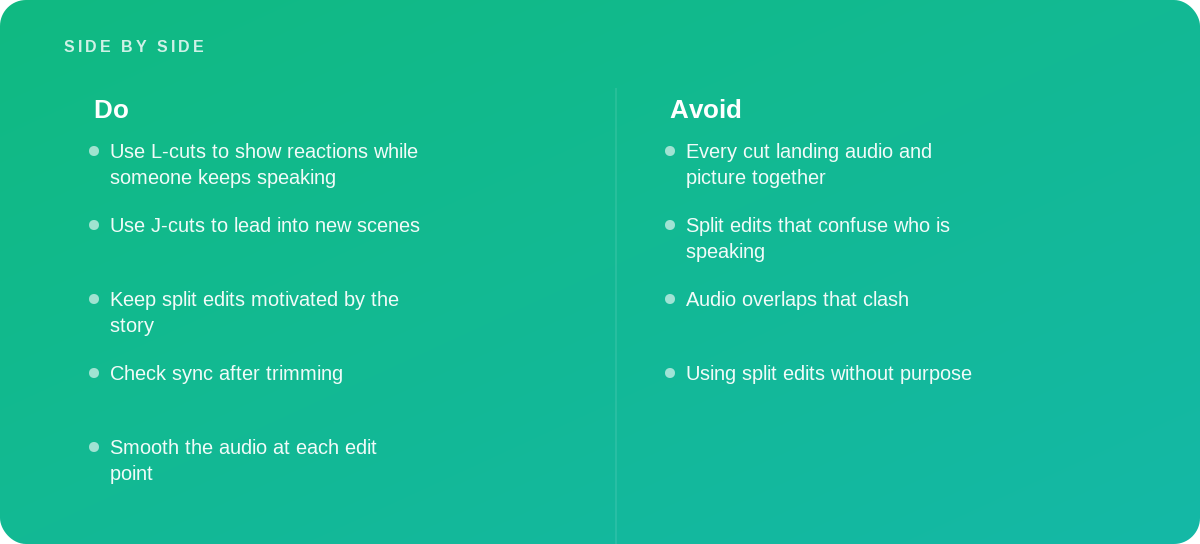
- Every cut landing audio and picture together
- Split edits that confuse who is speaking
- Audio overlaps that clash
- Using split edits without purpose
What good looks like instead
- Use L-cuts to show reactions while someone keeps speaking
- Use J-cuts to lead into new scenes
- Keep split edits motivated by the story
- Check sync after trimming
- Smooth the audio at each edit point
Why it matters
Split edits make conversations and scene changes feel natural and smooth rather than abrupt.
The specs that matter
| Measure | Figure |
|---|---|
| J-cut | audio from the next shot begins before its picture |
| L-cut | audio from the current shot continues over the next picture |
| Common use | interviews, dialogue scenes and transitions |
| Also called | split edits |
Knowing when to hand it over
Tip: Bring in help when interview edits feel choppy.
Where this comes from
- Adobe Help Center — Premiere Pro user guide
- Avid — Media Composer editing guides
The figures and practices above come from the sources listed.
Working on something like this?
We take on Video Editing & Production work for teams who want it done once, properly. Tell us what you are building and we will tell you honestly whether we are the right studio for it. Start a project.
Where to go next
Spotted something wrong? Report an error on this page. We correct on the page and say what changed.














