How to Get In-Product Help Right
Help content delivered inside the product, from contextual hints to embedded documentation and support access.
 MediaScaleUp Editorial Team
Where most projects go wrong
The usual mistakes:
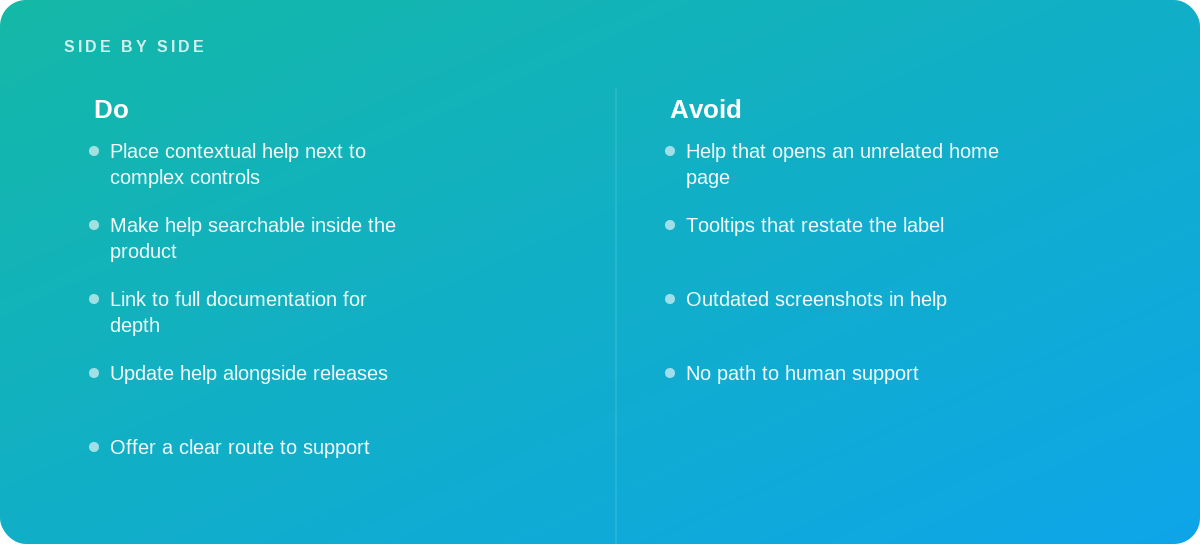
- Help that opens an unrelated home page
- Tooltips that restate the label
- Outdated screenshots in help
- No path to human support
What good looks like instead
- Place contextual help next to complex controls
- Make help searchable inside the product
- Link to full documentation for depth
- Update help alongside releases
- Offer a clear route to support
Why it matters
People rarely leave a product to search documentation, so help must meet them where they are stuck.
The specs that matter
| Measure | Figure |
|---|---|
| Context | help is most useful next to the task |
| Search | embedded help search reduces support contacts |
| Maintenance | help content must track product changes |
| Escalation | users need a route to a human |
Knowing when to hand it over
Tip: Bring in help when support tickets repeat the same questions.
Where this comes from
- Microsoft Learn — Microsoft Writing Style Guide
- Nielsen Norman Group — Usability heuristics
The figures and practices above come from the sources listed.
Working on something like this?
We take on UI & UX Design work for teams who want it done once, properly. Tell us what you are building and we will tell you honestly whether we are the right studio for it. Start a project.
Where to go next
Spotted something wrong? Report an error on this page. We correct on the page and say what changed.