A Practical Guide to Storyboarding for Animation
Six common myths about storyboarding for animation, debunked, with the practices that replace them: board every shot, cut an animatic, and get sign-off.
 MediaScaleUp Editorial Team

Storyboarding for animation is the practice of planning an animated piece shot by shot before a single frame is animated. A storyboard is a sequence of frames, one or more per shot, each annotated with what moves, how the camera behaves, what the audience hears, and how long the moment lasts. When those frames are cut together against a scratch soundtrack, the result is an animatic: a rough, timed film that proves whether the piece works before anyone commits to the expensive part.
This matters to anyone paying for animation or producing it. Animation is costly per second of finished screen time, because every second has to be designed, built, keyed, rendered and reviewed. A change to a storyboard frame takes minutes. The same change after animation has started can mean rebuilding scenes, re-rigging characters, re-timing sound and re-rendering. The board is where decisions are cheap, and the animatic is where they are proven. Marketing leads commissioning an explainer, in-house teams producing training content, and practitioners planning complex technical sequences all benefit from getting this stage right.
Despite that, storyboarding is one of the most misunderstood steps in the pipeline. Some teams treat it as optional decoration, others treat it as a pretty illustration exercise, and many approve boards without ever watching them in time. This guide works through the most common misconceptions, explains why each one causes trouble, and sets out the practice that replaces it.
What Storyboarding for Animation Actually Produces
Before tackling the myths, it helps to be precise about the deliverables, because many misconceptions come from a vague idea of what a storyboard is for. A working storyboard package for an animated piece normally contains four things.
- Shot frames. At least one drawn frame per shot, and often several for shots with significant movement: a start pose, key moments along the way, and an end pose. Frames are numbered by scene and shot (for example, 03-020 for scene 3, shot 20) so every later file can reference them.
- Action and camera notes. Written or drawn annotations beside each frame: what moves, in which direction, what the camera does (static, pan, push-in, rack focus, cut), and any transition into the next shot.
- Dialogue and sound notes. The voice-over or dialogue line that plays over the shot, plus key sound effects or music hits that the picture must land on.
- Timing. An estimated duration per shot, which becomes a confirmed duration once the animatic is cut.
The animatic is the second deliverable. It takes the board frames and places them on a timeline under a scratch voice-over and temporary music, holding each frame for the length of its shot. Some animatics add simple moves (a frame sliding across the screen to suggest a pan, a scale to suggest a push-in) but the purpose is not polish. The purpose of the animatic is to prove the timing before production. It answers questions a static board cannot: does the viewer have time to read that line of on-screen text, does the product reveal land on the musical beat, does the middle section drag?
Finally, there is sign-off. In a well-run project, approval happens at the animatic stage, before animation begins, and that approval is explicit and recorded. Everything that follows (design, layout, animation, compositing) is measured against the approved animatic. If you want a deeper grounding in how duration and frame counts work in practice, our guide to frame rate and timing for animation covers the arithmetic behind shot lengths.
Myth 1: A Solid Script Is Enough to Start Animating
Myth: If the script is approved and the style frames look good, the animators can work directly from the script and figure out the shots as they go.
Reality: A script describes what is said, not what is seen or when. Starting animation from a script alone pushes every staging, pacing and continuity decision into the most expensive stage of production, where each wrong guess costs rework.
This is the most expensive myth on the list, and it usually comes from a reasonable instinct. The script has been through several rounds of review. Stakeholders have agreed on the message. Style frames show how the piece will look. Skipping the board seems like a way to save a week.
The problem is that a script is a one-dimensional document. It is a sequence of words. An animated film is a sequence of images over time, synchronized to sound. Converting one into the other involves hundreds of decisions the script never addresses. Consider a single voice-over line: "Our platform connects your warehouse, your storefront and your delivery partners in one view." A script reader nods. An animator has to decide whether that is one shot or three, whether the three elements appear in sequence or all at once, whether the camera pulls back to reveal them connected, what the "one view" looks like, and how long each element stays on screen long enough to be recognized.
Why the decisions get made badly without a board
When those decisions happen during animation, they are made by individual animators working on individual shots, often in parallel. Nobody sees the whole film until shots are assembled, by which point each one represents hours or days of work. Continuity problems surface late: a character exits screen left in one shot and enters from screen left in the next, breaking screen direction; a product appears in blue in scene 2 and in its alternate colorway in scene 4; a transition built at the end of one shot does not match the start of the next.
A board surfaces all of this while it is still a set of drawings. The director and client can see the whole film at once, laid out on a wall or a screen, and fix structural issues before they are built. This is also the stage at which you discover that the script itself needs adjustment: a line that read well is too long for the visual it has to cover, or two ideas need a visual bridge the script did not provide.
The correct practice
Treat the script as input to the board, not a substitute for it. Once the script is locked in principle, the storyboard artist breaks it into shots, and the script is allowed to change in response to what the board reveals. The formal script lock happens alongside animatic approval, not before the board exists. Teams producing explainer video animation see this effect most sharply, because explainers compress a lot of information into 60 to 120 seconds and every second of screen time has to carry weight.
Myth 2: Simple Shots Do Not Need to Be Boarded
A common shortcut, especially under deadline, is to board the "interesting" shots (the character moments, the big reveals, the complex camera moves) and leave the rest as a line of text such as "logo lockup" or "product on white, rotating." The reasoning is that everyone knows what those shots look like.
They do not. Everyone has a picture in their head, and those pictures differ. The client imagines the logo animating in with the tagline beneath it. The designer imagines the tagline to the right. The animator imagines a three-second hold; the client's brand guidelines require five. None of this is visible until someone builds it.
Where "obvious" shots cause the most trouble
- Transitions. The shot itself may be simple, but how it connects to the shots on either side rarely is. A board frame for the end of the previous shot and the start of this one forces the transition to be designed.
- On-screen text and data. Supers, labels and chart values need space in the composition and time on screen. Boarding them reveals whether the layout works at the target aspect ratio and whether there is enough hold time to read them.
- End frames and calls to action. These often carry legal lines, URLs or regulatory text that must appear at a readable size for a minimum duration. Leaving them unboarded is how they end up squeezed into the final half-second.
- Repeated setups. If a location or layout appears several times, boarding each appearance ensures consistency and lets the team reuse assets deliberately rather than by accident.
The correct practice is to board every shot, including the ones that seem obvious. The frame for a simple shot may take five minutes to draw. That five minutes buys agreement. On instructional pieces, where each step must be shown clearly and in order, this matters even more; see our guidance on instructions for use animation for how step-by-step content is typically planned.
Myth: Only complex shots need boards; simple ones like logo reveals, product holds and title cards can be described in a line of text.
Reality: "Simple" shots hide unspoken assumptions about layout, text, duration and transitions. Boarding them takes minutes and prevents disagreements that otherwise surface only after the shot is built.
Myth 3: A Storyboard Is Mostly About Composition
Storyboards are drawn, and drawings invite judgment as pictures. Reviewers comment on whether a frame looks good, whether the character's proportions are right, whether the framing is balanced. Artists, knowing this, sometimes over-invest in composition and under-invest in the information that actually drives production.
A storyboard is a plan for motion. A single well-composed frame tells you where things are at one instant. It does not tell you what is moving, in which direction, at what speed, or what the camera is doing. Boards that show composition but not action are one of the most common mistakes, and they produce animatics that look fine and films that do not work, because the motion was never planned.
What a board frame needs besides composition
| Element | How it is shown on the board | What goes wrong if it is missing |
|---|---|---|
| Subject action | Arrows showing direction of movement; extra frames for key poses | Animators invent movement that contradicts the next shot or the voice-over |
| Camera move | Frame-within-frame for push-ins and pull-outs; arrows outside the frame for pans and tilts; notes such as "slow push, 3s" | Scenes are built at the wrong size or with too little background to support the move |
| Transitions | Notes between frames: cut, dissolve, match cut, wipe, morph | Adjacent shots are built independently and do not connect |
| Screen direction | Consistent left/right placement noted across shots | Characters or objects appear to reverse direction between cuts |
| Sound sync points | Dialogue excerpt and SFX or music cues under the frame | Key visual beats miss the audio they should land on |
| Duration | Estimated seconds or frames per shot, confirmed in the animatic | Shots run long or short and the total runtime drifts |
The drawing quality itself can be rough. Stick figures and boxes are acceptable in many production contexts if the action, camera and timing notes are clear. What is not acceptable is a beautiful frame that leaves the animator guessing what happens next. Adobe's Help Center documentation on storyboarding and animatics reflects the same emphasis: the board exists to communicate shots, movement and timing to the people who will build them.
How to review a board for action, not just looks
When you review a board, read each frame with three questions: what moves, what the camera does, and how this connects to the next frame. If any answer is unclear, ask for a note or an extra frame. Comments about drawing style should be kept to a minimum at this stage unless the board is also serving as a style reference. For character-driven work, add a fourth question about performance: what is the character feeling, and does the pose show it? Our guide to designing characters for animation explains why posing and silhouette decisions made early carry through to the final film.
Myth: A good storyboard is a set of well-composed images, and reviewing it means checking that each frame looks right.
Reality: A storyboard is a plan for movement over time. Each frame must note subject action, camera behavior, transitions and sound sync, because those are the decisions animators need. Composition is only one of them.
Myth 4: If the Board Is Approved, the Timing Is Approved
This myth catches experienced teams as well as newcomers. A client reviews a PDF of storyboard frames, reads the notes, likes the flow, and signs off. Everyone moves into production believing the film has been approved. It has not, because nobody has experienced it in time.
Static boards distort pacing in predictable ways. When you flip through a PDF, you spend as long on each frame as you want. A shot that will be on screen for 1.5 seconds gets the same attention as one that will hold for 6 seconds. Dense frames with a lot to read feel fine on the page and impossible on screen. A sequence that feels brisk as drawings can feel sluggish when played at the pace of the voice-over, and vice versa.
What the animatic reveals that a board cannot
- Reading time. On-screen text needs to be held long enough for a typical viewer to read it at least once. A static board gives no sense of whether that is happening.
- Voice-over fit. A line of voice-over has a real duration. If the visuals planned for it need more time than the line provides, either the line has to be extended, the visuals simplified, or a pause added. The animatic shows which.
- Rhythm. Films have a rhythm of fast and slow sections. Laid out as frames, every section looks equally weighted. Played in time, monotony and rushed passages become obvious.
- Total runtime. Estimated shot durations on a board rarely add up to the target length. The animatic gives you a real number and forces decisions about what to cut or extend.
- Music and effects sync. A reveal intended to land on a musical accent can only be tested against the track.
An animatic does not need to be elaborate. It can be built in any editing application: frames placed on a timeline under the scratch audio, with simple moves where they help. Avid's pre-production documentation and editorial tools are one common environment for this, and many studios cut animatics in the same editor they will later use to conform the finished shots. The key is that the timeline becomes the master reference for duration.
The correct practice
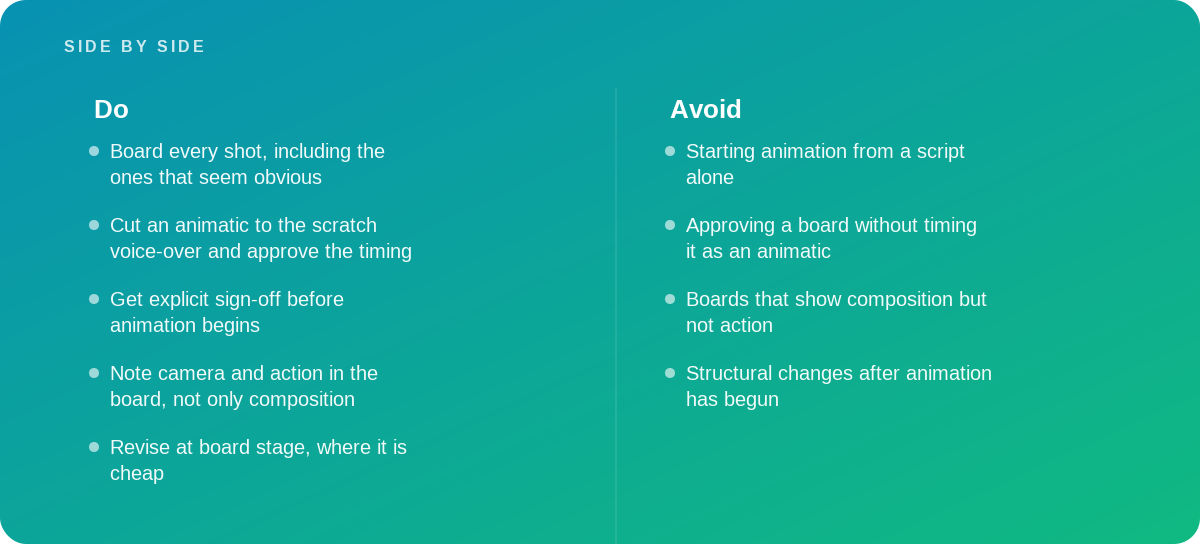
Cut an animatic to the scratch voice-over and approve the timing, not just the frames. Present it to the client as a film, played start to finish at least once without pausing, before any frame-by-frame discussion. Then collect notes against timecodes. If timing changes are requested, re-cut and re-present. Approving a board without timing it as an animatic is one of the listed mistakes to avoid for good reason: it turns a cheap timing decision into an expensive one made during animation.
Myth: Once the client signs off the storyboard frames, the pacing of the film has been agreed.
Reality: Static frames hide timing. Only an animatic cut to the scratch voice-over shows whether text can be read, visuals fit the lines and the runtime is right. Timing is approved at the animatic, not at the board.
Myth 5: Sign-Off Can Happen Informally Along the Way
On many projects, approval is a feeling rather than an event. The client says "looks great" on a call, a stakeholder gives a thumbs-up in a chat thread, and the team moves into animation. Weeks later, a senior stakeholder who was not on the call sees the first rendered scenes and asks for the structure to change. Technically nothing was signed off, so the request is legitimate. Practically, it can mean discarding significant work.
The reference practice is clear: get explicit sign-off before animation begins. That means a named approver, a specific version of the animatic, and a written record. It also means the right people have seen it. In organizations with legal, medical, compliance or brand review, those reviewers must see the animatic, not only the final film. Their objections are cheapest to accommodate before animation.
What explicit sign-off includes
- A versioned animatic. Label it clearly, for example "Animatic v3, 01:32 runtime," so there is no ambiguity about what was approved.
- A list of approvers. Agree in advance who must approve. If a stakeholder cannot attend a review, they receive the file and a deadline.
- A written confirmation. Email or a project management note is enough, provided it names the version.
- A statement of what is locked. Structure, shot order, approximate durations and script are typically locked at this stage. Color, detailed design and animation nuance remain open.
- A change process. Agree how later changes will be handled: small adjustments absorbed within the schedule, structural changes assessed for time and budget impact before they proceed.
None of this is adversarial. It protects the client as much as the studio, because it prevents late surprises on both sides. Review structure is a subject in its own right; our article on reviewing animation with clients covers how to run review rounds, consolidate feedback and keep approval on schedule.
Myth: Approval builds up naturally through calls and messages, so a formal sign-off on the animatic is unnecessary paperwork.
Reality: Informal approval leaves room for absent stakeholders to reopen structure after animation has started. A named approver signing a specific animatic version is what makes the plan safe to build on.
Myth 6: Changes Cost the Same Whenever You Make Them
Clients sometimes treat a production schedule like a document that can be edited at any point, with each edit costing roughly the same. In animation, the cost of a change depends almost entirely on when it is made. Revision cost rises sharply once animation starts, and structural changes after animation has begun are among the most damaging decisions a project can absorb.
The reason is how work accumulates. At board stage, a shot is a drawing and a note. Changing it means redrawing a frame. At animatic stage, it is a drawing on a timeline, and changing it means redrawing and re-cutting. Once animation begins, a shot becomes a stack of dependent work: designed assets, built scenes or 3D sets, rigged characters, keyframed motion, lighting, render passes and compositing. A structural change, such as removing a scene, reordering sections, or changing what a key shot shows, can invalidate work in every one of those layers, and in adjacent shots whose transitions depended on it.
Types of change and where they belong
- Structural changes (adding, removing or reordering scenes; changing the core message of a section): belong at board or animatic stage.
- Timing changes (lengthening or shortening shots, shifting beats): belong at animatic stage. After animation, they often require re-animation rather than a simple trim, because motion is keyed to specific frame counts.
- Script changes affecting duration: belong before animatic approval. A voice-over re-record that changes line length ripples into every shot under it.
- Design refinements (color, texture, minor styling): can often be accommodated during production, depending on how assets are built.
- Polish (easing, secondary motion, small timing nudges within a shot): expected during animation review.
Myth: A change costs roughly the same whether it is made on the board, in the animatic or halfway through animation.
Reality: Revision cost rises sharply once animation starts, because each shot becomes a stack of dependent assets, rigs, keyframes and renders. Structural changes belong on the board, where they are cheap.
The correct practice is to revise at board stage, where it is cheap, and to encourage stakeholders to be demanding then. A good studio will welcome aggressive notes on the animatic because it knows those notes are nearly free. In 3D pipelines the gap is wider still, because assets, rigs and renders add more layers of dependency; our 3D animation service is planned around locking structure before modeling and rigging begin for exactly this reason.
A useful way to explain this to stakeholders is that the animatic is the last point at which the film is still made of paper. After that, it is made of work.
A Worked Example: Boarding a 90-Second Product Explainer
The following is an illustrative example, not a client project. It shows how the practices above play out on a typical short piece, with realistic but hypothetical numbers. Hours are indicative ranges for a small team and will vary with style, complexity and studio.
Brief: a 90-second 2D explainer for a scheduling software product, with a professional voice-over, licensed music, and a closing end frame carrying the product URL and a short legal line. The target platform is a website hero section and a trade-show loop, both 16:9.
Step 1: Breaking the script into shots
The approved draft script runs about 210 words. At a conversational voice-over pace, that sits near the 90-second target with a little room for pauses. The storyboard artist breaks it into 7 sections and 32 shots, averaging just under 3 seconds each. Four of the shots are "simple" (a title card, two product-interface holds and the end frame), and all four are boarded anyway.
Step 2: The first board and what it caught
Reviewing the first board as a whole, the team spots three problems that would have been expensive later. Section 3 describes three integrations in one sentence, but the board shows three separate interface screens, which cannot all be read in the 4 seconds the line allows. The end frame needs the legal line to be legible, but the draft layout crowds it beneath the URL. And a character introduced in section 1 exits screen right, then re-enters from screen right in section 2, breaking screen direction. All three are fixed by redrawing a handful of frames.
Step 3: The animatic
The artist records a scratch voice-over, drops in temporary music, and cuts the board to it. The first animatic runs 1:41, eleven seconds over target. Watching it in time reveals that section 5 drags: two consecutive shots say the same thing. One is removed and the line tightened. The integrations moment in section 3 is expanded to about 6 seconds and the three screens are combined into a single pull-back shot. The second animatic runs 1:31.
Step 4: Sign-off
The client's marketing lead and the product manager approve animatic v2 in writing; the legal reviewer confirms the end frame text and hold time. Structure, script and shot durations are locked.
| Stage | Change requested in this example | Indicative effort at that stage | Indicative effort if found after animation |
|---|---|---|---|
| First board review | Merge three interface screens into one pull-back shot | 1–2 hours of redrawing | 1–3 days of rebuilding and re-animating adjacent shots |
| First board review | Fix screen direction between sections 1 and 2 | Under 1 hour | Half a day to 2 days, depending on how much of the move must be re-keyed |
| Animatic v1 | Cut one redundant shot and tighten the line | 1–2 hours including re-cut | Re-record of voice-over, re-timing of neighboring shots, possible re-animation |
| Animatic v1 | Extend legal line hold on end frame | Minutes | Re-render and re-conform of the final section |
Taken together, the board and animatic stages in this example might occupy roughly 4 to 7 working days of a 5-to-7-week schedule. The changes they absorbed would each have cost many times more after animation started. That ratio, not any single figure, is the point: the cost of a board change is trivial against the cost of changing a finished sequence.
Storyboarding Across Different Kinds of Animation
The principles are constant, but emphasis shifts with the type of piece. Knowing where the risk sits helps you decide how much detail the board needs.
Explainers and marketing pieces
The risk is information density. Boards should concentrate on what the viewer must understand in each shot, how long they have to understand it, and how on-screen text is laid out. Animatics are essential because pacing drives comprehension.
Technical, scientific and medical animation
The risk is accuracy. Each board frame should be checked by a subject-matter expert for what it depicts, not only how it looks, before the animatic is cut. A mechanism shown in the wrong order or a data value drawn at the wrong scale is far cheaper to fix on paper. Our guide to mechanism of action animation covers the expert-review loops these projects need.
Product assembly and machinery
The risk is sequence and camera. Boards need to show every step in the right order, the camera angle that makes each step visible, and the moments where the camera must move to reveal a hidden part. Where 3D models already exist, simple blocking renders can supplement drawn frames. Open-source tools such as Blender include storyboarding features, including its Grease Pencil drawing tools, that let artists sketch directly over rough 3D layouts, which is useful when camera placement is the main question.
Character-driven pieces
The risk is performance and continuity. Boards should include key poses and expressions, eyelines, and screen direction. Where close-ups carry emotion, note the expression beat by beat; specialized work such as facial animation depends on the board specifying what the face needs to communicate and when.
What to Do Instead: A Storyboarding Checklist
Each myth above has a corresponding practice. Pulled together, they form a checklist that fits most animation projects, whatever the style or length. Use it at the start of a project to plan the pre-production schedule, and again before approving the animatic.
- Break the script into numbered scenes and shots before any animation or scene building begins.
- Board every shot, including title cards, product holds, transitions and end frames.
- Annotate each frame with subject action, camera move, transition, dialogue excerpt and estimated duration.
- Add extra frames for shots with significant movement: start, key moment and end.
- Check screen direction and continuity across the whole board, not shot by shot.
- Have subject-matter, legal or brand reviewers check the board for accuracy and required text.
- Record a scratch voice-over and cut an animatic to it with temporary music.
- Play the animatic start to finish for reviewers before collecting timecoded notes.
- Revise and re-cut until total runtime and pacing are right.
- Obtain explicit written sign-off on a named animatic version from every agreed approver.
- State which elements are locked at sign-off and how later changes will be assessed.
- Keep the approved animatic as the master reference throughout production and delivery.
The last item deserves emphasis. The approved animatic is not just a milestone; it is the reference against which every rendered shot is checked. Editors drop finished shots over the animatic on the same timeline, which makes timing drift obvious immediately. It should also travel with the project files at handover, as our guide to delivering animation source files explains, so that anyone updating the piece later understands the original plan.
When to Bring in Outside Help With Storyboarding
Many in-house teams can board short, simple pieces themselves, especially with a clear script and a small number of stakeholders. There are three situations where outside help usually pays for itself.
The piece has no clear structure. If the script is still a list of messages rather than a story, or if stakeholders disagree about what the piece is for, an experienced director or storyboard artist can propose a structure visually. A rough board often resolves arguments that a script cannot, because everyone is reacting to the same pictures.
Approval rounds are running late. When review cycles keep slipping, the cause is often that reviewers do not know what they are approving or that feedback arrives piecemeal. A structured board, a timed animatic and a defined sign-off process usually shorten the loop.
A complex sequence must be planned before budget is committed. For technical, 3D or long-form work, a board and animatic let you scope production accurately: the number of shots, the number of unique assets, the camera moves that need built environments. That is the right basis for a budget. Studios that board before quoting can give firmer estimates than those quoting from a script. When you are comparing providers, our guide to choosing an animation studio suggests asking how each one handles storyboards, animatics and sign-off.
If you would rather hand the whole process to a team that works this way by default, our animation and motion graphics service begins every project with a board and a timed animatic, and does not start animation until the animatic is approved. Whether you work with us or not, the principle holds: spend your revisions where they are cheap, prove the timing before you build, and treat the approved animatic as the plan everyone is building to.
Where this comes from
- Adobe Help Center — Storyboarding and animatics
- Blender Foundation — Storyboarding tools
- Avid — Pre-production documentation
The figures and practices above come from the sources listed.
Working on something like this?
We take on Motion Graphics & Animation work for teams who want it done once, properly. Tell us what you are building and we will tell you honestly whether we are the right studio for it. Start a project.
Where to go next
Spotted something wrong? Report an error on this page. We correct on the page and say what changed.