Skip to content
3D Design & Development

A Practical Guide to Jewelry Modeling and Rendering

Building and rendering rings, settings and gemstones, where refraction and tiny detail dominate.

MediaScaleUp Editorial Team 2 min read 18 views

A Practical Guide to Jewelry Modeling and Rendering

What is at stake

Jewelry renders live or die on gemstone realism and metal reflections, which need specific material and lighting work.

The playbook

  1. Use accurate refraction values per gemstone type
  2. Model settings and prongs accurately
  3. Light with small bright sources for sparkle
  4. Render at high sample counts for clean caustics
  5. Match metal colors to real samples

Where it goes wrong

Avoid:

  • Generic glass materials for gemstones
  • Low-polygon curves on close-ups
  • Flat lighting with no sparkle
  • Renders that misrepresent stone size or color
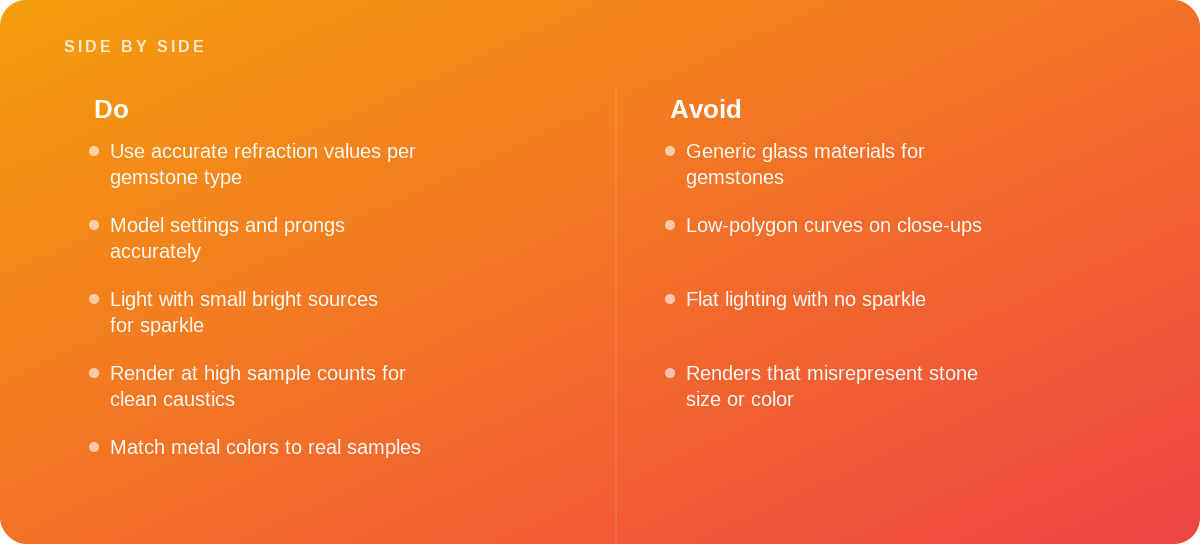
What to do and what to avoid with jewelry modeling and rendering, side by side
Good practice against the usual mistakes, from the sources listed below.

The numbers behind it

Published figures for Jewelry Modeling and Rendering
MeasureFigure
Refractiongemstones bend light and need accurate index of refraction values
Dispersionsplits light into colors and increases render time
Scalejewelry detail is very small and needs high geometry density
Lightingsmall bright sources create the sparkle

Getting outside help

When to hand it over: Bring in help when jewelry ranges need CGI imagery.

Where this comes from

The figures and practices above come from the sources listed.

Working on something like this?

We take on 3D Design & Development work for teams who want it done once, properly. Tell us what you are building and we will tell you honestly whether we are the right studio for it. Start a project.

Where to go next

Spotted something wrong? Report an error on this page. We correct on the page and say what changed.


All services

The work behind this article, and what it costs.

See it in practice

All the work
Before: 3D Product Render: Clay Model to Finished Studio Shot
After: 3D Product Render: Clay Model to Finished Studio Shot
Clay render Final render

3D Product Render: Clay Model to Finished Studio Shot

Blender Cycles, PBR materials, custom thin-glass shader, HDRI plus key/fill/rim area lights, curved cyclorama, pedestal, depth of field, AgX color management

Studio demo on a public-domain photo, not a client job

Watch the video

Product Lighting E-commerce & Product 2-3 days

Before: 3D Interior Scene: Wireframe to Sunlit Final Render
After: 3D Interior Scene: Wireframe to Sunlit Final Render
Wireframe / clay Final render

3D Interior Scene: Wireframe to Sunlit Final Render

Blender Cycles scene layout, PBR textures, procedural shaders, sun + sky + window fill lighting, practical lamp, depth of field, AgX color management

Studio demo on a public-domain photo, not a client job

Architectural Visualization Real Estate & Interior Design 3-5 days

Before: 3D Packaging Render: From Clay Model to Shelf-Ready Hair Oil Box
After: 3D Packaging Render: From Clay Model to Shelf-Ready Hair Oil Box
Clay model pass Final product render

3D Packaging Render: From Clay Model to Shelf-Ready Hair Oil Box

Hard-surface modeling, UV unwrapping, label and dieline artwork, glass and liquid shaders, studio lighting, Cycles render

Studio demo on a public-domain photo, not a client job

Packaging Modeling Beauty & Personal Care 3-5 days

MediaScaleUp Editorial Team

Articles here are researched, written and checked by the MediaScaleUp studio team before they are published, and dated when they are reviewed.

Keep reading

More in 3D Design & Development