Skip to content
3D Design & Development

3D Packaging Visualization: What Actually Works

Rendering packaging designs as photorealistic images before anything is printed.

MediaScaleUp Editorial Team 2 min read 12 views
3D Packaging Visualization: What Actually Works

Where most projects go wrong

The usual mistakes:

  • Approving print color from renders
  • Models built from guessed dimensions
  • Ignoring finishes such as foil and varnish
  • One-off models that cannot be reused

What good looks like instead

  • Build models from production dielines
  • Match materials to specified finishes
  • Render variants from one scene
  • Use physical proofs for color decisions
  • Keep models updated with structure changes
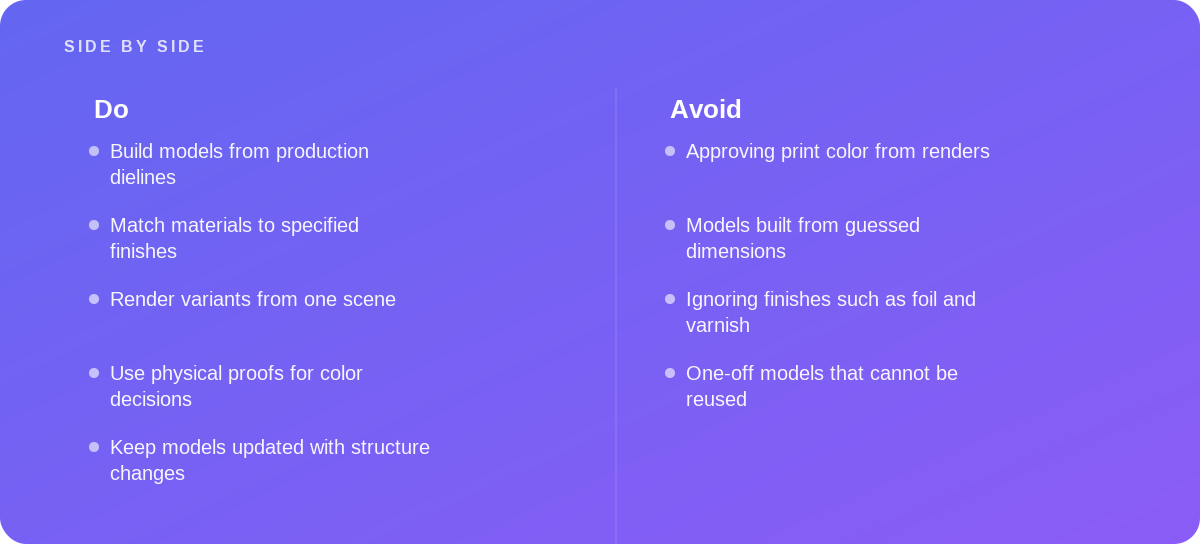
What to do and what to avoid with 3D packaging visualization, side by side
Good practice against the usual mistakes, from the sources listed below.

Why it matters

Packaging renders let teams review designs on shelf and produce marketing images before production runs.

The specs that matter

Published figures for 3D Packaging Visualization
MeasureFigure
Dielinesprovide the structure for the 3D model
Materialsboard, foil and varnish behave differently under light
Colorprint color cannot be judged from a render
Reuseone model can render many design variants

Knowing when to hand it over

Tip: Bring in help when packaging ranges need consistent visuals.

Where this comes from

The figures and practices above come from the sources listed.

Working on something like this?

We take on 3D Design & Development work for teams who want it done once, properly. Tell us what you are building and we will tell you honestly whether we are the right studio for it. Start a project.

Where to go next

Spotted something wrong? Report an error on this page. We correct on the page and say what changed.


All services

The work behind this article, and what it costs.

See it in practice

All the work
Before: Architectural Exterior: Clay Massing to Photoreal Daylight Render
After: Architectural Exterior: Clay Massing to Photoreal Daylight Render
Clay massing study Final exterior render

Architectural Exterior: Clay Massing to Photoreal Daylight Render

Architectural modeling, timber and concrete materials, glass and water shaders, landscaping, sun-and-sky lighting, Cycles

Studio demo on a public-domain photo, not a client job

House & Building Modeling Real Estate & Architecture 5-7 days

Before: 3D Product Render: Clay Model to Finished Studio Shot
After: 3D Product Render: Clay Model to Finished Studio Shot
Clay render Final render

3D Product Render: Clay Model to Finished Studio Shot

Blender Cycles, PBR materials, custom thin-glass shader, HDRI plus key/fill/rim area lights, curved cyclorama, pedestal, depth of field, AgX color management

Studio demo on a public-domain photo, not a client job

Watch the video

Product Lighting E-commerce & Product 2-3 days

Before: 3D Interior Scene: Wireframe to Sunlit Final Render
After: 3D Interior Scene: Wireframe to Sunlit Final Render
Wireframe / clay Final render

3D Interior Scene: Wireframe to Sunlit Final Render

Blender Cycles scene layout, PBR textures, procedural shaders, sun + sky + window fill lighting, practical lamp, depth of field, AgX color management

Studio demo on a public-domain photo, not a client job

Architectural Visualization Real Estate & Interior Design 3-5 days

MediaScaleUp Editorial Team

Articles here are researched, written and checked by the MediaScaleUp studio team before they are published, and dated when they are reviewed.

Keep reading

More in 3D Design & Development