Search Console Versus Analytics Data: What Actually Works
Why clicks in Search Console never match sessions in analytics, and how to use each correctly.
 Samir Haddad

Where most projects go wrong
The usual mistakes:
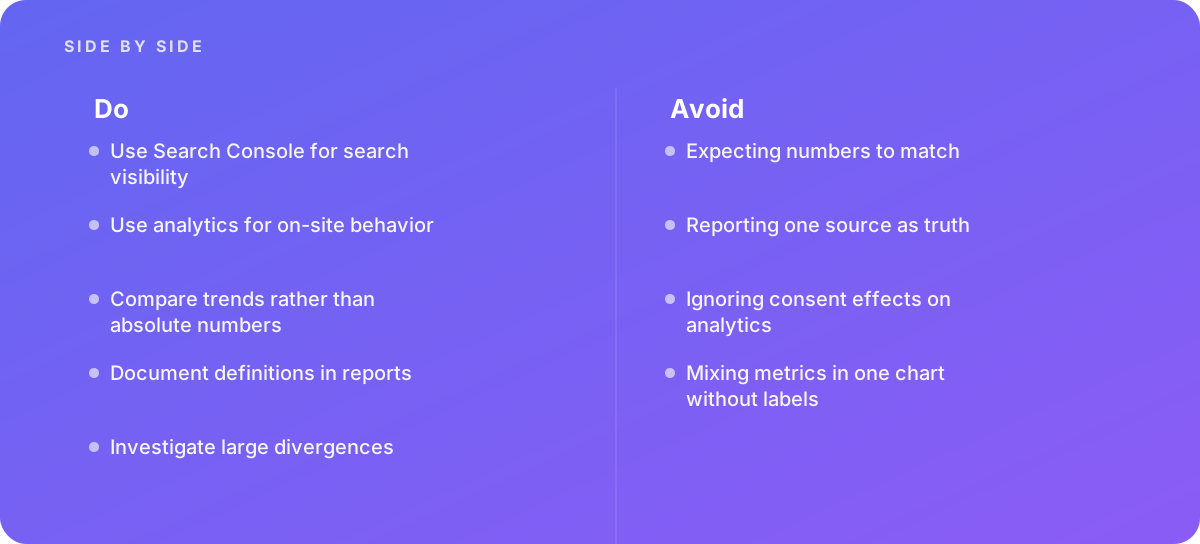
- Expecting numbers to match
- Reporting one source as truth
- Ignoring consent effects on analytics
- Mixing metrics in one chart without labels
What good looks like instead
- Use Search Console for search visibility
- Use analytics for on-site behavior
- Compare trends rather than absolute numbers
- Document definitions in reports
- Investigate large divergences
Why it matters
Teams waste time reconciling numbers that measure different things in different ways.
The specs that matter
| Measure | Figure |
|---|---|
| Different events | Search Console counts clicks, analytics counts sessions |
| Filtering | analytics misses users who block tracking |
| Anonymized queries | Search Console withholds some queries |
| Attribution | analytics assigns channels differently |
Knowing when to hand it over
Tip: Bring in help when reporting discrepancies undermine trust.
Where this comes from
- Google Search Central — Search Console performance report
- Google Analytics Help — Data collection
The figures and practices above come from the sources listed.
Working on something like this?
We take on SEO Services work for teams who want it done once, properly. Tell us what you are building and we will tell you honestly whether we are the right studio for it. Start a project.
Where to go next
Spotted something wrong? Report an error on this page. We correct on the page and say what changed.