A Practical Guide to WebGPU and the Future of Browser 3D
The successor graphics API to WebGL, giving browsers lower-level access to the GPU and support for compute work.
 MediaScaleUp Editorial Team

Where most projects go wrong
The usual mistakes:
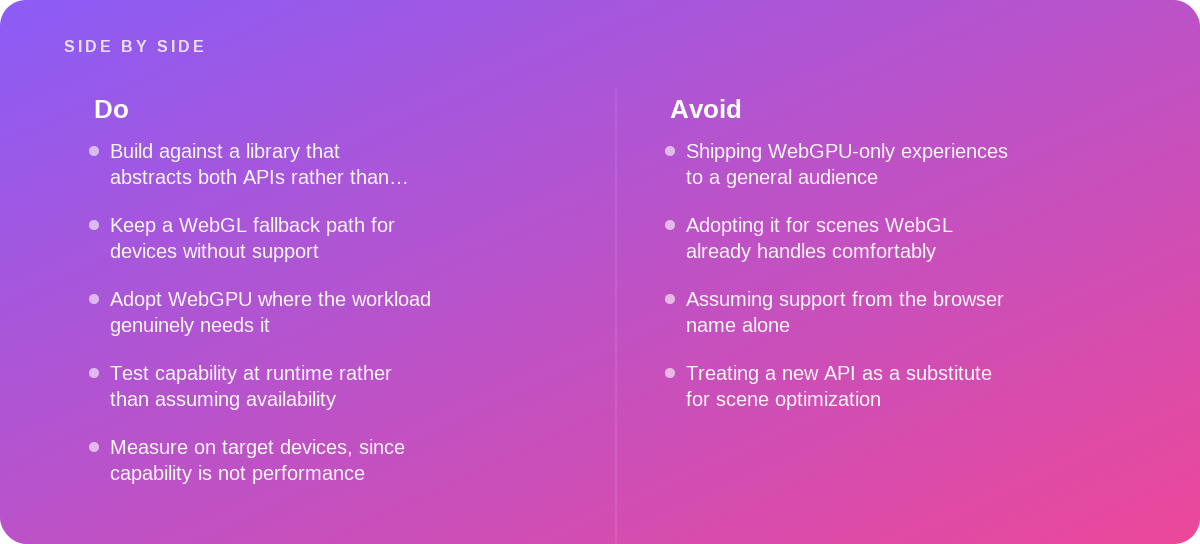
- Shipping WebGPU-only experiences to a general audience
- Adopting it for scenes WebGL already handles comfortably
- Assuming support from the browser name alone
- Treating a new API as a substitute for scene optimization
What good looks like instead
- Build against a library that abstracts both APIs rather than one directly
- Keep a WebGL fallback path for devices without support
- Adopt WebGPU where the workload genuinely needs it
- Test capability at runtime rather than assuming availability
- Measure on target devices, since capability is not performance
Why it matters
It removes constraints WebGL imposed, and it matters mainly for scenes that WebGL could not render at acceptable frame rates.
The specs that matter
| Measure | Figure |
|---|---|
| Standard body | W3C, with implementations across major browsers |
| Capability | compute shaders, which WebGL lacks |
| Efficiency | lower driver overhead than WebGL |
| Support | growing, but not yet universal |
| Practical consequence | a WebGL fallback is still required |
Knowing when to hand it over
Tip: Bring in help when a scene exceeds what WebGL can deliver, when compute work is needed in the browser, or when device support must be established for an audience.
Where this comes from
- W3C — WebGPU specification
- MDN Web Docs — WebGPU API
- Chrome for Developers — WebGPU
The figures and practices above come from the sources listed.
Working on something like this?
We take on 3D Design & Development work for teams who want it done once, properly. Tell us what you are building and we will tell you honestly whether we are the right studio for it. Start a project.
Where to go next
Spotted something wrong? Report an error on this page. We correct on the page and say what changed.