A Practical Guide to Product Search and Merchandising
Follow one illustrative store from search log audit to launch: fixing zero results, synonyms, typo tolerance, facets and merchandising rules that stay current.
 MediaScaleUp Editorial Team

Product search and merchandising covers two things that decide most of what a shopper sees in an online store: the on-site search box, and the controls that determine which products appear first in search results and on category pages. Search is where a shopper tells you, in their own words, exactly what they want. Merchandising is how you decide what to show them in response. When both work, customers find the right product in one or two steps. When either one fails, the store looks like it does not carry things it actually has in stock.
This matters most to store owners and e-commerce managers whose catalogs have outgrown the default search that shipped with their platform, and to marketers who need to promote products without breaking relevance. Customers who use site search are usually closer to buying than customers who browse, and a search that returns nothing for a product you sell is a lost sale you never hear about. No one emails to say they gave up; they just leave.
Rather than list best practices in the abstract, this guide follows one project from brief to delivery. The project is an illustrative example, a composite built to show how the decisions fit together, not a real client. The numbers in it are realistic for a mid-sized catalog but are invented for teaching purposes. What is not invented is the reasoning at each step, which is the part you can reuse on your own store.
The Illustrative Project: An Outdoor Gear Store Whose Search Stopped Keeping Up
Our illustrative client sells outdoor and camping equipment online. The catalog has grown from about 1,500 products to roughly 6,200 over four years, spread across tents, sleeping systems, cooking gear, clothing, footwear, packs and accessories. Many products come in several sizes and colors, so the store holds a little over 21,000 variants. The store runs on a hosted platform using the default search that came with its theme, with no synonym list, no merchandising rules beyond a handful of manually pinned products, and no one assigned to look at search data.
The brief from the owner was short: "Search feels broken. People tell our support team they can't find things we definitely stock." The support inbox had examples. A customer searched for "sleeping mat" and got nothing, because every product in that category was titled "sleeping pad." Another searched for "jetboil" and got zero results, because the store sells that brand's stoves but lists them under the manufacturer's full model names. A third typed "rain jaket" and, predictably, got an empty page.
Those anecdotes were useful for framing the problem, but they could not tell us how big it was or where to start. The first decision of the project was therefore not about software at all. It was to measure before changing anything.
Those four figures, all illustrative, framed the rest of the work. Eleven percent of searches ending on an empty page is a large, direct and measurable failure. Unlike most conversion problems, you do not need to model or infer it: the log tells you exactly which words the customer typed and that the store showed them nothing.
Auditing the Search Logs Before Touching Any Settings
Every serious search project starts with the logs. Most platforms record what customers type, how many results each query returned, and whether the shopper clicked anything. Some expose this in a report; others require an analytics integration or an export. On this project, the platform's built-in report showed top queries and zero-result queries, and the store's analytics tool captured the search term as a URL parameter, which let us join searches to sessions and orders. If you have never set this up, our guide to setting up search analytics for an online store covers the tracking in detail.
What we pulled
We exported 30 days of search data and grouped it three ways. First, by frequency: the top 200 queries accounted for a little under half of all search volume, which is typical of search logs, where a short head of common queries sits in front of a very long tail of rare ones. Second, by outcome: zero results, results with no click, and results with a click. Third, by session outcome: whether the session that included the search went on to add something to the cart or place an order.
How we classified the failures
The zero-result list is where the money is, so we read it by hand. Reading several hundred queries sounds tedious, but it took one person about a day, and no automated tool gives you the same understanding of how your customers talk. Each zero-result query went into one of six buckets. The table below shows the illustrative breakdown.
| Failure type | Example query | Share of zero-result searches (illustrative) | Fix |
|---|---|---|---|
| Vocabulary mismatch | sleeping mat, hiking boots women | 34% | Synonyms and attribute data |
| Misspelling or typo | rain jaket, carabeener | 22% | Typo tolerance |
| Brand or model shorthand | jetboil, msr pocket | 14% | Brand field indexing and synonyms |
| Attribute query | waterproof, 2 person, under 1kg | 12% | Index attributes, add facets |
| Genuinely not stocked | kayak, fishing rod | 11% | Useful no-results page |
| Non-product intent | returns, delivery times, gift card | 7% | Content and redirect rules |
The pattern here is the important part, not the exact percentages. In this illustrative log, well over three quarters of zero-result searches were for things the store actually sold. Only about one in ten was for something genuinely out of range. That ratio is what turns search from a nice-to-have into a revenue problem: the demand was there, and the store was turning it away.
Decision: We chose to fix vocabulary and typos before evaluating any new search software. The reasoning was that a synonym list and clean product data carry over to any search engine, so that work would never be wasted, while a platform change done first would simply move the same bad data into a more expensive tool.
We also looked at queries that returned results but got no clicks. These are subtler failures: the search found something, but not the right thing. The top offender in our example was "tent," which returned tent pegs, tent footprints and repair kits above actual tents, because those accessory titles contained the word "tent" more prominently. That observation later shaped the merchandising rules.
Fixing Zero-Result Searches With Synonyms, Typo Tolerance and Partial Matches
Customers use different words than the catalog does. A merchandiser writes "sleeping pad" because that is the industry term; a first-time camper types "camping mattress." Neither is wrong. The search engine's job is to connect them, and the synonym list is how you teach it to.
Building the synonym list from real logs
The synonym list came directly from the zero-result and no-click buckets, not from brainstorming. For each vocabulary-mismatch query, we identified the catalog term it should map to and decided which kind of synonym it was:
- Two-way synonyms for terms that genuinely mean the same thing, such as "sleeping mat," "sleeping pad" and "camping mattress." A search for any of them should return the same set.
- One-way synonyms for broader or looser terms, such as mapping "stove" to also include "burner," but not making every "burner" search return every stove. One-way rules prevent a general word from flooding specific results.
- Brand and model shorthand, such as mapping a brand's popular nickname to its full product line name.
- Regional and plural variants, such as "trainers" and "sneakers," or "torch" and "flashlight," which matter when a store sells into more than one English-speaking market.
The first version of the list had about 180 entries. That is a manageable size for a 6,000-product catalog; it is maintained by hand and reviewed monthly. Resist the temptation to import a generic synonym dictionary of thousands of entries. Generic lists introduce odd matches that nobody on your team understands, and they make it harder to diagnose relevance problems later.
Typo tolerance and partial matching
Typo tolerance is expected behavior in modern search. Most current search engines, including the default search on major hosted platforms, handle one or two character errors by measuring how many edits separate the query from indexed words. The practical settings to check are the minimum word length before typos are allowed (short words like "hat" should usually require an exact match, or "hat" becomes "bat" and "cat") and whether typo tolerance applies to numbers and model codes (it usually should not, because "MR 450" and "MR 460" are different products).
Partial matching matters for compound words and model numbers. A shopper typing "hydro" while looking for a hydration pack, or "450" while looking for a specific headlamp, should get sensible results. Prefix matching on the last word of the query also makes search feel responsive while the shopper is still typing, which connects directly to the autocomplete work later in the project.
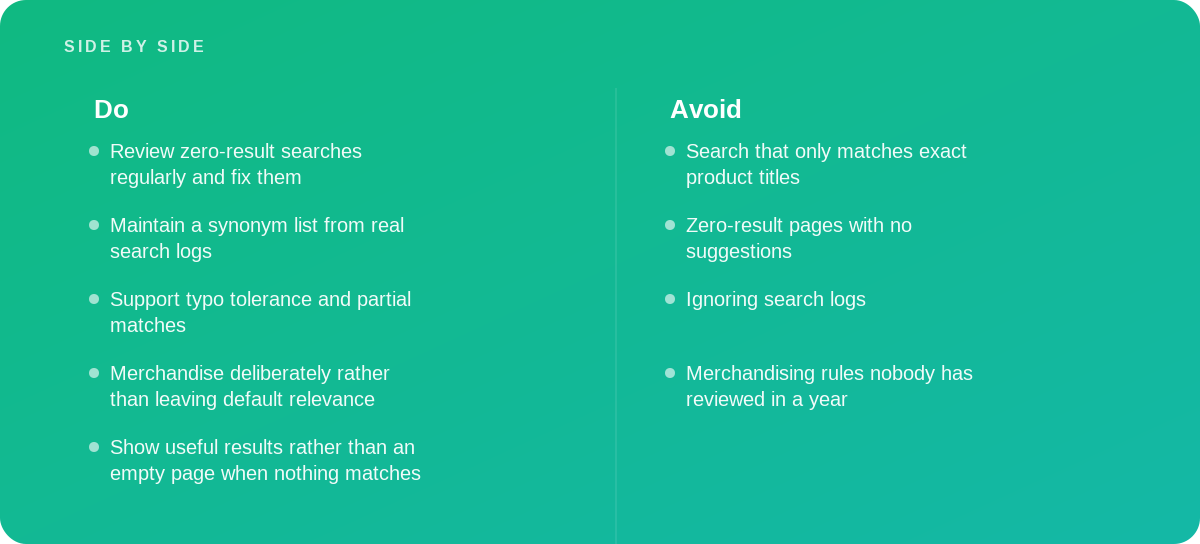
Trap avoided: Search that only matches exact product titles. The store's original setup indexed titles and nothing else, so any word that lived only in the description, brand, or specifications was invisible to search. Before adding a single synonym, we expanded the indexed fields to include brand, product type, key attributes and tags, with titles weighted highest.
Rebuilding the Product Data That Search Depends On
A search engine can only find what the product data says. On this project, roughly a third of the zero-result problem was really a data problem wearing a search costume. Attribute queries like "waterproof," "2 person" or "under 1kg" failed because that information existed only inside long descriptions, written inconsistently, or not at all.
Titles first
Titles carry the most weight in almost every relevance model, so they were the first thing we standardized. We adopted a simple pattern for each category: brand, product line, product type, and the one or two attributes that most distinguish variants. "Trailline 2 Backpacking Tent, 2-Person, 3-Season" is far easier for search, filters and shoppers to parse than a creative name on its own. Our deeper guide on getting product titles right explains how to set title patterns per category without making every title read like a spreadsheet row.
Structured attributes
Next came attributes: capacity, weight, season rating, waterproof rating, gender fit, material and size. We defined a controlled list of values for each, so that "waterproof," "water-proof" and "WP" were not three separate values. The team filled gaps category by category, starting with the categories that had the most attribute-style zero-result searches: tents, jackets and footwear. About 2,400 products needed at least one attribute added or corrected, which was the single largest block of labor in the project.
This structured data pays off in three places at once. Search can match attribute queries. Filters on category and results pages become reliable. And the same values feed search engines outside the store; our article on product structured data and merchant listings explains how consistent attributes flow into rich results and shopping listings.
Weight fields rather than stuffing keywords. Instead of adding "sleeping mat, camping mattress" into product descriptions, we kept descriptions written for people and handled vocabulary through the synonym list and a dedicated, non-visible search keywords field used sparingly. Keyword stuffing descriptions degrades the page for shoppers and makes relevance harder to reason about.
Product type and category mapping
The last data fix was a clean product type field. Many relevance problems, including the "tent returns tent pegs first" issue, come from the engine not knowing that a tent peg is an accessory and a tent is a tent. Giving every product a single, accurate product type let us boost primary products over accessories for broad queries, which is covered in the merchandising section below. If your catalog is moving between platforms at the same time, fold this cleanup into the move; the guide to product data migration covers how to map and clean attributes during a migration rather than after it.
Designing the No-Results Page and Autocomplete
Even with good synonyms and data, some searches will return nothing. In our example, about 11% of zero-result searches were for products the store did not sell at all. The question is what the shopper sees at that moment. An empty page with "No results found" ends the visit. A useful page keeps it going.
What the no-results page now shows
- A plain statement of what happened, echoing the query: "We don't carry anything matching 'kayak.'"
- A spelling suggestion when the engine has a confident correction, shown as a link rather than silently applied, so the shopper stays in control.
- Results for a relaxed version of the query, such as matching any word instead of all words, clearly labeled as "related products."
- Links to the main categories and to current best sellers, so there is always a next click.
- A short line on how to contact the team, which also turns a failed search into a signal the team can act on.
The Nielsen Norman Group's long-running research on site search usability has consistently found that users treat search as a primary way to get around a site and are quick to abandon when it lets them down, which is why the empty state deserves real design attention rather than a default template.
Non-product queries
Seven percent of zero-result searches in the example were questions about returns, delivery, gift cards and store policies. Those are not product searches, so the fix was to make search aware of content: redirect rules for a handful of exact queries ("returns," "shipping," "gift card") straight to the relevant page, and indexing help articles so they appear in a separate content block beneath product results.
Autocomplete
Autocomplete shapes the query before it is even submitted. We configured it to show suggested queries drawn from popular successful searches, a small number of product matches with thumbnails, and category suggestions. Suggestions that led to zero results were excluded, which sounds obvious but is easy to miss when suggestions are generated from raw query logs. For the detailed design choices, including how many suggestions to show on mobile and how to handle typos inside the dropdown, see our guide to getting product search autocomplete right.
One trap we deliberately avoided was a zero-result page with no suggestions. The original page was a single sentence and the site footer. Every shopper who reached it had nowhere to go but back or away. A no-results page should never be a dead end, even when the store truly does not sell the item.
Setting Merchandising Rules for Product Search and Merchandising
With search finding the right products, the next question was order. Merchandising is the deliberate control of result ordering: deciding which of the relevant products appear first, and why. Default relevance is a reasonable starting point, but it knows nothing about margin, stock, seasonality or which products customers actually buy.
The layers we used
We structured ordering as layers, from most general to most specific, so that each rule had a clear job and could be reviewed on its own:
- Text relevance. The engine's match quality, with titles and product type weighted above descriptions. This stays the foundation; everything else adjusts it rather than replacing it.
- Product type boost for broad queries. For single-word category queries such as "tent," "stove" or "jacket," primary products of that type rank above accessories. This fixed the tent peg problem.
- Performance signals. A modest boost for products with strong recent sales or click-through for that query. We kept the weight modest so new products still had a chance to be seen.
- Availability. Out-of-stock products drop below in-stock ones rather than disappearing, so shoppers can still see them and sign up for restock alerts.
- Business rules. A limited number of manual pins and boosts for specific queries, each with an owner and an end date.
The last layer is where most stores go wrong, so it got the strictest governance. Every manual rule in our example was logged in a shared sheet with the query, the products affected, the reason, who set it, and the date it should be reviewed or removed. Automated rules are useful here, but only with guardrails; our article on automated merchandising rules goes into which automations tend to help and which tend to quietly bury good products.
Decision: Cap manual pins at three positions per query. Pinning the entire first row makes search results feel like an advertisement and hides products that customers would have chosen. Three pinned positions left room for the engine's relevance to do its job while still letting the team promote a new tent line or a clearance item.
Seasonal and campaign merchandising
Outdoor gear is strongly seasonal, so we built a small set of time-bound rules: insulated jackets and sleeping bags boosted in autumn, lightweight shelters and water filters boosted in spring. Each rule had a start and end date set in advance, so no one had to remember to switch it off. The same thinking applies to any seasonal catalog, and our guide to selling seasonal products covers the calendar planning behind it.
Merchandising also applies to category pages, not only search. The store's category pages used the same ordering layers, which kept the experience consistent: a shopper who browses "Tents" and a shopper who searches "tent" see broadly the same leading products.
Filters, Facets and Category Pages
Filters are where the attribute work from earlier became visible to shoppers. Once season rating, capacity, weight and waterproof rating were clean, controlled values, they could become facets on both search results and category pages. The Baymard Institute's e-commerce search and filtering research has documented for years that missing or poorly chosen filters are a common source of friction, and that category-specific filters, rather than a generic set applied everywhere, are what make filtering useful.
Choosing facets per category
We picked facets per product type rather than using one list for the whole store:
- Tents: capacity, season rating, packed weight range, brand, price range.
- Jackets: gender fit, waterproof or not, insulation type, size, color.
- Footwear: gender fit, size, width, boot or shoe, waterproof lining.
- Cooking: fuel type, system or standalone, capacity.
On search results pages, facets are shown dynamically based on what the results contain. If a search returns mostly jackets, the jacket facets appear. If it returns a mix, the shared facets (brand, price, availability) lead.
Facet ordering and counts
Facet values show product counts, and values with zero matches are hidden rather than shown disabled. Size facets are ordered by size, not alphabetically, which sounds trivial until a shopper sees "L, M, S, XL, XS." Weight and price ranges use bands chosen from the actual distribution of the catalog, not round numbers picked in a meeting.
A smaller but meaningful detail: when a shopper applies filters on a search results page, the query stays visible and editable, and each applied filter shows as a removable chip. Shoppers experiment with filters, and making each step reversible encourages that.
Testing Relevance Before Launch
A search change can make some queries better and others worse at the same time. Before launching, we built a relevance test set so we could see the effect of each change instead of guessing.
Building the test set
The test set had 150 queries: the top 100 by volume, 30 from the zero-result list, and 20 hand-picked edge cases such as model numbers, brand-only searches and very short queries. For each query, a merchandiser wrote down which products should appear in the top five results. That list became the answer key.
- Record the baseline. Run all 150 queries on the current search and note how many of the expected products appear in the top five for each.
- Apply one group of changes at a time. Field weights first, then synonyms, then typo settings, then merchandising layers, so any regression can be traced to its cause.
- Re-run the full set after each group. Compare scores query by query, not only in aggregate, since an average can hide one important query getting much worse.
- Review regressions by hand. For each query that got worse, decide whether the new result is actually wrong or whether the answer key needs updating.
- Check mobile rendering. Look at the top results for the 20 highest-volume queries on a phone, where only two to four products are visible without scrolling.
In the illustrative project, the baseline found at least three of the five expected products for 58 of the 150 test queries. After all changes, that rose to 121. The remaining weak queries were mostly very broad ones, such as "gear" or "sale," where there is no single right answer and merchandising judgment matters more than matching.
Why a manual test set still matters
Live metrics like click-through and conversion from search are the real verdict, but they take weeks to accumulate and are affected by seasonality and promotions. A manual test set gives a fast, controlled check you can run in an afternoon after every change, and it will catch the rule that accidentally pushed every product in a brand to the top.
The Project Timeline From Brief to Ninety-Day Review
Here is how the ten weeks were sequenced in the illustrative project. The order matters more than the exact durations: measurement first, data and vocabulary next, then experience and merchandising, then launch and review.
- Week 1 Export 30 days of search logs, classify zero-result and no-click queries, and agree on the baseline metrics with the owner.
- Weeks 2 to 4 Standardize titles, add a clean product type field, and fill structured attributes for the highest-impact categories.
- Week 4 Expand indexed fields, set field weights, write the first synonym list, and configure typo tolerance and partial matching.
- Week 5 Redesign the no-results page, add content redirects, and configure autocomplete suggestions.
- Weeks 6 and 7 Build the merchandising layers, set up category-specific facets, and create the manual rule log.
- Week 8 Run the relevance test set after each change group, fix regressions, and check mobile results.
- Week 9 Launch, monitor search logs daily for the first two weeks, and hold a short fix session at the end of each week.
- Week 10 onward Move to a monthly review cycle, with a fuller ninety-day review of synonyms, rules and metrics.
The project did not require replacing the search engine. The platform's own search and discovery features, documented in the Shopify Help Center for stores on that platform and in equivalent documentation for others, covered synonyms, product boosts and filters well enough for this catalog size once the data underneath was clean. A dedicated third-party search service would have made sense if the catalog had been much larger, if the team needed personalization by customer segment, or if relevance tuning had hit the limits of the built-in controls.
Launch, Measurement and the Monthly Review Cycle
Launch day is the start of the work, not the end. Search logs change as soon as search improves, because shoppers who used to give up now try more specific queries, and new vocabulary appears as the catalog changes.
Metrics we tracked
- Zero-result rate: the share of searches returning nothing. In the illustrative project it fell from 11% to a little under 3% within a month, and the remainder was mostly products the store does not sell.
- Search exit rate: the share of search results pages from which the shopper left the site. This catches the "found something, but not the right thing" failures that the zero-result rate misses.
- Click-through from search: whether shoppers click a result, and at what position. Clicks concentrated in positions one to four suggest ordering is working.
- Conversion rate of search sessions compared with non-search sessions, tracked as a trend rather than a single number, since promotions and seasons move both.
- Revenue from search sessions, used to size the value of further work rather than to claim credit for any single change.
The monthly review
Each month, one person spends about half a day on search. The routine is short and repeatable:
- Read the top 50 zero-result queries and fix each one with a synonym, a data correction, a redirect, or a note that the product is not stocked.
- Review the top 20 queries with results but low click-through and check what is ranking first.
- Open the manual rule log and remove or renew any rule past its review date.
- Check that seasonal rules starting or ending in the next month are scheduled correctly.
- Re-run the relevance test set if any bulk data or catalog changes shipped that month.
- Add new products or ranges to the synonym list if customers use a different name for them.
- Pass recurring "not stocked" queries to the buying team as a record of unmet demand.
That last item is an underrated benefit of search logs. Queries for products the store does not carry are direct evidence of what customers want. In our example, repeated searches for packrafts and trekking umbrellas went to the buyer as candidate ranges, with the monthly volumes attached.
Trap avoided: Merchandising rules nobody has reviewed in a year. Before the project, the store had eleven pinned products, three of which were discontinued and one of which was a clearance item from two seasons earlier still sitting at the top of the "jacket" results. Every rule now has an owner and an end date, and the monthly review enforces both.
How Search Connects to Product Pages and the Rest of the Store
Search sends shoppers to product pages, so the two cannot be tuned in isolation. A search result that ranks the right product first but lands the shopper on a page with missing sizes, vague specifications or unclear stock status wastes the improvement. During the project we fed findings from the search logs back into product page work: attribute queries showed which specifications shoppers cared about, so those moved higher on the page. The principles are covered in our guide to designing product pages properly.
Search logs also surfaced pre-purchase questions. Queries such as "tent footprint fits trailline 2" or "boots wide fit" are really questions typed into a search box. Some were fixed with compatibility attributes; others were better answered on the product page itself, in the specifications or a questions section.
When the catalog has special structures
Some catalog types need extra care. Stores selling refurbished or used goods need condition to be a searchable, filterable attribute, and must decide whether refurbished items appear alongside new ones or in a separate result set. Stores with configurable or personalized products need search to match the base product rather than every possible configuration. Those cases change the rules, not the method: measure the logs, fix data and vocabulary, then merchandise deliberately.
The search log is the one place customers tell you, in their own words, what they came to buy. Reading it every month is one of the cheapest improvements a store can make.
What This Walkthrough Teaches About When to Bring in Help
Most of the work in this illustrative project was not technical. It was reading logs, cleaning product data, writing a synonym list, and setting up a review habit. A capable in-house team can do much of it with the platform's built-in tools. That said, there are clear points where outside help pays for itself.
Signals that the default setup has been outgrown
- Search converts poorly compared with browsing sessions, even after the obvious zero-result fixes, which usually points to relevance and ordering problems that take experience to diagnose.
- Zero-result rates stay high after a first pass at synonyms, often because the underlying product data is inconsistent across thousands of products and needs a structured cleanup.
- The catalog has grown beyond default relevance, with many near-identical variants, deep accessory ranges or several brands using the same model names.
- The team needs capabilities the platform lacks, such as segment-specific ranking, multi-language search, or detailed merchandising controls for many categories at once.
- No one owns search, so logs go unread and rules go stale regardless of how good the initial setup was.
How to scope the work
Whether you do it in-house or with a partner, scope the project the way this walkthrough did: a fixed audit phase with a written baseline, a data and vocabulary phase sized by the number of products that need attribute work, an experience and merchandising phase, a tested launch, and an agreed review cadence. Costs vary mostly with catalog size, the state of the product data, and whether a new search service is needed, so ask for estimates tied to those drivers rather than a single flat figure.
If you would rather have specialists handle part or all of it, our merchandising tools service covers search configuration, synonym and rule setup, facet design and the review process, and it can be scoped as a one-off audit or ongoing support.
Verdict Good product search and merchandising is less about the search engine you choose and more about three habits: reading the search logs, keeping product data structured and consistent, and governing merchandising rules with owners and end dates. Start with the logs, fix what customers are actually typing, and only then decide whether you need more powerful tools.
Where this comes from
- Baymard Institute — On-site search research
- Shopify Help Center — Search and discovery
- Nielsen Norman Group — Site search usability
The figures and practices above come from the sources listed.
Working on something like this?
We take on E-commerce Development work for teams who want it done once, properly. Tell us what you are building and we will tell you honestly whether we are the right studio for it. Start a project.
Where to go next
Spotted something wrong? Report an error on this page. We correct on the page and say what changed.