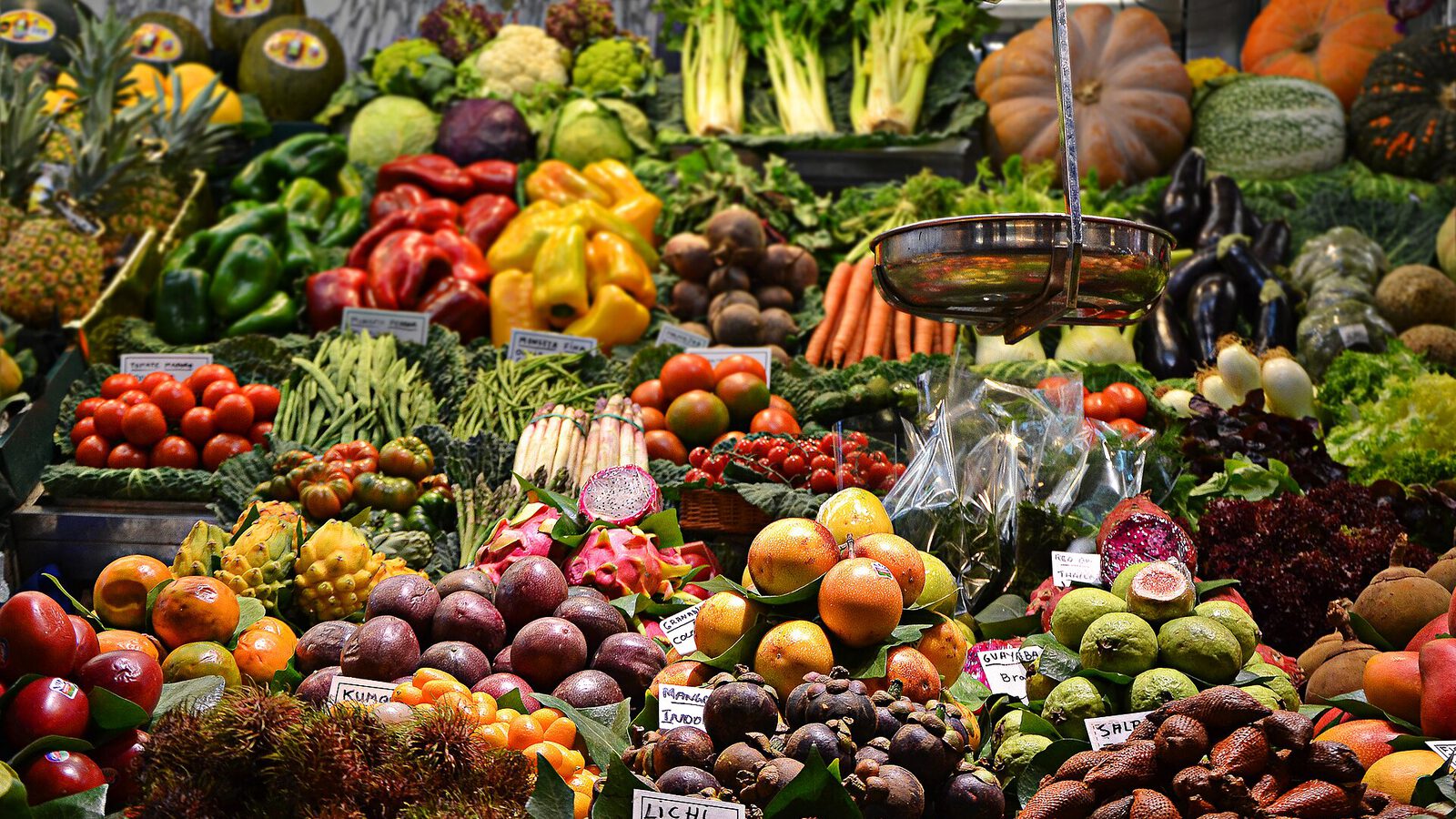
E-commerce Development for Food and Beverage
How to build a food and beverage store that handles allergen and nutrition display, perishable shipping, subscriptions, alcohol rules and holiday cut-offs.
Last revised
E-commerce development for food and beverage is the work of building an online store that can sell things people eat and drink: products that spoil, carry allergens, need a nutrition panel, sell in seasonal waves and, in the case of alcohol, cannot legally ship to every address a customer types in. It looks like ordinary online retail from the outside. Underneath, the catalog, the cart and the checkout carry rules that a generic apparel or electronics store never has to think about.
This guide is for founders of food and drink brands, e-commerce and operations managers at established producers, and marketers who have been handed a store project and want to know what will actually decide whether it works. It leads with the constraints, because in this industry the constraints shape the design rather than the other way round: perishable inventory and shipping rules, subscription delivery, allergen and nutrition display, and regional shipping restrictions. After that it covers the creative side, the deliverables, how projects run, what drives cost, how to brief a supplier and how to measure what you built.
One position runs through all of it. Appetite appeal sells, but the photograph has to be of the product somebody actually receives, and the promise the checkout makes about delivery has to be one your operations team can keep. Most of what goes wrong on food and beverage stores is a gap between what the site says and what arrives at the door.
The rules and approvers behind e-commerce development for food and beverage
Before any wireframe, it helps to list who has authority over what the store says and does. In most retail categories, the marketing lead approves the site. In food and beverage, the person who signs off first is usually an operations lead checking shipping rules, before anything about design. That is not bureaucracy for its own sake. If the store promises a delivery the cold chain cannot meet, or accepts an order for an address the carrier or the state will not allow, the cost lands on operations as refunds, spoilage claims and, in the worst cases, regulatory exposure.
- Labeling FDA labeling rules govern nutrition panels, allergen declarations and claims, and they apply to what the site publishes, not only to the physical pack.
- Advertising The FTC polices advertising, including product imagery, pricing claims and subscription terms presented online.
- Alcohol Adds state-by-state shipping restrictions that the checkout has to enforce before payment, not after.
- First approver An operations lead checking shipping rules, transit times and cut-off dates before design review.
- Content approver Whoever owns label compliance, usually quality assurance or regulatory, confirming that site copy matches the current pack.
- Timing Seasonal and holiday-driven, with cut-off dates enforced in the cart rather than in an email.
The two federal agencies that matter most for what a food store publishes are the Food and Drug Administration, whose labeling rules cover the Nutrition Facts panel, ingredient lists, allergen declarations and the wording of nutrient content and health claims, and the Federal Trade Commission, which polices advertising, including whether images and claims mislead a reasonable shopper and whether recurring charges are disclosed clearly. The long-standing principle in US food advertising is that the product shown must be the product sold. Props and substitutions, such as a stand-in that photographs better than the real thing or a garnish that does not come in the box, are a well-trodden route to trouble.
Note: This is a practical note, not legal advice. Labeling, advertising and alcohol shipping rules vary by product, by claim and by state, and they change. Have your regulatory advisor or counsel confirm the specific requirements for your products before launch, and treat anything in this guide as a starting list of questions for them.
In practice this means three reviews rather than one. Operations reviews the shipping and fulfillment logic. Regulatory or quality reviews every piece of product data that mirrors the label. Marketing reviews the brand experience. A build plan that schedules only the third review will stall at the end, when the first two surface problems that require changes to the data model rather than to the design.
Allergen, nutrition and claims display on the product page
The physical label is the source of truth. The product page has to reflect it accurately, stay in sync when the recipe changes, and present it in a way a shopper with an allergy can actually find before they buy. That last point is where many stores fall short: the information exists, but it sits in a collapsed tab at the bottom of the page, or in an image of the back of the pack that a screen reader cannot read and a search engine cannot index.
Model label data as structured fields, not images
The most useful decision you can make early is to treat allergen and nutrition information as structured product data. That means fields in the product information system or the platform's metafields for each major allergen present, for "may contain" or shared-facility statements if you use them, for serving size, and for each line of the Nutrition Facts panel. From those fields, the template renders a readable HTML table and an allergen summary near the add-to-cart button. You can still show a photograph of the pack as supporting evidence, but it should never be the only place the information lives.
Structured fields give you three things an image cannot. First, filtering: a shopper can exclude products containing peanuts or sesame from a collection page. Second, consistency: when a recipe changes, one update flows to every template, feed and marketplace listing. Third, accessibility: a table built in HTML is readable by assistive technology, which matters for a food store as much as any other, and which our guide to accessibility in e-commerce covers in more detail.
Version control for recipes and packs
Food products change more often than people expect. A supplier switch changes an ingredient; a reformulation changes the nutrition panel; a new co-packer changes the facility statement. The store needs a way to know which version of the label applies to the stock that is actually shipping. For most brands that means a label version field on the product or variant, a named owner who updates it, and a rule that the product page cannot be published after a reformulation until regulatory has approved the new data. Some brands keep old and new packs on sale at the same time during a changeover. In that case the product page should say so plainly rather than show one version and ship the other.
Claims need the same discipline
Words like "low sodium," "high protein," "gluten-free," "natural" and "heart-healthy" are not neutral marketing copy. Many have defined meanings under FDA rules, and all of them are advertising claims the FTC can examine. The practical rule for developers and content editors is to store approved claims as a controlled list, attached to the product by regulatory, rather than letting anyone type them into a description field. That also stops a claim approved for one product drifting onto a sibling product that does not qualify.
| Label element | How to model it | Where it appears on the site | Who approves changes |
|---|---|---|---|
| Allergen declaration | One field per major allergen plus a free-text "contains" line that mirrors the pack | Near the price and add-to-cart, and in the full details section | Regulatory or QA |
| Nutrition Facts | Structured fields for serving size and each nutrient line | HTML table in the product details; optional pack image as backup | Regulatory or QA |
| Ingredient list | Plain text field, copied from the approved label file | Product details, searchable | Regulatory or QA |
| Claims ("gluten-free", "organic") | Controlled list attached per product | Badges, filters, descriptions | Regulatory, then marketing |
| Storage and shelf life | Fields for storage condition and best-by guidance | Product page and order confirmation | Operations |
Alcohol and regional shipping restrictions, enforced at checkout
If you sell wine, beer, spirits, or anything with alcohol content above the relevant thresholds, the store has to know where it may and may not ship. Alcohol adds state-by-state shipping restrictions: some states permit direct-to-consumer shipping of certain categories with a license, some cap volumes, some prohibit it entirely, and the rules differ between wine, beer and spirits. Carriers add their own requirements on top, including adult signature on delivery. Even outside alcohol, food brands run into regional restrictions: some agricultural products cannot move into certain states, and some perishable items simply cannot reach remote zones within their safe transit window.
The design principle is simple: the checkout, not a customer service email afterward, is where these rules must be enforced. A shopper should learn that a product cannot ship to their state before they enter payment details, ideally on the product page itself once the store knows or asks for their location. Canceling orders after the fact creates refunds, chargebacks and a support queue, and it teaches customers that your checkout cannot be trusted.
How to structure the rules
Treat shipping eligibility as a rules table that operations owns and can update without a developer. Each rule should combine a product attribute (category, alcohol type, temperature class), a destination (state, ZIP code range, or carrier zone), and an outcome (allowed, allowed with adult signature, allowed with quantity limit, blocked). Most mainstream platforms can express this through a shipping app, a compliance service or custom checkout validation, and the choice between them is one of the main reasons the platform decision matters; our guide to choosing an e-commerce platform walks through that trade-off.
Age verification belongs in the same layer. At minimum, the store should record that the customer confirmed they are of legal drinking age, and the shipping label should require an adult signature. Many alcohol sellers go further and use a third-party verification service at checkout. Which level applies to you depends on your license and the states you ship to, which is a question for your compliance advisor.
Address data is part of compliance
Restrictions are only as good as the address they are checked against. A mistyped ZIP code, a business address that cannot accept an adult signature, or a PO box for a perishable shipment will all defeat the rules table. Address autocomplete and validation, set up carefully, prevent most of these errors before they reach fulfillment; the details are in our piece on getting address forms and validation right.
Note: Not legal advice. Alcohol direct-to-consumer shipping depends on your licenses, your product category and each destination state's current rules, and carriers set their own conditions. The store should enforce whatever your compliance advisor confirms; it cannot decide what is permitted for you.
Perishable inventory and transit-time shipping logic
A pair of shoes can sit in a truck for an extra two days and arrive fine. A box of fresh pasta, chocolate in summer, or frozen dumplings cannot. Perishable goods have delivery windows, and a checkout that promises any date will generate spoilage claims. The store has to understand, for every order, whether the product can reach the destination within its safe transit time given the ship day, the service level and the season.
Avoid: Shipping logic that ignores transit time. If the checkout offers ground shipping on a product that must arrive within a short window, or lets a customer place an order on a Thursday that will sit in a depot over the weekend, the store has promised something the product cannot survive.
- Restrict service levels by product temperature class and destination zone.
- Block ship days that would leave a parcel in transit over a weekend or holiday.
- Show the estimated ship date and delivery date before payment, not only in the confirmation email.
The pieces of a transit-aware checkout
Four pieces of data make it work. The first is a temperature class on every product: ambient, chilled, frozen, or heat-sensitive (chocolate and some confectionery belong here in warm months). The second is a maximum transit time per class, set by operations based on packaging tests. The third is a ship-day calendar that says which days the warehouse packs perishables, with holidays blocked. The fourth is a transit-time lookup from the carrier or a shipping service that estimates days in transit from origin to destination for each service level.
At checkout, the logic combines them: for this cart, the strictest temperature class sets the maximum transit time; for this destination, only service levels within that time are offered; the earliest eligible ship day sets the estimated delivery date; and if nothing qualifies, the shopper is told plainly and offered alternatives, such as removing the chilled item or choosing a later ship date.
Worked example (illustrative)
The numbers below are illustrative, chosen to show the logic rather than drawn from any client or carrier. Imagine a brand selling fresh and frozen products from a single warehouse. Operations has set a maximum of two days in transit for chilled items and three days for frozen items packed with dry ice, and the warehouse packs perishables Monday to Wednesday only, so nothing sits in a depot over a weekend.
| Order placed | Cart | Destination transit (ground / 2-day / overnight) | What the checkout should offer |
|---|---|---|---|
| Monday morning | Chilled only | 4 / 2 / 1 days | 2-day or overnight, shipping Monday; ground hidden |
| Wednesday evening | Chilled only | 4 / 2 / 1 days | Next pack day is Monday; 2-day or overnight shipping Monday, delivery date shown |
| Tuesday | Frozen plus ambient | 3 / 2 / 1 days | Frozen sets the rule: ground allowed at 3 days, shipping Tuesday |
| Tuesday | Frozen | 5 / 3 / 1 days | Ground hidden; 2-day or overnight only |
| Any day | Chilled | Remote zone, no service within 2 days | Product marked unavailable for this address before payment |
In this illustrative setup, the Wednesday evening order is the one that matters most. A naive checkout would take the order, the warehouse would hold it until Monday, and the customer, who expected delivery that week, would contact support. The transit-aware checkout shows the Monday ship date and the delivery date up front, so the customer can decide with full information. The rules table also needs a seasonal switch: in warm months, heat-sensitive products may move into the chilled class and inherit its shorter window.
Packaging and carrier constraints
Dry ice is regulated as a hazardous material for air shipment and carriers have specific labeling and quantity requirements for it, so the shipping integration must generate the right labels and service codes. Insulated packaging adds dimensional weight, which changes rates. Neither is a design question, but both belong in discovery, because they decide which shipping service and label integration the store needs.
Subscriptions and recurring delivery
Coffee, tea, snacks, meal components, pet food and wine clubs all sell well on subscription, and subscription delivery is one of the defining requirements of food e-commerce. It is also where many technical and legal problems concentrate, because a subscription combines recurring payment, recurring fulfillment and recurring shipping eligibility.
What the subscription engine must handle
- Skip, pause, swap and cancel. Customers should be able to do all four from their account without contacting support. Making cancellation harder than sign-up is exactly the kind of practice the FTC scrutinizes, and it also generates chargebacks.
- Ship-day alignment. Recurring perishable orders must fall on eligible pack days. If a renewal date lands on a Thursday, the engine should roll fulfillment forward to the next pack day and tell the customer.
- Stock-outs and substitutions. If a flavor is out of stock at renewal, the rule must be explicit: skip, substitute with notice, or ask. Silent substitution of a different product in a food subscription can create an allergen problem as well as a customer service one.
- Eligibility re-checks. When a subscriber moves, the new address must be run through the same shipping and alcohol rules as a first order.
- Clear terms before payment. Frequency, price per delivery, when the card is charged and how to cancel should be stated next to the subscribe button, not only in terms and conditions.
Payment details
Recurring billing depends on stored payment credentials, which means the store never holds raw card data and relies on the payment provider's tokens. Card updater services and dunning emails recover failed renewals. If you are evaluating providers, our practical guide to payment tokenization explains what to ask.
Seasonality and cut-off dates that live in the cart
Food and beverage demand is seasonal and holiday-driven. Gift boxes before the winter holidays, grilling products in early summer, baking ingredients in the fall, specialty items around religious and cultural holidays: a large share of a year's trade can arrive in a few short windows, and each window ends with a hard cut-off date after which delivery before the holiday cannot be guaranteed.
The consistent failure is enforcing that cut-off in an email or a banner rather than in the cart. A banner saying "order by the 18th for holiday delivery" does nothing to stop an order on the 20th that the customer believes will arrive in time. The cart should know the cut-off, compare it with the eligible ship date and transit time for the order, and either confirm holiday delivery or state clearly that it will arrive afterward.
Building the calendar
Operations should maintain a calendar of blocked ship days, carrier holiday schedules, and campaign cut-offs, editable without a developer. Each campaign product or gift collection can reference a cut-off date. On the product page and in the cart, the store shows a live message computed from that calendar, and after the cut-off it switches to "arrives after the holiday" or removes holiday-specific shipping promises. For gift orders, a requested delivery date field lets customers order early and have the warehouse ship later, within the product's shelf life.
Load and performance during peaks
Peaks also test the store technically. Pages that render quickly on a normal Tuesday can slow down under promotional traffic, especially if they call several apps on every page load. Load testing ahead of the season and removing unneeded scripts belong on the project plan; see e-commerce performance for the practical side.
Product imagery: appetite appeal without substitution
Food and beverage stores sell with images more than almost any other category. The work usually spans food photography and retouching, packaging visuals, recipe and process video, and social-first vertical cuts. All of it has to respect the rule that the product shown is the product sold.
Myth: Food styling tricks are standard practice, so a hero shot can use a better-looking stand-in as long as the pack shot is accurate.
Reality: The principle in US food advertising is that the product shown must be the product sold. Styling can present the real product well, with lighting, composition and careful plating, but props and substitutions that change what the customer thinks they are getting are a well-trodden route to trouble. Serving suggestions should be labeled as such.
What each image type is for
Pack shots on a clean background answer "what exactly arrives." Styled shots answer "what could I make with it" and should use the actual product. Portion and scale shots, a hand holding the bag or the product next to a familiar object, answer "how much is it," which reduces returns and complaints. Process and recipe video builds trust and gives social channels something native to post. The comparison between clean catalog imagery and styled food work is covered in e-commerce packshots vs food and beverage photography.
Retouching follows the same rule: remove dust, fix color, clean crumbs from a plate, but do not make the portion bigger, the filling fuller, or the color of the product different from what it is. When photographing, shoot the current pack and the current recipe, and add image refresh to the checklist for any reformulation or packaging change. Our food and beverage photography team works to exactly this brief.
Deliverables that work for food and beverage stores
The deliverables for a food store look like any store's on paper, with a different emphasis. The table below lists the components that most food and drink projects need, and what distinguishes them from a generic build.
| Deliverable | What makes it specific to food and beverage |
|---|---|
| Product data model | Structured allergen, nutrition, ingredient, claim, temperature class and label version fields |
| Product page template | Allergen summary near add-to-cart, HTML nutrition table, storage guidance, delivery estimate |
| Collection filters | Filter by allergen-free, dietary claim, temperature class, pack size |
| Shipping rules engine | Transit-time eligibility, ship-day calendar, state and carrier restrictions, holiday cut-offs |
| Subscription setup | Skip, pause, swap, cancel; ship-day alignment; substitution rules |
| Checkout validation | Age confirmation, adult signature, address validation, blocked destinations before payment |
| Gifting | Requested delivery date, gift messages, recipient address checks |
| Wholesale or trade channel | Case pricing, minimum order quantities, invoice terms where needed |
| Analytics | Events for delivery-date views, eligibility blocks, subscription actions |
Not every brand needs all of these. A single-product ambient snack brand might need little beyond a clean catalog, subscriptions and accurate labeling. A frozen meal company needs the full transit engine. A brand that also sells to cafes and retailers may need a trade portal; B2B e-commerce explains when that is worth building. Brands running restaurants or pickup rather than shipping have different needs again, covered on our page for e-commerce development for restaurants and food service. For broader thinking about which of these decisions matter first, read selling food online.
How projects run, and who signs off at each stage
A food and beverage store project runs through the familiar phases of discovery, design, build, testing and launch, but the order of sign-offs differs. Operations and regulatory need to be in the room at the start, because their requirements change the data model and the checkout, which are the most expensive things to change late.
Discovery
Discovery for a food store should produce a written list of temperature classes and transit limits, the ship-day calendar, the list of restricted destinations, the subscription rules, and the label data sources. It should also answer where the truth lives: the ERP, a product information system, spreadsheets maintained by QA, or the platform itself. A store that copies label data by hand from a spreadsheet will drift from the label within months.
Design and content
Design works from real products and real label data, not placeholder text. The allergen summary and nutrition table are designed as first-class components, tested at mobile width with the longest ingredient list in the catalog. Photography and video briefs are written against the current pack and recipe.
Build and integration
The build covers the data model, templates, shipping rules, subscription engine, checkout validation and integrations with the warehouse or third-party logistics provider, the ERP, the carrier, and any compliance service. Each integration is a separate contract with somebody else's system, so it gets its own test plan.
Testing and sign-off
Testing should include a matrix of orders by temperature class, destination zone, ship day and holiday, run against the live carrier data. Operations signs off that every combination produces a promise it can keep. Regulatory signs off a sample of product pages against the physical labels. Marketing signs off last.
What drives the cost of a food and beverage store
E-commerce development work starts at $4,800.00 per project with us. That is a starting price for a defined scope, not a guaranteed total. The pricing page puts every rate next to what the US market typically charges, and a quote turns the range into one number for your volume. The general factors behind e-commerce budgets are covered in how much an e-commerce website costs; the list below covers what moves the number specifically for food and drink.
- Temperature classes and shipping logic. An ambient-only catalog shipped by standard ground is the simplest case. Each temperature class with its own transit limit, ship-day calendar and seasonal switch adds rules, testing combinations and integration work.
- Alcohol and restricted destinations. State-by-state rules, age verification and adult signature labels add configuration, often a third-party compliance service, and a larger test matrix.
- Subscriptions. A simple fixed-frequency subscription is a configuration task on most platforms. Build-your-own boxes, swaps, substitutions and ship-day alignment move it toward custom development.
- Label data sources. If allergen and nutrition data already exists in structured form, importing it is straightforward. If it lives in PDFs of label artwork, somebody has to transcribe and verify it.
- Integrations. Warehouse or third-party logistics, ERP, carrier rating, subscription billing, reviews, loyalty. Each is its own scope item.
- Catalog size and variants. Count unique templates and data structures, not product count. A thousand products on one template is cheaper than fifty products across five very different templates.
- Channels. A trade portal, marketplace feeds, or social commerce listings each extend the scope.
To see the published rates beside market ranges, visit the pricing page. To turn a scope into one number, request a quote.
How to brief a supplier for e-commerce development for food and beverage
The quality of the brief decides the quality of the estimate. A supplier who receives "we want a new store like brand X" will quote for a generic store and discover the shipping rules in week six. A supplier who receives the operational facts can price the real job. Our list of questions to ask before hiring an e-commerce developer covers the vetting side; the checklist below covers what to send.
- Your product list with temperature class for each item, and any seasonal changes to that class.
- Maximum safe transit time per class, and the evidence behind it (packaging tests, historical claims).
- Warehouse pack days, carrier pick-up times and the holidays you do not ship.
- Every destination you cannot or will not ship to, and why: alcohol rules, agricultural restrictions, carrier coverage.
- Where allergen, nutrition and ingredient data lives today, and who owns it.
- Subscription model: frequencies, skip and swap rules, substitution policy, cancellation flow.
- Your peak seasons and the cut-off dates you usually set.
- Integrations: warehouse or 3PL, ERP, carrier accounts, payments, email, reviews.
- Who signs off operations, regulatory content and brand, with names.
- Current platform, traffic and order volumes, and what you want to measure after launch.
It also helps to send one or two real product files: the label artwork, the product sheet, current photography. That shows the supplier the true shape of the data. If you want to see how we handle them before committing, you can send a couple of your own files.
Measuring results after launch
Food and beverage stores should be measured on the usual e-commerce metrics, conversion rate, average order value, repeat purchase rate, and on the operational metrics that show whether the store keeps its promises. The second group is often missing, and it is where problems surface first.
Metrics worth tracking
- Spoilage and damage claims per hundred orders, split by temperature class, service level and destination zone. If the transit logic is right, this should fall; if it rises in summer, the seasonal switch needs tightening.
- Orders canceled for eligibility reasons after payment. The goal is close to none, because the checkout should catch them before payment.
- Eligibility blocks at checkout, by reason. These show demand in places you cannot serve, which can inform warehouse or carrier decisions.
- Delivery-date accuracy, the share of orders delivered on or before the date shown at checkout.
- Subscription health: skips, pauses, swaps and cancellations per cohort, and involuntary churn from failed payments.
- Holiday cut-off performance: orders placed after the cut-off and how many of them generated support contacts.
- Allergen and label support contacts, questions a well-built product page should have answered.
Each of these needs an event or a field in the data. Build the tracking plan into the project rather than adding it after launch; our guide to e-commerce analytics setup covers how to structure events so these reports are possible. Review the operational metrics monthly with operations, and before and after every peak season. When a metric moves in the wrong direction, the fix is usually in the rules table rather than the design, which is why operations should be able to change those rules without waiting for a developer.
Done well, a food and beverage store is less about a striking homepage than about a set of promises the business can keep: the product in the photograph is the product in the box, the allergen information is accurate and easy to find, and the delivery date shown at checkout is the day the parcel arrives in good condition.
Related
Other work for food and beverage
- Image Editing & Retouching for Food and beverage
- Photography & Product Visuals for Food and beverage
- Video Editing & Production for Food and beverage
- Web Design & Development for Food and beverage
E-commerce development in other sectors
- E-commerce Development for Marketplaces and aggregators
- E-commerce Development for Agriculture and agtech
- E-commerce Development for Regulated retail and cannabis
- E-commerce Development for Fitness and wellness
More on e-commerce development
- How the work runs, what it costs and how we check it
- How to Get Address Forms and Validation Right
- A Practical Guide to Payment Tokenization
Trying us out
The quickest way to find out if we are any good for you is to send a couple of your own files and look at what comes back. It is free and there is no card involved. If the scope is already clear, ask for a fixed price instead.