Polarizing Filters, Done Properly
Filters that reduce reflections and glare from non-metallic surfaces such as glass, water and glossy packaging, and deepen skies.
 Imogen Clarke

Where most projects go wrong
The usual mistakes:
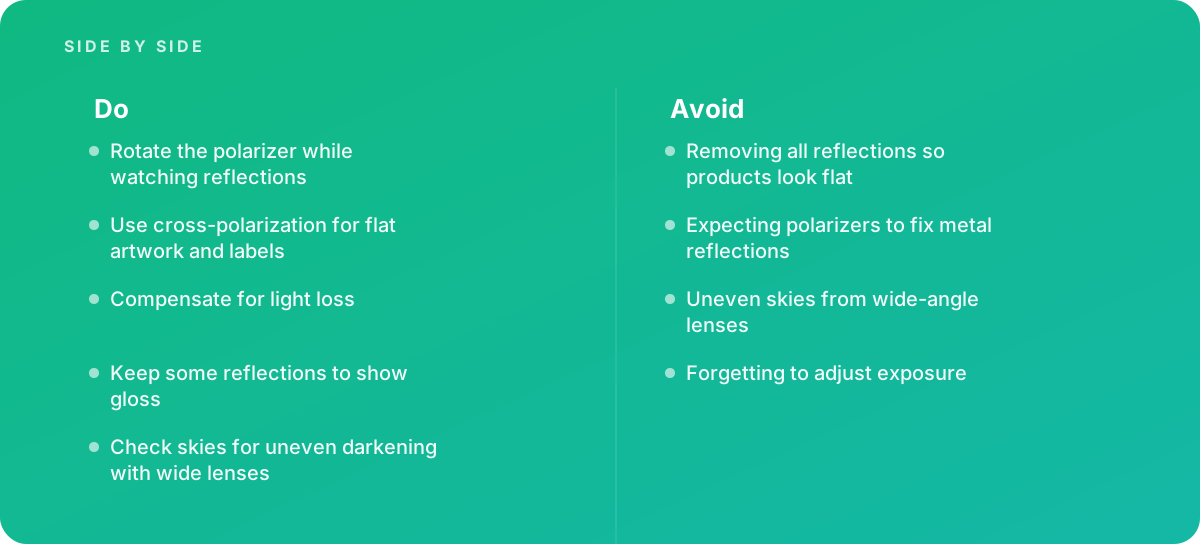
- Removing all reflections so products look flat
- Expecting polarizers to fix metal reflections
- Uneven skies from wide-angle lenses
- Forgetting to adjust exposure
What good looks like instead
- Rotate the polarizer while watching reflections
- Use cross-polarization for flat artwork and labels
- Compensate for light loss
- Keep some reflections to show gloss
- Check skies for uneven darkening with wide lenses
Why it matters
Controlling reflections at capture is far easier than removing them in editing, especially for glossy products and windows.
The specs that matter
| Measure | Figure |
|---|---|
| Effect | reduces reflections from non-metallic surfaces |
| Metal | polarizers have little effect on reflections from bare metal |
| Cross-polarization | polarizing both lights and lens can remove most reflections |
| Light loss | polarizers reduce the light reaching the sensor |
Knowing when to hand it over
Tip: Bring in help when photographing glossy packaging, artwork or products behind glass.
Where this comes from
- Capture One — Learning resources for product photography
- Adobe Help Center — Photography basics
The figures and practices above come from the sources listed.
Working on something like this?
We take on Photography & Product Visuals work for teams who want it done once, properly. Tell us what you are building and we will tell you honestly whether we are the right studio for it. Start a project.
Where to go next
Spotted something wrong? Report an error on this page. We correct on the page and say what changed.