Skip to content
3D Design & Development

How to Get Dental and Orthodontic 3D Right

3D scanning, modeling and printing used in dentistry, from aligners to restorations.

MediaScaleUp Editorial Team 2 min read 13 views

How to Get Dental and Orthodontic 3D Right

At a glance

  • Intraoral scanning produces digital impressions
  • Tolerances fit requires tight dimensional accuracy
  • Patient data scans are protected health information
  • Materials printed dental materials are regulated

Why it matters

Why it matters: Digital dentistry depends on accurate scans and printing tolerances, and patient data protection applies throughout.

Best practice

  • Validate scanner and printer accuracy regularly
  • Protect patient scan data
  • Use materials cleared for the intended use
  • Record case data with the model files
  • Check fit against clinical requirements
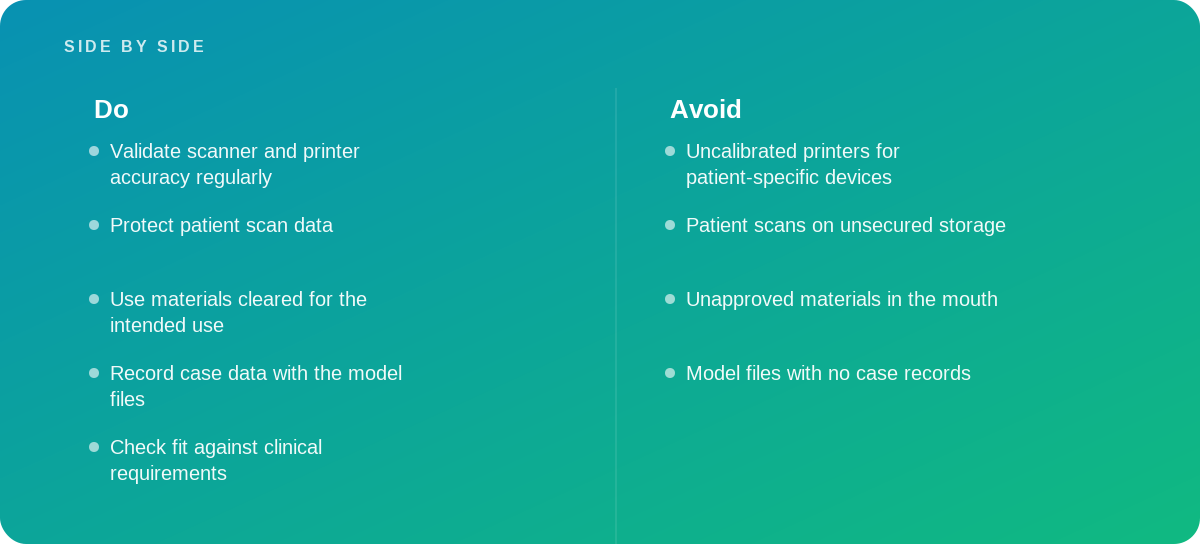
What to do and what to avoid with dental and orthodontic 3D, side by side
Good practice against the usual mistakes, from the sources listed below.

Common pitfalls

Watch out for:

  • Uncalibrated printers for patient-specific devices
  • Patient scans on unsecured storage
  • Unapproved materials in the mouth
  • Model files with no case records

When to call in a specialist

Bottom line Bring in help when practices adopt digital workflows.

Where this comes from

The figures and practices above come from the sources listed.

Working on something like this?

We take on 3D Design & Development work for teams who want it done once, properly. Tell us what you are building and we will tell you honestly whether we are the right studio for it. Start a project.

Where to go next

Spotted something wrong? Report an error on this page. We correct on the page and say what changed.


All services

The work behind this article, and what it costs.

See it in practice

All the work
Before: 3D Packaging Render: From Clay Model to Shelf-Ready Hair Oil Box
After: 3D Packaging Render: From Clay Model to Shelf-Ready Hair Oil Box
Clay model pass Final product render

3D Packaging Render: From Clay Model to Shelf-Ready Hair Oil Box

Hard-surface modeling, UV unwrapping, label and dieline artwork, glass and liquid shaders, studio lighting, Cycles render

Studio demo on a public-domain photo, not a client job

Packaging Modeling Beauty & Personal Care 3-5 days

Before: Architectural Exterior: Clay Massing to Photoreal Daylight Render
After: Architectural Exterior: Clay Massing to Photoreal Daylight Render
Clay massing study Final exterior render

Architectural Exterior: Clay Massing to Photoreal Daylight Render

Architectural modeling, timber and concrete materials, glass and water shaders, landscaping, sun-and-sky lighting, Cycles

Studio demo on a public-domain photo, not a client job

House & Building Modeling Real Estate & Architecture 5-7 days

Before: 3D Product Render: Clay Model to Finished Studio Shot
After: 3D Product Render: Clay Model to Finished Studio Shot
Clay render Final render

3D Product Render: Clay Model to Finished Studio Shot

Blender Cycles, PBR materials, custom thin-glass shader, HDRI plus key/fill/rim area lights, curved cyclorama, pedestal, depth of field, AgX color management

Studio demo on a public-domain photo, not a client job

Watch the video

Product Lighting E-commerce & Product 2-3 days

MediaScaleUp Editorial Team

Articles here are researched, written and checked by the MediaScaleUp studio team before they are published, and dated when they are reviewed.

Keep reading

More in 3D Design & Development