Baseline Browser Support, Done Properly
Baseline is a shared label for web platform features that work across all the major browsers, used to decide which features are safe to use without fallbacks.
 MediaScaleUp Editorial Team

What is at stake
It replaces guesswork about browser support with a clear, dated signal that teams can adopt as a policy.
The playbook
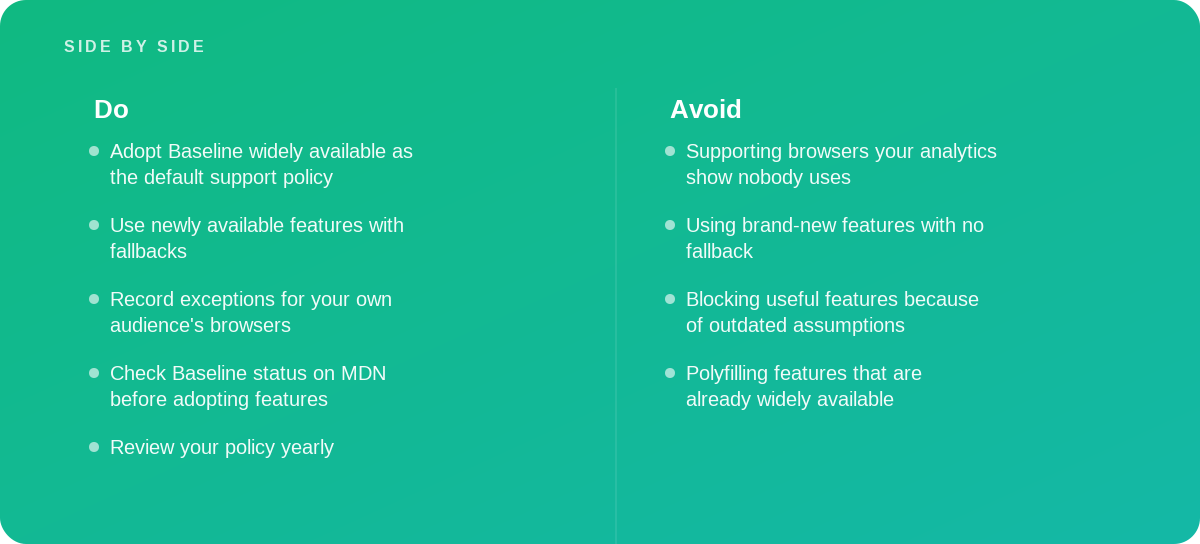
- Adopt Baseline widely available as the default support policy
- Use newly available features with fallbacks
- Record exceptions for your own audience's browsers
- Check Baseline status on MDN before adopting features
- Review your policy yearly
Where it goes wrong
Avoid:
- Supporting browsers your analytics show nobody uses
- Using brand-new features with no fallback
- Blocking useful features because of outdated assumptions
- Polyfilling features that are already widely available
The numbers behind it
| Measure | Figure |
|---|---|
| Core browsers | Chrome, Edge, Firefox and Safari on desktop and mobile |
| Newly available | the feature works in the latest versions of all core browsers |
| Widely available | 30 months after becoming newly available |
| Where it appears | on MDN, Can I use and web.dev |
Getting outside help
When to hand it over: Bring in help when defining a browser support policy, or when legacy browser requirements hold back a project.
Where this comes from
- web.dev — Baseline
- MDN Web Docs — Browser compatibility
The figures and practices above come from the sources listed.
Working on something like this?
We take on Web Design & Development work for teams who want it done once, properly. Tell us what you are building and we will tell you honestly whether we are the right studio for it. Start a project.
Where to go next
Spotted something wrong? Report an error on this page. We correct on the page and say what changed.







