A Practical Guide to Testing Accessibility with Real Users
Research sessions with disabled participants using their own assistive technology.
 MediaScaleUp Editorial Team
Where most projects go wrong
The usual mistakes:
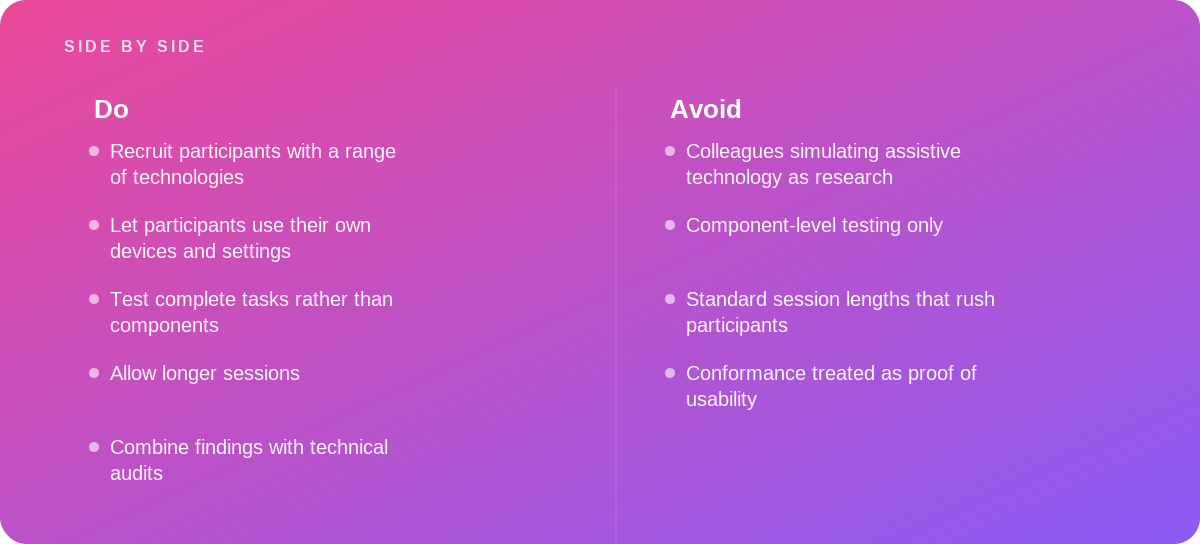
- Colleagues simulating assistive technology as research
- Component-level testing only
- Standard session lengths that rush participants
- Conformance treated as proof of usability
What good looks like instead
- Recruit participants with a range of technologies
- Let participants use their own devices and settings
- Test complete tasks rather than components
- Allow longer sessions
- Combine findings with technical audits
Why it matters
Conformance testing finds technical failures, but only users show whether tasks can actually be completed.
The specs that matter
| Measure | Figure |
|---|---|
| Own setup | participants use their own configured technology |
| Expertise | experienced users navigate differently from novices |
| Recruitment | takes longer and needs specialist channels |
| Payment | participants should be compensated properly |
Knowing when to hand it over
Tip: Bring in help when accessibility claims need user evidence.
Where this comes from
- W3C Web Accessibility Initiative — Involving users in web projects
- Deque University — Accessibility testing
The figures and practices above come from the sources listed.
Working on something like this?
We take on Performance & Accessibility work for teams who want it done once, properly. Tell us what you are building and we will tell you honestly whether we are the right studio for it. Start a project.
Where to go next
Spotted something wrong? Report an error on this page. We correct on the page and say what changed.






