Subtitle and Caption File Formats, Done Properly
The file formats used to deliver captions and subtitles, such as SRT, WebVTT, SCC and TTML, each suited to different platforms and broadcast systems.
 MediaScaleUp Editorial Team

Where most projects go wrong
The usual mistakes:
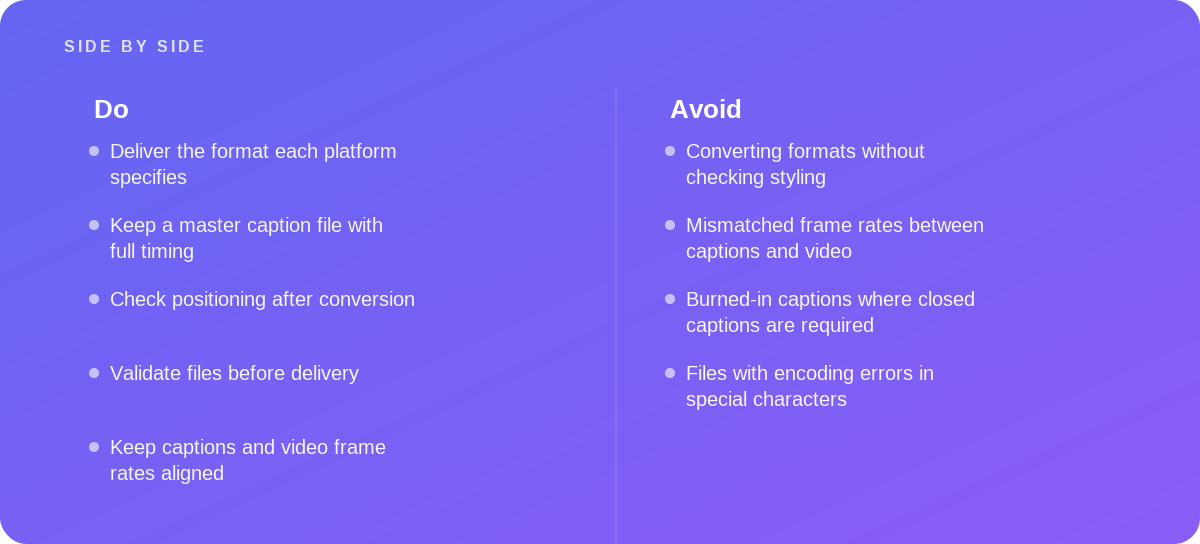
- Converting formats without checking styling
- Mismatched frame rates between captions and video
- Burned-in captions where closed captions are required
- Files with encoding errors in special characters
What good looks like instead
- Deliver the format each platform specifies
- Keep a master caption file with full timing
- Check positioning after conversion
- Validate files before delivery
- Keep captions and video frame rates aligned
Why it matters
Platforms and broadcasters accept specific formats, and conversions can lose styling, positioning or timing precision.
The specs that matter
| Measure | Figure |
|---|---|
| SRT | a simple, widely accepted text format |
| WebVTT | the web standard used with the HTML track element |
| SCC | a broadcast caption format based on CEA-608 |
| TTML and IMSC | XML-based formats used in streaming and broadcast |
Knowing when to hand it over
Tip: Bring in help when delivering captions to broadcasters or several streaming platforms.
Where this comes from
- MDN Web Docs — Web Video Text Tracks Format (WebVTT)
- W3C — TTML Profiles for Internet Media Subtitles and Captions (IMSC)
- Federal Communications Commission — Closed captioning of video programming on television
The figures and practices above come from the sources listed.
Working on something like this?
We take on Video Editing & Production work for teams who want it done once, properly. Tell us what you are building and we will tell you honestly whether we are the right studio for it. Start a project.
Where to go next
Spotted something wrong? Report an error on this page. We correct on the page and say what changed.













