Seasonal Campaign Variants: The Decisions That Matter
Learn how to commission seasonal campaign variants: what to ask suppliers, what drives cost, how to compare quotes, red flags and how to judge the files.
 Tomas Lindqvist
Seasonal campaign variants are versions of one core animation adapted for a holiday, a sale window, a product drop or a regional event: the same spot with a winter palette and a gift-guide headline, a back-to-school offer, a Lunar New Year edition for one market and a Diwali edition for another. The animation underneath stays the same. What changes is the text, the color, the props, the end card, sometimes the music and the running time. Done well, a single build can carry a brand through a whole calendar of promotions. Done badly, every season starts from zero and pays the full production cost again.
This handbook is for the person commissioning that work: a brand or marketing manager, an e-commerce lead planning a promotional calendar, or an in-house creative team deciding what to outsource. It does not teach animation. It covers what to ask for, what actually drives the cost, how to compare quotes that look alike on the surface, the red flags that predict an expensive second year, and how to judge the files you receive, not just the video you approve.
The central idea is simple. Rebuilding from scratch each season wastes budget that a variant-ready build would have saved. Almost every decision below comes back to whether the first build was made to be adapted, and whether you asked for that in writing.
- What it is Adapting one core animation for seasonal moments, promotions and regional events
- Main saving Modular builds with swappable sections make each new variant cheap
- Critical detail Text kept as live, editable layers, never baked into rendered artwork
- Prep work Seasonal asset kits can be designed well before the season
- Timing Seasonal work concentrates at predictable times, so book capacity early
- Long-term value Archived variants become next year's starting point
What you are actually buying with seasonal campaign variants
When you commission seasonal campaign variants you are buying two different things, and most briefs only describe one of them. The first is the visible output: a set of rendered videos in the sizes and lengths your channels need. The second is the production system behind them: a project file organized so that the next variant takes hours rather than days. Suppliers price the first. The second is where your savings live, and unless you ask for it, you may not get it.
Think of the deliverable in three layers. The core is the animation that never changes: the product reveal, the character performance, the logo resolve, the camera move. The variable layer is everything that changes by season or market: headlines, offer text, legal lines, color accents, seasonal props such as snow, leaves, lanterns or confetti, the background plate and the end card. The output layer is the list of renders: a 16:9 master, a 9:16 vertical, a 1:1 square, 6-, 15- and 30-second cutdowns, and any digital out-of-home sizes.
A supplier who understands variant work will ask you about all three before quoting. A supplier who only asks about the first variant is quoting a one-off film, and the second season will be priced like one.
Variants versus versions versus new spots
It helps to use precise language in your brief, because the three words drive very different costs:
- A variant reuses the core animation and swaps the variable layer. Expect it to be the cheapest unit of work once the system exists.
- A version is a technical output of an existing variant: a new aspect ratio, a cutdown or a localized language track. Cost depends on how the build handles reframing and timing.
- A new spot changes the core: a new story beat, new character action or a different product. That is new animation and should be quoted as such.
Many disputes about "scope creep" on seasonal work are really disagreements about which of these a request is. Put definitions in the statement of work so both sides classify requests the same way.
Build decisions that make each variant cheap or expensive
The cost of your fourth variant is decided during the first build. You do not need to understand After Effects to commission well, but you should know which build decisions to ask about, because they are invisible in the approved video and very visible in next season's invoice.
Modular sections
A modular build splits the animation into self-contained sections: an intro, a product or message section, an offer section and an end card. Each section can be swapped without disturbing its neighbors. If the holiday edition needs a different offer section but the same intro and product reveal, only one module changes. The alternative, one long timeline where every element is animated relative to every other, means that changing the offer can ripple through timing, transitions and sound sync. Our guide to precomposing and structuring animation project files explains how animators organize this in practice.
Live, editable text
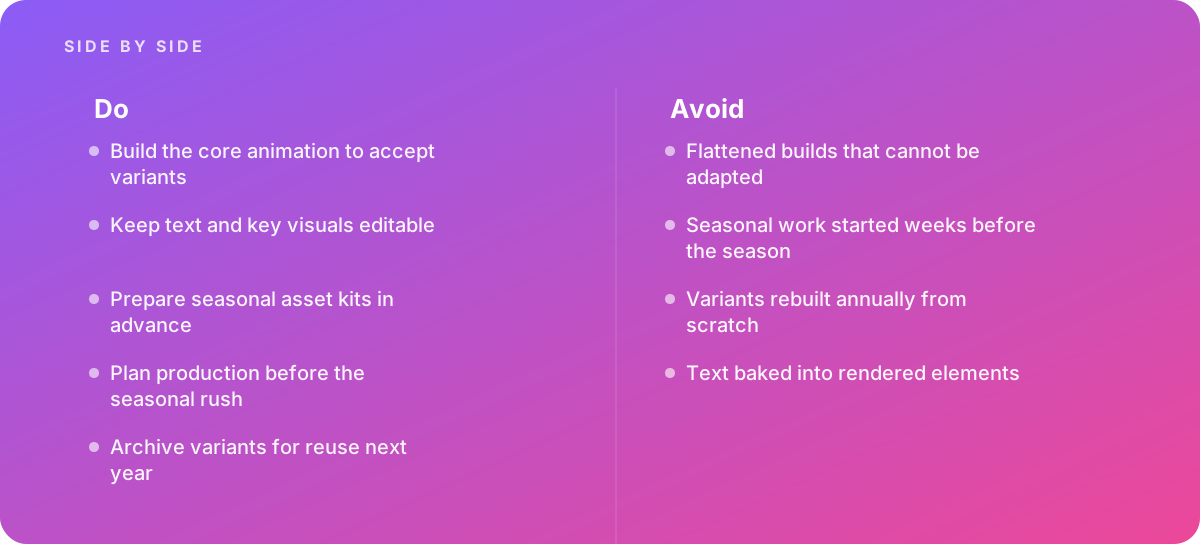
The most common and most expensive mistake in seasonal work is text baked into rendered elements: a headline typed into an illustration, flattened into an image sequence or converted to shapes so that it can be animated letter by letter. Every copy change then means going back to the source artwork, re-exporting and re-animating. Live text layers, driven by a single controlled source, let an animator or even a trained in-house editor change a headline in minutes. Ask for it explicitly, and ask how long lines are handled: a German or French translation of a short English headline can run noticeably longer, and a good build either reflows the text or scales it within defined limits. For the rules that keep changing copy readable on screen, see our piece on text legibility in motion.
Exposed controls and templates
In After Effects, animators can expose selected properties such as text, colors and toggles through the Essential Graphics panel and package them as Motion Graphics templates that editors can adjust in Premiere Pro without opening the full project. The Adobe Help Center's After Effects user guide documents how these templates, expressions and responsive time settings work. Not every project needs templates, but for campaigns that repeat, a small set of well-labeled controls (headline, subline, offer, legal line, accent color, seasonal prop on or off) is often the difference between a variant costing a morning and costing a week. Our article on reusing rigs and templates covers the trade-offs of building for reuse.
Protected timing
Cutdowns are where fragile builds break. If a 30-second master must also exist at 15 and 6 seconds, the build should protect the intro and outro timing so that shortening the middle does not squash the logo resolve. Ask how the supplier handles duration changes, and whether cutdowns are re-edited or re-animated.
Swappable seasonal layers
Seasonal props, textures, particle effects and color grades work best as layers or modules that sit on top of, or alongside, the core. A snowfall pass, a falling-leaves pass or a festival lantern pass that can be switched on and off, and retimed, is far cheaper to maintain than props hand-animated into each scene.
Questions to ask a supplier before you sign
Most proposals for seasonal work look similar: a creative approach, a schedule, a price for the first variant and a line about "additional versions." The questions below separate suppliers who will build you a system from those who will sell you a film and then sell it to you again. Ask them in writing, and keep the answers with the contract.
- How will the core animation be structured so that sections can be swapped without re-animating the rest?
- Will all on-screen text remain live and editable in the delivered project, including offers, dates and legal lines?
- Which properties will be exposed as controls, and can our in-house editors change them without opening the full project?
- How does the build handle longer translated lines and different aspect ratios?
- What is the price for the first variant, and what is the separate unit price for each subsequent variant, cutdown and aspect ratio?
- Do we receive the working project files, fonts licensing notes, source artwork and a plain-language handover document?
- Who owns the core animation, the templates and the seasonal asset kits after delivery?
- How many rounds of revision are included per variant, and what counts as a new variant rather than a revision?
- What lead time do you need for each seasonal window, and what happens if we brief late?
- How will variants be named, versioned and archived so we can reuse them next year?
Pay attention to how the supplier answers, not only what they say. A team that has built variant systems before will answer the structure and text questions quickly and specifically, often describing which parts they would lock and which they would leave open. Vague answers such as "we can always update it later" usually mean the update will be quoted as new work.
It also helps to share your promotional calendar at the quoting stage. A supplier who can see that you run six seasonal windows a year will propose a different build than one who thinks you need a single holiday spot. Our guide to scoping animation projects walks through how to write a scope that captures the whole program rather than just the first deliverable.
What drives the cost of seasonal campaign variants
Prices vary widely between suppliers, markets and styles, and we will not quote figures as if they were standard. What you can do is understand the drivers, so that you can read a quote critically and know which lines should shrink as the program matures.
The one-time system cost
A variant-ready first build usually costs more than a one-off build of the same film. The animator spends extra time organizing modules, setting up controls, testing text overflow, building aspect-ratio framing and writing handover notes. On a simple two-dimensional spot that premium can be modest; on a complex three-dimensional piece with many scenes it can be substantial. This is an investment, and it pays back only if you actually produce several variants. If you will run one holiday campaign and never touch the film again, do not pay for a system you will not use.
Per-variant drivers
- How much of the variable layer changes. A copy and color swap is light work. New seasonal props, a new background plate and a new music bed are heavier.
- Whether new artwork is needed. Illustrating a new seasonal scene or modeling new props is design time on top of animation time.
- Number of outputs. Each aspect ratio and running time multiplies render, review and quality-control time, even when the adaptation itself is automated.
- Localization. Each language adds translation checks, text-fit fixes, legal review and sometimes new voiceover and subtitles.
- Approval chains. Variants that must pass legal, regional marketing and retail partner review take longer to close than the animation took to make.
- Turnaround. Rush work during peak season can carry premiums or bump other work, because every studio's calendar fills at the same times.
Costs that should fall over time
In a healthy program, the per-variant price drops after the first year, because seasonal asset kits already exist and the team knows the build. If a supplier's second-year quote for the same winter variant looks like the first-year quote, ask what is being rebuilt and why.
Worked example: one core spot and a year of variants
The following example is illustrative. The hours and rate are round numbers chosen to show the arithmetic, not a price list or a record of any real project. Substitute your own supplier's figures.
Imagine a home-goods retailer commissioning a 30-second two-dimensional product animation, with 15- and 6-second cutdowns in 16:9, 9:16 and 1:1. The brand plans five seasonal campaign variants over the year: spring refresh, summer sale, back to school, a fall promotion and a winter holiday edition. Assume a blended studio rate of $100 per hour purely for illustration.
Option A is a one-off approach: each season, the studio adapts the previous flattened film by reopening artwork, re-typing text into illustrations and re-animating affected scenes. Option B is a variant-ready build: a modular core with live text, exposed controls, protected intro and outro timing, and seasonal layers.
| Item (illustrative) | Option A: flattened build | Option B: variant-ready build |
|---|---|---|
| First build, including all nine outputs | 120 hours | 150 hours |
| Each later seasonal variant (4 more) | 60 hours each, 240 total | 20 hours each, 80 total |
| Seasonal asset kits prepared off-peak | None | 30 hours |
| Year one total | 360 hours ($36,000) | 260 hours ($26,000) |
| Year two, same five seasons refreshed | 5 x 60 = 300 hours ($30,000) | 5 x 12 = 60 hours ($6,000) |
Read the numbers carefully. Option B costs more at the start: 30 extra hours on the first build and 30 more for asset kits. It only wins because the program runs several variants a year and repeats. If the retailer had needed just one holiday film, Option A would have been cheaper. The second year is where the gap widens, because archived variants and kits mean refreshing a season is mostly copy, date and offer changes plus a quality check.
Two things in this example deserve attention when you read a real quote. First, the per-variant figure in Option B assumes the variable layer really is variable: if the fall promotion needs a new illustrated scene, that is design work on top. Second, nine outputs per variant is a lot of review. Even when versions are generated quickly, somebody has to watch every one, check line breaks and safe areas and confirm the right legal line is in the right market. Budget review time, not just production time.
Comparing quotes line by line
Quotes for seasonal work are hard to compare because suppliers bundle differently. One quotes a single package price; another quotes the first variant and a day rate; a third quotes per output. Normalize them before you choose. Ask each supplier to price the same list: the first build, a light variant (copy and color only), a heavy variant (new props and background), one additional aspect ratio, one additional cutdown and one additional language. Then score them against the criteria that matter over a full year, not only the first delivery.
| Criterion | What a strong quote shows | What a weak quote shows | Weight |
|---|---|---|---|
| Build structure | Modular sections named and described | No mention of structure | High |
| Editable text | All copy live, overflow rules stated | "Text changes on request" | High |
| Unit pricing | Separate prices for light and heavy variants, ratios, cutdowns, languages | Only a first-variant price | High |
| File handover | Working project files, assets and handover notes included | Rendered videos only | High |
| Ownership | Rights to core, templates and kits stated clearly | Silent or license-only | Medium |
| Schedule | Lead times per seasonal window, peak-season plan | Single delivery date | Medium |
| Revisions | Rounds per variant and definition of a new variant | "Unlimited revisions" | Medium |
| Archiving | Naming and versioning convention proposed | Not addressed | Low to medium |
Once you have filled in the scorecard, model the full year using each supplier's unit prices and your actual promotional calendar. The cheapest first variant is often not the cheapest program. Also check whether a low per-variant price depends on you delivering finished copy, translations and legal lines in a specific format by a specific date; if your organization cannot reliably do that, the real cost will be higher.
Unlimited revisions are not a feature
"Unlimited revisions" sounds generous but usually signals a supplier who has not thought about how variants are defined. Without a boundary, every request becomes a negotiation. A clear allowance per variant, for example two rounds of consolidated feedback, with a written definition of when a change becomes a new variant, protects both sides and tends to produce faster approvals.
Red flags in proposals, project files and process
Some warning signs appear in the proposal, others only when you receive files. It is worth knowing both, because the second kind is expensive to discover in November.
Red flag: the proposal only prices rendered videos.
- If working project files are not listed as a deliverable, assume you will not get them, and that every future change must go back to the same supplier.
- If the supplier is reluctant to hand over files, ask why. Some studios retain files as policy; that can be acceptable if the per-variant price and turnaround are guaranteed in writing.
- Rendered masters alone cannot be adapted. Re-typing text over a flattened video almost always looks patched.
Other signals to watch for in proposals and early conversations:
- Text designed as artwork. Hand-lettered or heavily stylized headlines can be beautiful, but each new headline is new illustration work. If the creative direction depends on them, price that in or ask for a type treatment that can be driven by live text.
- No questions about your calendar. A supplier who never asks how many seasons you run is quoting a single film.
- Seasonal content embedded in the core. A storyboard in which the product sits in a snowy scene from the first frame means the winter setting is part of the core, and a spring edition will require re-animation. Check the storyboard or animatic stage for this before animation starts, when changes are cheap.
- Fonts and music without clear licensing. Variants multiply uses. Confirm that font and music licenses cover every channel, market and running time you plan, including paid social and out-of-home.
Scheduling seasonal work before the rush
Seasonal work concentrates at predictable times. Every retailer, agency and studio feels the pull of the year-end holiday period, and many feel the same crunch before back-to-school, major sales days and regional festivals. Studios fill up; freelancers get booked; review cycles on the client side slow because the same people are approving many campaigns at once. Starting a seasonal variant a few weeks before the season is one of the most common and avoidable mistakes in this kind of work.
The fix is to split the work in two. The heavy lifting, the core build, the seasonal asset kits, the templates and the aspect-ratio framing, happens off-peak. The in-season work is then reduced to copy, offer and date changes, final approvals and delivery. A planning schedule for a year-end holiday variant might look like this:
- Five to six months before Confirm the promotional calendar, the markets and the output list. Brief the supplier and agree unit prices for the year.
- Four months before Design and approve the seasonal asset kit: palette, props, background plates, particle passes and end-card treatment.
- Three months before Build or update the variant in the modular project and review a first cut in the master aspect ratio.
- Eight to ten weeks before Lock the creative. Produce all aspect ratios and cutdowns with placeholder offers and review framing and legibility.
- Four to six weeks before Drop in final offers, prices, dates and legal lines. Run legal and regional reviews. Localize.
- Two to three weeks before Final quality control, render deliverables to platform specifications, and traffic files to media partners.
- After the season Archive the variant with its assets, notes and final copy so next year starts from here.
These windows are planning assumptions, not industry standards; adjust them for the complexity of your build and the length of your approval chain. The principle holds regardless: anything that does not depend on final offer details should be finished before the season begins to crowd everyone's calendar.
Platform specifications belong in the brief
Each channel sets its own rules on running times, aspect ratios and skippability, and those rules shape how cutdowns should be built. For paid video on YouTube, Google Ads Help's overview of video ad formats describes the formats available, including short non-skippable bumper ads and skippable in-stream ads. Put the exact formats you will buy into the brief so the supplier builds the 6-second version as a designed piece rather than a crude trim of the 30. The same applies to in-store screens; our guide to digital signage animation covers the loop, resolution and silent-playback decisions that apply when variants run on screens in physical locations.
Judging the delivered variants and files
Most clients judge seasonal campaign variants by watching the final video. That is necessary but not sufficient. You also need to check that the system you paid for exists and works, because you will not find out otherwise until the next season, when fixing it is urgent and expensive.
Checking the videos
- Consistency with the core. The product, logo and brand motion should look identical across variants. Drift in timing or easing between seasons makes the campaign feel assembled rather than designed.
- Legibility in every output. Watch the 9:16 and 1:1 versions on a phone at arm's length. Check that offers and legal lines are readable for long enough and sit inside platform safe zones.
- Correct copy by market. Check dates, currency symbols, pricing formats and legal lines against the approved copy document for each market, output by output.
- Cutdowns that make sense. The short versions should communicate one idea cleanly, not rush through the long version's content.
Red flag at handover: the project cannot be opened or changed by anyone but its author.
- Missing fonts, unlinked footage or plug-ins that were never listed mean the files will not open cleanly on another machine.
- Unlabeled layers and compositions named "Comp 1 copy 3" make even small changes slow and risky.
- Text that turns out to be converted to shapes or pre-rendered defeats the purpose of the variant-ready build you paid for.
Testing the system before you sign off
The most reliable acceptance test is a practical one. Before final payment, ask for a short live demonstration, or have an in-house editor try it: change the headline to something 30 percent longer, swap the accent color, turn off one seasonal layer and render a 1:1 version. If that takes minutes, the build does what was promised. If it takes a phone call to the original animator and a day of work, it does not. Agree this test in the contract so that it is a normal part of acceptance rather than a surprise.
Also check the handover document. It should list every exposed control, explain the naming convention, record font and music licenses, note any plug-ins or scripts the build depends on and state which elements are locked and why.
Seasonal asset kits and the variant archive
Seasonal elements can be prepared in advance, and that is one of the largest levers you have. A seasonal asset kit is a packaged set of the things that make a variant feel like its season: a color palette approved against the brand, background plates, props, textures, particle passes, an end-card treatment, a music option and any seasonal typography rules. Once a kit exists, it can serve not just the hero animation but also social stills, banners and in-store screens, which keeps the campaign visually consistent across channels.
What a useful archive contains
Archiving variants for reuse next year sounds obvious, yet many teams lose their seasonal work to a shared drive full of files named "final_FINAL_v2." A useful archive, organized by year and season, holds:
- The working project for the variant, collected with all assets so it opens anywhere.
- The seasonal asset kit in editable form.
- Every rendered output, named with campaign, season, market, ratio, duration and version.
- The final approved copy document, including legal lines per market.
- Notes on what changed, what was difficult and what to fix next time.
Next year, the winter variant starts by duplicating last year's, updating the offer and dates, and refreshing any props that felt tired. That is how the second-year costs in the worked example above become possible. Without the archive, the team rebuilds from memory, and variants rebuilt annually from scratch are exactly the waste this approach is meant to prevent.
Refresh without starting over
Audiences do notice when a holiday spot is identical year after year. The answer is a planned refresh rather than a rebuild: new props or a new palette within the same modular build, a new music bed, or one new scene module that replaces an old one. Decide the refresh scope in the brief, price it as a variant rather than a new spot, and keep the core untouched unless the product or brand has changed.
Choosing between in-house, freelance and studio production
Once a variant-ready system exists, the question becomes who operates it. There is no universally right answer; the choice depends on volume, skills and how much change each season brings.
In-house editors can handle light variants, copy, color and toggled seasonal layers, if the build exposes clean controls and the team has been shown how to use them. This is fast and cheap per variant, but it relies on the build being genuinely robust and on someone owning quality control.
A freelance motion designer suits programs with a moderate number of variants and occasional heavier changes. The risk is availability during peak season, when good freelancers are in demand everywhere, and continuity if that person moves on.
A studio suits programs with many markets, many outputs, heavy variants or strict brand governance, where capacity, review processes and file management matter as much as animation skill. You pay for that structure, and it is worth it when volume is high or the calendar is dense.
Many brands combine them: a studio builds the core system and the seasonal kits off-peak, and in-house editors run light variants in season, escalating heavier requests back to the studio. That split works only if the ownership, file handover and unit prices discussed above are all in writing. If you are weighing this for your own calendar, our animation and motion graphics service describes how we scope builds intended for reuse.
When bringing in help pays off
The clearest signal is repetition. Bring in specialist help when seasonal campaigns repeat yearly, because that is when the up-front cost of a variant-ready build and asset kits is recovered, season after season. A one-time promotion with no plans to run again rarely justifies the premium; a brand with a fixed annual calendar of sales, holidays and regional events almost always does.
Other signs that it is time: your team is re-animating the same film every quarter, seasonal work regularly starts too late to finish without rush fees, variants look inconsistent across markets, or nobody can find last year's files. Each of these is a symptom of a missing system rather than a lack of effort.
Verdict Commission seasonal campaign variants as a system, not as a series of films. Pay a modest premium once for a modular core with live text, exposed controls, protected timing and swappable seasonal layers; demand working files, clear ownership and separate unit prices for each kind of variant; build asset kits off-peak; and archive every season. If your campaigns repeat yearly, that combination is what turns each new season from a rebuild into an update.
Where this comes from
- Adobe Help Center — After Effects User Guide
- Google Ads Help — About video ad formats
The figures and practices above come from the sources listed.
Working on something like this?
We take on Motion Graphics & Animation work for teams who want it done once, properly. Tell us what you are building and we will tell you honestly whether we are the right studio for it. Start a project.
Where to go next
Spotted something wrong? Report an error on this page. We correct on the page and say what changed.