Skip to content
Video Editing & Production

Drop-Frame Timecode: The Decisions That Matter

A timecode counting method for 29.97 frames per second video that keeps timecode aligned with real clock time.

MediaScaleUp Editorial Team 2 min read 9 views

Drop-Frame Timecode: The Decisions That Matter

Why does it matter?

Using the wrong timecode type causes program lengths to drift from real time, which matters for broadcast delivery.

What are the numbers?

  • Frame rate NTSC-based video runs at 29.97 frames per second
  • Method frame numbers 00 and 01 are skipped each minute except every tenth minute
  • No frames lost only frame numbers are skipped, not images
  • Notation drop-frame timecode is often shown with semicolons

What should I do?

  1. Confirm timecode type in delivery specs
  2. Keep one timecode type per project
  3. Check program length against clock time
  4. Label files with timecode settings
  5. Test conforms with the delivery format
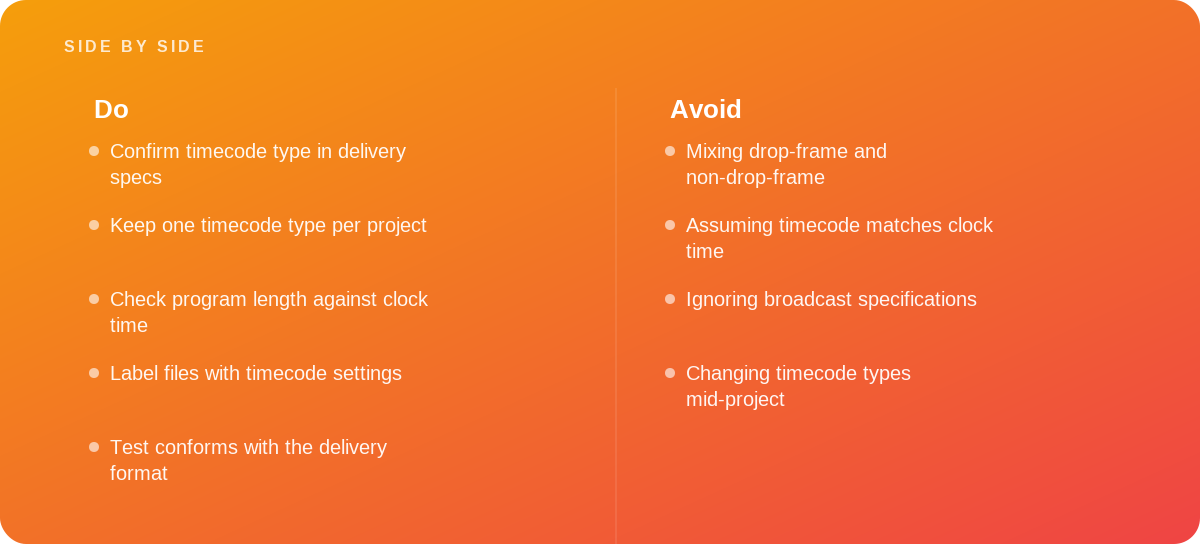
What to do and what to avoid with drop-frame timecode, side by side
Good practice against the usual mistakes, from the sources listed below.

What should I avoid?

Avoid:

  • Mixing drop-frame and non-drop-frame
  • Assuming timecode matches clock time
  • Ignoring broadcast specifications
  • Changing timecode types mid-project

When should I get help?

Short answer Bring in help when delivering to US broadcasters.

Where this comes from

  • SMPTE — ST 12-1 Time and Control Code
  • Avid — Media Composer User Guide

The figures and practices above come from the sources listed.

Working on something like this?

We take on Video Editing & Production work for teams who want it done once, properly. Tell us what you are building and we will tell you honestly whether we are the right studio for it. Start a project.

Where to go next

Spotted something wrong? Report an error on this page. We correct on the page and say what changed.


All services

The work behind this article, and what it costs.

See it in practice

All the work
Before: Green Screen: Rotating Food Product Keyed into a Café Scene
After: Green Screen: Rotating Food Product Keyed into a Café Scene
Green-screen source Keyed + composited

Green Screen: Rotating Food Product Keyed into a Café Scene

Chroma key, despill, color matching, background defocus and vignette, compositing (ffmpeg)

Studio demo on a public-domain photo, not a client job

Watch the video

Green Screen Compositing Food & Restaurant 24-48 hours

Before: Cinematic Grade: Flat Drone Footage to a Moody Film Look
After: Cinematic Grade: Flat Drone Footage to a Moody Film Look
Original flat footage Cinematic grade

Cinematic Grade: Flat Drone Footage to a Moody Film Look

Filmic tone curve, split toning, graduated sky filter, vibrance, vignette and sharpening, with a wipe compare video

Studio demo on a public-domain photo, not a client job

Watch the video

Cinematic Color Grading Travel & Tourism 24-48 hours

Before: Logo Animation: A Coastal Tea Brand Mark Draws Itself On
After: Logo Animation: A Coastal Tea Brand Mark Draws Itself On
Static logo artwork Animated logo frame

Logo Animation: A Coastal Tea Brand Mark Draws Itself On

Logo design, self-drawing stroke reveal, staggered wave wipes, wordmark rise, particle burst and light sweep

Studio demo on a public-domain photo, not a client job

Watch the video

Logo Animation Food & Beverage 3-5 days

MediaScaleUp Editorial Team

Articles here are researched, written and checked by the MediaScaleUp studio team before they are published, and dated when they are reviewed.

Keep reading

More in Video Editing & Production











