Skip to content
Video Editing & Production

Publishing and Scheduling Video: The Decisions That Matter

Getting finished video onto platforms with the right metadata, thumbnails and timing.

MediaScaleUp Editorial Team 2 min read 21 views

Publishing and Scheduling Video: The Decisions That Matter

What is at stake

Publishing is where good video loses to bad metadata and badly chosen timing.

The playbook

  1. Upload early to allow processing
  2. Prepare metadata and thumbnails in advance
  3. Upload caption files rather than relying on automatic ones
  4. Schedule releases deliberately
  5. Check the published version before announcing

Where it goes wrong

Avoid:

  • Uploading minutes before launch
  • Automatic captions left uncorrected
  • Placeholder metadata published live
  • Announcements before processing completes
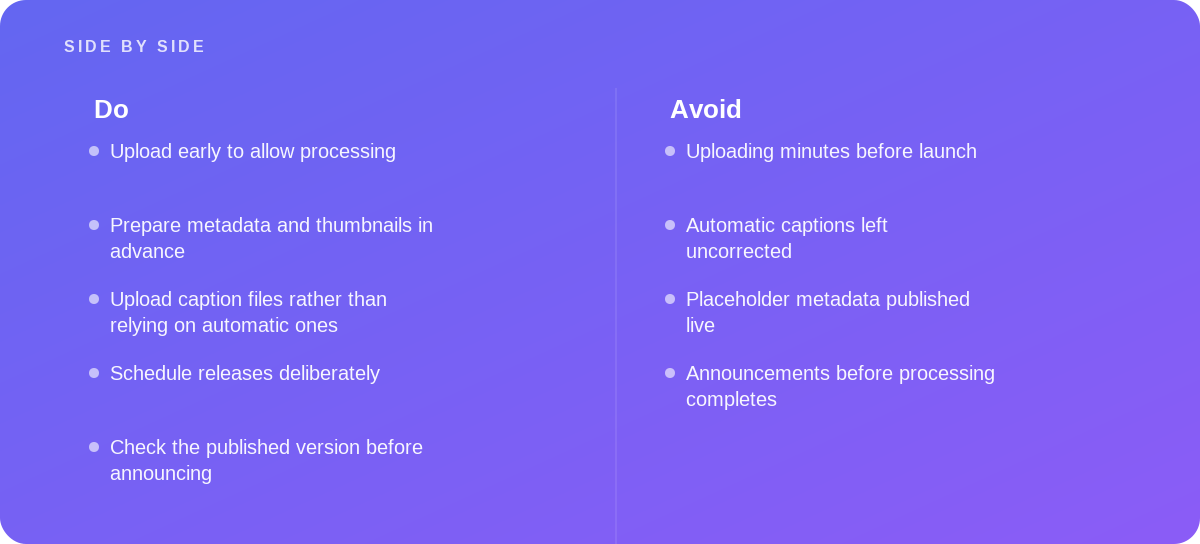
What to do and what to avoid with publishing and scheduling video, side by side
Good practice against the usual mistakes, from the sources listed below.

The numbers behind it

Published figures for Publishing and Scheduling Video
MeasureFigure
Processing timeplatforms take time to process high-resolution uploads
Metadatatitles, descriptions and tags affect discovery
Schedulinguploads can be scheduled ahead of release
Captionsshould be uploaded with the video

Getting outside help

When to hand it over: Bring in help when launches depend on video timing.

Where this comes from

The figures and practices above come from the sources listed.

Working on something like this?

We take on Video Editing & Production work for teams who want it done once, properly. Tell us what you are building and we will tell you honestly whether we are the right studio for it. Start a project.

Where to go next

Spotted something wrong? Report an error on this page. We correct on the page and say what changed.


All services

The work behind this article, and what it costs.

See it in practice

All the work
Before: Stabilization: Shaky Night-Market Walk to a Smooth Glide
After: Stabilization: Shaky Night-Market Walk to a Smooth Glide
Original handheld Stabilized

Stabilization: Shaky Night-Market Walk to a Smooth Glide

Two-pass motion analysis (block phase correlation, robust similarity fit), Gaussian path smoothing, per-frame rotate and crop, light temporal denoise

Studio demo on a public-domain photo, not a client job

Watch the video

Video Stabilization Travel & Lifestyle 24-48 hours

Before: Green Screen: Rotating Food Product Keyed into a Café Scene
After: Green Screen: Rotating Food Product Keyed into a Café Scene
Green-screen source Keyed + composited

Green Screen: Rotating Food Product Keyed into a Café Scene

Chroma key, despill, color matching, background defocus and vignette, compositing (ffmpeg)

Studio demo on a public-domain photo, not a client job

Watch the video

Green Screen Compositing Food & Restaurant 24-48 hours

Before: Cinematic Grade: Flat Drone Footage to a Moody Film Look
After: Cinematic Grade: Flat Drone Footage to a Moody Film Look
Original flat footage Cinematic grade

Cinematic Grade: Flat Drone Footage to a Moody Film Look

Filmic tone curve, split toning, graduated sky filter, vibrance, vignette and sharpening, with a wipe compare video

Studio demo on a public-domain photo, not a client job

Watch the video

Cinematic Color Grading Travel & Tourism 24-48 hours

MediaScaleUp Editorial Team

Articles here are researched, written and checked by the MediaScaleUp studio team before they are published, and dated when they are reviewed.

Keep reading

More in Video Editing & Production










