Skip to content
Video Editing & Production

A Practical Guide to Apple ProRes

A family of high-quality intermediate video codecs from Apple, widely used for editing, finishing and mastering, including versions with alpha channels.

MediaScaleUp Editorial Team 2 min read 9 views

A Practical Guide to Apple ProRes

Where most projects go wrong

The usual mistakes:

  • ProRes for web playback
  • Unnecessary 4444 XQ files that waste storage
  • Transcoding ProRes to ProRes repeatedly
  • Assuming every platform accepts ProRes

What good looks like instead

  • Use ProRes 422 HQ for most masters
  • Use 4444 for graphics with transparency
  • Use Proxy or LT for offline editing
  • Plan storage for large file sizes
  • Confirm delivery specs before choosing a flavor
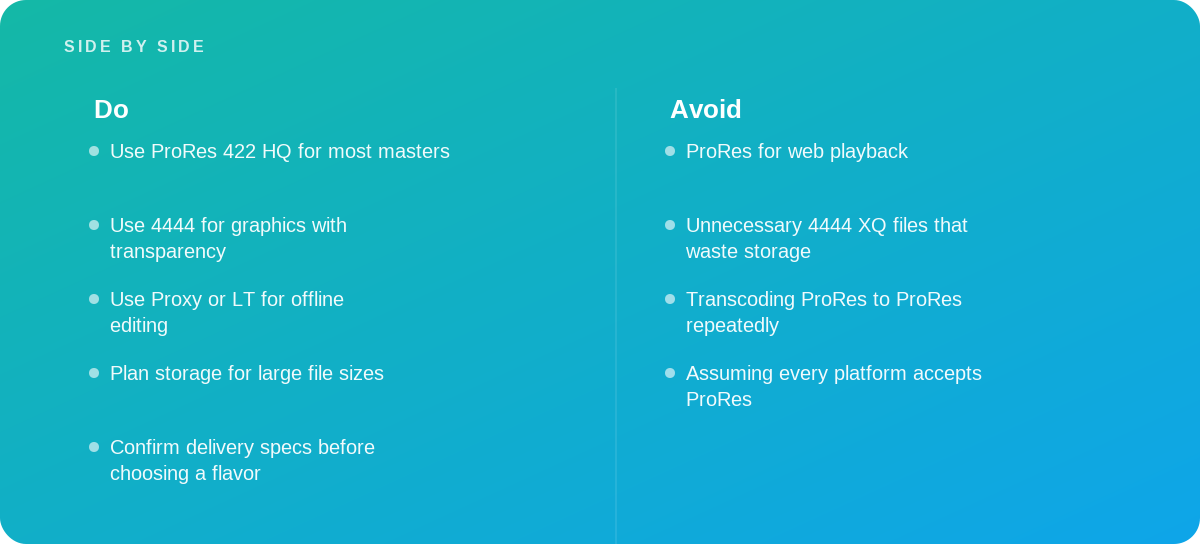
What to do and what to avoid with apple ProRes, side by side
Good practice against the usual mistakes, from the sources listed below.

Why it matters

ProRes edits smoothly and survives repeated rendering with little quality loss, which makes it a standard mastering and interchange format.

The specs that matter

Published figures for Apple ProRes
MeasureFigure
FamilyProRes 422 Proxy, LT, 422, HQ, 4444 and 4444 XQ, plus ProRes RAW
Alpha channelsupported in ProRes 4444 and 4444 XQ
ContainerQuickTime MOV
Useediting, finishing and delivery masters

Knowing when to hand it over

Tip: Bring in help when setting up a finishing and mastering workflow.

Where this comes from

The figures and practices above come from the sources listed.

Working on something like this?

We take on Video Editing & Production work for teams who want it done once, properly. Tell us what you are building and we will tell you honestly whether we are the right studio for it. Start a project.

Where to go next

Spotted something wrong? Report an error on this page. We correct on the page and say what changed.


All services

The work behind this article, and what it costs.

See it in practice

All the work
Before: Cinematic Grade: Flat Drone Footage to a Moody Film Look
After: Cinematic Grade: Flat Drone Footage to a Moody Film Look
Original flat footage Cinematic grade

Cinematic Grade: Flat Drone Footage to a Moody Film Look

Filmic tone curve, split toning, graduated sky filter, vibrance, vignette and sharpening, with a wipe compare video

Studio demo on a public-domain photo, not a client job

Watch the video

Cinematic Color Grading Travel & Tourism 24-48 hours

Before: Logo Animation: A Coastal Tea Brand Mark Draws Itself On
After: Logo Animation: A Coastal Tea Brand Mark Draws Itself On
Static logo artwork Animated logo frame

Logo Animation: A Coastal Tea Brand Mark Draws Itself On

Logo design, self-drawing stroke reveal, staggered wave wipes, wordmark rise, particle burst and light sweep

Studio demo on a public-domain photo, not a client job

Watch the video

Logo Animation Food & Beverage 3-5 days

Before: Stabilization: Shaky Night-Market Walk to a Smooth Glide
After: Stabilization: Shaky Night-Market Walk to a Smooth Glide
Original handheld Stabilized

Stabilization: Shaky Night-Market Walk to a Smooth Glide

Two-pass motion analysis (block phase correlation, robust similarity fit), Gaussian path smoothing, per-frame rotate and crop, light temporal denoise

Studio demo on a public-domain photo, not a client job

Watch the video

Video Stabilization Travel & Lifestyle 24-48 hours

MediaScaleUp Editorial Team

Articles here are researched, written and checked by the MediaScaleUp studio team before they are published, and dated when they are reviewed.

Keep reading

More in Video Editing & Production










