How to Get Keyword Match Types and Negative Keywords Right
The settings that control which searches can trigger a search ad: broad, phrase and exact match for keywords, and negative keywords to exclude searches you do not want.
 MediaScaleUp Editorial Team
Why does it matter?
Match types decide how much of the budget is spent on searches you never intended, and the search terms report is the only way to see what you actually paid for.
What are the numbers?
- Match types broad, phrase and exact
- Close variants phrase and exact match can include misspellings and searches with the same meaning
- Negative keywords do not match close variants, so variations must be added separately
- Search terms report shows the searches that actually triggered ads
- Broad match Google recommends pairing it with Smart Bidding
What should I do?
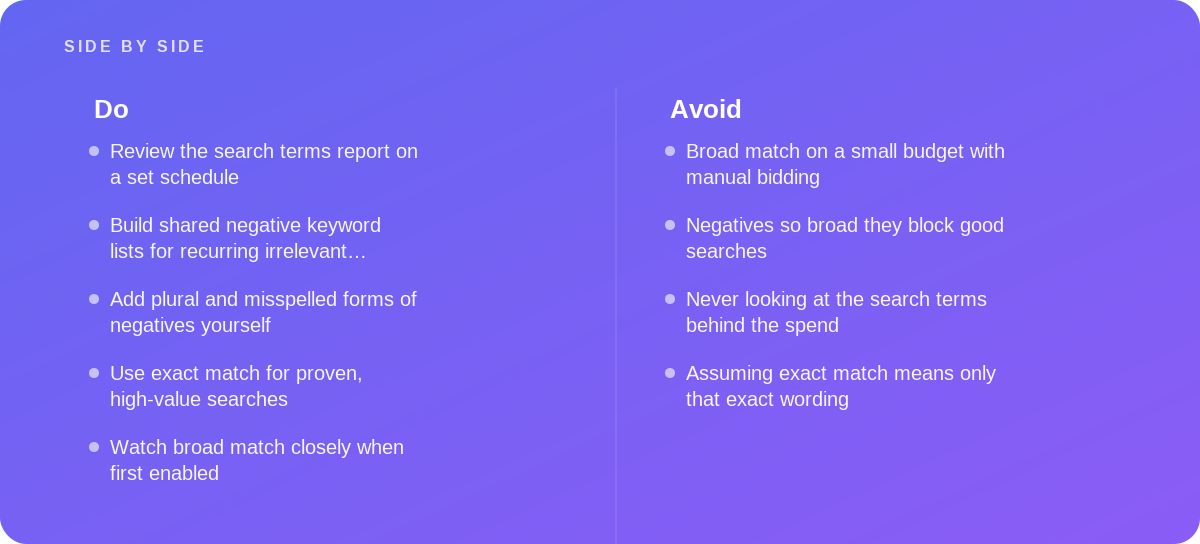
- Review the search terms report on a set schedule
- Build shared negative keyword lists for recurring irrelevant themes
- Add plural and misspelled forms of negatives yourself
- Use exact match for proven, high-value searches
- Watch broad match closely when first enabled
What should I avoid?
Avoid:
- Broad match on a small budget with manual bidding
- Negatives so broad they block good searches
- Never looking at the search terms behind the spend
- Assuming exact match means only that exact wording
When should I get help?
Short answer Bring in help when a large share of spend goes to irrelevant searches, or when switching an account to broad match and automated bidding.
Where this comes from
- Google Ads Help — About keyword matching options
- Google Ads Help — About negative keywords
The figures and practices above come from the sources listed.
Working on something like this?
We take on Digital Marketing & CRO work for teams who want it done once, properly. Tell us what you are building and we will tell you honestly whether we are the right studio for it. Start a project.
Where to go next
Spotted something wrong? Report an error on this page. We correct on the page and say what changed.