Geolocation and Location Permissions: What Actually Works
The browser API that asks for a visitor's location, and the permission prompt that governs it.
 Marcus Adeyemi

Where most projects go wrong
The usual mistakes:
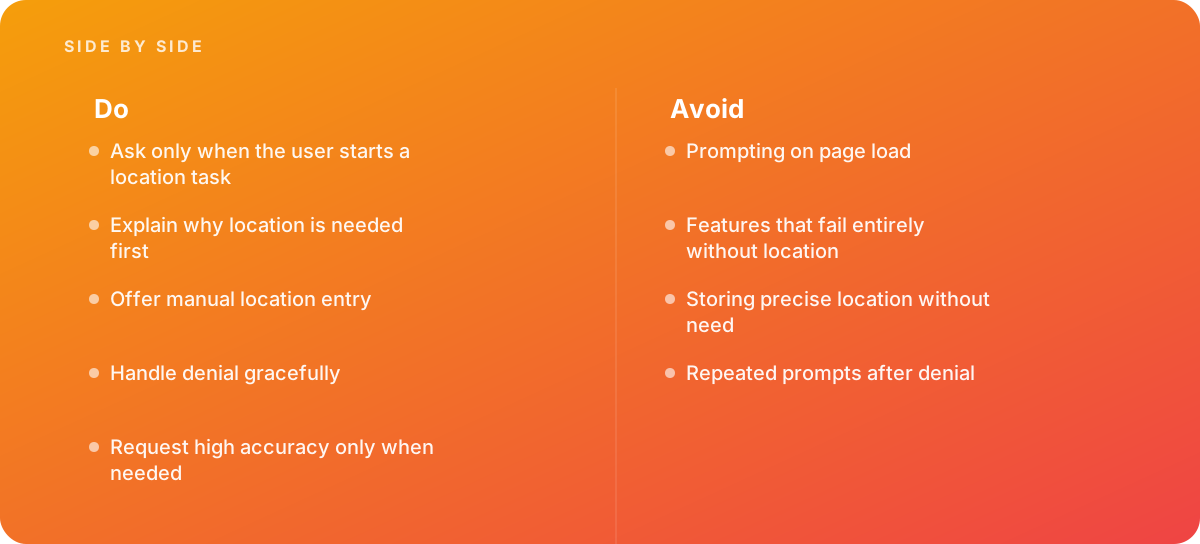
- Prompting on page load
- Features that fail entirely without location
- Storing precise location without need
- Repeated prompts after denial
What good looks like instead
- Ask only when the user starts a location task
- Explain why location is needed first
- Offer manual location entry
- Handle denial gracefully
- Request high accuracy only when needed
Why it matters
Location is sensitive, and prompts asked at the wrong time are denied, which blocks the feature for good.
The specs that matter
| Measure | Figure |
|---|---|
| Permission | browsers require explicit user permission |
| Secure context | geolocation requires HTTPS |
| Accuracy | high accuracy mode uses more battery |
| IP fallback | approximate location can come from the network |
Knowing when to hand it over
Tip: Bring in help when store locators or delivery tools need location.
Where this comes from
- MDN Web Docs — Geolocation API
- Chrome for Developers — Permissions UI
The figures and practices above come from the sources listed.
Working on something like this?
We take on Web Design & Development work for teams who want it done once, properly. Tell us what you are building and we will tell you honestly whether we are the right studio for it. Start a project.
Where to go next
Spotted something wrong? Report an error on this page. We correct on the page and say what changed.