Cutdowns and Duration Versions, Done Properly
Learn how to plan, structure and deliver cutdowns and duration versions of an animation, from modular scripting and music edits to version matrices and QC.
 MediaScaleUp Editorial Team

Cutdowns and duration versions are the shorter edits of an animation that a campaign needs for different placements: the 15-second version of a 30-second spot, the six-second teaser cut from the same material, the 20-second edit for a platform with its own limits, and sometimes a 60-second or longer master that all of them come from. On paper it sounds like trimming. In practice, a good cutdown is a separate piece of storytelling that happens to reuse most of its frames, and a bad one is a 30-second film with holes in it.
This matters to anyone who commissions or produces animated advertising, product explainers or social content. Marketers need the versions because every placement specifies a maximum length and a media plan rarely runs a single duration. Producers and animators need to know about them early because the cheapest time to make a 15-second version is before the first keyframe of the 30-second one is set. Planning durations during production costs a few hours of thought; discovering them after delivery can mean re-animating transitions, re-recording narration and re-editing music under deadline.
This guide is organized as a checklist. It starts with the master list you can copy into a production plan, then takes each item in turn: why it matters, how to do it well, and where it usually goes wrong. Along the way there is an illustrative worked example with timings, a version matrix you can adapt, a look at the main trade-off between building versions into the master or cutting them afterward, and a bottom line on when to bring in outside help.
- Confirm every required duration, aspect ratio and placement before animation starts.
- Check each placement's current specification for maximum length, skippability and technical requirements.
- Write the script and board the animatic in modules that can be removed without breaking the story.
- Design a real opening and a real ending for every duration, not just the longest one.
- Build the project on shared assets, precomps and rigs so versions pull from one source.
- Plan the music edit for each duration, with clean endings and no audible jumps.
- Record or adapt narration per version, and resize supers and legal copy to fit.
- Keep a single version matrix per campaign with names, durations, owners and status.
- Review cutdowns as standalone pieces, in context, with the client.
- Run a technical QC on every exported file against the placement spec before delivery.
1. Lock the list of cutdowns and duration versions before anyone animates
The single most expensive mistake in this area is finding out which durations are needed after the master is finished. It happens constantly: the creative team produces a 30-second film, the media agency then books six-second and 15-second placements, and someone is asked to "just trim it down" in the final week. At that point every structural decision has been made for 30 seconds. The logo reveal takes four seconds because it could. The product benefit is explained across three scenes that flow into each other with morphing transitions. The music builds for twelve seconds before the hook. None of it was designed to come apart.
The fix is procedural rather than creative: make the duration list a required input to the brief, alongside audience, message and deadline. Ask whoever owns the media plan, whether that is an in-house performance marketer or an external agency, which placements are booked or likely, and translate each into a duration and aspect ratio. If the plan is not final, list the plausible versions and design for them anyway. Building a sequence that can shrink to 15 seconds costs little even if the 15-second version is never ordered; retrofitting that flexibility costs a lot.
What to capture at kickoff
For each version, record the target duration, the hard maximum from the placement, the aspect ratio, whether it will play with sound on or off by default, whether the viewer can skip it, and what the single message of that version must be. That last field matters more than people expect. A 30-second spot can carry a problem, a solution, two benefits and an offer. A six-second version can carry one idea and a brand. Deciding up front which idea survives into each duration saves an argument in the edit suite later, when the argument is harder to settle because everyone has grown attached to finished shots.
It also helps to agree on which version is the hero. Usually it is the longest, but not always. If the campaign's budget is concentrated on short, non-skippable placements, the 15-second version may be what most people see, and the 30-second becomes the extended cut. That changes where the animation effort should go.
Tip: Put the duration list on the first page of the creative brief and in the approval form for the script. If a new duration appears later, treat it as a change request with its own time and cost, not a free trim. That single habit stops most late surprises.
2. Check each placement's current specification, not last year's
Placements specify maximum lengths, and those limits drive the whole version plan. Some ad formats cap video at a few seconds and cannot be skipped; others allow longer videos but let the viewer skip after a short interval; social feeds often accept long uploads but reward much shorter content in practice. The details change as platforms update their products, so the version plan should be built from the current documentation at the time of the campaign, not from a spec sheet someone saved two years ago.
For YouTube and other Google video inventory, the reference point is Google Ads Help on video ad formats, which describes the formats, including short non-skippable bumper ads, skippable in-stream ads and non-skippable in-stream ads, and the length limits that apply to each. Read the format pages directly and note the maximum for each placement you plan to use. The difference between "up to" a limit and "exactly" a length matters: a cut that runs a few frames over the cap can be rejected or truncated, which is why good version plans aim slightly under the maximum rather than at it.
Specs beyond duration
Duration is only one line of a placement spec. Each version also has to meet requirements for aspect ratio, resolution, file format, frame rate, audio loudness and sometimes file size. Aspect ratio in particular interacts with cutdowns, because a six-second vertical version is not just shorter than a 30-second horizontal one; it has a different frame to compose for. If your campaign needs both, plan them together. Our guide to animating for multiple aspect ratios covers safe areas and layout systems that make this workable, and the same modular thinking applies to time as it does to space.
Frame rate deserves a note too. If some placements take 25 fps masters and others 30 or 29.97, decide which is native before you animate and how conversions will be handled. Converting frame rates at the end can introduce judder in animated type and in fast camera moves. Mismatched rates are far easier to manage when every version shares one native rate from the start.
3. Script and board in modules that can be removed
A cutdown-friendly animation is built from sections that stand on their own. Each section carries one idea, starts from a stable visual state and ends in a stable visual state, so that the section before and after it can be joined directly if something in between is removed. That sounds restrictive, but it is closer to how good advertising is written anyway: one thought per beat, each beat landing cleanly.
At script stage, mark each line with the versions it belongs to. A simple convention works: tag lines as "all," "30 and 15" or "30 only." Read each version aloud on its own. If the 15-second version only makes sense because the listener remembers the 30-second one, it is not a real version yet. Rewrite the connecting lines until each duration can be read cold.
Boarding for removal
The animatic is where modularity is tested before it gets expensive. Build the longest version first, then duplicate the timeline and actually cut the shorter versions from the animatic panels and scratch audio. This is the cheapest possible moment to discover that the 15-second version has no way into the product shot without the scene that was removed, or that the six-second version has no time for the logo to settle. Our guide to making decisions at animatic stage goes deeper on what to lock there; for duration versions, the key decision is which transitions are "hinges" that must work in more than one order.
Hinge transitions are the joints between modules. Avoid designing them as one-off morphs that only work between two specific scenes. A transition that resolves to a clean background color, a match cut on a shape that recurs across scenes, or a simple hard cut on a beat of music will usually survive reordering. An elaborate morph from the problem scene into the solution scene is lovely in the master and a liability in every shorter version that removes one of those scenes.
When you review the animatic, play every version back to back without the longest one first. Reviewers who have just watched the 30-second version will fill gaps in the 15-second version from memory. Viewers in the wild will not.
4. Give every version its own beginning and ending
Cutdowns need their own beginnings and endings. This is the checklist item most often skipped, and it is the one audiences notice first. A cutdown that starts mid-idea, halfway through a sentence of narration or partway into a camera move, tells the viewer immediately that they are watching leftovers. In short, skippable placements, the first second is the one that decides whether anyone watches the second second.
Openings
The opening of a short version needs to establish subject and tone faster than the long version does. In a 30-second spot, you may be able to spend three seconds on atmosphere before revealing the product or the problem. In a six-second version, you probably have well under a second before the core image needs to be on screen. That usually means a dedicated opening: a start frame that is already composed, rather than a fade up from black, and often a different first shot altogether, pulled from later in the master because it is the strongest single image.
A practical way to handle this is to animate "cold open" variants of the two or three scenes most likely to lead a short version. They cost little extra when the scene is already rigged, and they give the editor options that start at full energy.
Endings
Endings carry the brand, the call to action and often legal copy, and they are where shorter versions most often feel rushed. The end card in a 30-second spot might hold for three or four seconds with a logo build, a line of supporting text and a URL. The same card in a six-second version might get a little over a second. Design the end card system so it has at least two states: a full build for long versions and a compressed build that lands the logo fast and holds it. Do not simply speed up the long build; animated type that has been time-stretched usually looks frantic, because easing curves and overshoot were timed for the original duration.
Make sure the final frame of every version is a clean, readable hold. Some placements show the last frame as a still, and some players loop, so the last frame should look intentional on its own.
Myth: A cutdown is the long version with the middle taken out, so anyone with an editing app can make one in an afternoon.
Reality: A cutdown is a short film that shares assets with a long one. It needs its own first second, its own ending and its own music edit. Removing the middle is the easy part; making what is left feel complete is the work.
5. Build the project on shared assets so versions stay in sync
Shared assets make versions efficient. When every duration pulls from the same characters, type styles, backgrounds and scene precomps, a change to a product color or a revised headline propagates to every version at once. When each version has its own copies, every revision has to be applied several times by hand, and sooner or later one version ships with the old headline.
In After Effects, that means building scenes as precompositions and assembling each version in its own top-level composition that references them, rather than duplicating the master comp and cutting inside the copy. Editorial tools work similarly. Adobe's documentation for Premiere Pro, available through the Adobe Help Center, covers nested sequences, which let an editor treat a finished scene as a single clip on several timelines and update it once. Whatever the software, the principle is the same: one source per scene, many assemblies.
Rigs, templates and text
Characters and recurring graphics should be rigged so a scene can be re-timed without re-animating by hand. Controls for hold durations, entry and exit timing, and text content make it possible to produce a compressed variant of a scene in minutes. This is the same discipline that makes campaign-wide reuse possible, and our article on reusing rigs and templates covers how far to take it before the rig costs more than it saves.
Text deserves special handling. If supers, prices, dates or legal lines appear in several versions, drive them from a single source layer or a data file wherever the software allows, so a correction is made once. Late copy changes are routine in advertising; the difference between a ten-minute fix and a two-hour fix is usually whether text lives in one place.
Folder structure and naming
Organize the project so versions are visible at a glance: a folder of shared scene precomps, a folder of end card states, a folder of audio edits per duration, and a folder of version assemblies named to match the version matrix. When someone else opens the project, and at some point someone else will, the structure should tell them how the versions relate without a walkthrough. This also makes handover easier if the client needs the files later, which our guide to delivering animation source files covers in detail.
6. Recut the music for each duration, deliberately
Music and narration must be recut too, and music is where lazy cutdowns are most audible. A track edited by chopping out the middle and crossfading usually lands on the wrong beat, jumps harmonically or cuts off the final note. Viewers may not be able to say what is wrong, but they register that it is wrong.
Good music edits respect the structure of the track. Cuts are made on bar lines, ideally at the start of a phrase, and the edit point is placed where the arrangement is similar on both sides so the join is inaudible. The ending uses the track's real ending or a composed "button," not a fade that starts three seconds before the end card. If the track is library music, check whether it comes with official alternate lengths or stems. Many library tracks do, and a composed 15-second or six-second edit from the publisher will almost always sound better than an improvised one.
Commissioned music
If music is being composed for the campaign, give the composer the version list with the brief. Asking for alternate endings and stems for each duration at the start is routine; asking for them after the master is mixed may mean extra sessions. Stems, meaning separated groups such as drums, bass, melody and pads, give the editor room to thin the arrangement under narration in short versions where everything is denser.
Timing picture to music
Decide early whether picture will be cut to music or music edited to picture. For modular campaigns, cutting picture to a music edit that already exists for each duration is usually more reliable, because it guarantees that transitions land on beats in every version. Build a tempo map, or at least mark bar lines in the animatic, so animators can time key moves to the grid that every version shares.
Tip: Listen to every music edit with the picture off. If the join is audible without the distraction of the image, it will be audible to viewers too. Then listen on a phone speaker, since that is where many short versions will be heard.
7. Adapt narration, supers and legal copy for each version
Narration cannot simply be trimmed. A voiceover recorded for 30 seconds will have sentences that run across scene boundaries, pacing tuned to the long version and an intonation that builds toward a sign-off. Cutting a sentence in half or removing the middle line of three usually produces something that sounds edited. The better approach is to write each version's script separately, with shared lines where they fit, and record every version's read in the same session.
Recording all durations in one session keeps the voice consistent, which matters because versions often run side by side in the same campaign. Ask the voice artist for a few takes of each short version at slightly different paces, since short versions often need a tighter read than the long one. Slate each take with the version name so the editor can find them.
Sound-off versions
Many short placements autoplay without sound. If a version is likely to be seen muted, the message has to be carried by on-screen text and image, and the narration becomes a bonus rather than the vehicle. That usually means more supers in the short version, not fewer, which is the opposite of what people expect. Plan the type system so it can carry the message alone.
Supers and legal lines
On-screen text needs to be readable for long enough to read, and legal copy often has minimum hold times set by the advertiser's legal team or by the regulations in a given market. A disclaimer that fits comfortably in a 30-second end card may simply not fit in six seconds. Raise this at kickoff with whoever approves legal copy. Sometimes the answer is a shorter disclaimer approved for short formats; sometimes it is that a product with heavy legal requirements should not run a six-second version at all.
8. Keep one version matrix per campaign
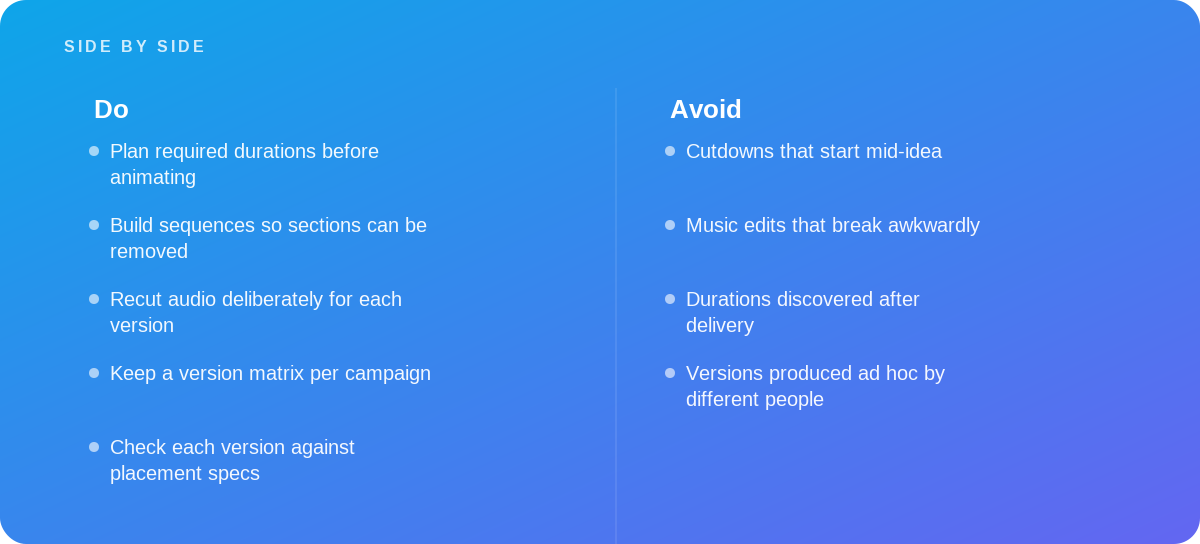
Versions produced ad hoc by different people are a reliable source of errors: two editors cut the 15-second version differently, the social team exports its own six-second edit from an old render, and the client ends up with three files named "final" that do not match. The remedy is a single version matrix, owned by one person, that every deliverable is produced against.
A version matrix is a table. Each row is one deliverable file; the columns describe what it is and where it stands. It does not need special software; a shared spreadsheet is fine. What matters is that it is the only list, that it is kept current, and that file names come from it rather than from whoever exported the file.
| Version ID | Duration | Aspect | Placement | Audio | End card | Status |
|---|---|---|---|---|---|---|
| SPRG_30_16x9_v03 | 30s | 16:9 | Skippable in-stream | VO + full music | Full build | Approved |
| SPRG_15_16x9_v02 | 15s | 16:9 | Non-skippable in-stream | VO short read + 15s edit | Compressed | In review |
| SPRG_06_16x9_v02 | 6s | 16:9 | Bumper | Music 6s edit, no VO | Fast build | In review |
| SPRG_15_9x16_v01 | 15s | 9:16 | Vertical social | Sound-off supers + music | Compressed vertical | In production |
| SPRG_06_1x1_v01 | 6s | 1:1 | Feed | Sound-off supers | Fast build square | Not started |
The example uses an invented campaign code and is illustrative. Useful extra columns include the owner, the exact placement maximum, the legal copy version, the render date and the delivery date. Add a column for the source project file and composition name, so anyone can find how a given file was made.
Naming conventions
Pick one naming pattern and enforce it: campaign code, duration, aspect ratio, language if relevant, and a version number. Avoid the words "final," "new" and "latest" in file names; they are always wrong eventually. Version numbers should increase whenever the content changes, and the matrix should record which number the client approved.
9. Worked example: one 30-second animation, five deliverables
This example is illustrative, with invented but realistic timings, to show how the checklist plays out on a modest campaign. A software company commissions a 30-second animated spot for a spring promotion. The media plan calls for a 30-second skippable in-stream version, a 15-second version, a six-second bumper, and vertical and square social versions at 15 and six seconds.
Structure of the master
The studio scripts the 30-second version in five modules, each starting and ending on a stable frame:
- A. Hook (0:00 to 0:04): a cluttered desktop animates into chaos. Tagged for 30 and 15.
- B. Problem (0:04 to 0:10): a character juggles notifications. Tagged 30 only.
- C. Product reveal (0:10 to 0:16): the app interface assembles and the clutter clears. Tagged all versions; a cold-open variant is animated for short versions.
- D. Benefits (0:16 to 0:25): three benefits, three seconds each, each a self-contained vignette. The 15-second version keeps one.
- E. Offer and end card (0:25 to 0:30): offer line, logo, URL, legal line. Compressed and fast states built.
How each version is assembled
The 15-second version runs A (trimmed to three seconds) into C (five seconds) into one benefit vignette from D (three seconds) and the compressed end card (four seconds). The six-second bumper opens on the cold-open variant of C (about 2.5 seconds), cuts to a single-line offer super (about 1.5 seconds), and lands on the fast end card (about two seconds). In every case the total is planned a few frames under the placement maximum rather than at it.
Audio follows the same logic. The composer delivers the track with a 30-second mix, a 15-second edit and a six-second button, plus stems. The voice artist records the 30-second script and a separate 15-second script in the same session. The six-second bumper runs without narration, relying on the super and the music button, because bumper placements are brief enough that a spoken line competes with the image.
What it costs in time
Because the modules, cold-open variant and end card states were planned during scripting and boarding, the extra animation for the shorter versions amounts to one cold open, two end card states and some re-timing through rig controls. The vertical and square versions reuse the same scenes with layouts adapted from a safe-area system set up at the start. If the same five deliverables had been requested after the master was finished, the studio would likely have had to rebuild the transitions between B, C and D, which were designed to be modular, and recut music by hand. The difference in effort varies by project, but it is typically the difference between a day or two of versioning and a week or more of rework.
Render time scales with the number of deliverables, too. Five versions in three aspect ratios can mean many more frames to render than the master alone, especially if revisions trigger re-renders of everything. Our guide to planning render time covers how to budget for that.
10. The trade-off: build versions into the master, or cut them afterward
There are two broad ways to produce cutdowns. The first is to design every duration into the production from the start, with modular scripting, hinge transitions, per-version music edits and a matrix. The second is to produce the master as a single piece of storytelling and then create shorter versions in the edit, accepting some rework. Both are legitimate. The right choice depends on how many versions you need, how certain the media plan is and how much the master's craft depends on long, continuous moves.
Pros
- Planning versions into the master makes each additional duration cheap and fast to produce.
- Revisions propagate to every version from shared scenes and text sources.
- Each version gets its own opening, ending and music edit, so cutdowns feel intentional.
- Late additions to the media plan can often be accommodated from existing modules.
Cons
- Modular structure can constrain the master, ruling out long continuous camera moves and elaborate transitions.
- Upfront planning adds time to scripting and boarding, before anything visible is produced.
- If the media plan changes radically, some prepared variants may go unused.
- It needs one person with authority over the version matrix, which some teams do not have.
In practice, most campaigns land in between. A reasonable rule is that if you need three or more durations, or more than one aspect ratio at more than one duration, planning versions from the start almost always pays off. If the piece is a single hero film where a continuous one-take camera move is the concept, it may be better to protect the master and accept that the cutdowns will be simpler, perhaps built from a few key moments plus new end cards, rather than compromising the main piece.
A related decision is whether shorter versions should be cutdowns at all. Sometimes a six-second version works better as a purpose-built piece using the campaign's assets than as an edit of the master. That is the same logic behind seasonal campaign variants: shared assets, different stories.
11. Review every version on its own, then check it against the spec
Durations discovered after delivery are a planning failure; versions that fail review after delivery are a checking failure. Both are preventable. Review has two parts: creative review, which asks whether the version works as a piece of communication, and technical QC, which asks whether the file meets the placement's requirements.
Creative review
Present each version to reviewers as a standalone piece, in the context it will play in wherever possible. Show the six-second version on a phone, muted if that is how it will be seen. Ask reviewers to answer one question per version: what is the one thing a viewer would remember? If the answer does not match the message assigned in the matrix, the version needs work. Our guide to reviewing animation with clients covers how to structure feedback rounds so comments on one version do not quietly break another.
Track comments per version ID. A note like "make the logo bigger" might apply to all versions or only to the square one; ambiguity here causes the ad hoc divergence the matrix exists to prevent.
Technical QC
Check each exported file against the placement spec, not against memory. Duration should be measured from the file, frame-accurately. Confirm resolution, aspect ratio, frame rate, codec, audio channels and loudness, and that nothing important sits outside the placement's safe area. Watch the first and last frames specifically, since stray frames from adjacent scenes are a common export error. Our overview of rendering and output for motion covers codec and export settings in more depth.
- Measure duration from the file Use a tool that reports duration in frames, and confirm the version is under the placement maximum.
- Check the first and last frames Step through frame by frame to confirm the version starts and ends on intended, clean images.
- Confirm technical settings Compare resolution, frame rate, codec, bitrate and audio format with the current placement spec.
- Listen for audio joins and loudness Play the audio alone to catch audible music edits, clipped words and inconsistent levels between versions.
- Verify text and legal copy Check that every super matches the approved copy version and holds long enough to read.
- Update the matrix Record the approved version number, the render date and the delivery location before sending files.
12. When to bring in help with duration versions
Many in-house teams can handle a campaign with a master and one or two cutdowns, especially if the master was built with versions in mind. The picture changes when a campaign needs many durations, multiplied by aspect ratios, languages and seasonal or regional variants. Deliverable counts grow multiplicatively: a few durations times a few aspect ratios times a few languages can quickly run into dozens of files, each of which must be correct.
That is the point at which bringing in help makes sense. A studio that versions campaigns routinely will have established templates for end cards, naming conventions, music edit workflows and QC procedures, and will plan the modular structure during scripting rather than discovering its absence in the edit. When you are evaluating partners, ask to see how they manage a version matrix and how they handle late changes to the media plan. Our guide to choosing an animation studio covers the wider selection questions, and our animation and motion graphics service describes how we approach campaigns with multiple deliverables.
Help is also worth considering when the risk is concentrated rather than spread out: a single high-profile launch where the six-second version will run at huge volume, for instance, or a campaign with strict legal copy requirements across markets. In both cases, the cost of a flawed version is higher than the cost of doing it properly.
Verdict Cutdowns and duration versions are cheap when they are designed in and expensive when they are retrofitted. Lock the durations before animating, build in modules on shared assets, give every version its own opening, ending and music edit, run everything from one version matrix, and check every file against the current placement spec. Do that, and a campaign's shortest versions will feel as deliberate as its longest.
Where this comes from
- Google Ads Help — About video ad formats
- Adobe Help Center — Premiere Pro User Guide
The figures and practices above come from the sources listed.
Working on something like this?
We take on Motion Graphics & Animation work for teams who want it done once, properly. Tell us what you are building and we will tell you honestly whether we are the right studio for it. Start a project.
Where to go next
Spotted something wrong? Report an error on this page. We correct on the page and say what changed.