Skip to content
Video Editing & Production

Collaborative Editing: What Actually Works

Editing workflows where several editors, assistants and colorists work on the same project at once.

MediaScaleUp Editorial Team 2 min read 12 views

Collaborative Editing: What Actually Works

What is at stake

Collaboration speeds up large projects, but without structure teams overwrite each other's work.

The playbook

  1. Agree folder and naming structures
  2. Assign ownership of bins or projects
  3. Use shared storage with enough bandwidth
  4. Back up projects regularly
  5. Document workflow for new team members

Where it goes wrong

Avoid:

  • Two editors changing the same sequence
  • Local media copies on each machine
  • Unclear version control
  • No backups
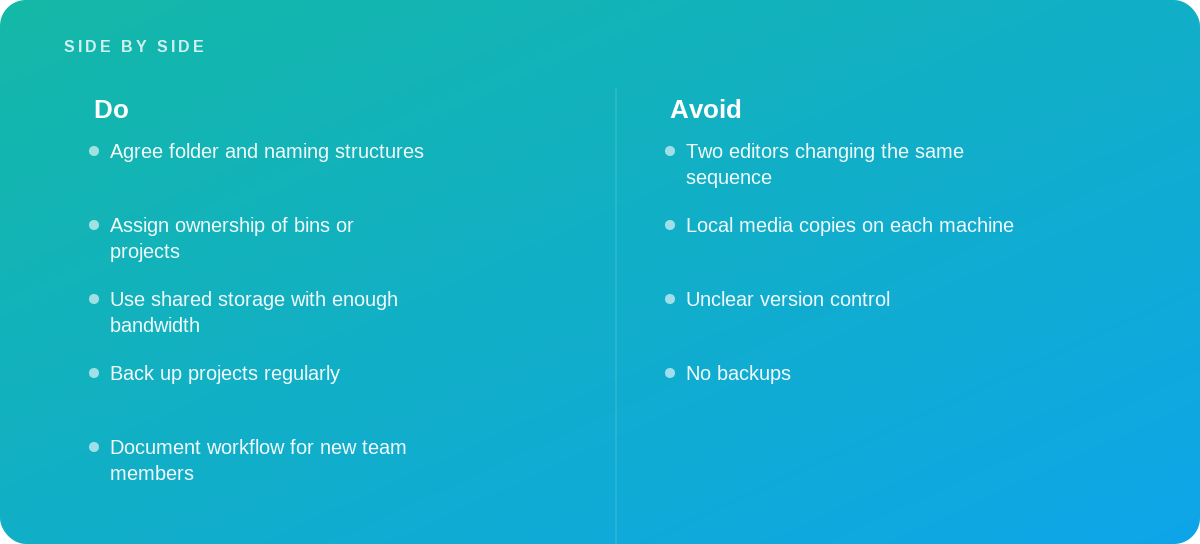
What to do and what to avoid with collaborative editing, side by side
Good practice against the usual mistakes, from the sources listed below.

The numbers behind it

Published figures for Collaborative Editing
MeasureFigure
Premiere Pro Productionssplit large projects into shared project files
Resolvesupports multi-user collaboration
Avid bin lockingprevents two people changing the same bin
Shared storageteams need fast shared access to media

Getting outside help

When to hand it over: Bring in help when setting up team editing infrastructure.

Where this comes from

The figures and practices above come from the sources listed.

Working on something like this?

We take on Video Editing & Production work for teams who want it done once, properly. Tell us what you are building and we will tell you honestly whether we are the right studio for it. Start a project.

Where to go next

Spotted something wrong? Report an error on this page. We correct on the page and say what changed.


All services

The work behind this article, and what it costs.

See it in practice

All the work
Before: Green Screen: Rotating Food Product Keyed into a Café Scene
After: Green Screen: Rotating Food Product Keyed into a Café Scene
Green-screen source Keyed + composited

Green Screen: Rotating Food Product Keyed into a Café Scene

Chroma key, despill, color matching, background defocus and vignette, compositing (ffmpeg)

Studio demo on a public-domain photo, not a client job

Watch the video

Green Screen Compositing Food & Restaurant 24-48 hours

Before: Cinematic Grade: Flat Drone Footage to a Moody Film Look
After: Cinematic Grade: Flat Drone Footage to a Moody Film Look
Original flat footage Cinematic grade

Cinematic Grade: Flat Drone Footage to a Moody Film Look

Filmic tone curve, split toning, graduated sky filter, vibrance, vignette and sharpening, with a wipe compare video

Studio demo on a public-domain photo, not a client job

Watch the video

Cinematic Color Grading Travel & Tourism 24-48 hours

Before: Logo Animation: A Coastal Tea Brand Mark Draws Itself On
After: Logo Animation: A Coastal Tea Brand Mark Draws Itself On
Static logo artwork Animated logo frame

Logo Animation: A Coastal Tea Brand Mark Draws Itself On

Logo design, self-drawing stroke reveal, staggered wave wipes, wordmark rise, particle burst and light sweep

Studio demo on a public-domain photo, not a client job

Watch the video

Logo Animation Food & Beverage 3-5 days

MediaScaleUp Editorial Team

Articles here are researched, written and checked by the MediaScaleUp studio team before they are published, and dated when they are reviewed.

Keep reading

More in Video Editing & Production