Empty, Loading & Error States
Designing what users see when there is no data yet, while data loads, and when something fails, the states most products forget.

- Price
- From $4,800.00 per project
- Free trial
- A free technical review of one page, written up, no card, no commitment.
What to send us
The screens and components in your product, common failure cases, loading times and examples of current empty or error screens.
What you get back
Designs for empty, loading, partial and error states, with messages and actions that help users understand what happened and what to do.
What to check before you sign off
Force each state in a prototype or test environment. Error and empty states are often missed until real users encounter them.
Part of Dashboard & Data Interface Design. How the work runs and what it costs across the family are set out in the web design & development guide.
Related work from Web Design & Development
Drag the handle. Every pair is our own work.
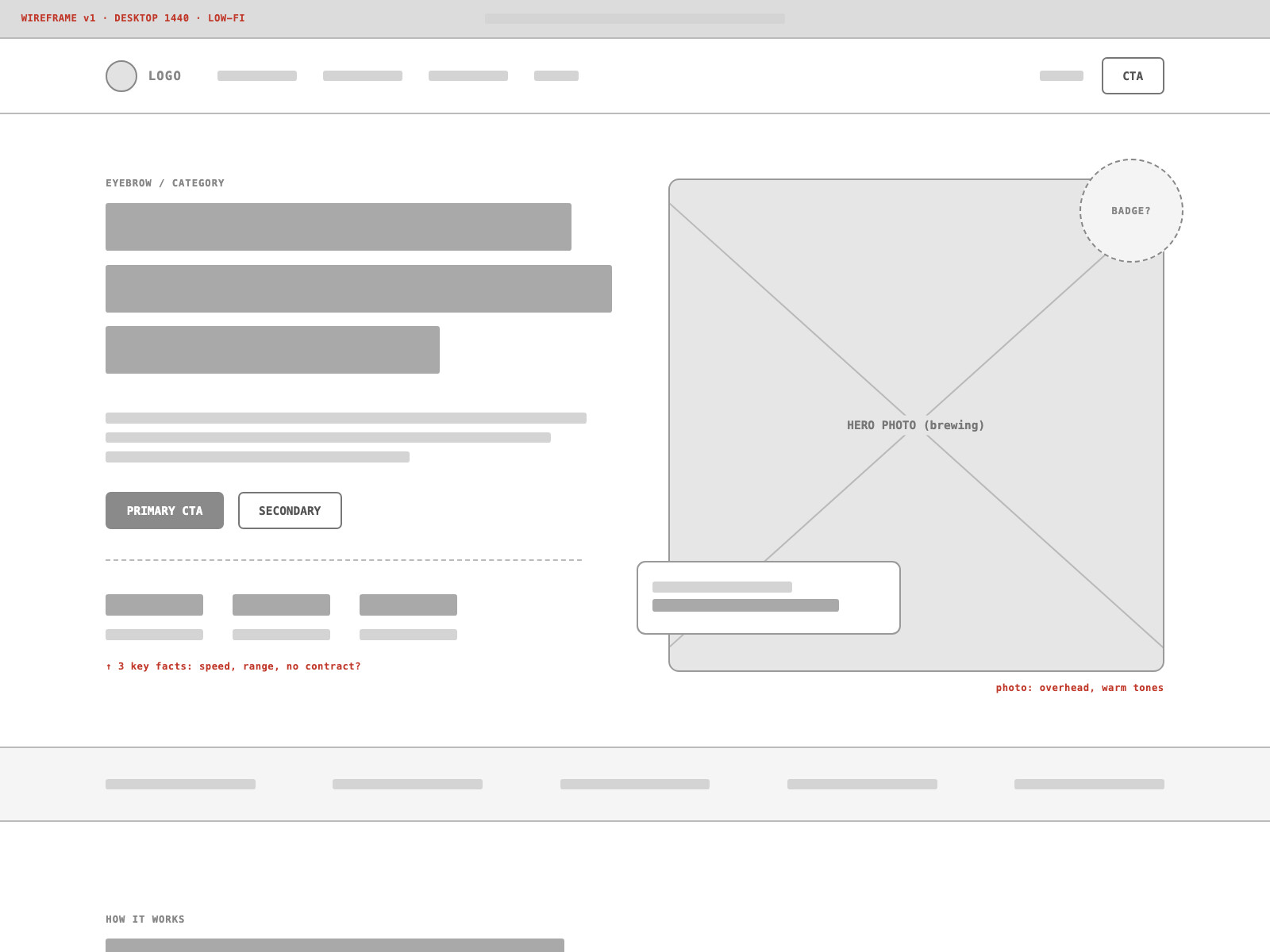
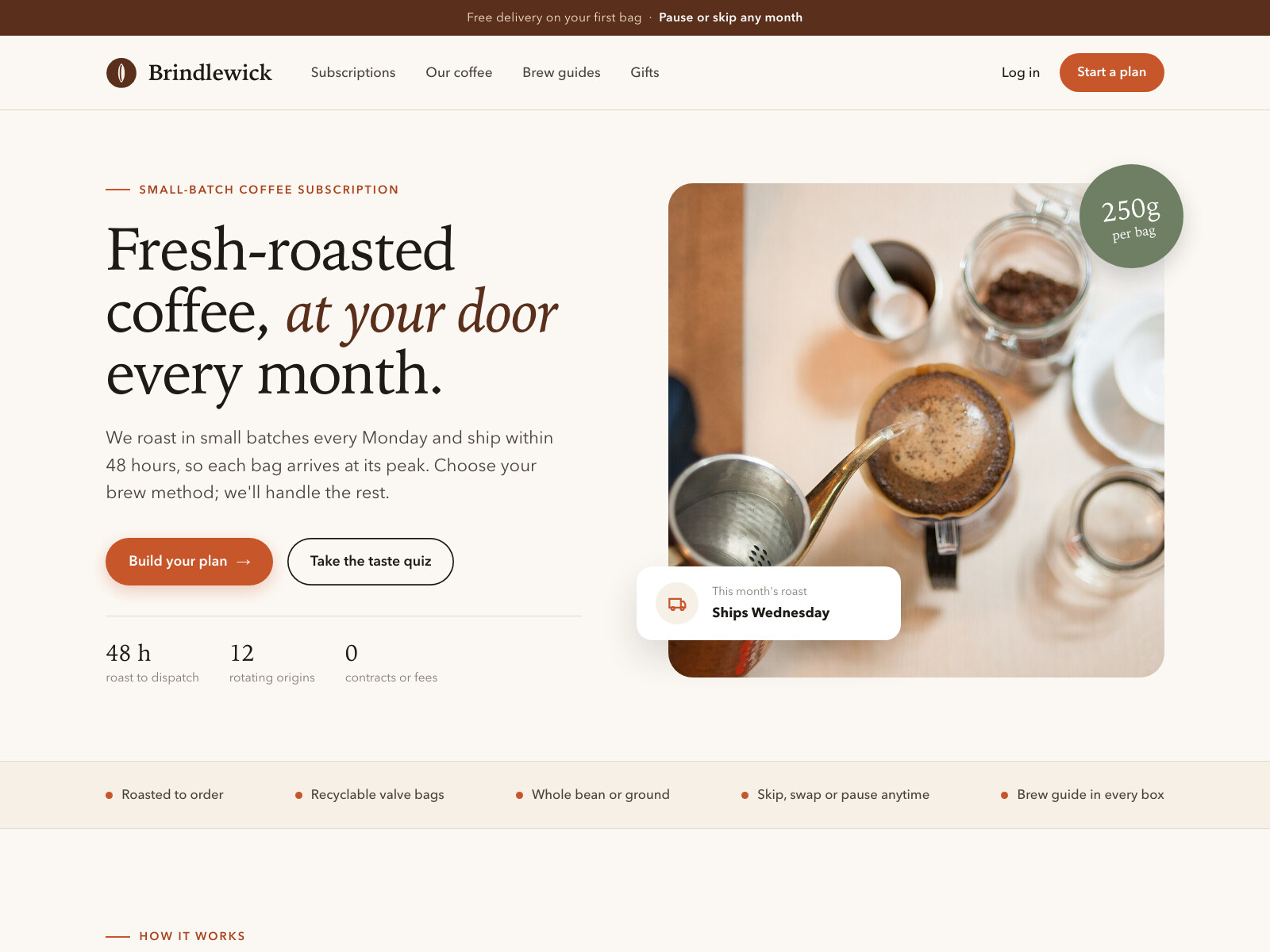
Landing Page: Wireframe to Finished Coffee-Subscription Site
Low-fi wireframe, layout and type system, hand-coded responsive HTML/CSS, CC0 photography, headless Chrome renders
Studio demo on a public-domain photo, not a client job
Watch the videoLanding Page Design Food & Beverage / E-commerce 5-7 days
Rates and common questions for this work are on the Web Design & Development page.
How we approach this work
Articles from the journal, written by the people who do this work. More on this subject →
Empty, Loading and Error States: The Decisions That Matter
The states a design is in when there is no data yet, data is arriving, or something has gone wrong.
UI & UX DesignDashboard and Data Interface Design: What Actually Works
Interfaces whose job is to present numbers so that someone can notice something and act on it.
UI & UX DesignUser Research: What Actually Works
Learn which user research methods actually work: framing questions, recruiting real users, observing behavior, and turning evidence into product decisions.
UI & UX DesignUsability Testing: What Actually Works
A phase-by-phase usability testing playbook: framing, recruiting, realistic tasks, neutral sessions, severity ratings, and small iterative rounds that work.
UI & UX DesignHow to Get Wireframing and Prototyping Right
Learn how to get wireframing and prototyping right: choosing fidelity, prototyping whole flows, testing with real tasks, and handing off without surprises.
UI & UX DesignAccessibility in Design: What Actually Works
Six common myths about accessibility in design, why each fails in practice, and the WCAG 2.2 habits that replace them, from contrast to focus and labels.
Often combined with Empty, Loading & Error States
The work that usually sits either side of this one. One team handles all of it, under one brief.

Content Brief Development
Detailed briefs for writers covering the search intent, questions to answer, sources to use and pages to link to, so con...
Priced per project

Structured Data & Rich Results
Adding schema markup for products, articles, reviews, events and more, so pages can qualify for rich results in search.
Priced per project

Logo Design
Designing a logo and the full set of versions it needs, from the primary mark to icons, favicons and single-color varian...
Priced per project

Automation & Flow Design
Automated email sequences triggered by what customers do, such as signing up, browsing or buying, so the right message a...
Priced per project

Dashboard & Reporting Build
Dashboards that show the handful of numbers each team needs, pulled from your real data sources and updated automaticall...
Priced per project

Brand Strategy
Deciding who the brand is for, what makes it different and how it should sound, before any design work starts.
Priced per project
Related services
Try it free: a free technical review of one page, written up.
No card and no commitment. If the standard is not what you need, you have lost nothing.