Ducking and Sidechain Compression: The Decisions That Matter
Lowering one sound automatically when another plays, most often music dipping under narration or dialogue.
 Tomas Lindqvist
At a glance
- Sidechain a compressor responds to a different signal than the one it controls
- Auto ducking Premiere Pro's Essential Sound panel can duck music under dialogue
- Release time controls how quickly music returns
- Pumping fast, deep ducking can sound unnatural
Why it matters
Why it matters: Ducking keeps speech clear without manual volume rides, but poorly set ducking pumps audibly and distracts listeners.
Best practice
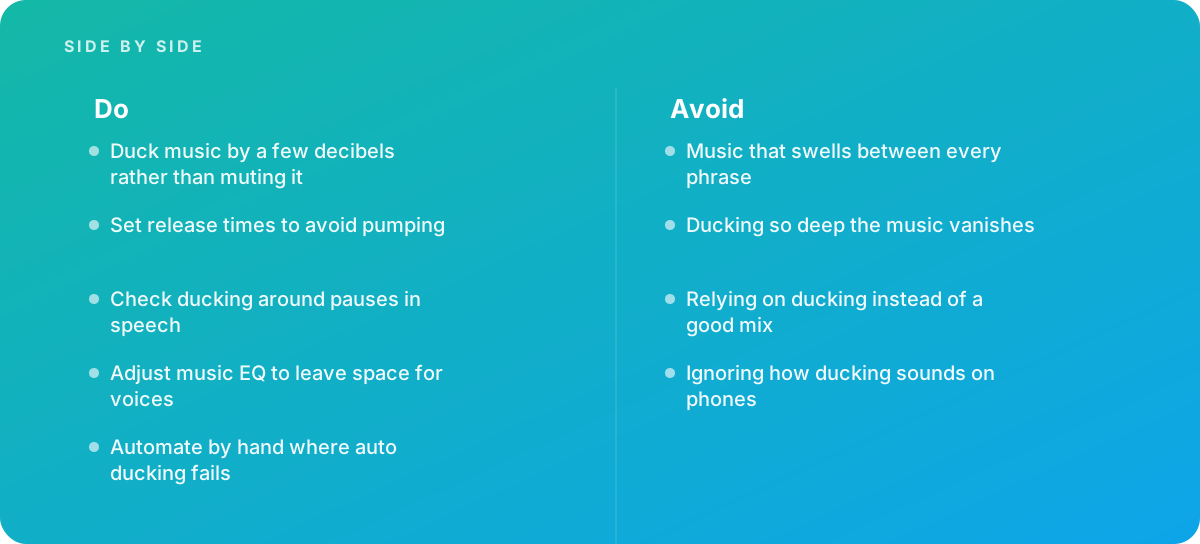
- Duck music by a few decibels rather than muting it
- Set release times to avoid pumping
- Check ducking around pauses in speech
- Adjust music EQ to leave space for voices
- Automate by hand where auto ducking fails
Common pitfalls
Watch out for:
- Music that swells between every phrase
- Ducking so deep the music vanishes
- Relying on ducking instead of a good mix
- Ignoring how ducking sounds on phones
When to call in a specialist
Bottom line Bring in help when narration fights with music across a series.
Where this comes from
- Adobe Help Center — Premiere Pro User Guide
- Adobe Help Center — Audition User Guide
The figures and practices above come from the sources listed.
Working on something like this?
We take on Audio Editing & Production work for teams who want it done once, properly. Tell us what you are building and we will tell you honestly whether we are the right studio for it. Start a project.
Where to go next
Spotted something wrong? Report an error on this page. We correct on the page and say what changed.